
How do I collect the office commission and pay the broker’s commission?
Two entirely different commissions: one comes into you from the tenant, the other goes out from you to whoever brought the deal.
The office commission
- The office commission amount is entered when the contract is created and shows in its financial summary.
- Open Property Rental → Office commissions — Figure 1 — and record its collection.
- Enter the amount, the collection date and the payment method. For a cheque, enter its number and due date and track its status.
The broker commission
- Open Broker commissions — Figure 2 — then a new payout voucher.
- Pick the contract and the broker, and enter the amount, payout date and payment method.
- Save and print the voucher for the broker to sign.
Notes
- The office commission is your own income, not part of the owner’s rent, so do not fold it into the contract collections.
- Cheques carry a status and a due date; follow them and do not treat a cheque as collected the moment you receive it.
- Do not pay a broker before the office commission is collected; that is the quickest route to a cash shortfall.
- Put your agreement with the broker in writing before the contract; arguing over commission after signing is exhausting.
Screenshots
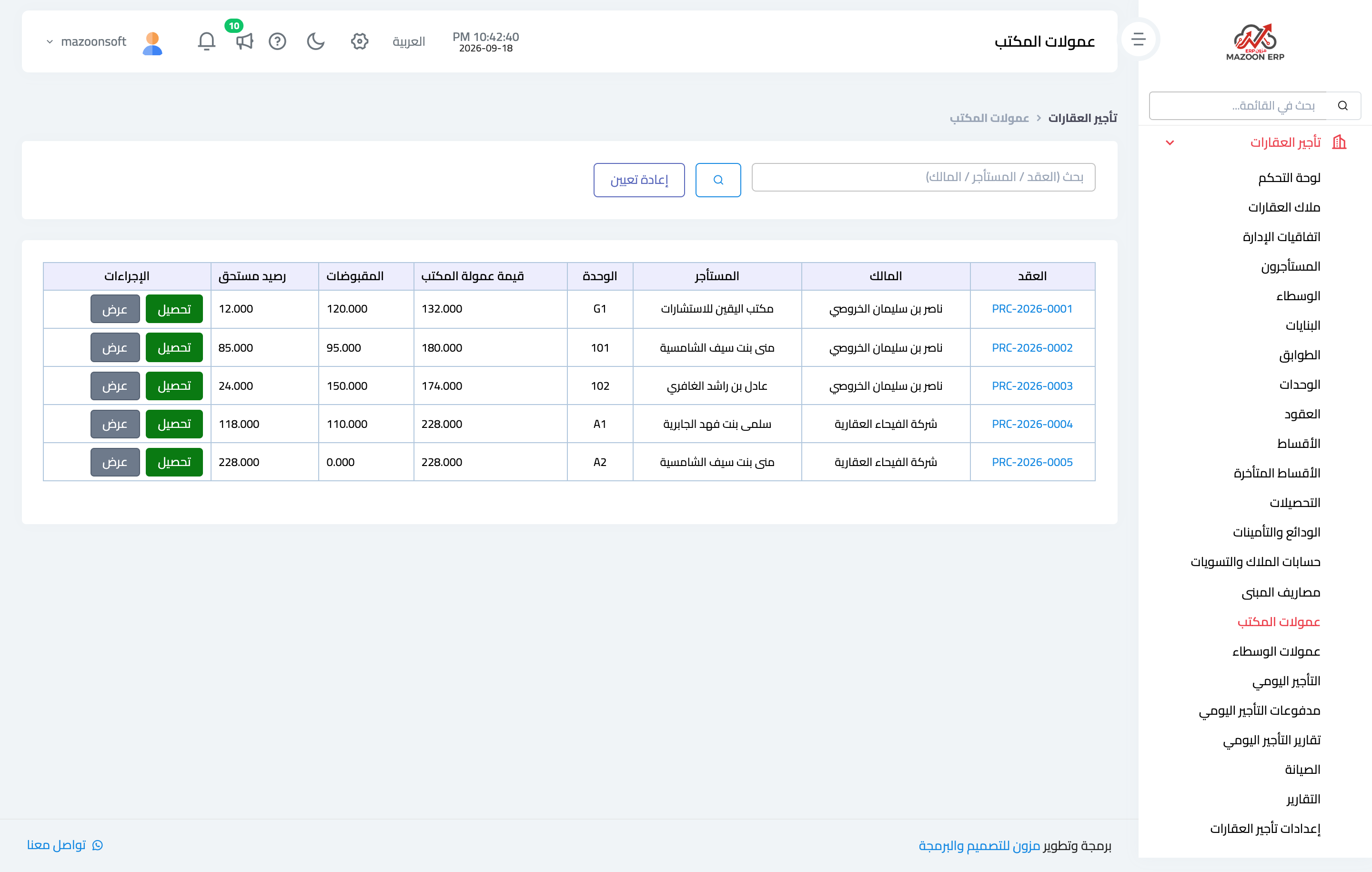
Figure 1
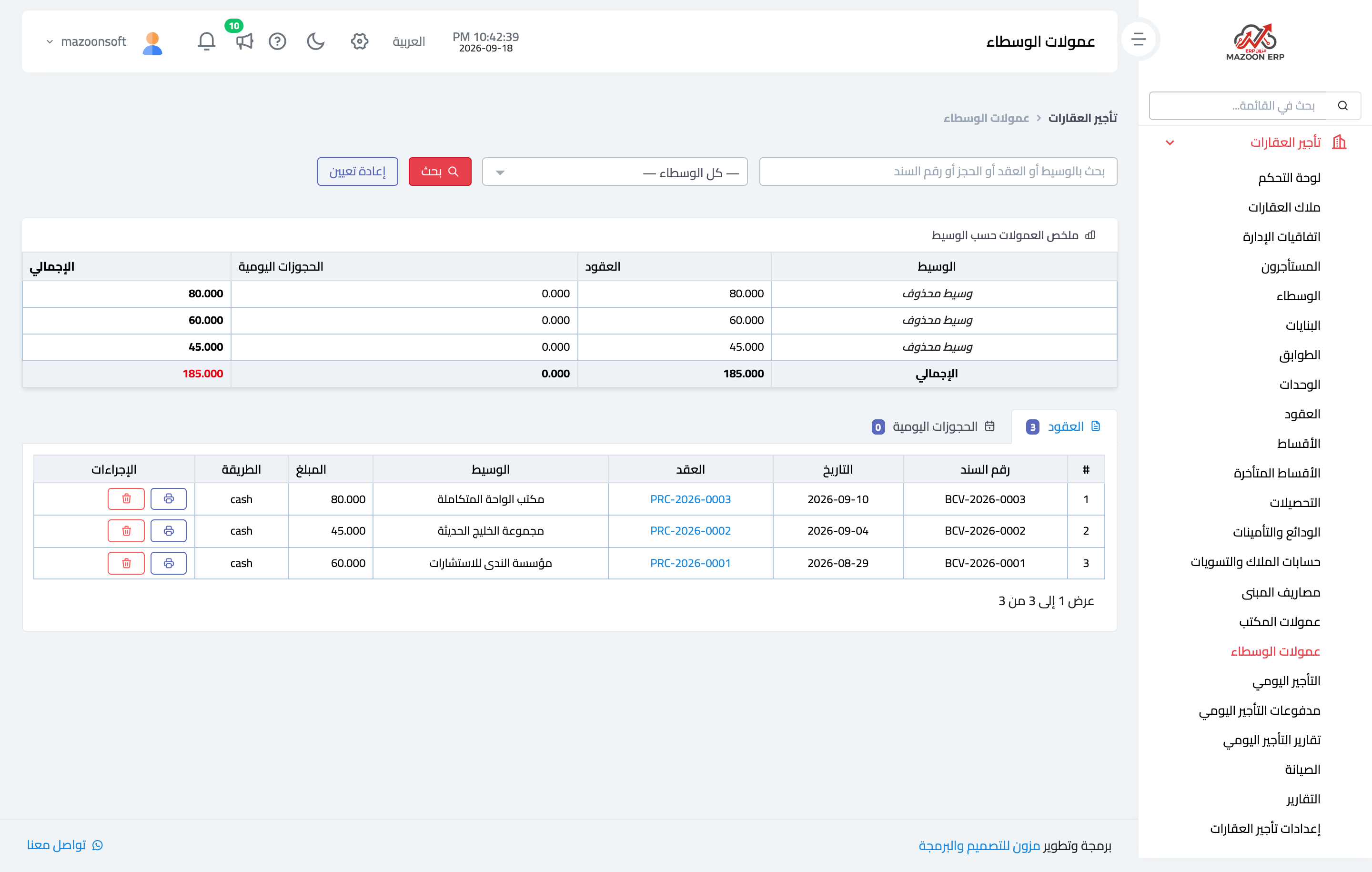
Figure 2
Try what you just read on your own data
Open a free 7-day trial — no credit card, with your own company link in minutes.