
How do I read the daily booking reports?
Daily letting is a different business from annual leasing: its first metric is occupancy, its second is the average nightly rate.
Steps
- Open Property Rental → Daily booking reports — Figure 1.
- Set the period and the unit if you want detail.
- You see the number of bookings, the nights sold, the revenue, and collected against outstanding.
- In Daily bookings — Figure 2 — filter by status: confirmed, checked in, finished, cancelled.
How to read the numbers
- High occupancy, low revenue — your price is below what the market bears; raise it gradually and watch the effect.
- Low occupancy with many cancellations — your problem is the booking policy, not demand; require a deposit.
- High outstanding — guests left without paying, which is an operational failure rather than a financial one.
Notes
- Compare holidays against holidays and ordinary days against ordinary days; mixing them hides the picture.
- An empty night never comes back, so dropping the price two days out beats leaving it vacant.
- The report is only accurate if booking statuses are updated at check-in and check-out, not days later.
Screenshots
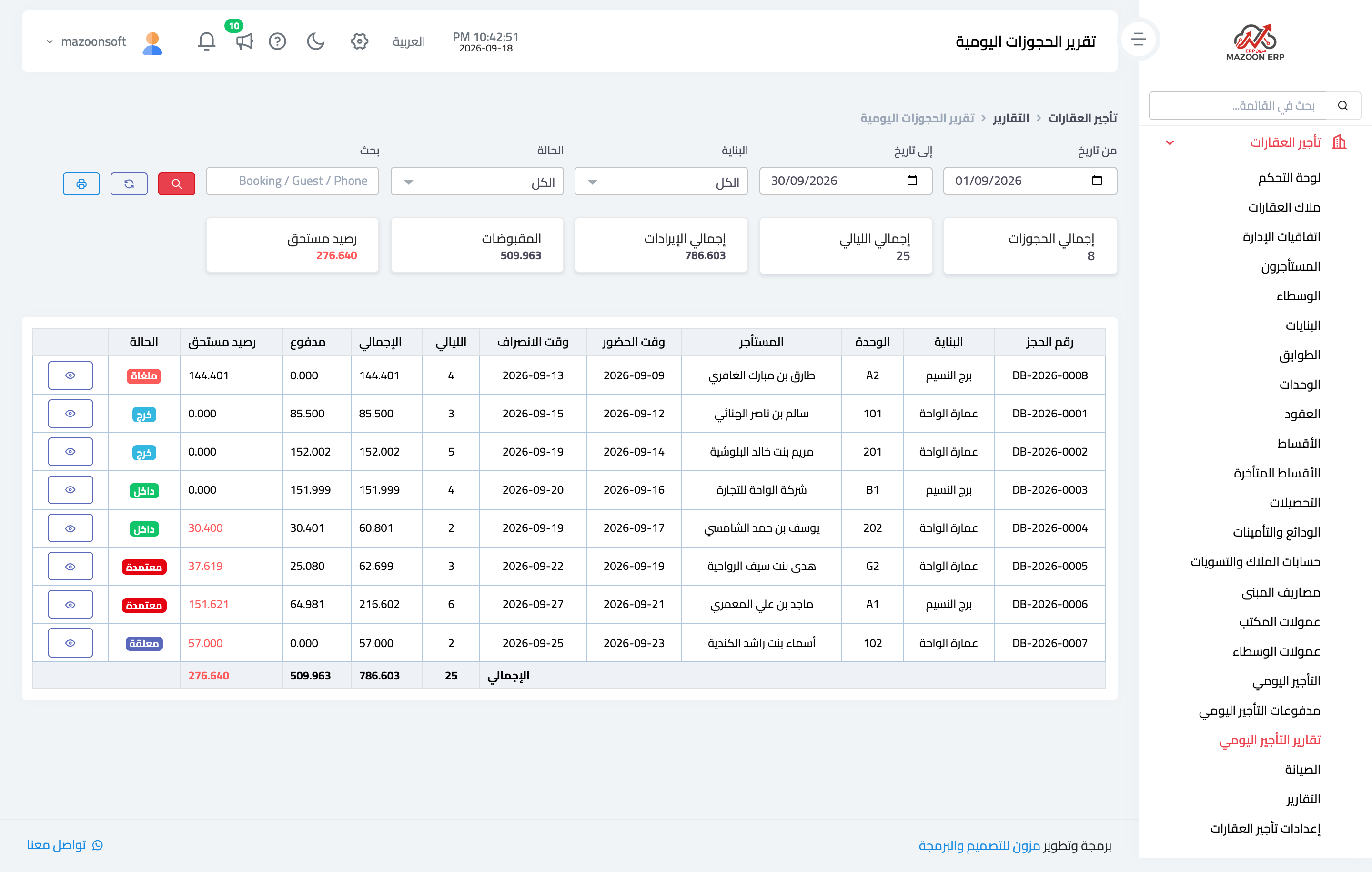
Figure 1
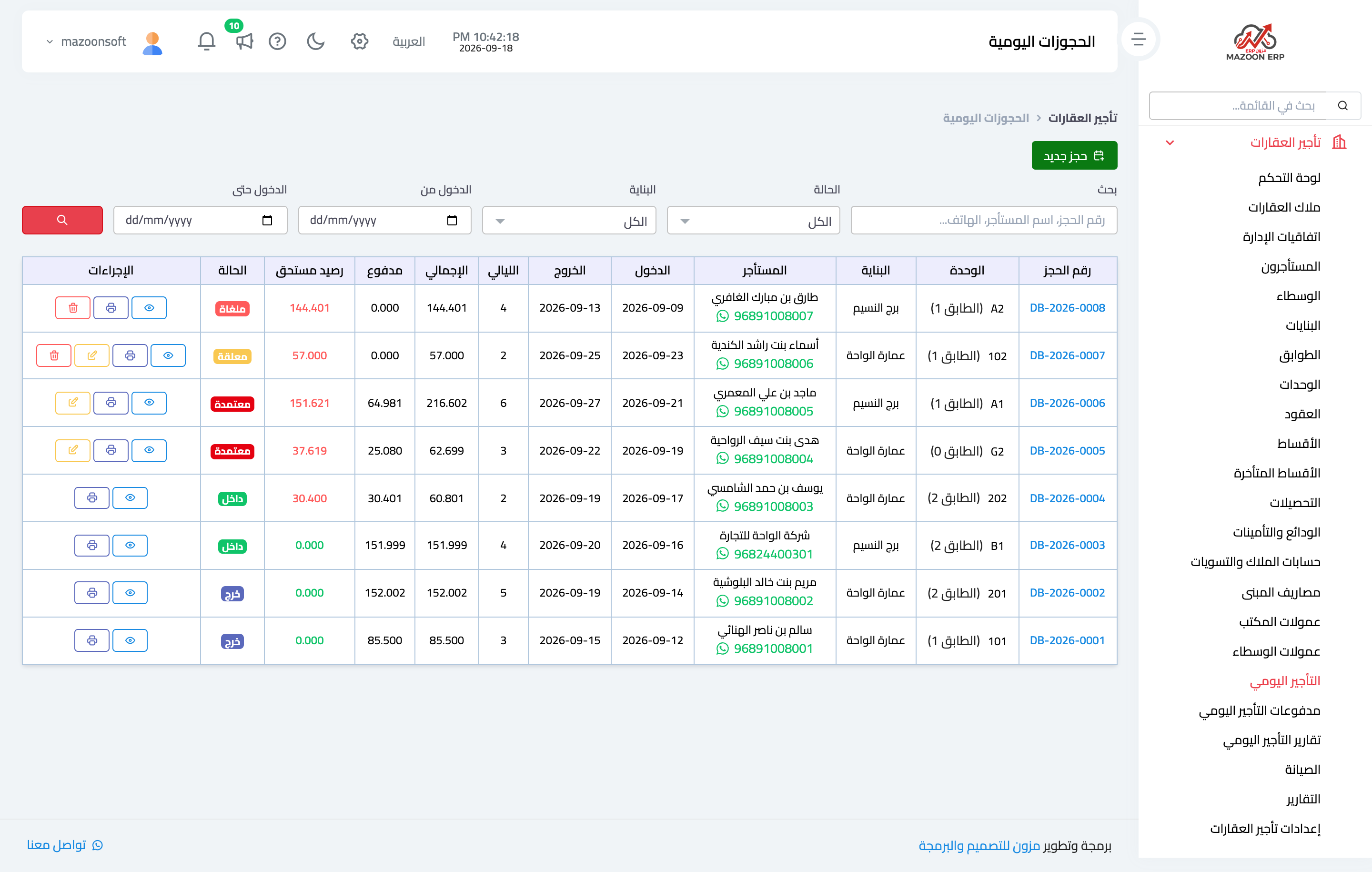
Figure 2
Try what you just read on your own data
Open a free 7-day trial — no credit card, with your own company link in minutes.