
Building the portfolio: owners, buildings, and units
The Property Rental module is built for a property management office rather than a single owner: it separates what belongs to the owner from what belongs to the office, and keeps a separate account for each owner.
The dashboard
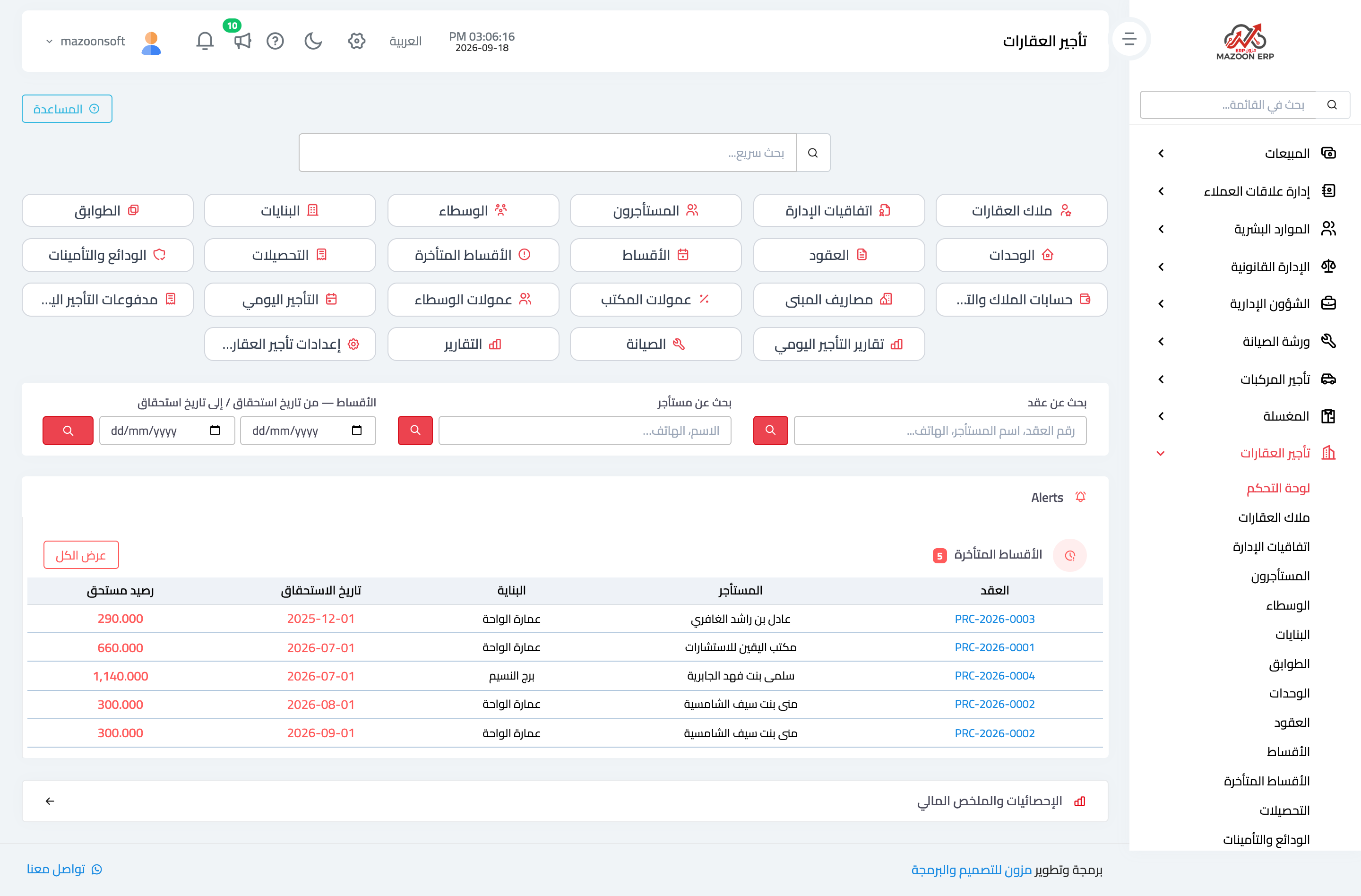
Open Property Rental → Dashboard, as in Figure 1: the number of units and how many are let, active contracts and those expiring soon, collected and overdue amounts, and open maintenance requests.
The property hierarchy: four levels
The system arranges property in four levels, and understanding them saves re-entering data later:
- Property — the top-level holding, with one owner, a code, and a name.
- Building — under the property, with its number, region, type, and complex, street, and road numbers.
- Floor — inside the building.
- Unit — the flat or shop, and what a contract is signed on.
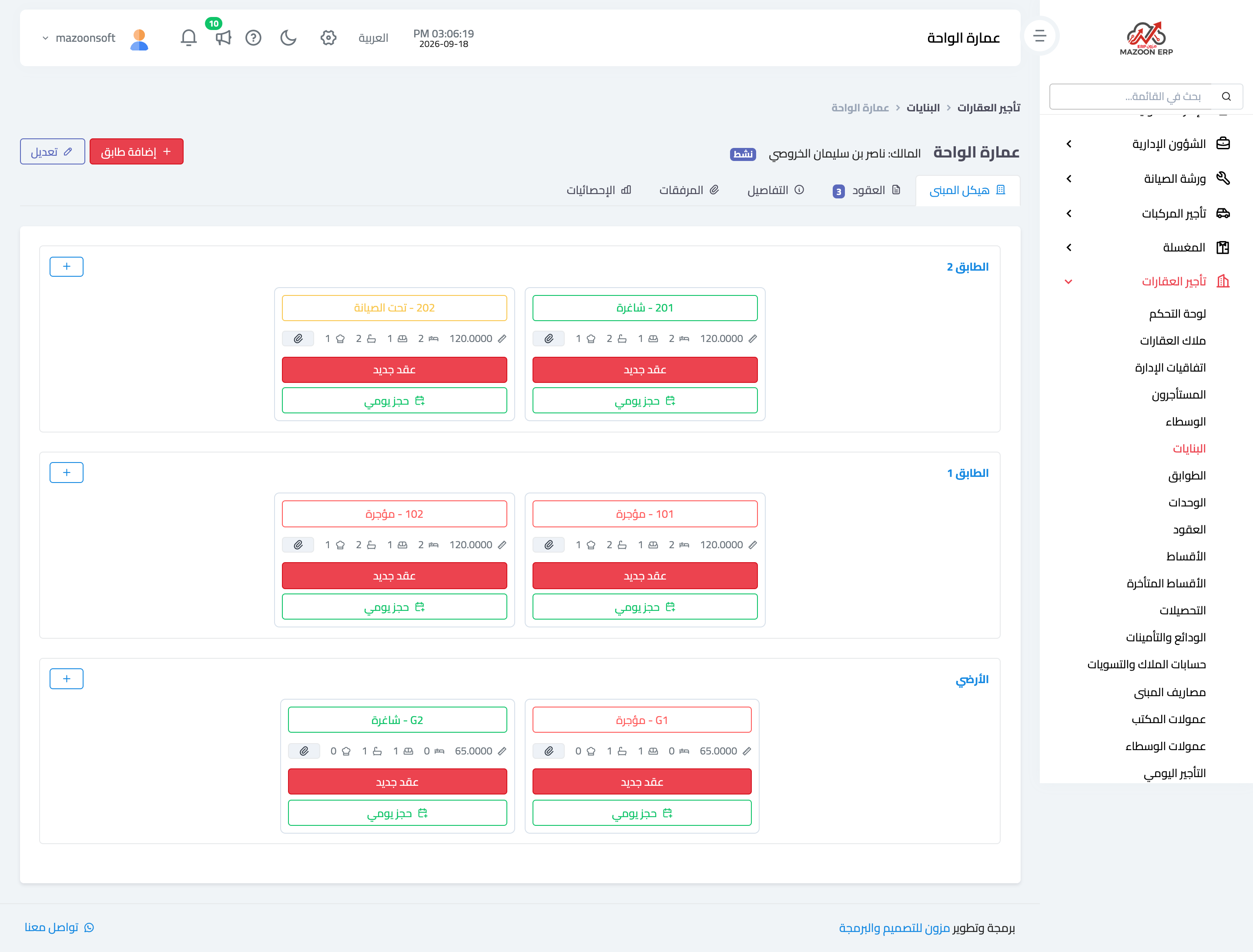
The hierarchy is not decoration: occupancy reports per building, the allocation of building expenses to its owner, and knowing which floor keeps breaking down all come from it.
Buildings
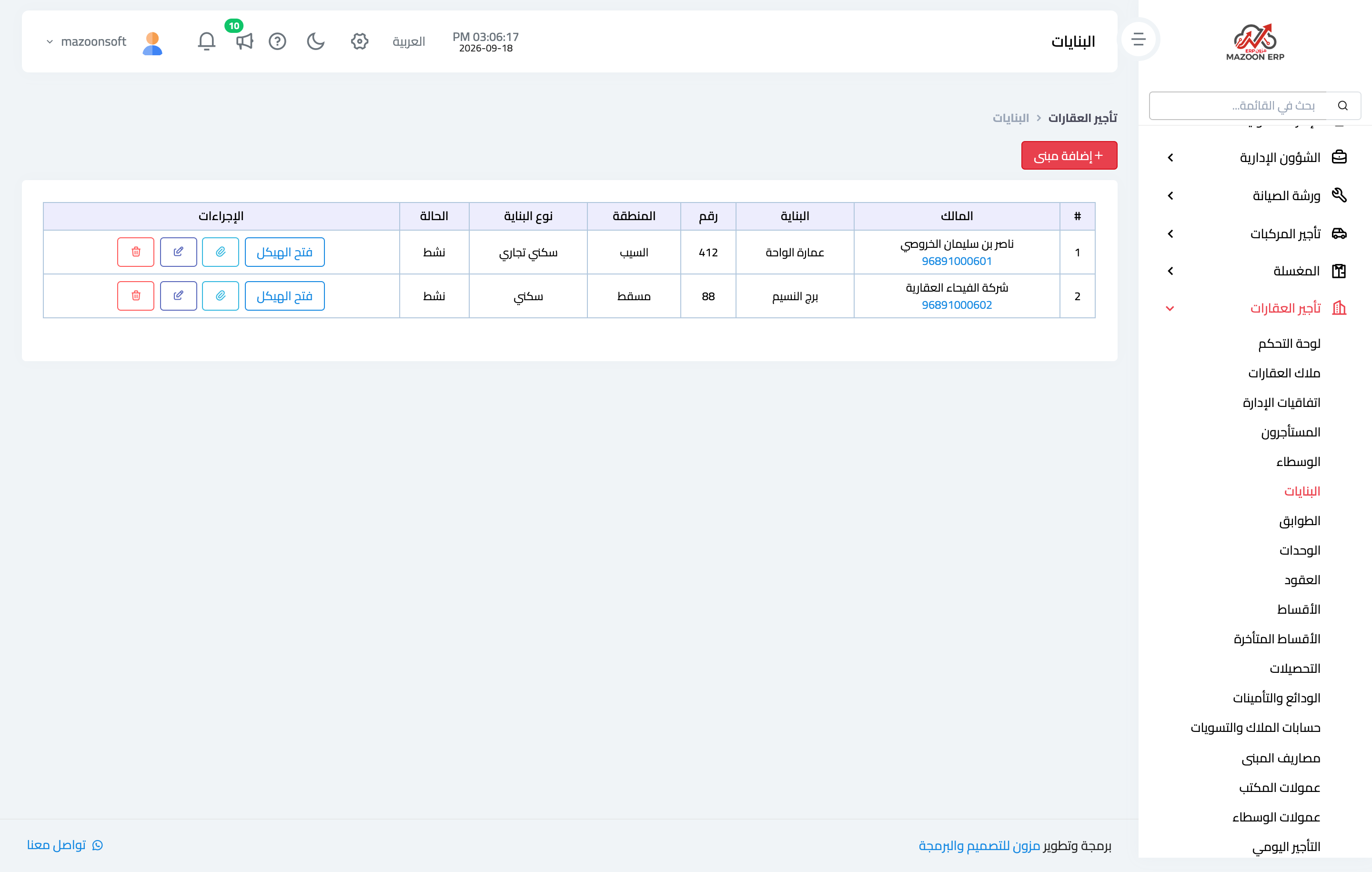
The Buildings screen — Figure 2 — lists every building with its owner, region, and unit count. The building page — Figure 3 — gathers its floors, its units, and the status of each unit on one screen, so you see the whole building at a glance.
Units
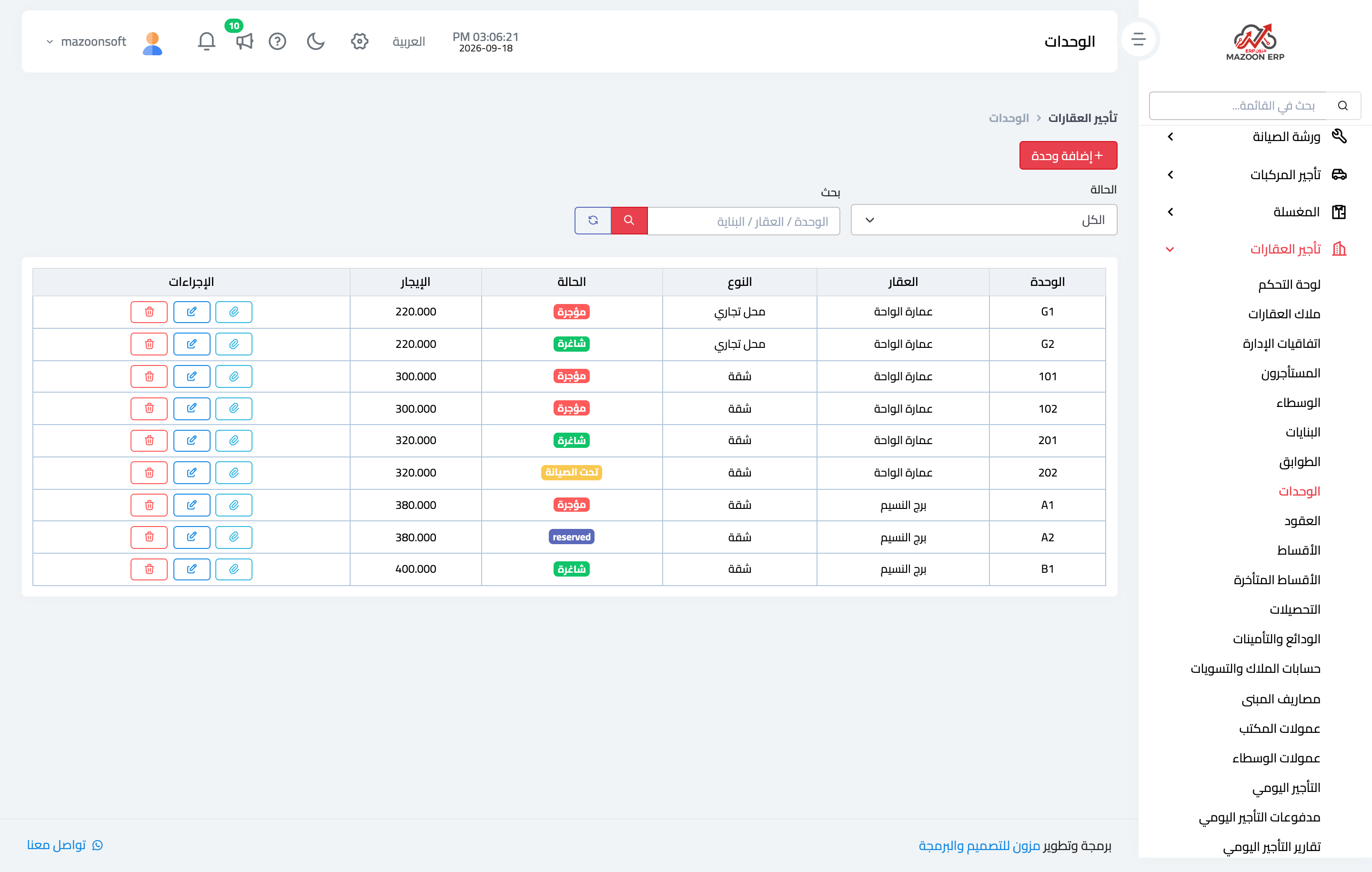
Each unit — Figure 4 — carries its number, its type (flat, shop, store), its area, the count of bedrooms, halls, bathrooms, and kitchens, the default rent, and the electricity and water meter numbers.
A unit has four states: vacant, rented, reserved, and under maintenance. Tracking how many are vacant is the office’s first performance indicator.
The meter numbers matter at handover and hand-back, because they settle the utility-bill argument between the outgoing and incoming tenant.
Owners and management agreements
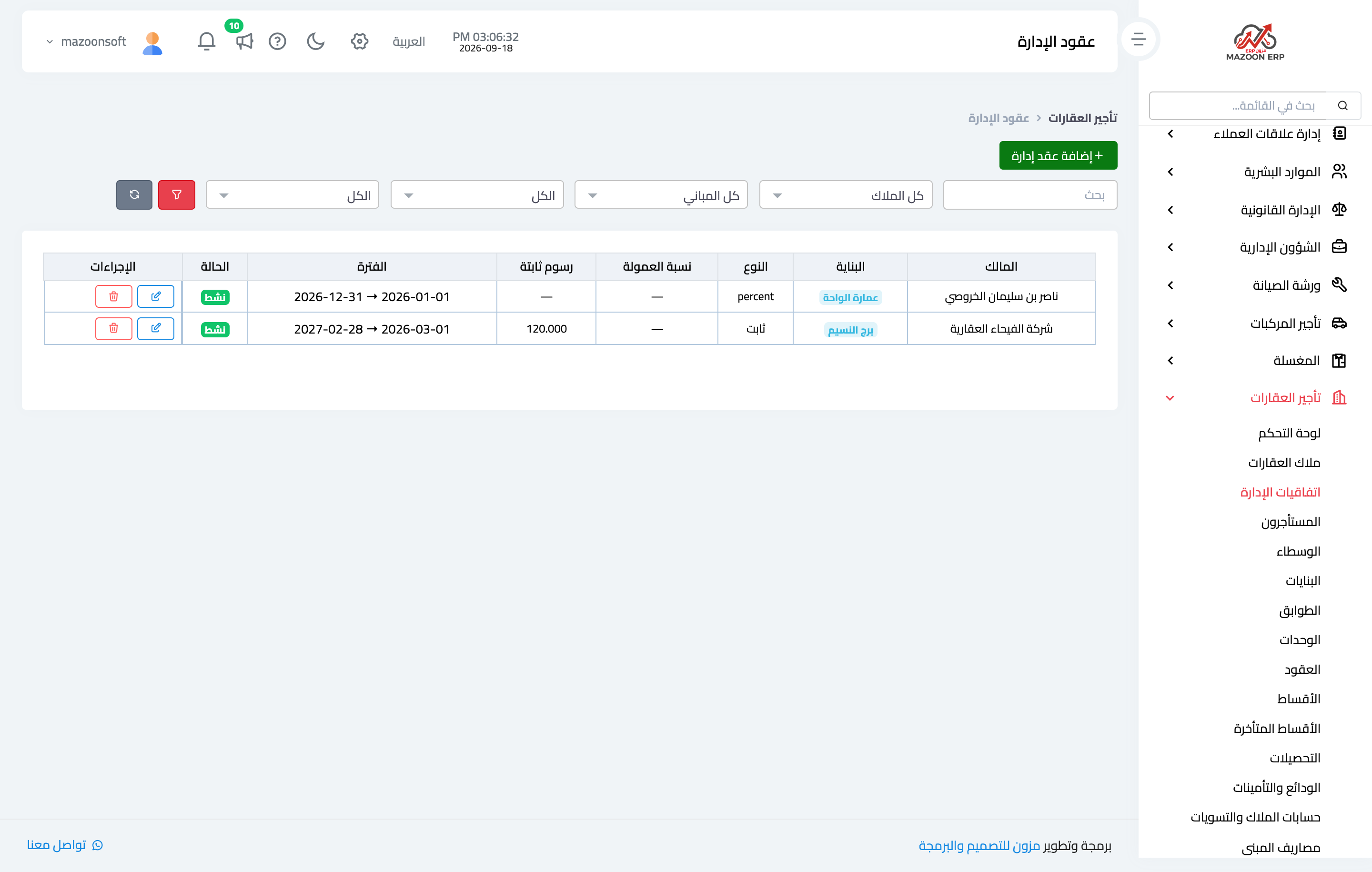
An owner is a contact with the “property owner” role, and what binds them to the office is the management agreement, as in Figure 5.
An agreement comes in two kinds:
- Percentage — the office takes a share of the rent collected.
- Fixed fee — a flat monthly amount whatever is collected.
It also sets the expense policy: whether building expenses are deducted from the owner’s account or borne by the office. That choice is what builds the owner settlement at month end, so set it from the start.
Notes
- Enter every unit, vacant ones included; occupancy cannot be computed unless the system knows the denominator as well as the numerator.
- Set the default rent per unit; it is proposed automatically when a contract is created.
- Do not delete a building that has past contracts; the financial history is tied to it.
Screenshots
Try what you just read on your own data
Open a free 7-day trial — no credit card, with your own company link in minutes.