
The lease contract, instalments, and collection
A lease in this module is not one document but a schedule of instalments running a year or more, each with a date on which the tenant is billed and the owner becomes entitled.
Creating the contract
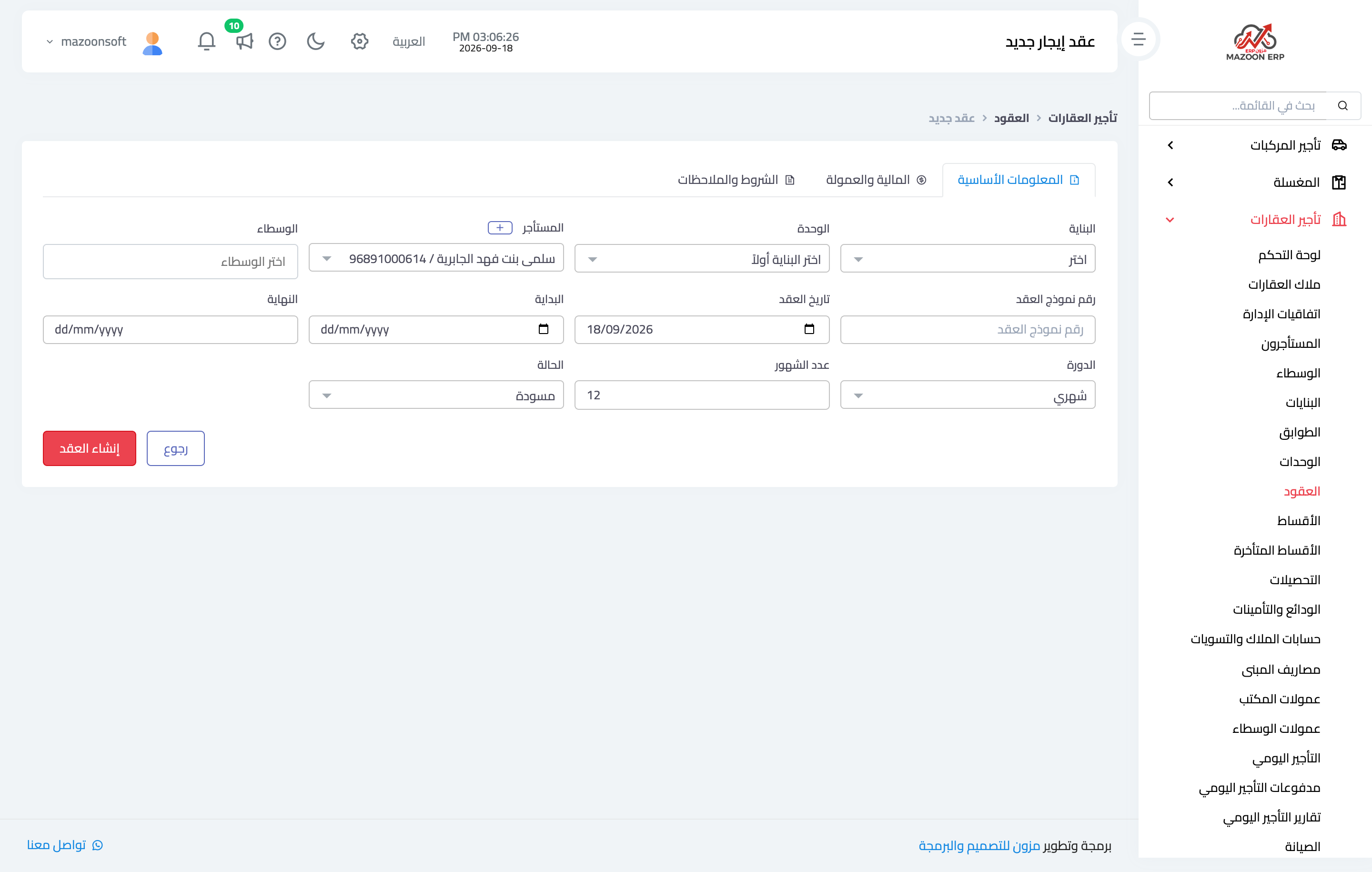
Go to Contracts → New contract, as in Figure 1, and enter:
- Unit, tenant, and owner — the owner is filled automatically from the property owner, and brokers entitled to commission can be added.
- Contract form number — the number of the officially attested form, which is not the internal contract number.
- Term — start and end dates and the number of months.
- Billing cycle — monthly, quarterly, semi-annual, or annual. The instalment schedule is generated from it.
- Monthly rent — from which, with the month count, the base rent total is computed.
- Tax, municipality fee, service fee, and discount — which combine into the final contract total; that total can be overridden by hand provided a reason is recorded with it.
- Office commission — a percentage or an amount, and it can be collected immediately on creation.
- Security deposit — cash, cheque, transfer, or a physical guarantee with a declared value.
The instalment schedule
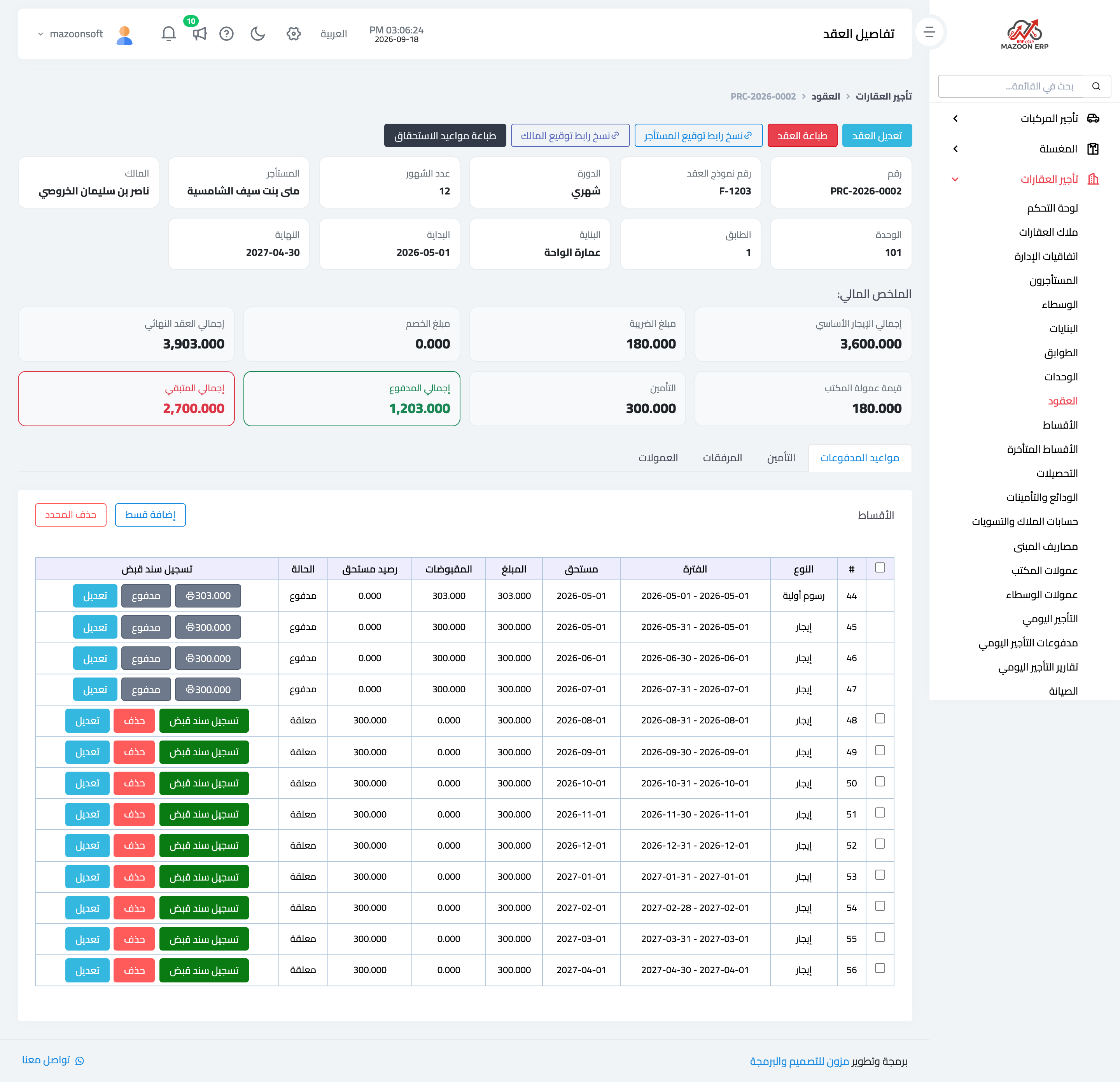
As soon as the contract is saved, the system generates the instalment schedule, as in Figure 2, and it is the heart of the contract. It opens with an initial charge instalment combining tax, municipality fee, and service fee less the discount, followed by rent instalments, one per billing cycle.
Each instalment shows its period, due date, amount, amount received, balance, and status (pending or paid). A record receipt button on each row opens collection directly.
You can edit an instalment, add one manually, or delete one not yet collected; the schedule is generated automatically but is not rigid. The print due dates button produces the schedule as a sheet to hand to the tenant.
Signatures from both parties
The contract carries two separate signatures: the tenant’s and the owner’s, each with a copy signing link button to send so they sign from their phone without coming to the office — convenient in particular with an owner living abroad.
Instalments and receipts
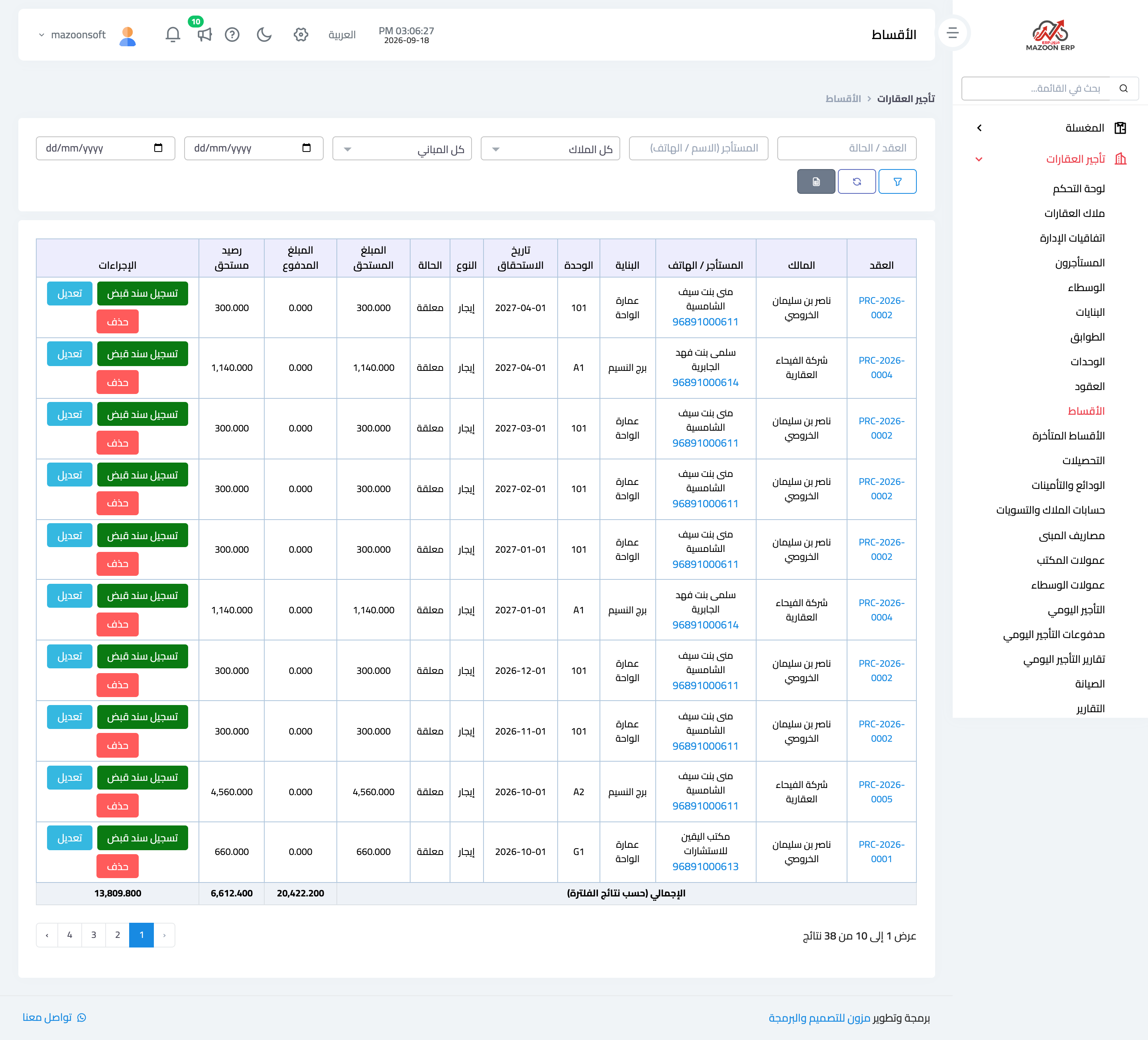
The Instalments screen — Figure 3 — gathers every instalment across all contracts ordered by due date, with filters by status, building, and owner. It is what you open at the start of the month to see who to bill.
Beside it sits overdue instalments, the same list restricted to what has passed its date.
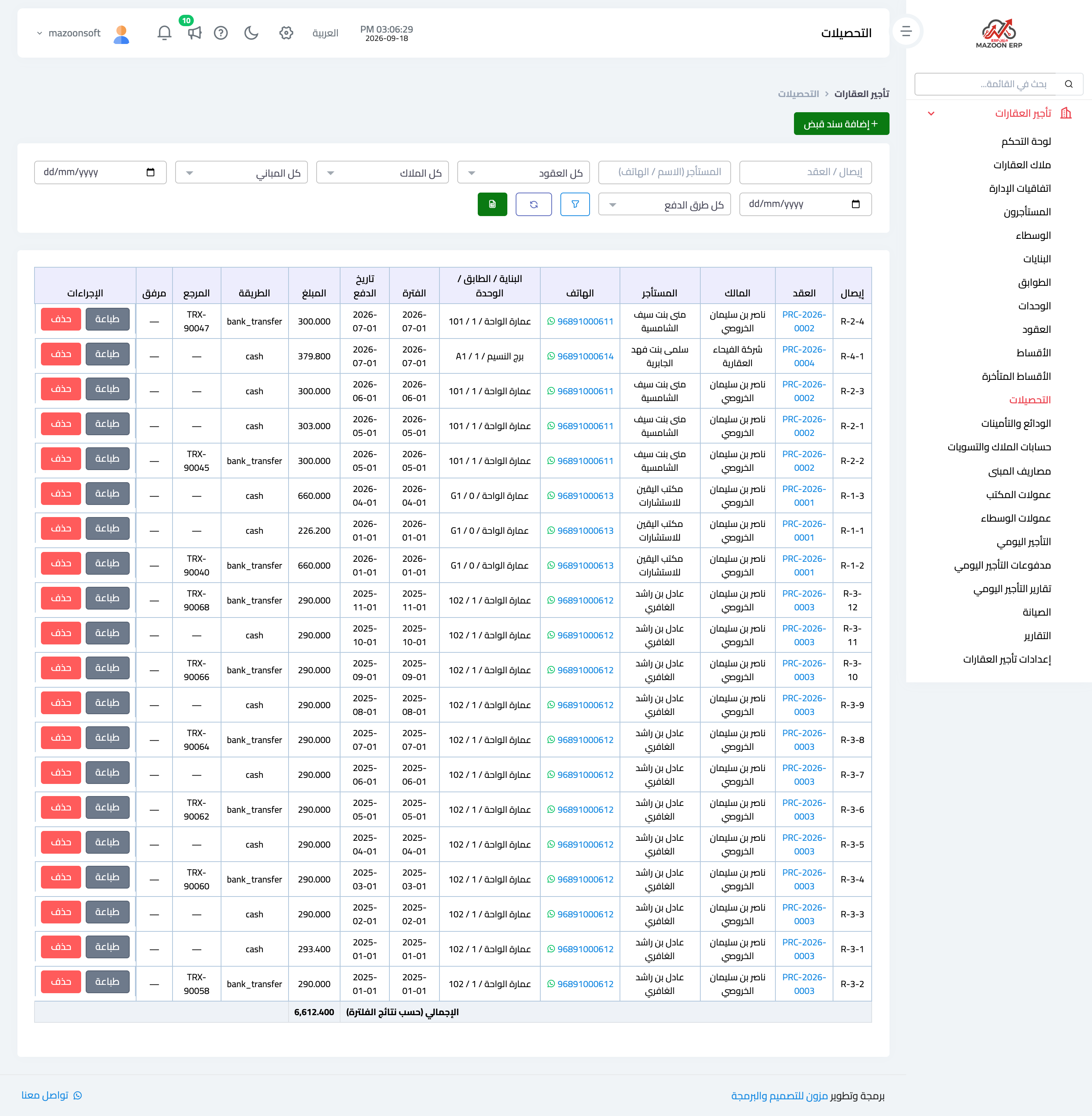
The Receipts screen — Figure 4 — shows the receipts recorded: receipt number, contract, tenant, amount, payment method, reference, and the uploaded receipt attachment where one exists.
Contract states
A contract has four states: draft before approval, active while it runs, expired once its term has passed, and terminated if ended early.
An expired contract is renewed rather than deleted: the system links the new contract to the old through the previous contract field, keeping the tenant’s history with the unit continuous.
Notes
- Choose the billing cycle carefully before saving; changing it later regenerates the whole schedule.
- Collect the office commission at signing rather than a month later; it is the hardest thing to collect once it slips.
- Attach the bank transfer slip to the receipt; it is what settles a dispute months on.
Screenshots
Try what you just read on your own data
Open a free 7-day trial — no credit card, with your own company link in minutes.