
How do I settle an owner’s account and pay out what they are due?
The owner settlement is the summary of your month’s work: what you collected, what you deducted, and what you remit to them.
Steps
- Open Property Rental → Owner accounts and settlements — Figure 1.
- Press New settlement — Figure 2 — and pick the owner and the settlement period (from date, to date).
- The system totals the gross collections on their units in that period.
- It then deducts the office commission at the management agreement rate, the building expenses charged to them, and the maintenance deductions.
- The net payable appears. Review the lines, then approve the settlement.
- Record the payout and print a statement for the owner.
- To follow any owner’s running balance, open Owner account — Figure 3.
Notes
- Do not approve the settlement before every receipt and expense for the period is recorded; correcting it afterwards is tedious.
- Send the owner the statement before the payout, not after; an objection before the transfer is easier than clawing money back.
- The settlement is built on what was actually collected, not what was due; an unpaid instalment does not enter the owner’s account.
- Keep to a fixed date each month; owners judge an office by the regularity of the remittance as much as its size.
Screenshots
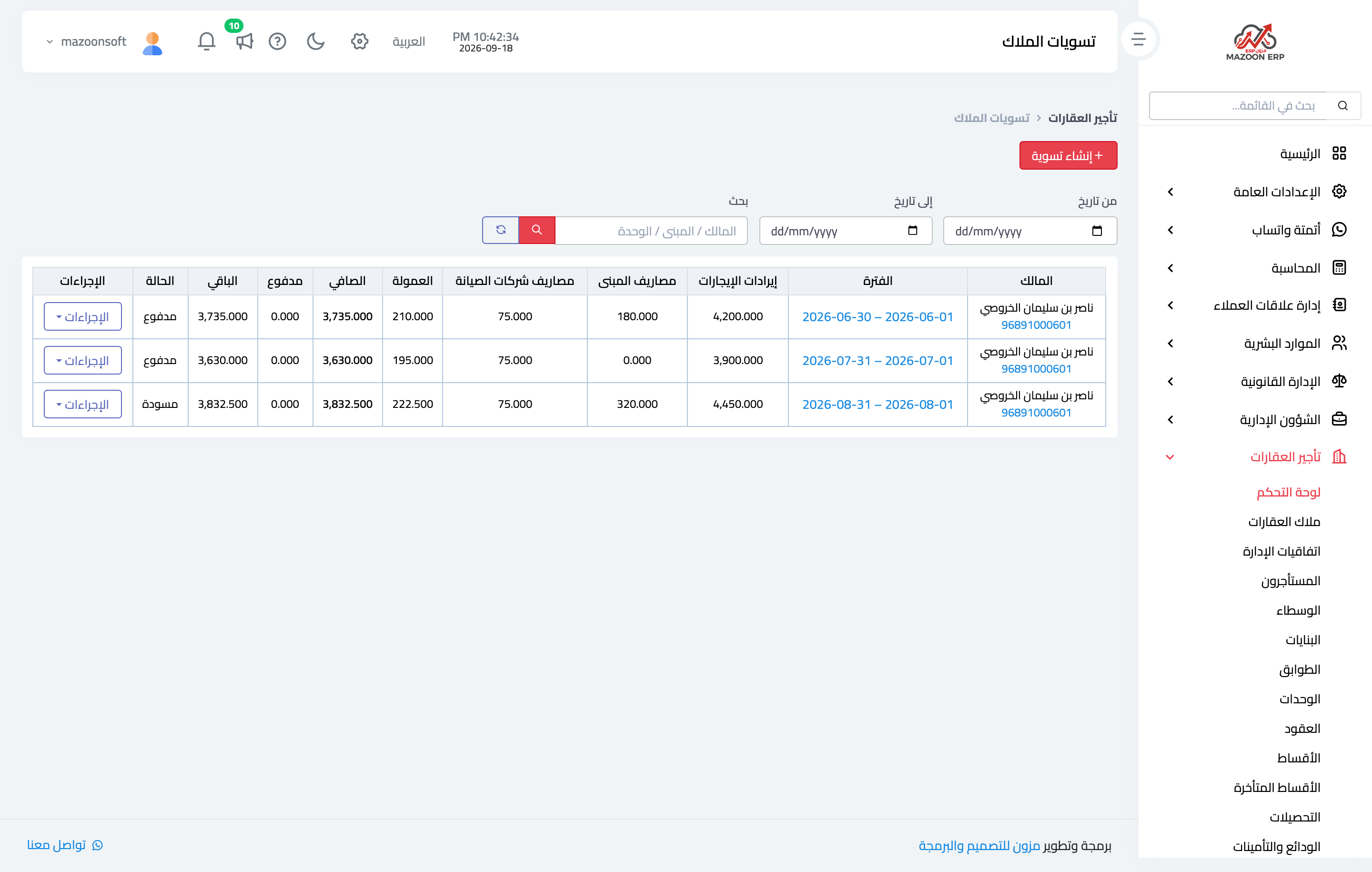
Figure 1
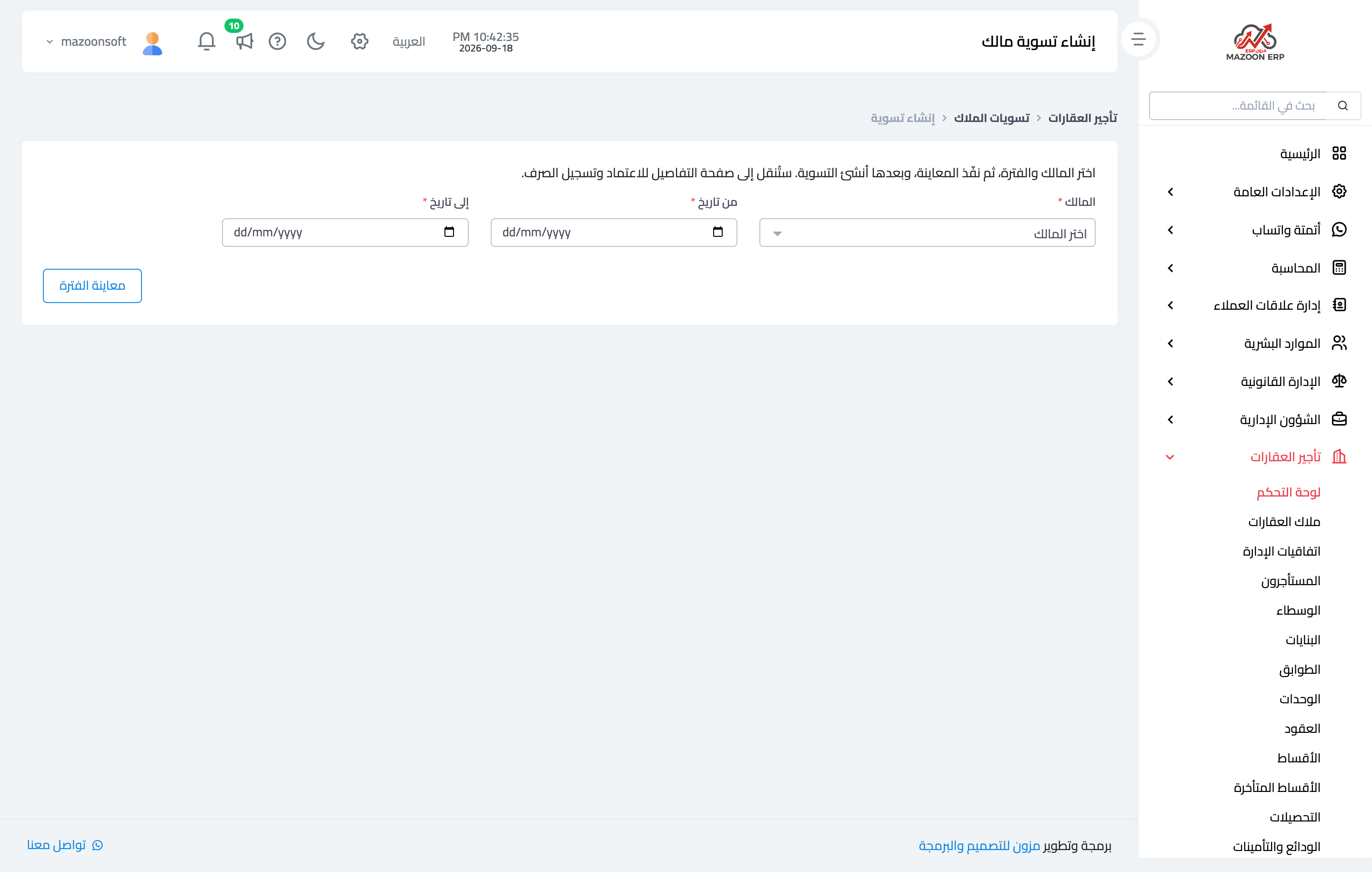
Figure 2
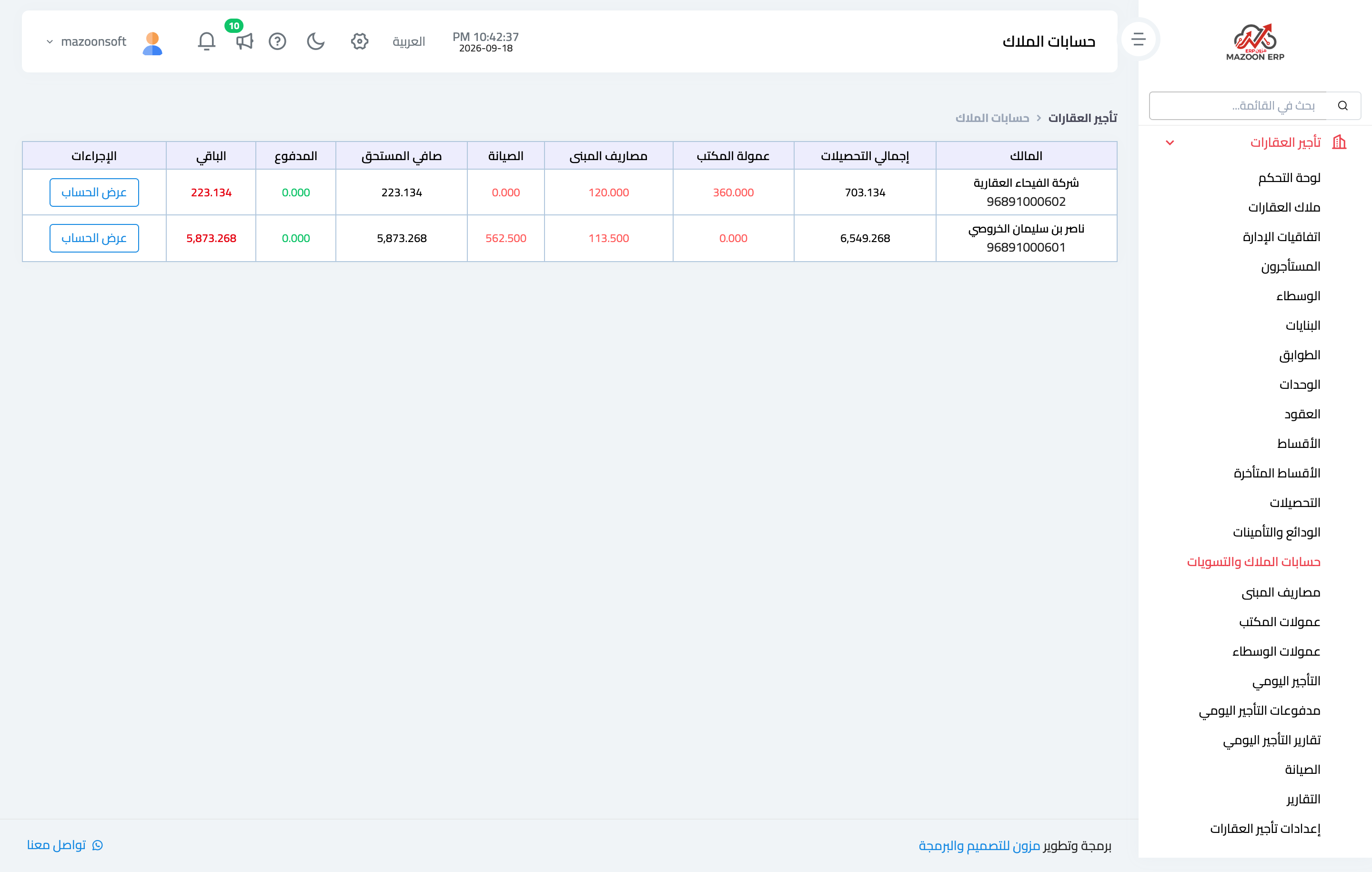
Figure 3
Try what you just read on your own data
Open a free 7-day trial — no credit card, with your own company link in minutes.