
How do I log a maintenance request and follow it up?
The maintenance request is what tenants call about most and what gets forgotten most. Logging it turns a phone call into a task with an owner and a date.
Steps
- Open Property Rental → Maintenance — Figure 1 — the hub for everything maintenance-related.
- Go to Maintenance requests — Figure 2 — and add a new request.
- Pick the building then the unit, and write the problem description in the tenant’s words.
- Set the priority and the request date, then save.
- Update the status as the work progresses until it is closed, and record the cost if there is one.
- If the cost is the owner’s, record it as a building expense so it is deducted in their settlement.
Notes
- Do not rely on WhatsApp alone; an unlogged request is a request that will be forgotten and come back as a complaint.
- The tenant’s own description is more useful than your first diagnosis; it is your reference in a dispute.
- Repeated requests on one unit mean a root problem, and fixing it once is cheaper than patching it five times.
- A tenant whose request is answered quickly renews; maintenance speed is a commercial decision, not just a service.
Screenshots
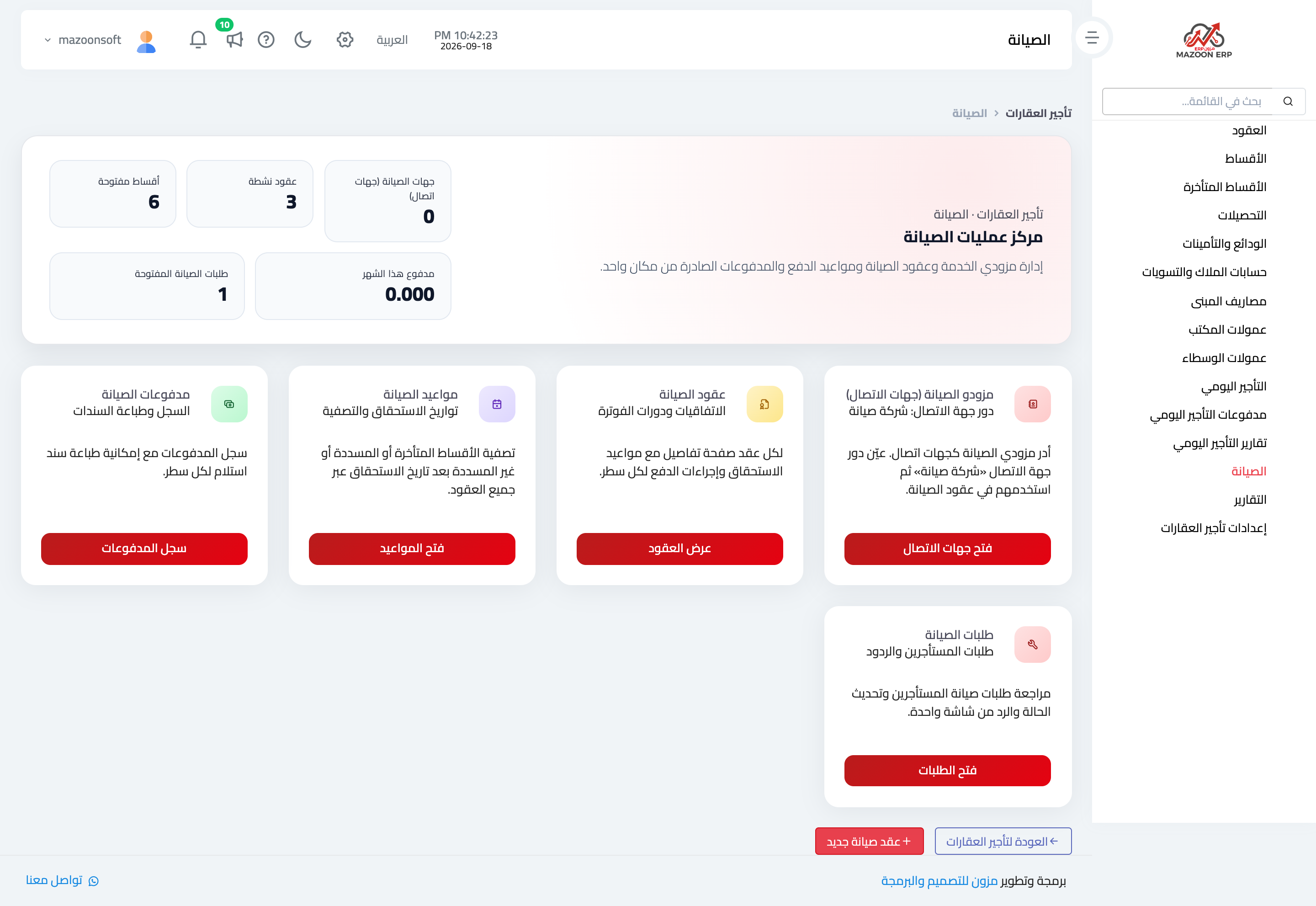
Figure 1
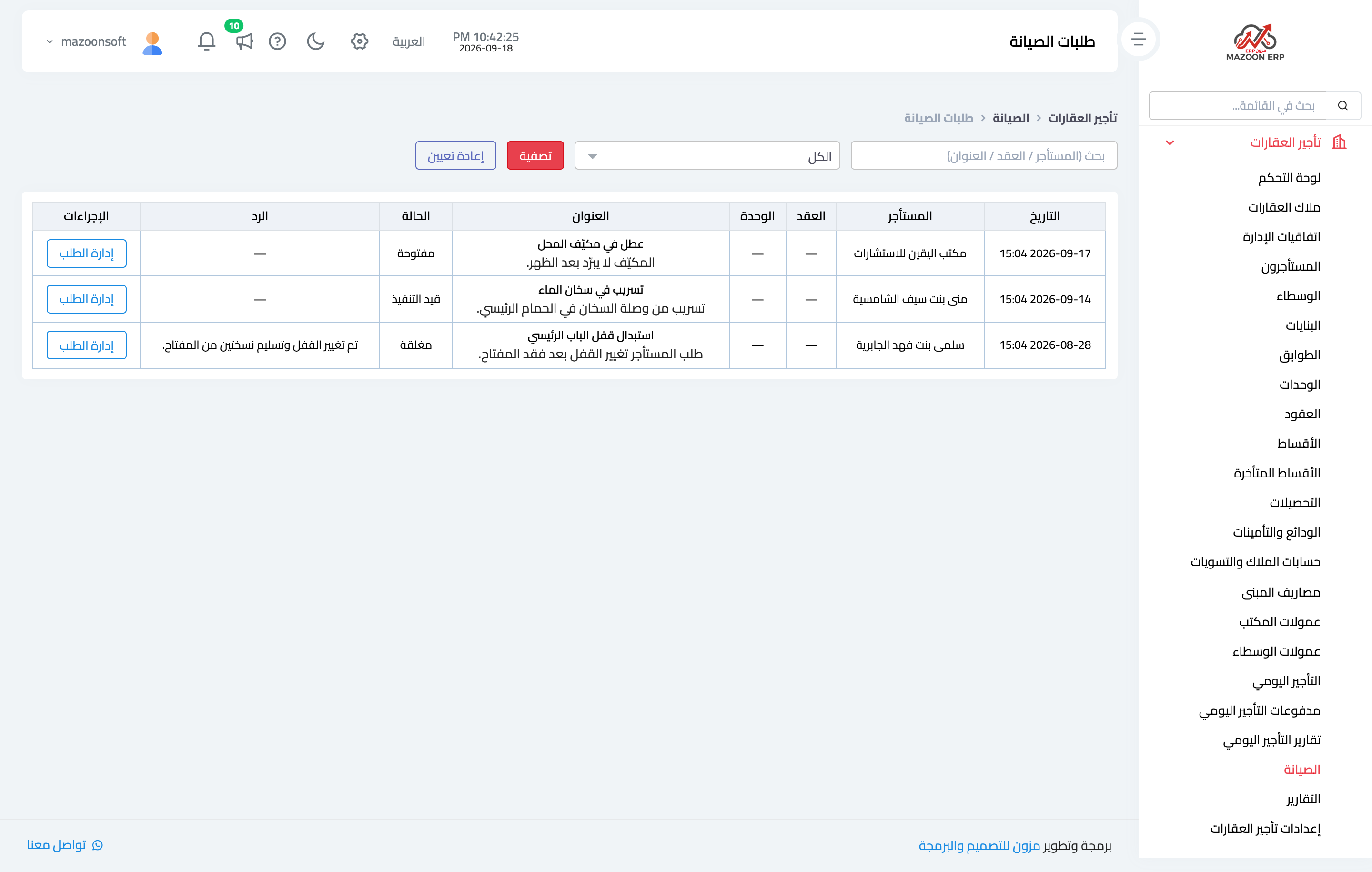
Figure 2
Try what you just read on your own data
Open a free 7-day trial — no credit card, with your own company link in minutes.