
How do I follow contract instalments and record a receipt?
Instalments are generated with the contract automatically; your daily job is turning them into receipts on time.
From inside the contract
- Open the contract and go to the payment schedule tab — Figure 1.
- Each instalment shows its period, due date, amount, collected, balance and status.
- Press Record receipt on the instalment and enter the amount, the date and the payment method.
- You can add an instalment by hand if you need to, or delete one that has not been collected.
- Print the due-date schedule and hand it to the tenant with the contract.
From the global lists
- Instalments — Figure 2 — gathers every contract’s instalments with filters by building, period and status.
- Overdue instalments is the collection clerk’s daily worklist.
- Receipts — Figure 3 — lists every receipt recorded and lets you print and export them.
Notes
- Enter the real collection date; the monthly collections report and the owner’s account are built on it.
- Part payment is allowed; the balance stays visible on the instalment until it is settled.
- Do not delete a collected instalment to fix a mistake; correct the receipt itself.
- Always print the receipt for the tenant; it is the simplest way to prevent a dispute about payment.
Screenshots
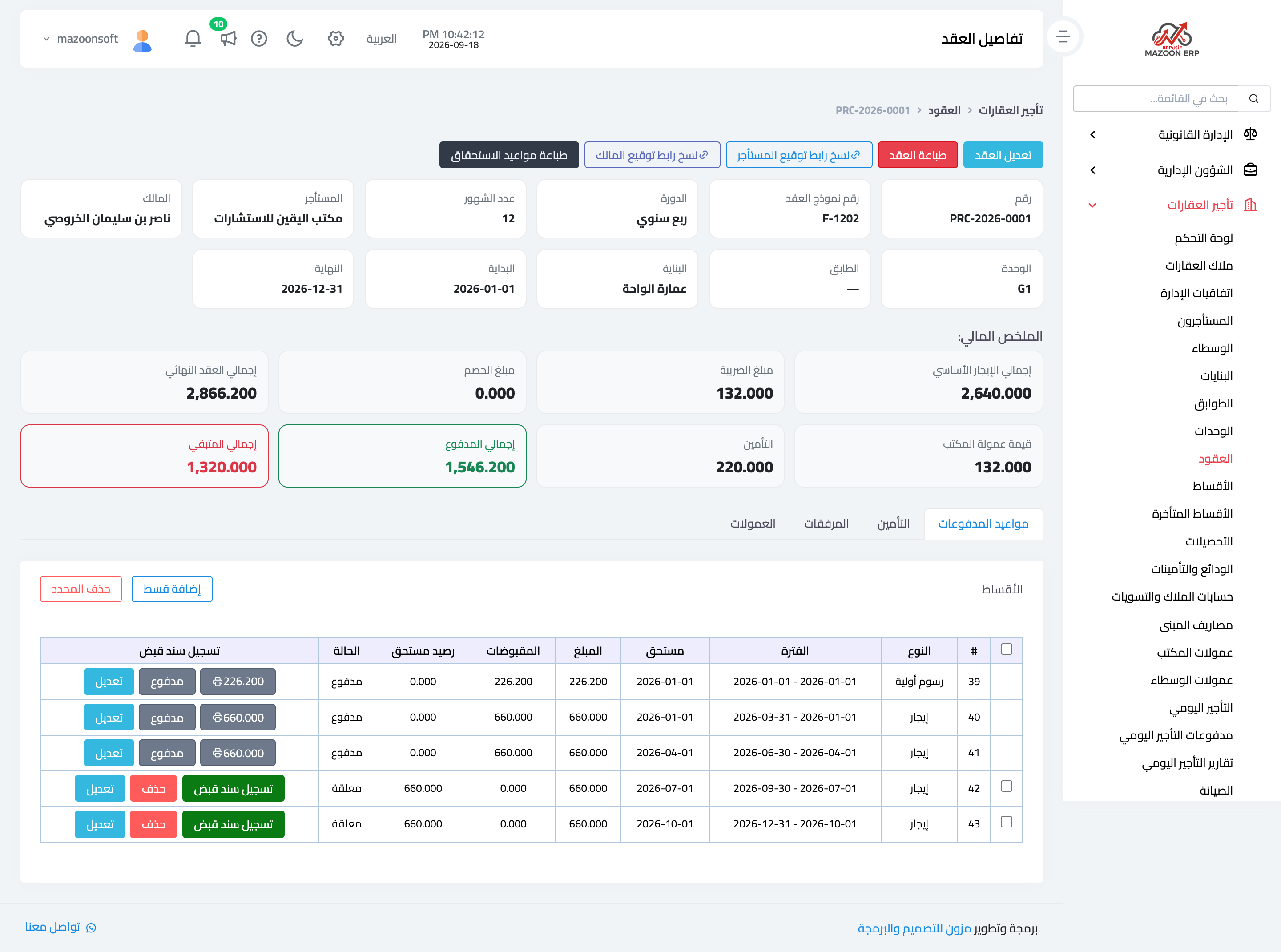
Figure 1
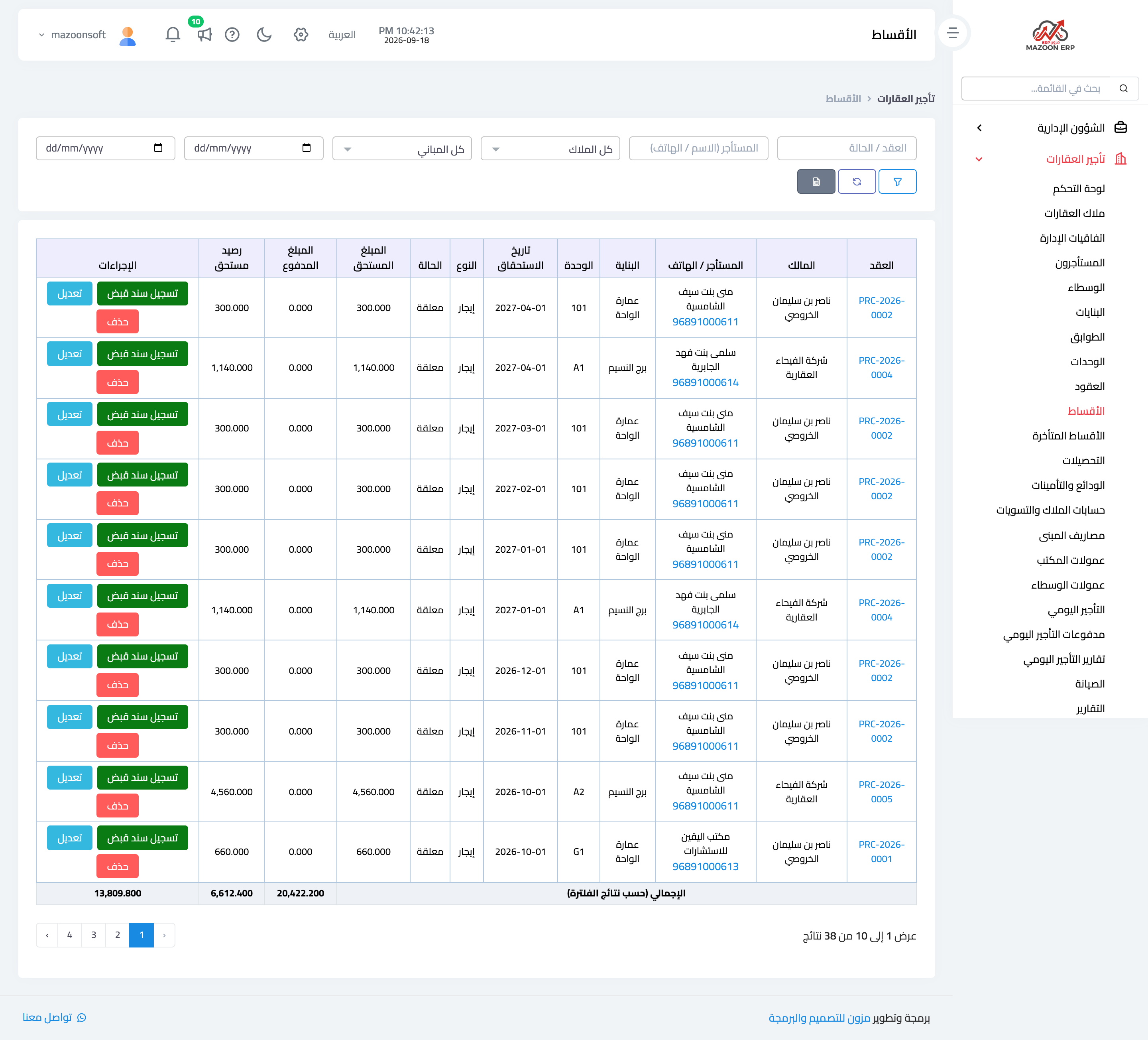
Figure 2
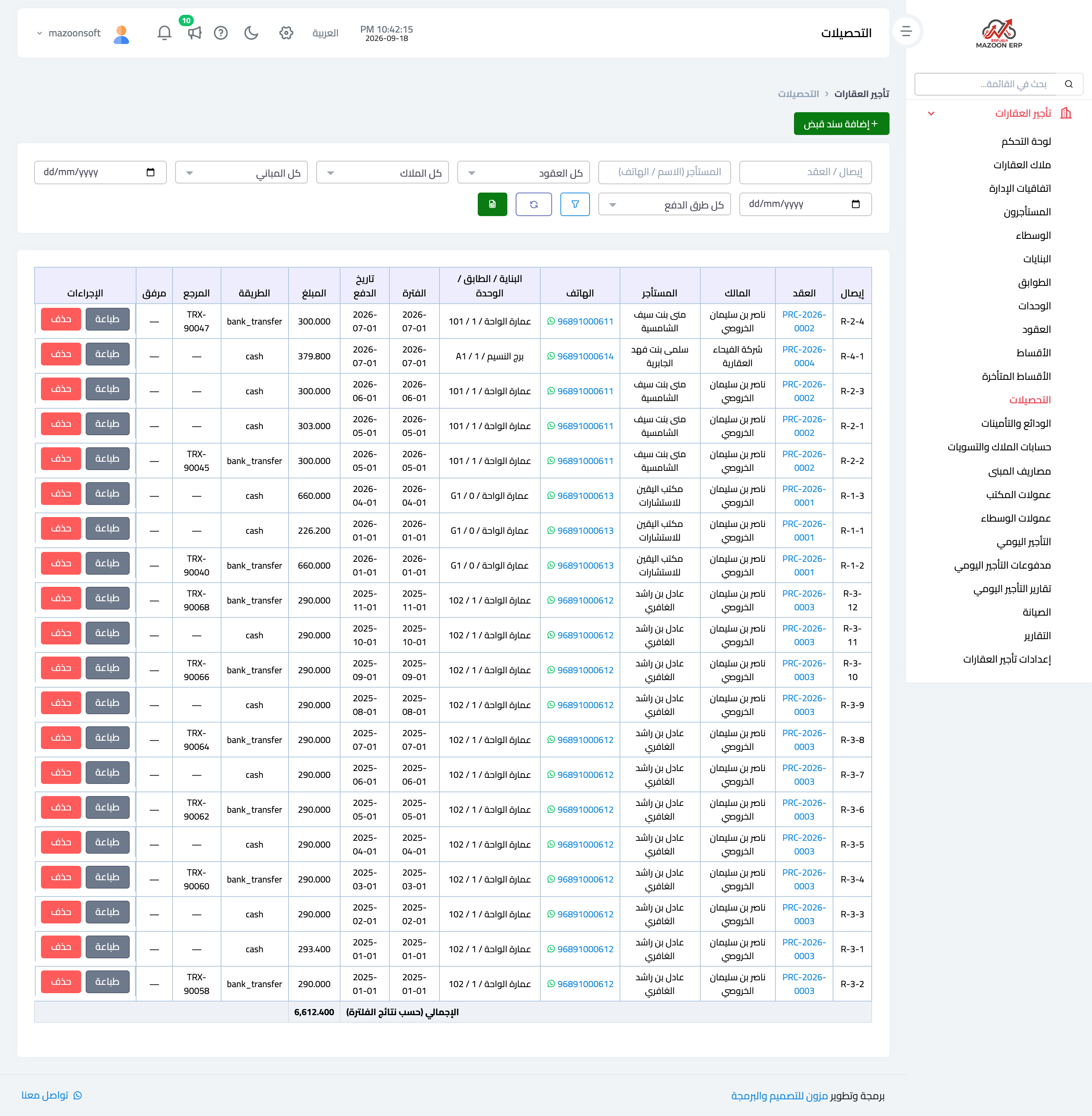
Figure 3
Try what you just read on your own data
Open a free 7-day trial — no credit card, with your own company link in minutes.