
How do I print documents and export lists to Excel?
The owner wants a statement, the tenant wants a receipt, the accountant wants an Excel file. All of it is in front of you with no manual work.
Printing
- The contract: from the contract page press Print contract — Figure 1 — and it prints with the terms and conditions.
- The due-date schedule: from the same page; hand it to the tenant with the contract.
- The receipt: from Receipts — Figure 2 — beside each entry.
- The owner statement: from the reports.
Exporting to Excel
- Most lists carry an Export button: contracts, receipts, instalments, building expenses, maintenance payments and owner settlements.
- Filter the list before exporting; the file comes out with the applied filter, not with all the data.
- Use the export to review with your accountant, or to send a statement to an owner who prefers Excel.
Notes
- Do not send an owner a raw Excel file instead of a formatted statement; the raw file opens more questions than it closes.
- Printed documents carry your company details from the general settings, so check them once.
- Keep a signed copy of the contract and upload it under contract attachments; paper gets lost, the attachment stays.
Screenshots
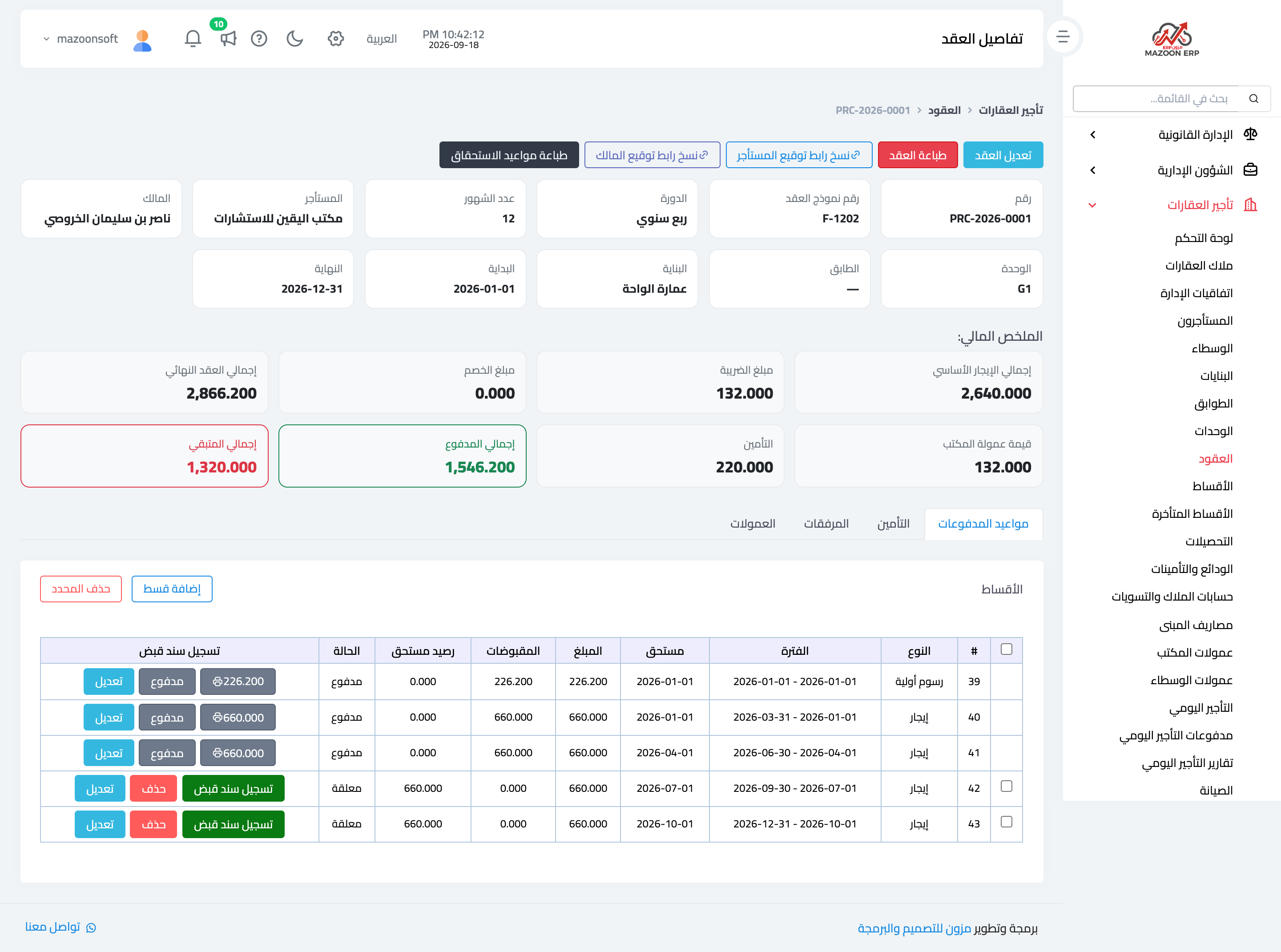
Figure 1
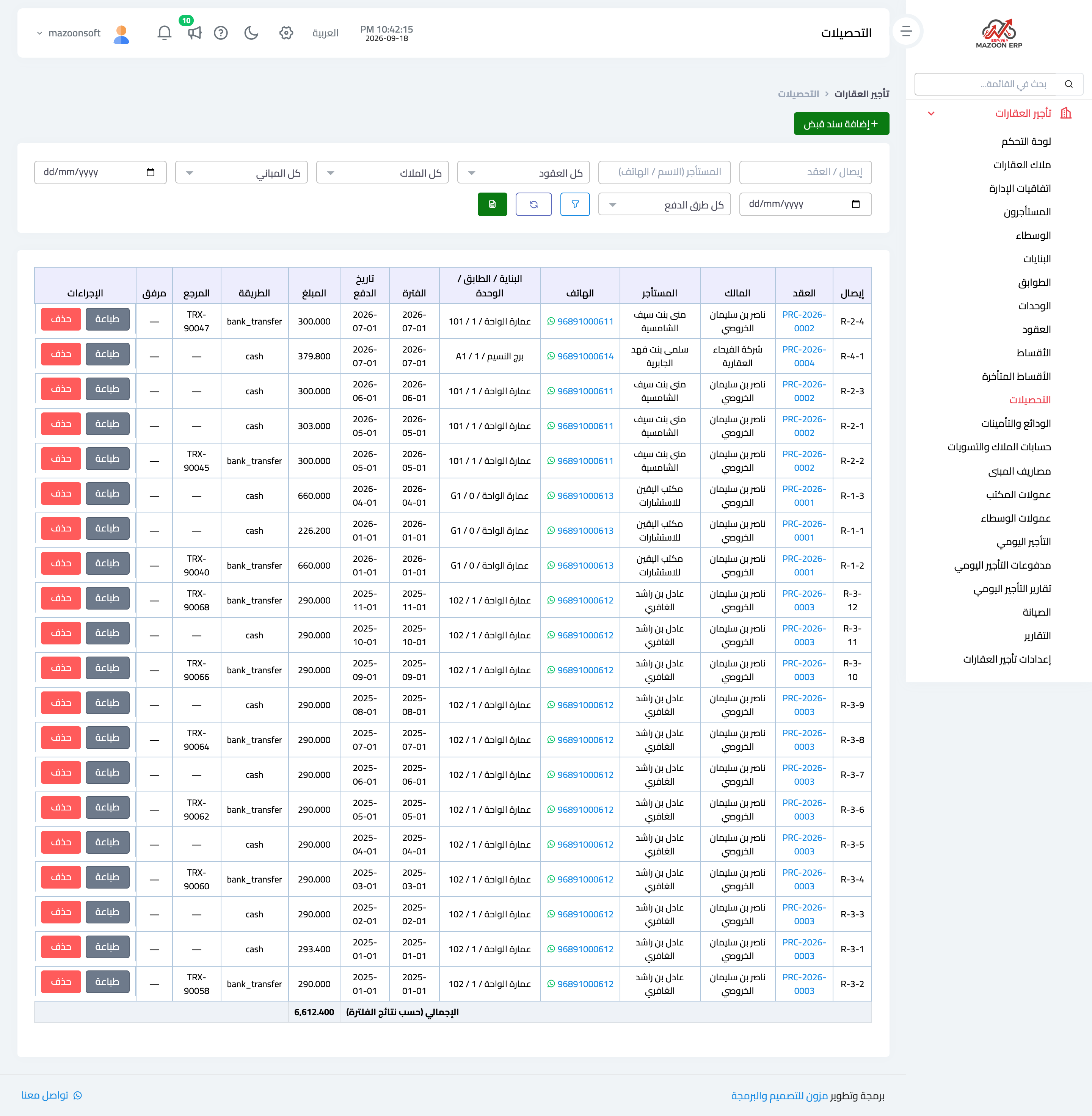
Figure 2
Try what you just read on your own data
Open a free 7-day trial — no credit card, with your own company link in minutes.