
How do I take a security deposit and refund it when the unit is vacated?
A deposit is money you hold in trust, not income. That is why it has its own tab inside the contract and a global list showing everything you are holding.
At the start of the contract
- Enter the deposit amount on the contract form and a separate deposit record is created for it.
- From the deposit tab inside the contract, record a receipt movement with the amount and date.
- The deposit balance becomes visible and its status is open.
When the unit is vacated
- Inspect the unit, then record a deduction against damage or unpaid utility bills, writing the reason.
- Then record a refund movement for the remainder to the tenant.
- When the balance reaches zero the status becomes closed.
Tracking every deposit
Open Property Rental → Deposits and securities — Figure 1 — to see each contract with its expected amount, current balance and status in one place.
Notes
- Never mix the deposit with the rent; the first is a liability of yours, the second is income due to the owner.
- A deduction with no written reason and no documented inspection is a deferred argument with the tenant.
- Photograph the unit at handover and at vacating and upload the photos under contract attachments; that is your evidence when you deduct.
- Review the deposits list monthly; a deposit on an ended contract that was never refunded stays a liability in your books.
Screenshots
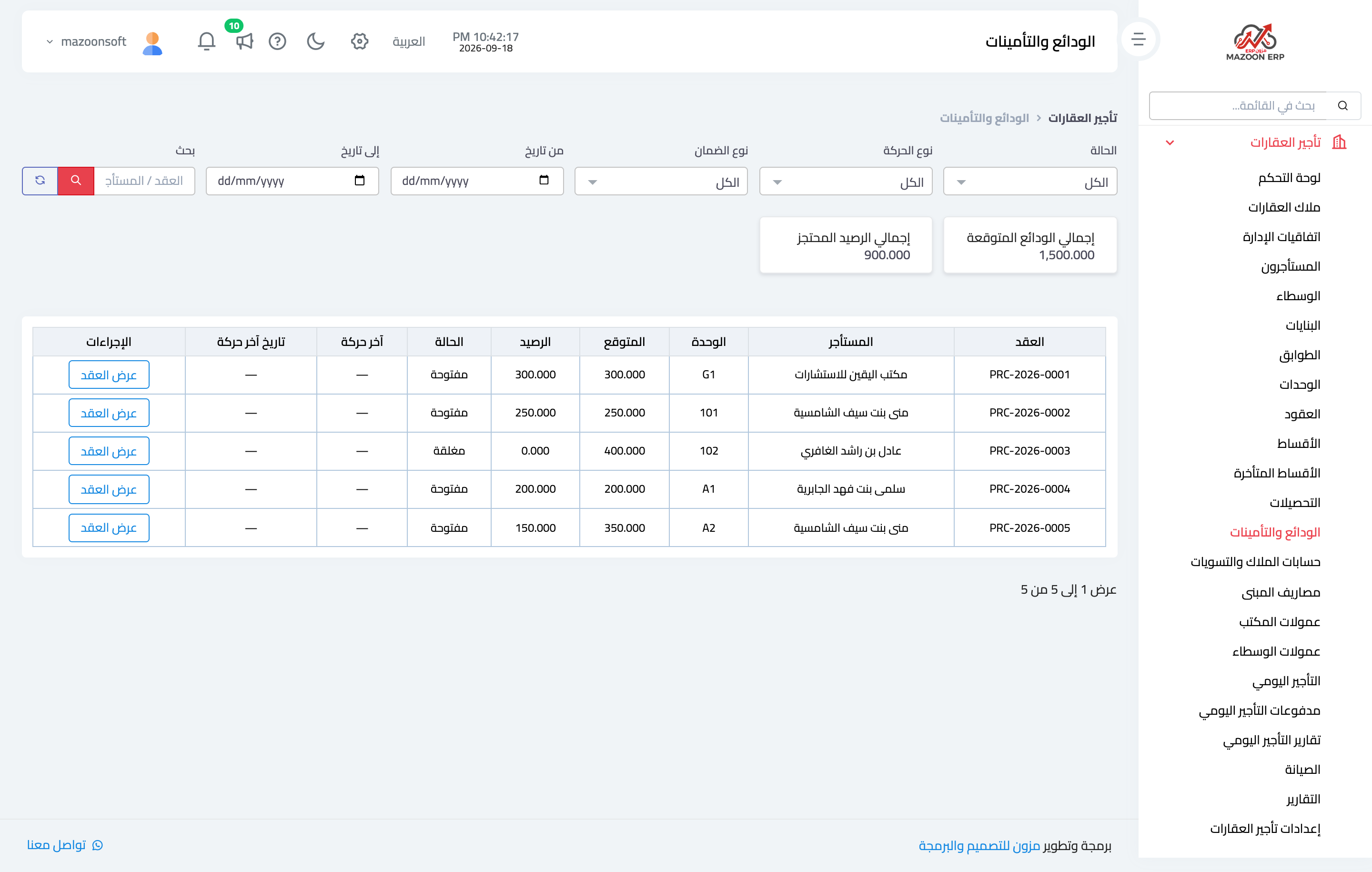
Figure 1
Try what you just read on your own data
Open a free 7-day trial — no credit card, with your own company link in minutes.