
How do I create a new lease contract?
The lease contract is the centre of the module: the instalments, the receipts, the deposit, the office commission and the owner’s account all come out of it.
Steps
- Open Property Rental → Contracts — Figure 1 — then New contract.
- Pick the unit and the tenant — Figure 2.
- Set the start and end dates and the number of months.
- Choose the cycle: monthly, quarterly, half-yearly or yearly — the instalment count is built from it.
- Enter the base rent total, any discount, the office commission amount and the security deposit.
- Save. You get the financial summary — Figure 3 — with the contract total, paid and remaining.
- From the contract page print it, or copy the tenant signing link or the owner signing link and send it on WhatsApp.
The contract tabs
Inside the contract there are four tabs: payment schedule for instalments and receipts, deposit, attachments for ID copies and documents, and commissions.
Notes
- Check the cycle before saving; it drives the number of instalments and their dates, and fixing it after collection has started is tedious.
- The office commission is recorded on the contract and collected separately, so do not fold it into the rent.
- The unit turns rented automatically the moment the contract is saved.
- Upload the ID copy under attachments at the start; asking a tenant in arrears for it later is far harder.
Screenshots
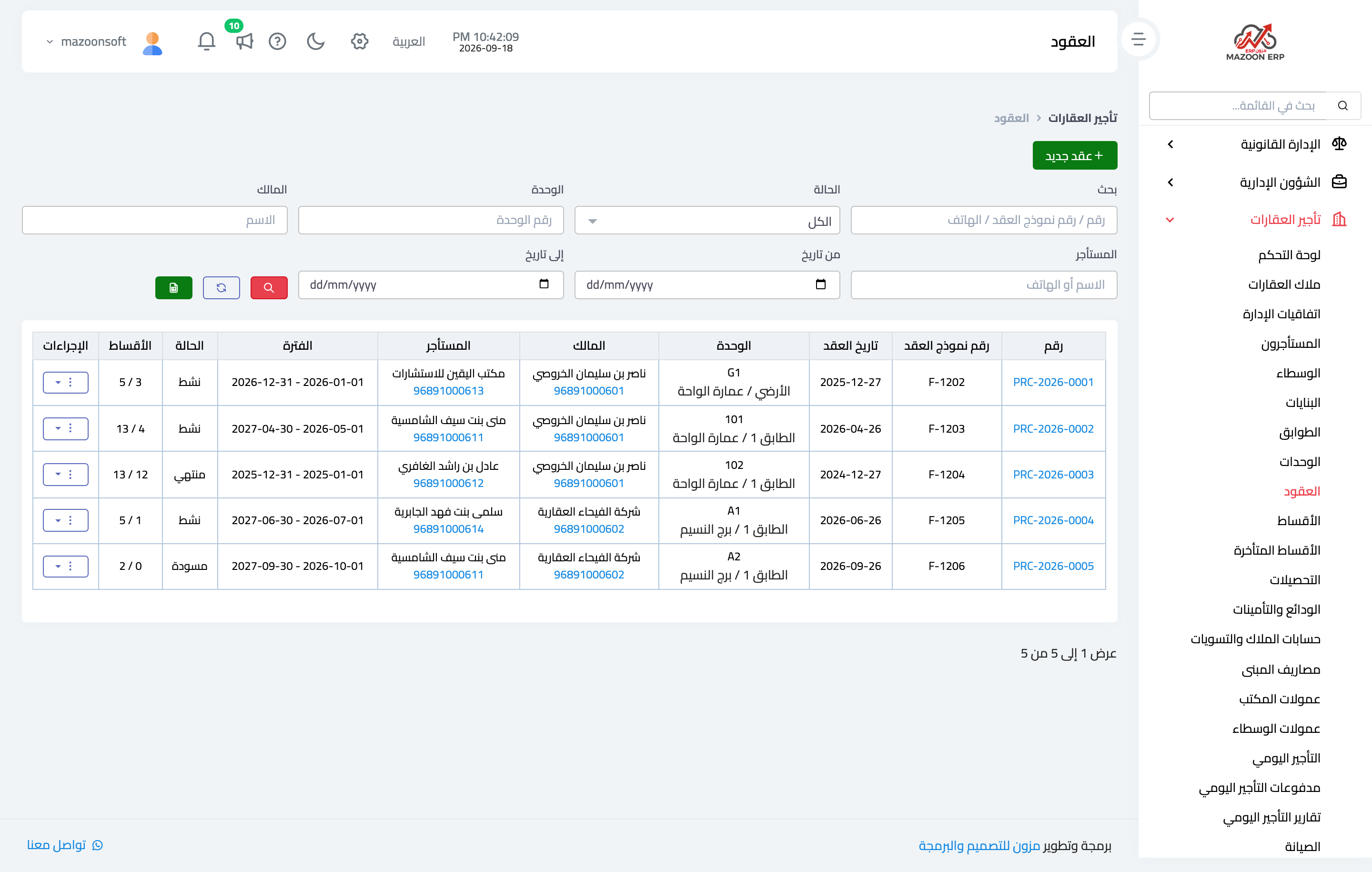
Figure 1
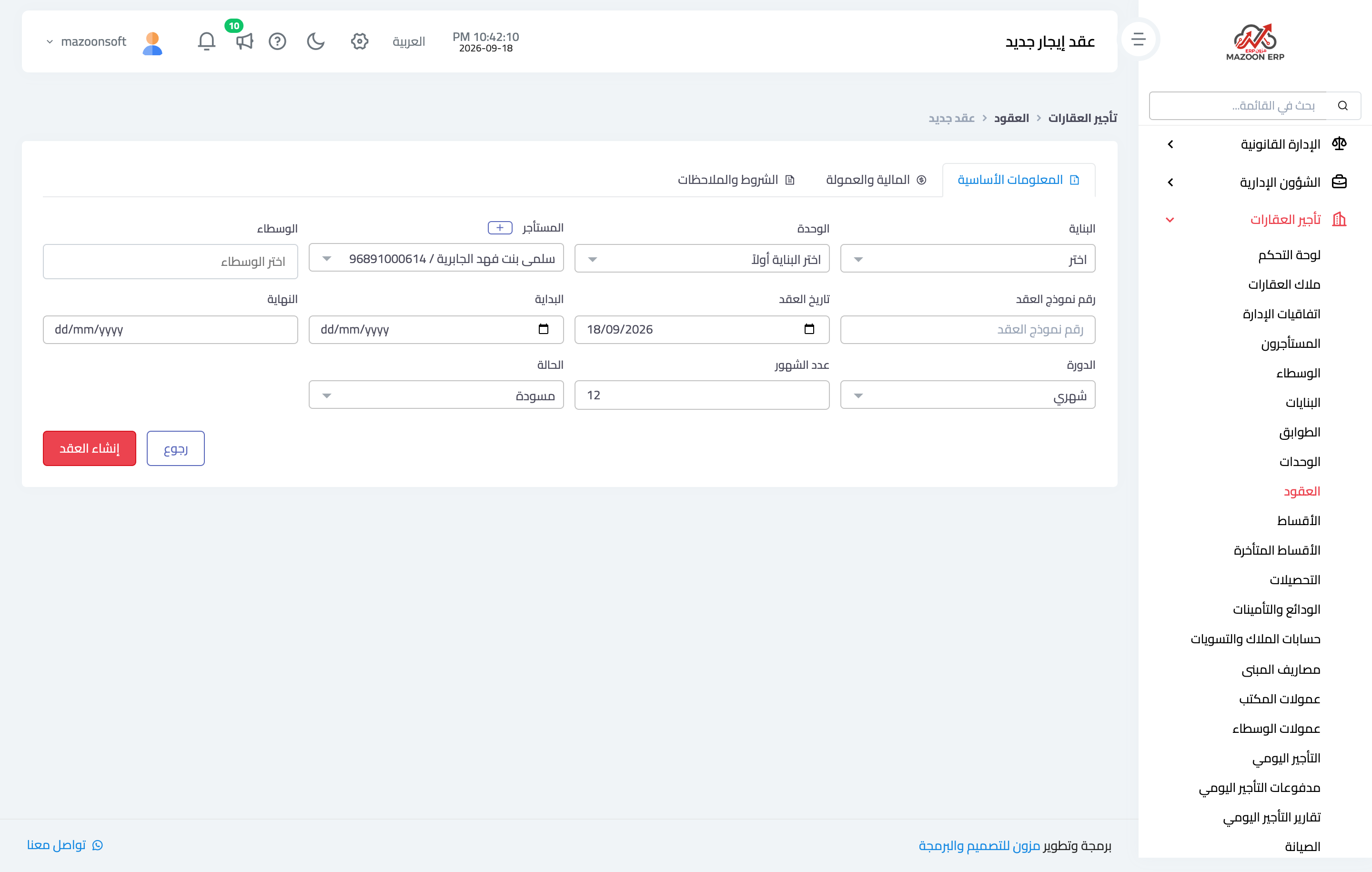
Figure 2
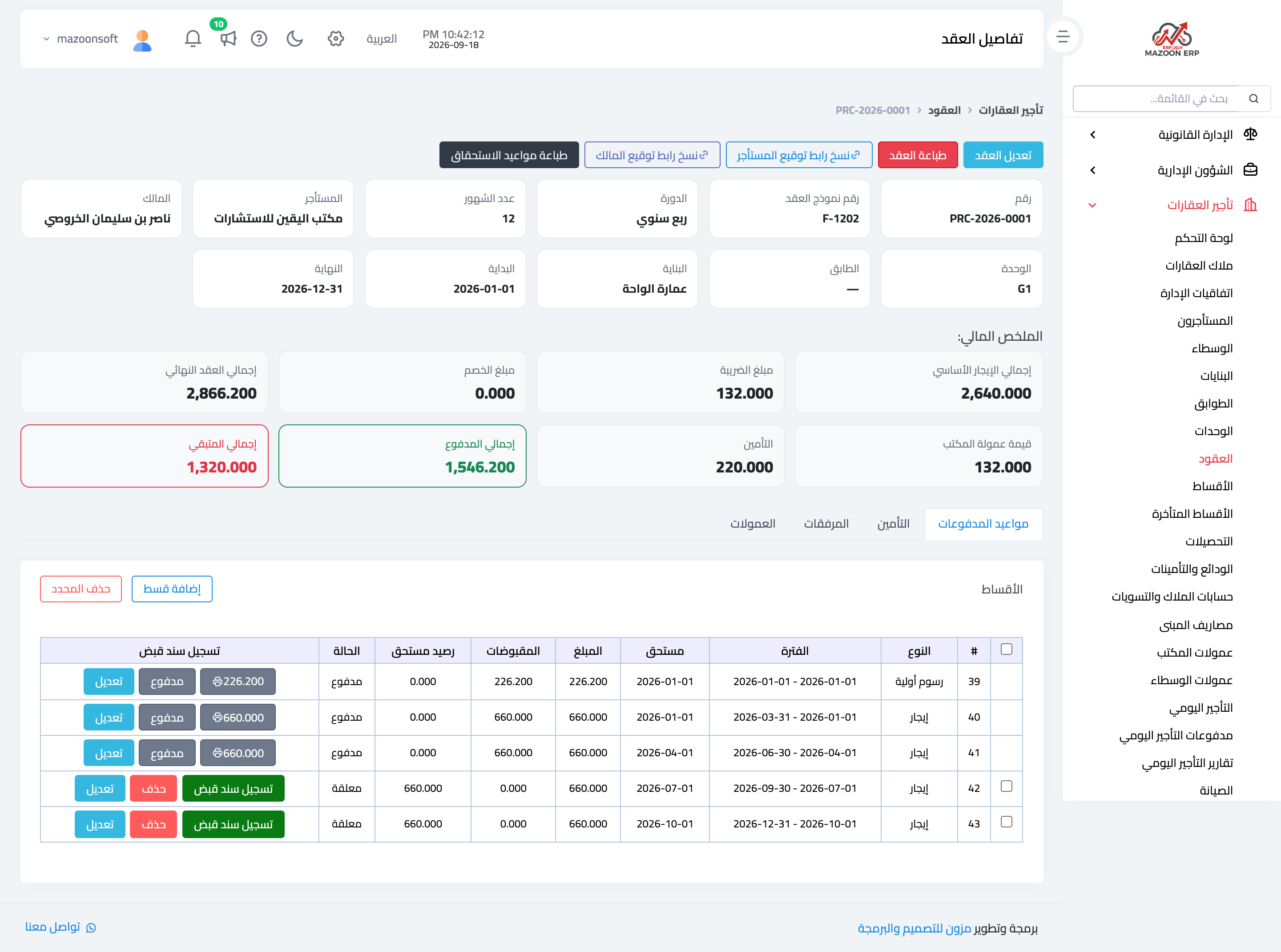
Figure 3
Try what you just read on your own data
Open a free 7-day trial — no credit card, with your own company link in minutes.