
How do I record a daily booking for a furnished flat or chalet?
Some units are let by the night rather than by the year: a furnished flat, a chalet, a rest house. These follow their own path, separate from long leases.
Steps
- Open Property Rental → Daily bookings — Figure 1 — then New booking.
- Pick the unit and the check-in and check-out dates — Figure 2. The system refuses any overlap with an existing booking.
- Enter the guest name, phone and ID number.
- Enter the nightly rate; the total is computed from the number of nights.
- Save, then record a payment — a deposit or the full amount — and print the receipt for the guest.
- Follow all collections from Daily booking payments — Figure 3.
Notes
- A unit under a long lease is not available for daily booking, so separate the units meant for nightly letting from the start.
- Always record the ID number; most authorities require it and it protects you when something goes wrong.
- Bookings with no deposit are cancelled often, so require one even if it is small.
- Review the daily booking reports weekly for occupancy and average nightly rate.
Screenshots
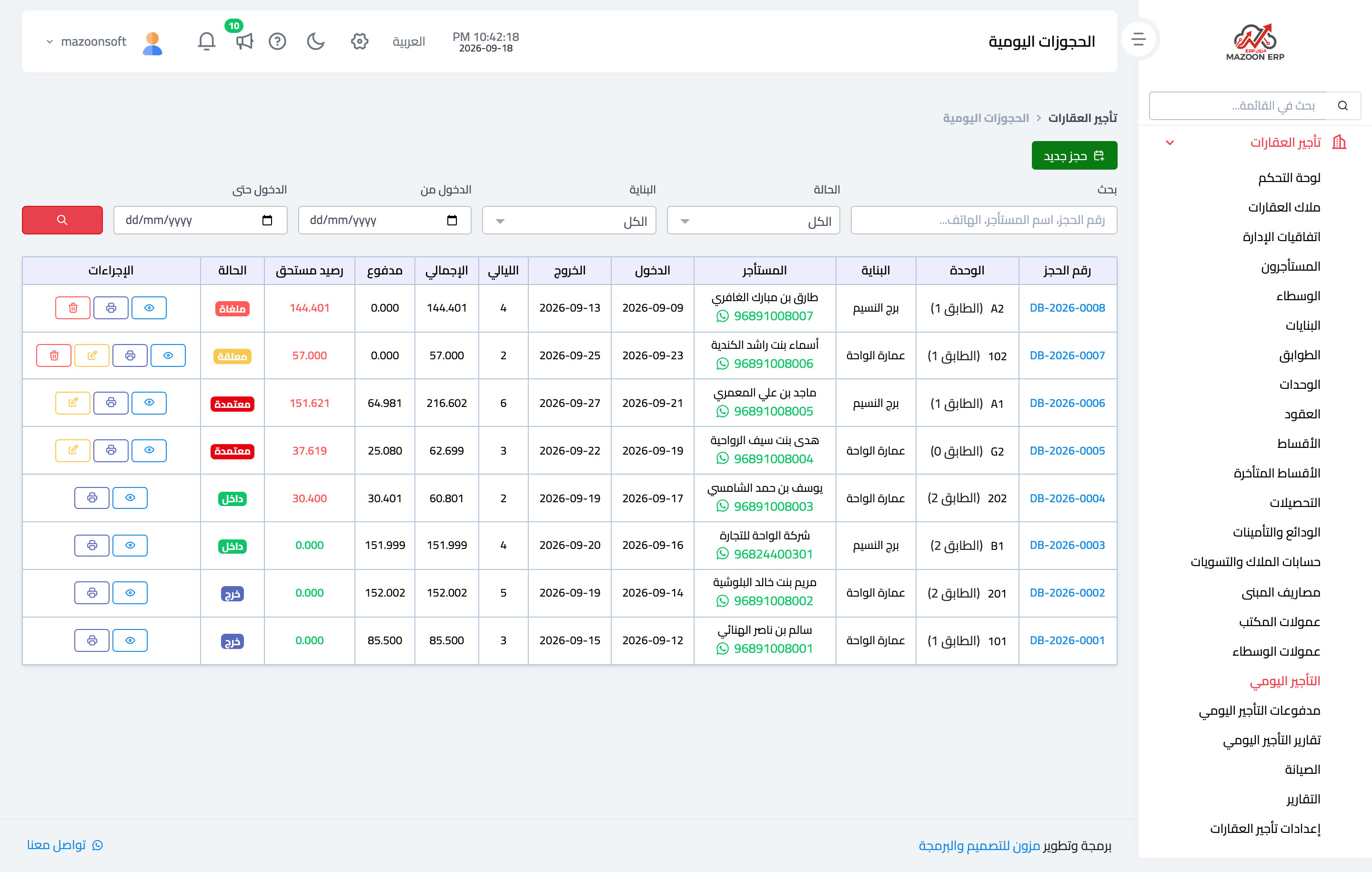
Figure 1
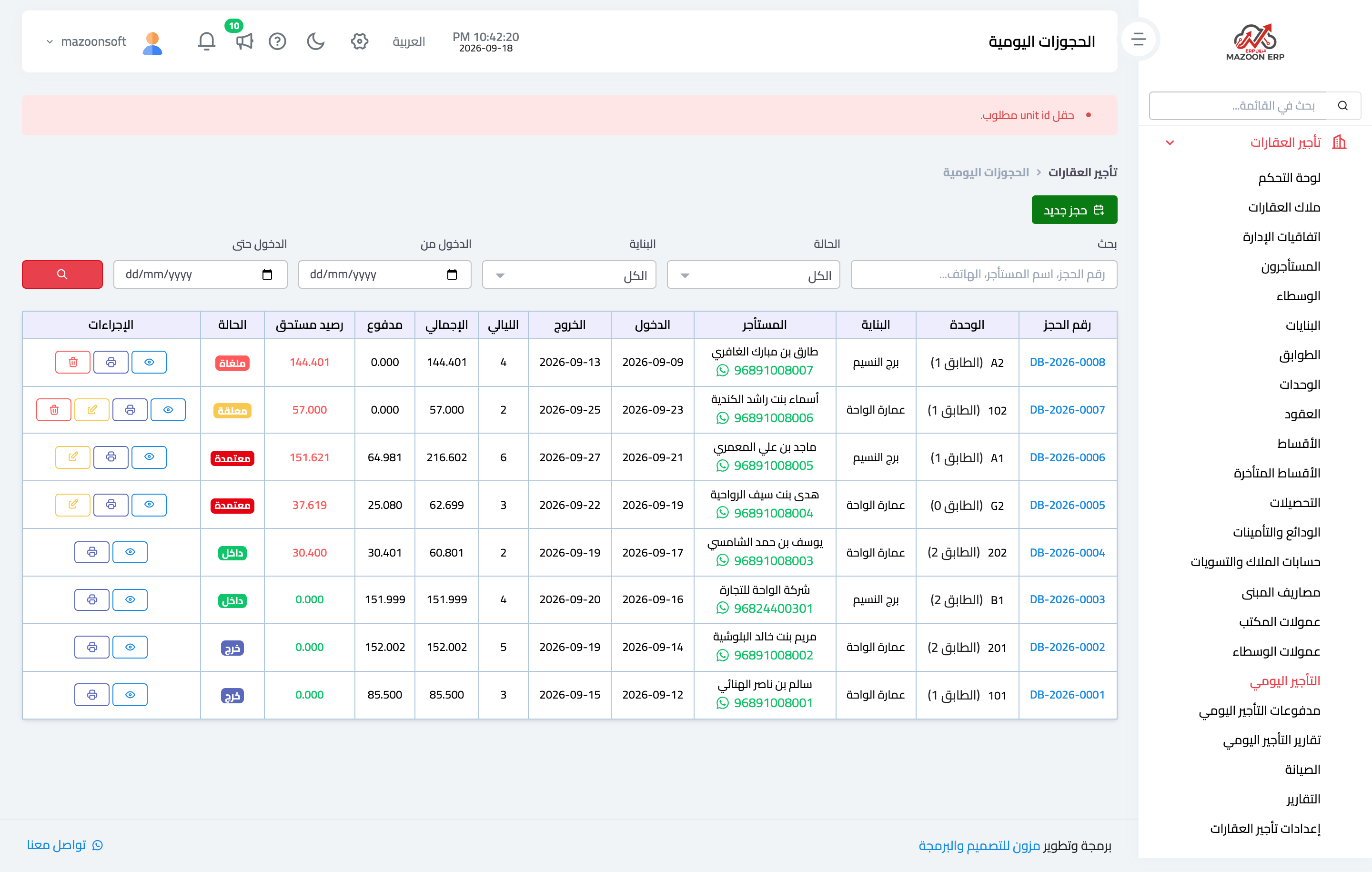
Figure 2
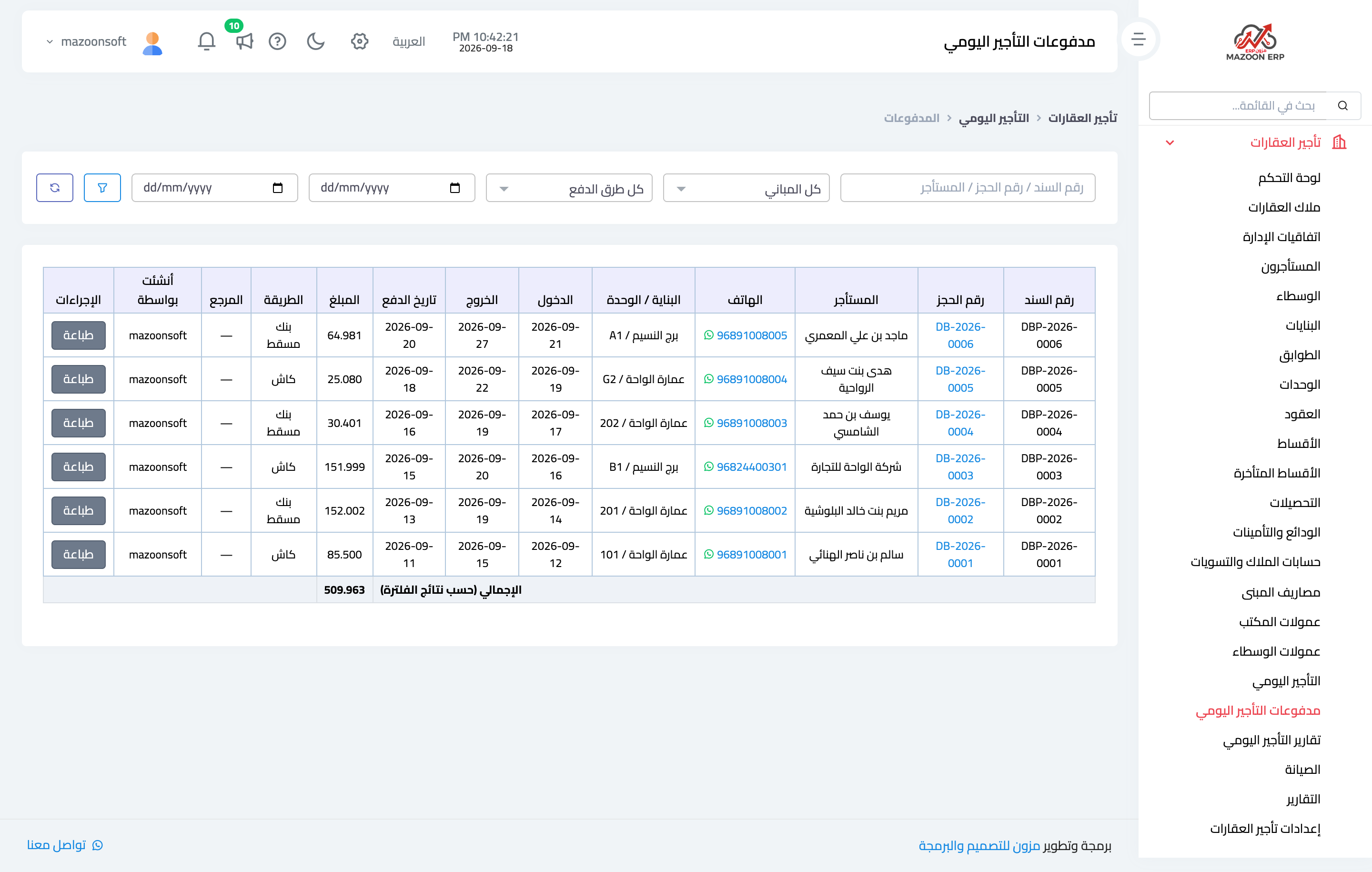
Figure 3
Try what you just read on your own data
Open a free 7-day trial — no credit card, with your own company link in minutes.