
How do I follow monthly collections and arrears?
A property office does not fail from a shortage of contracts but from weak collection. These are the three screens that protect you from that.
Steps
- Overdue instalments — Figure 1 — the collection clerk’s list every morning: who is late, by how many days, and for how much.
- The monthly collections report — Figure 2 — compares due against collected, month by month.
- Filter the report by building and period to see which building the problem is in.
- The reports dashboard — Figure 3 — gives you the overall picture: occupancy, collections and arrears.
- Export any list to Excel when you need to chase outside the system.
A suggested habit
Open overdue instalments every morning before anything else, and call those less than a week late before those a month late; the first is collected with a phone call, the second needs a file.
Notes
- The reports are only accurate if the receipt is recorded on the day of collection rather than at month end.
- A chronically late tenant costs you more than an empty unit; decide early instead of waiting on repeated promises.
- Compare a month against the same month last year; collection is seasonal in most cities.
Screenshots
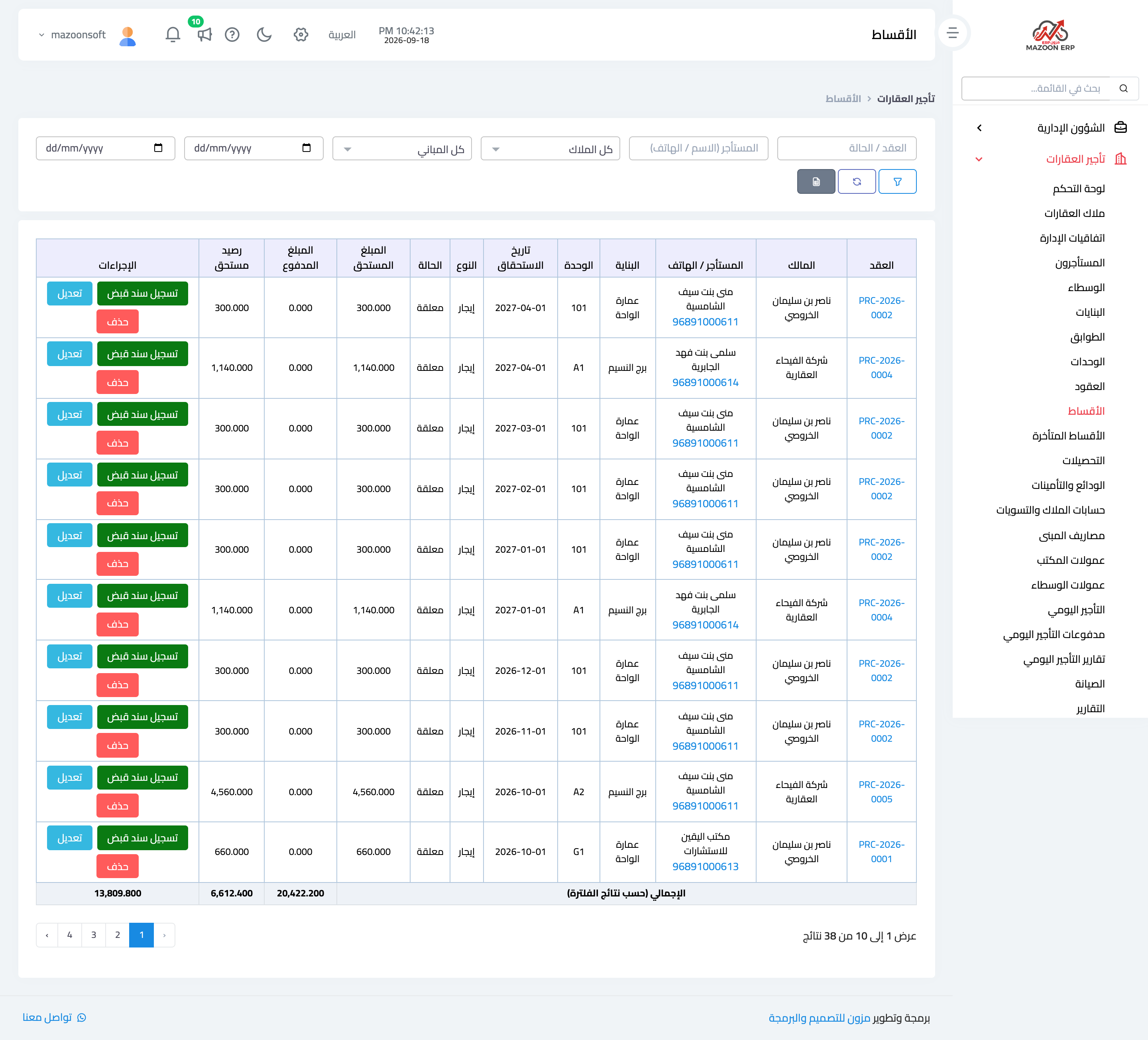
Figure 1
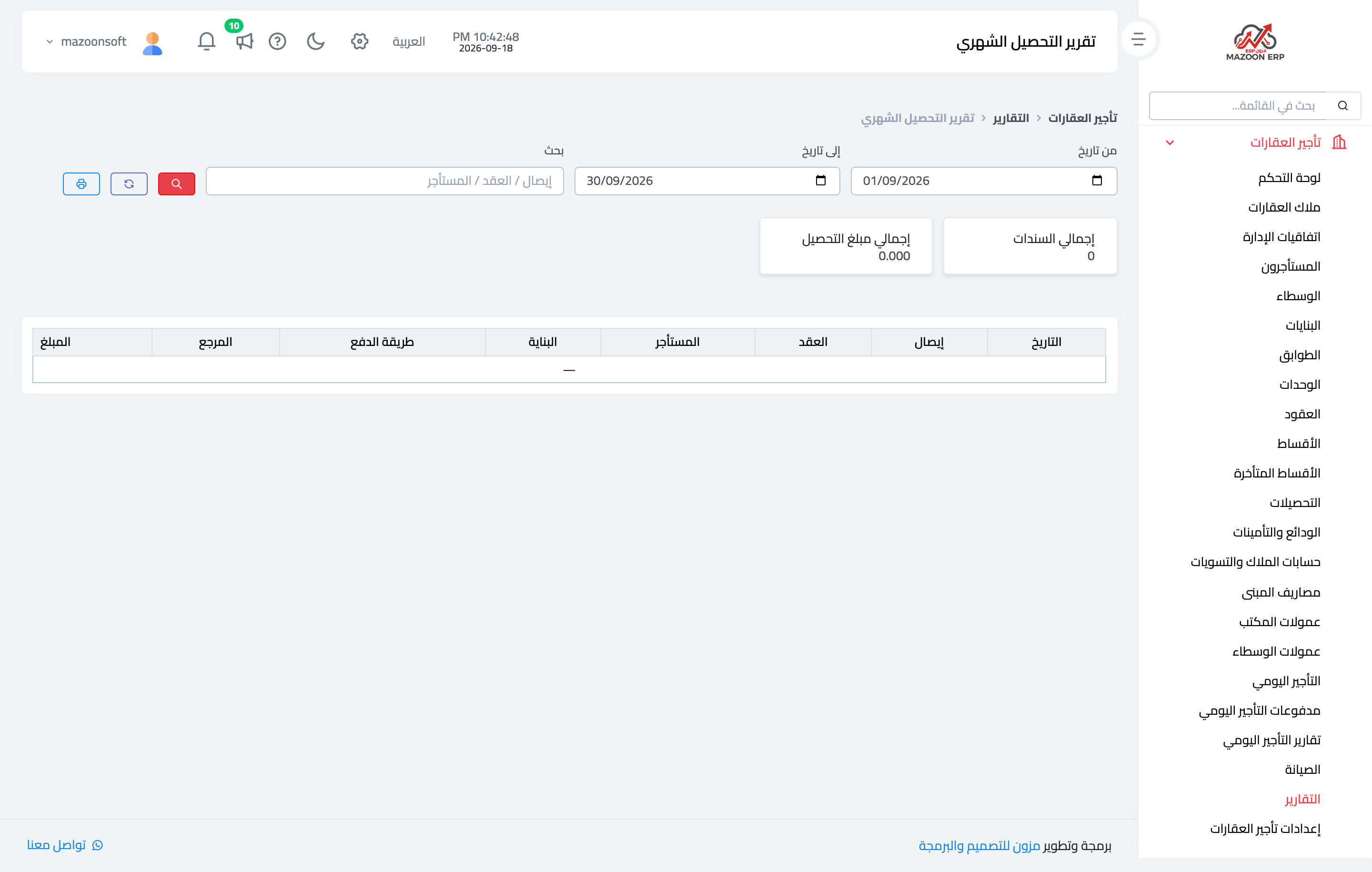
Figure 2
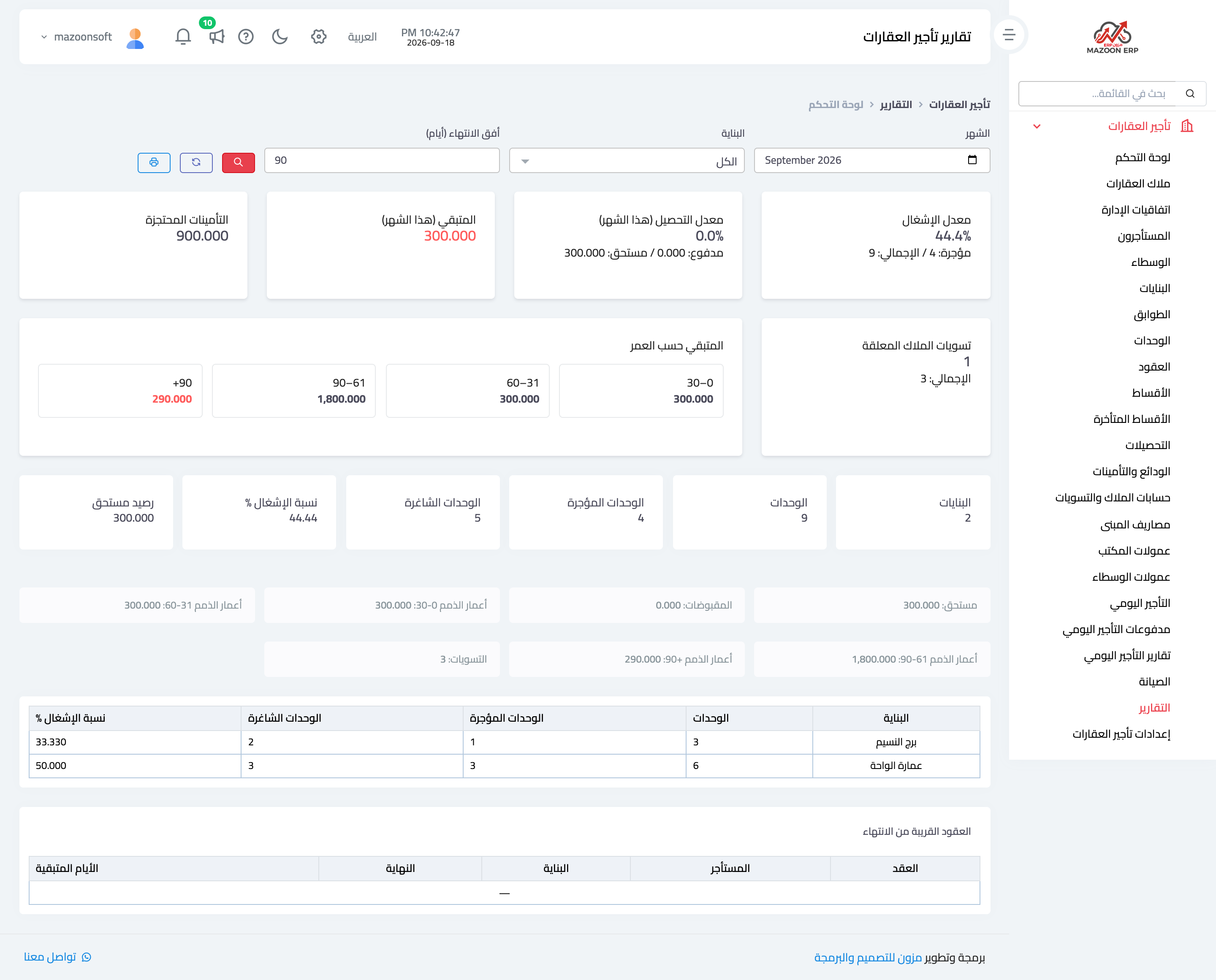
Figure 3
Try what you just read on your own data
Open a free 7-day trial — no credit card, with your own company link in minutes.