
Legal management overview and reference data
The Legal module is built for law offices and in-house legal departments: it gathers cases, their sessions, pleadings and rulings, execution files, and agencies in one place, so deadlines no longer live in a notebook and files no longer live in scattered drawers.
The dashboard
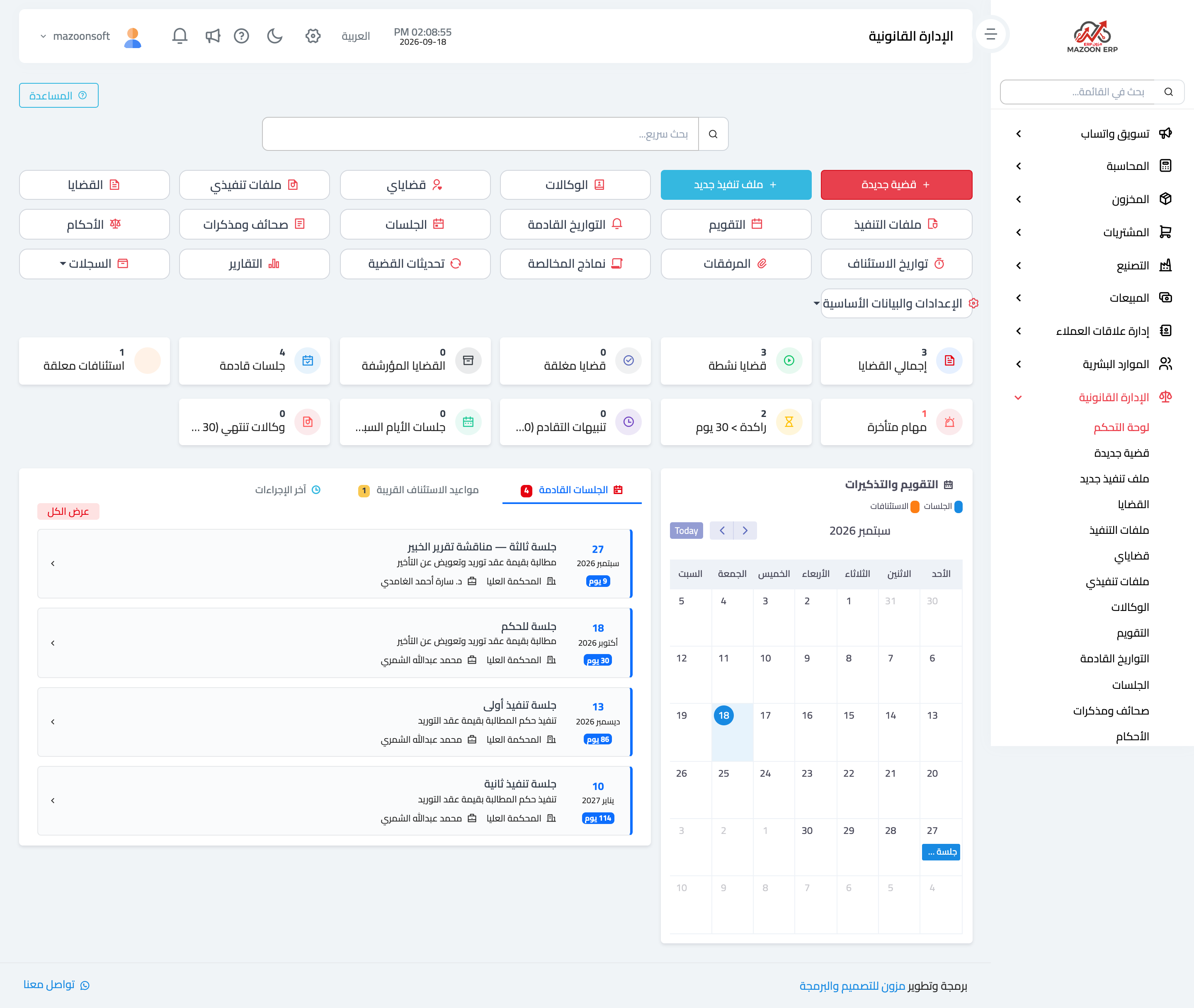
Start at Legal → Dashboard, as in Figure 1. Two rows of shortcuts at the top open every screen in the module, and below them sit the counters: total cases, active, closed, archived, upcoming sessions, and pending appeals.
Next comes a row of alerts that matters just as much: overdue tasks, cases idle for more than 30 days, limitation warnings, and agencies expiring within 30 days. These are what stop a missed deadline from costing a right.
At the bottom is a monthly calendar of sessions and appeal dates, next to three tabs: upcoming sessions, nearby appeal dates, and latest actions.
Reference data: set once
Before you register the first case, set up the reference lists under Settings and reference data in the sidebar. These lists are what you will choose from in every case, and setting them up early is what makes the reports and filters meaningful.
Courts
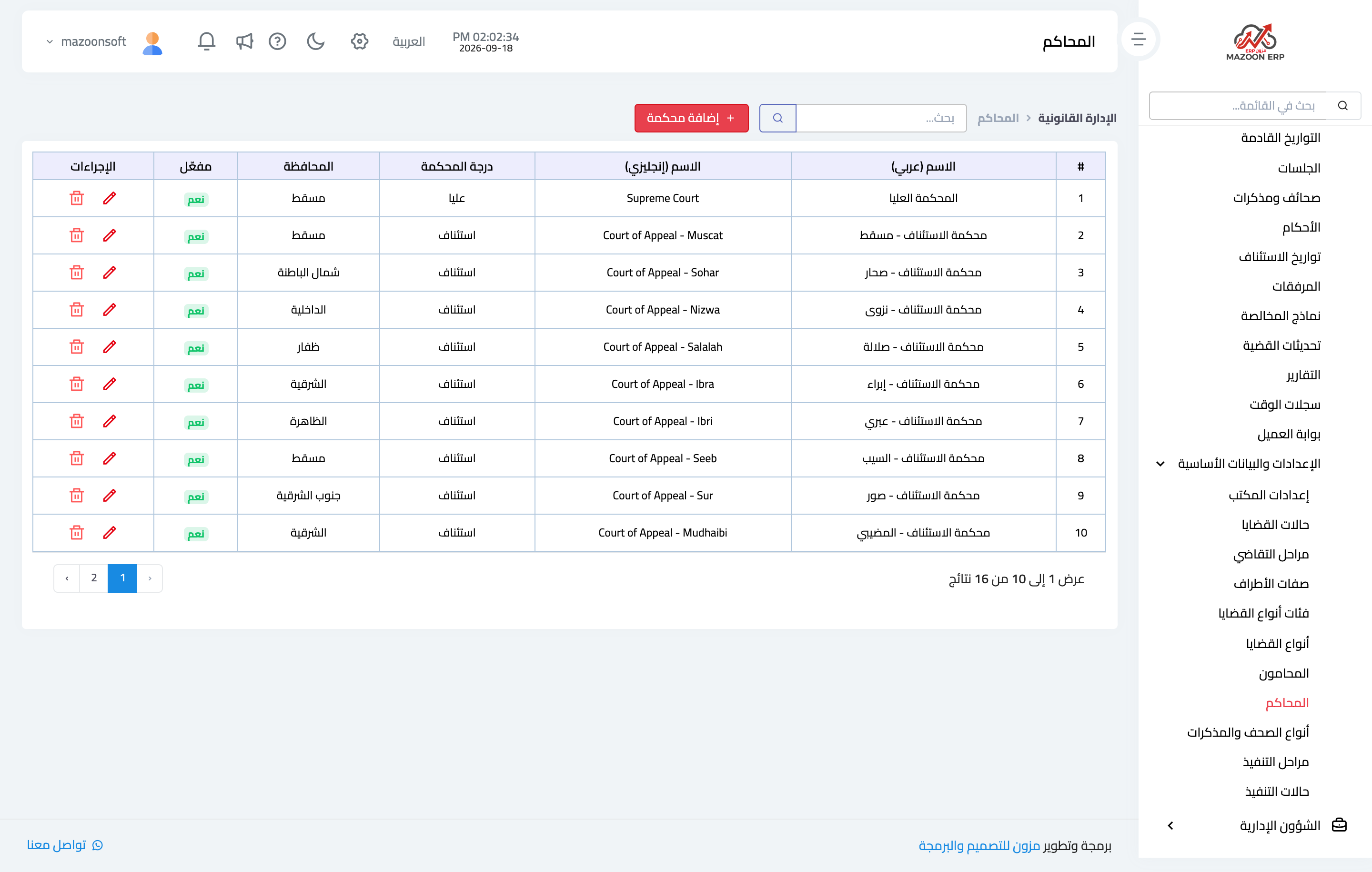
Record the courts you appear before, with their degree and governorate, as in Figure 2. Each court has an Arabic and English name, a degree (first instance, appeal, or supreme), a governorate, and an active flag that hides it from the lists without deleting it.
Case type categories and types
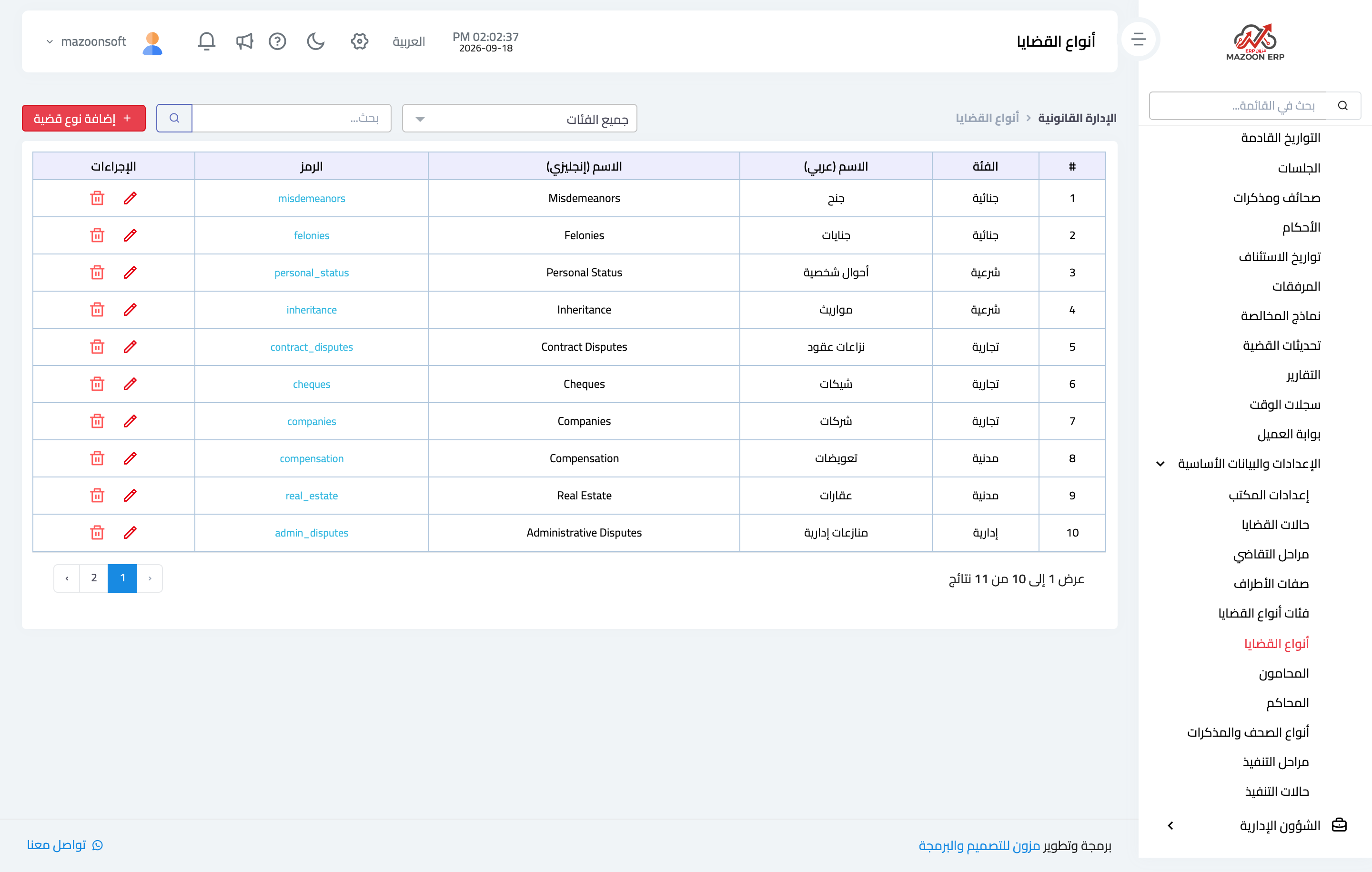
Classification has two levels: a broad category (criminal, sharia, commercial, civil, administrative) and detailed types underneath, as in Figure 3 — misdemeanors and felonies under criminal, personal status and inheritance under sharia, and so on. These two levels are the basis of the “cases by classification” report.
Lawyers
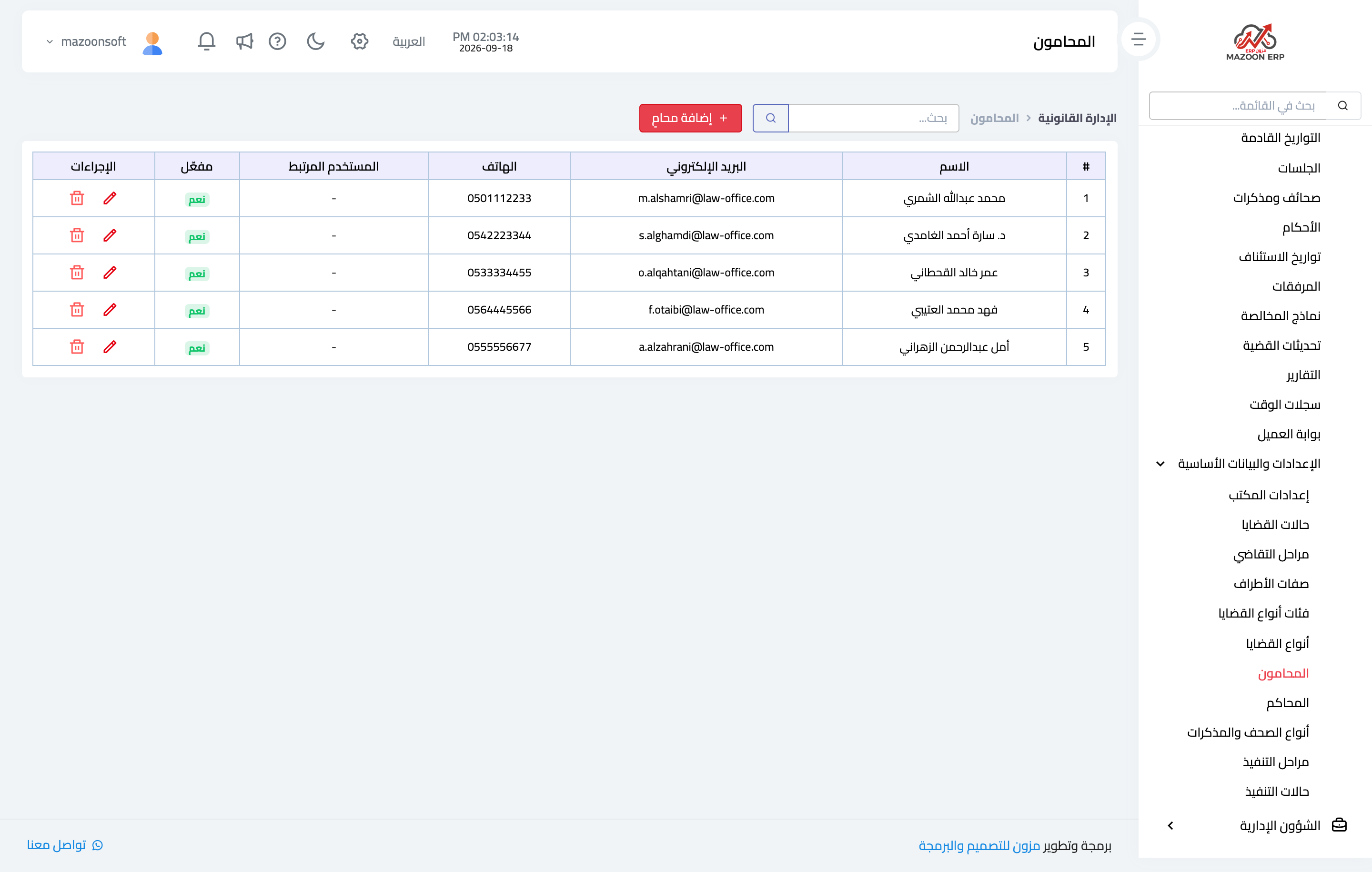
Record the office lawyers as in Figure 4, with their details and active flag. A lawyer can be linked to a system user, and then sees only their own cases from the My cases screen instead of browsing all of them.
Other lists
- Case statuses — new, in progress, closed, problematic.
- Litigation stages — first instance, appeal, cassation, execution.
- Party attributes — plaintiff, defendant, witness, agent.
- Pleading types — statement of claim, objection, appeal brief, cassation brief, petition for reconsideration.
- Execution stages and statuses — used in execution files.
Office details that print on contracts and forms are set under Office settings.
Note
Deactivate reference entries rather than deleting them once cases refer to them: deleting breaks a case history, while deactivating stops new selections and leaves the old ones intact.
Screenshots
Try what you just read on your own data
Open a free 7-day trial — no credit card, with your own company link in minutes.