
How do I set up office settings, case classifications, litigation degrees and statuses?
Before you register your first case, set up the structure every later case will be classified under: the office details, then the categories, case types, litigation stages and statuses. Ten minutes here saves you re-classifying dozens of files later.
Steps
- Open Legal → Settings & Master Data → Office Settings — image 1. Enter the office name, address, representative name, phone, e-mail, commercial register, tax number, bank account and bank name, so the office's reference details live in one place.
- In the same screen, under Access Control, there is a switch for Restrict lawyer access to assigned cases only. With it on, a lawyer linked to a user account sees only their own cases, unless they hold the "view all cases" permission.
- Go to Case Type Categories — image 2. A category is the broad family: civil, commercial, criminal, personal status, labour, administrative.
- Then Case Types — image 3. Each type belongs to a category; for example "Contract disputes" and "Financial claims" sit under "Commercial", while "Felony defence" sits under "Criminal".
- Set the Litigation Stages — image 4: first instance, appeal, cassation or supreme court. This stage is what later determines which of the case numbers is the active one.
- Finally the Case Statuses — image 5: in progress, adjourned, judged, closed — and give each one a colour so it stands out in the case list.
Notes
- All of these lists can be extended, but keep them short: every extra type is an extra line in a dropdown you open with every new case.
- Status is not the same as litigation stage: the stage describes where the file sits in the court hierarchy, the status describes what the office is doing with it right now.
- The letterhead on printed documents (the fee contract and the clearance form) does not come from these office settings; it comes from the letterhead template in the shared General Settings.
- If you rename a category or a type after cases exist, the cases follow automatically because they are linked by id, not by text.
Screenshots
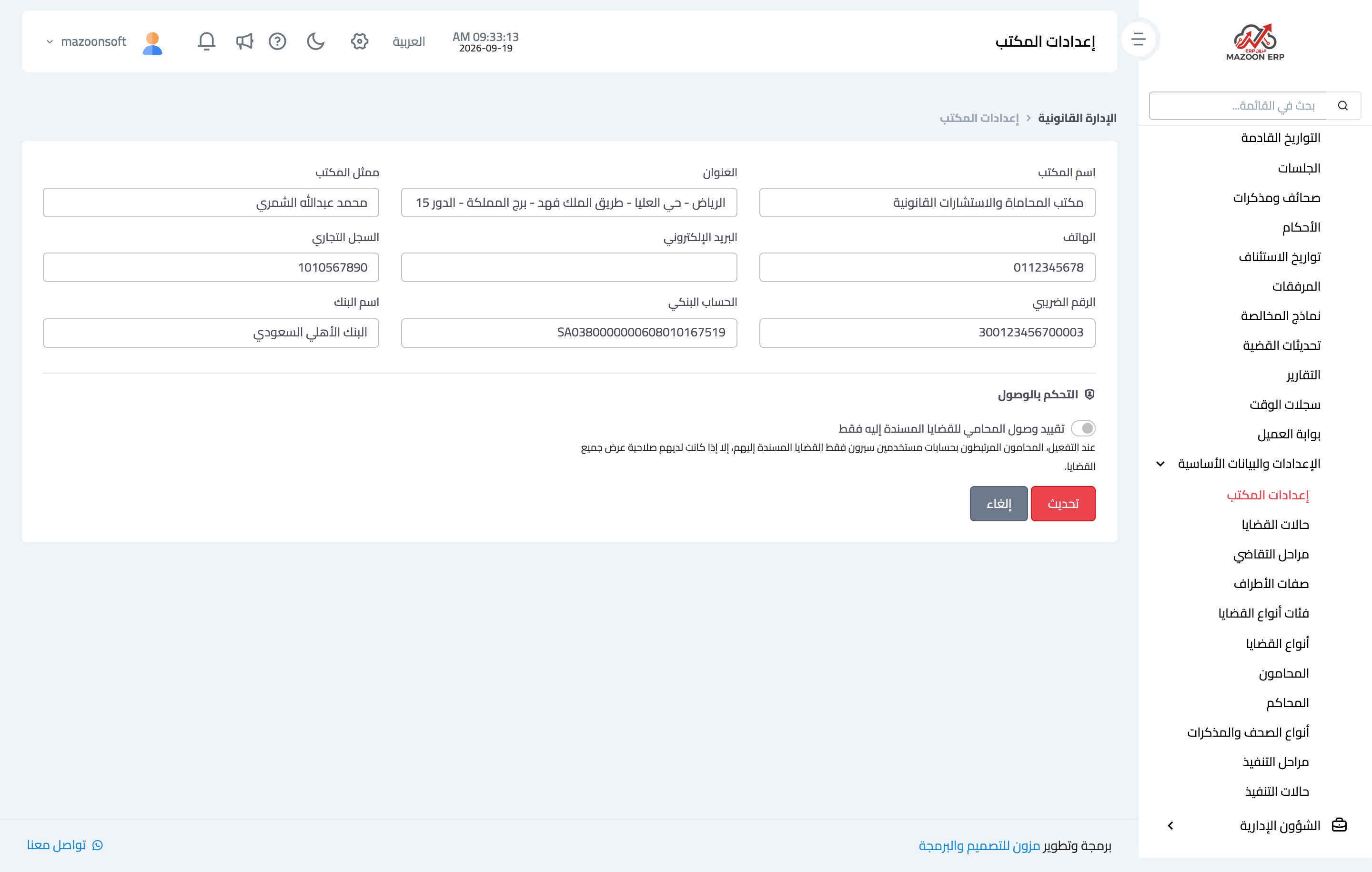
Figure 1
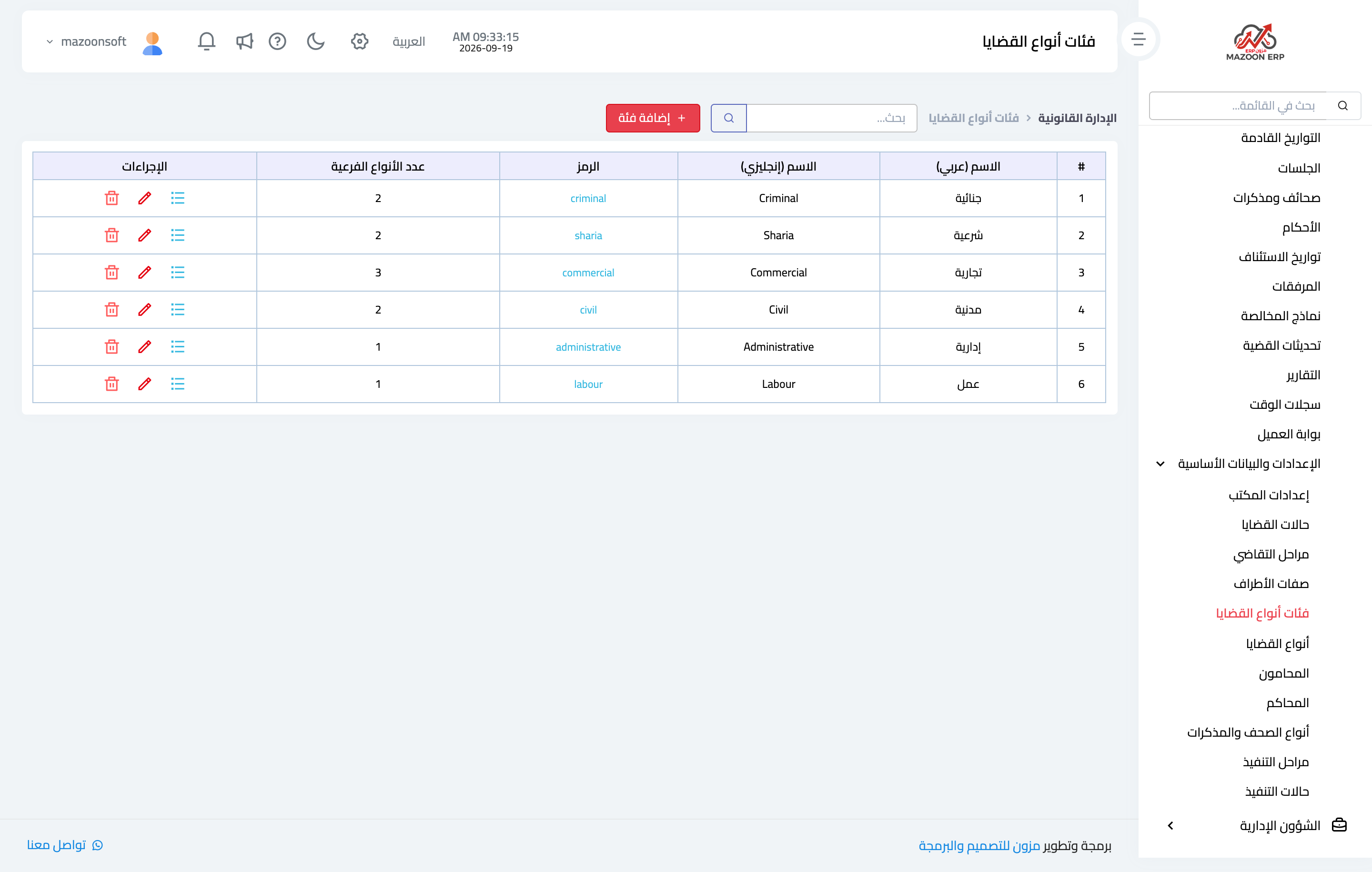
Figure 2
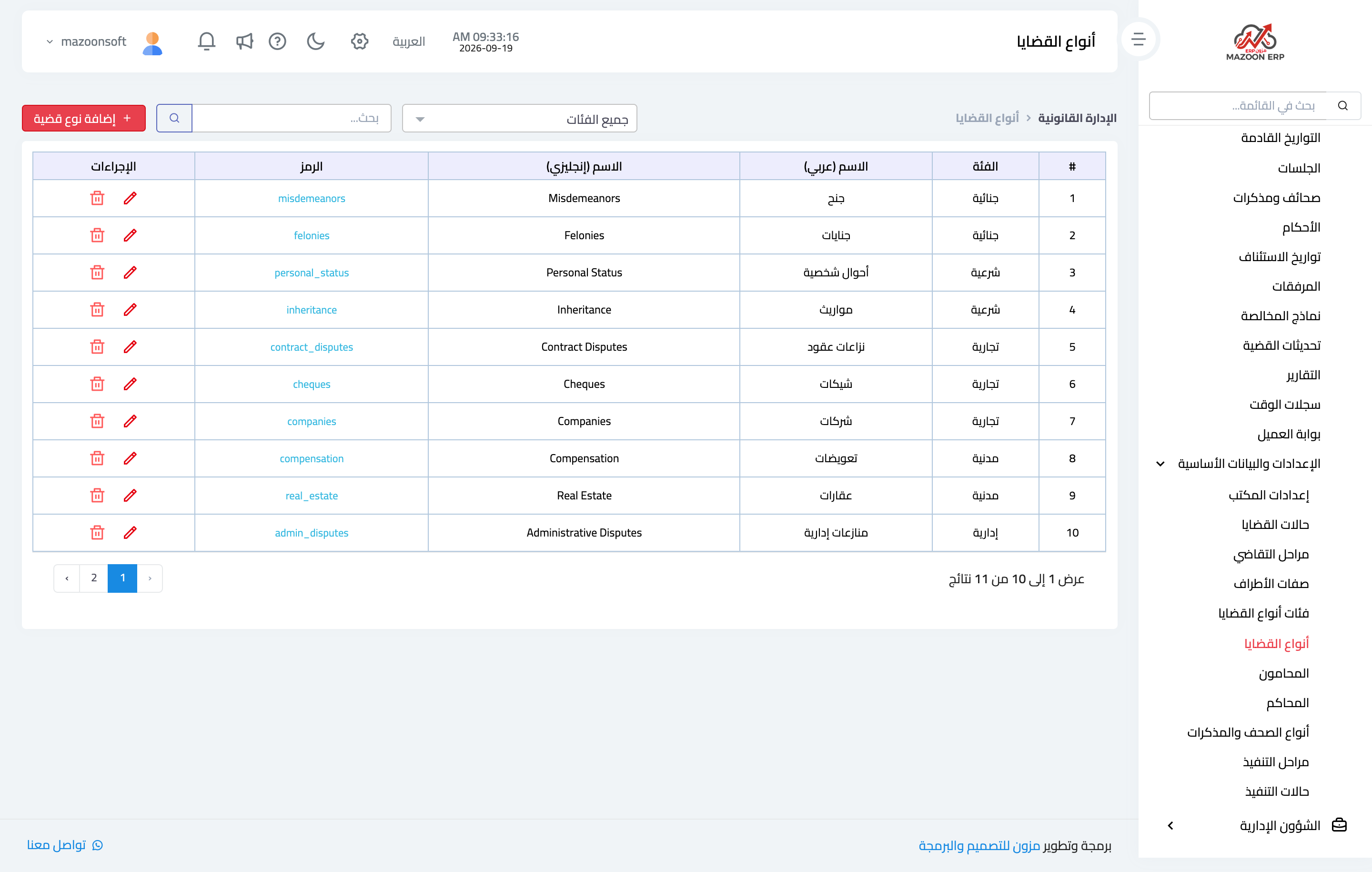
Figure 3
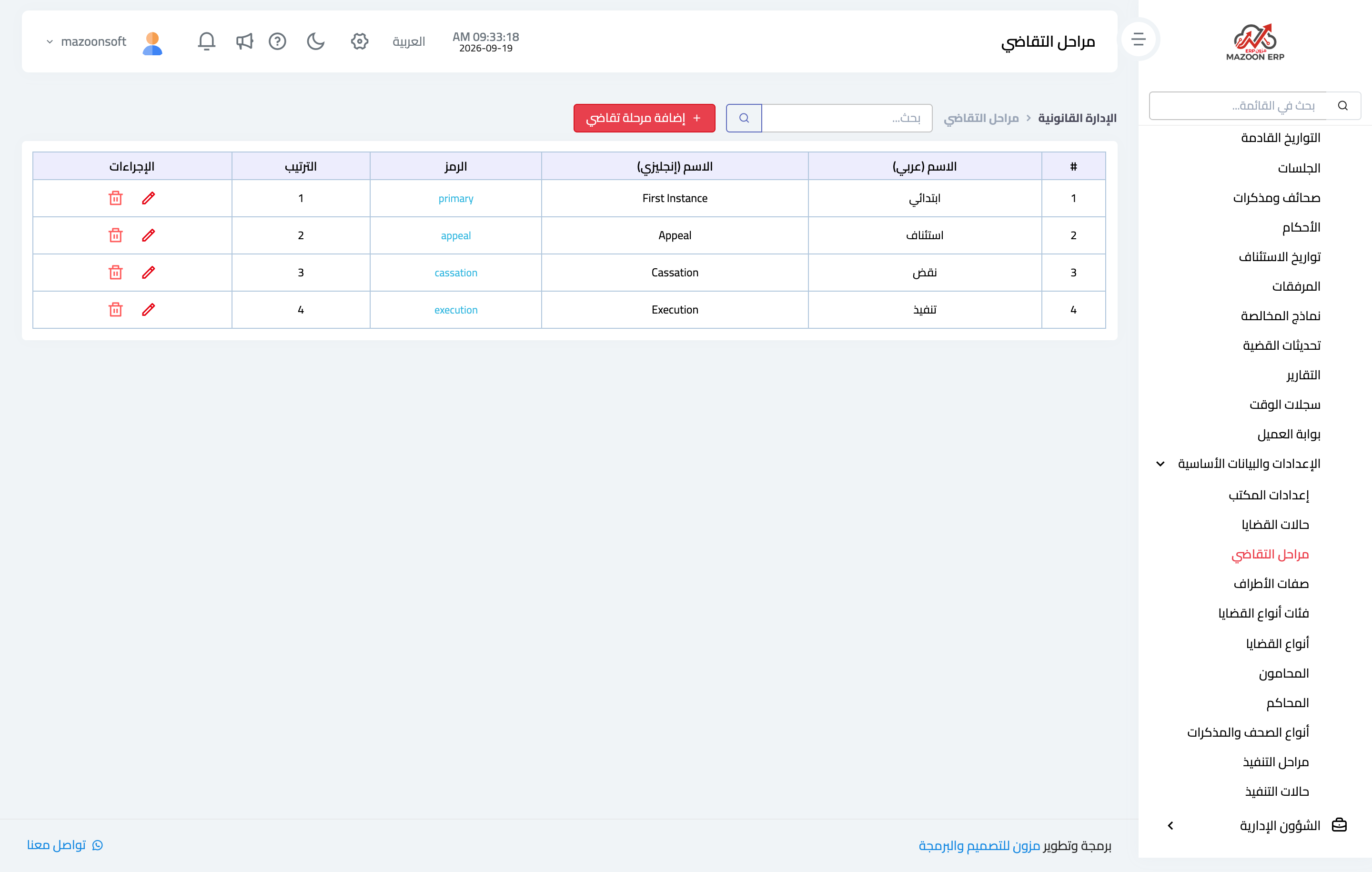
Figure 4
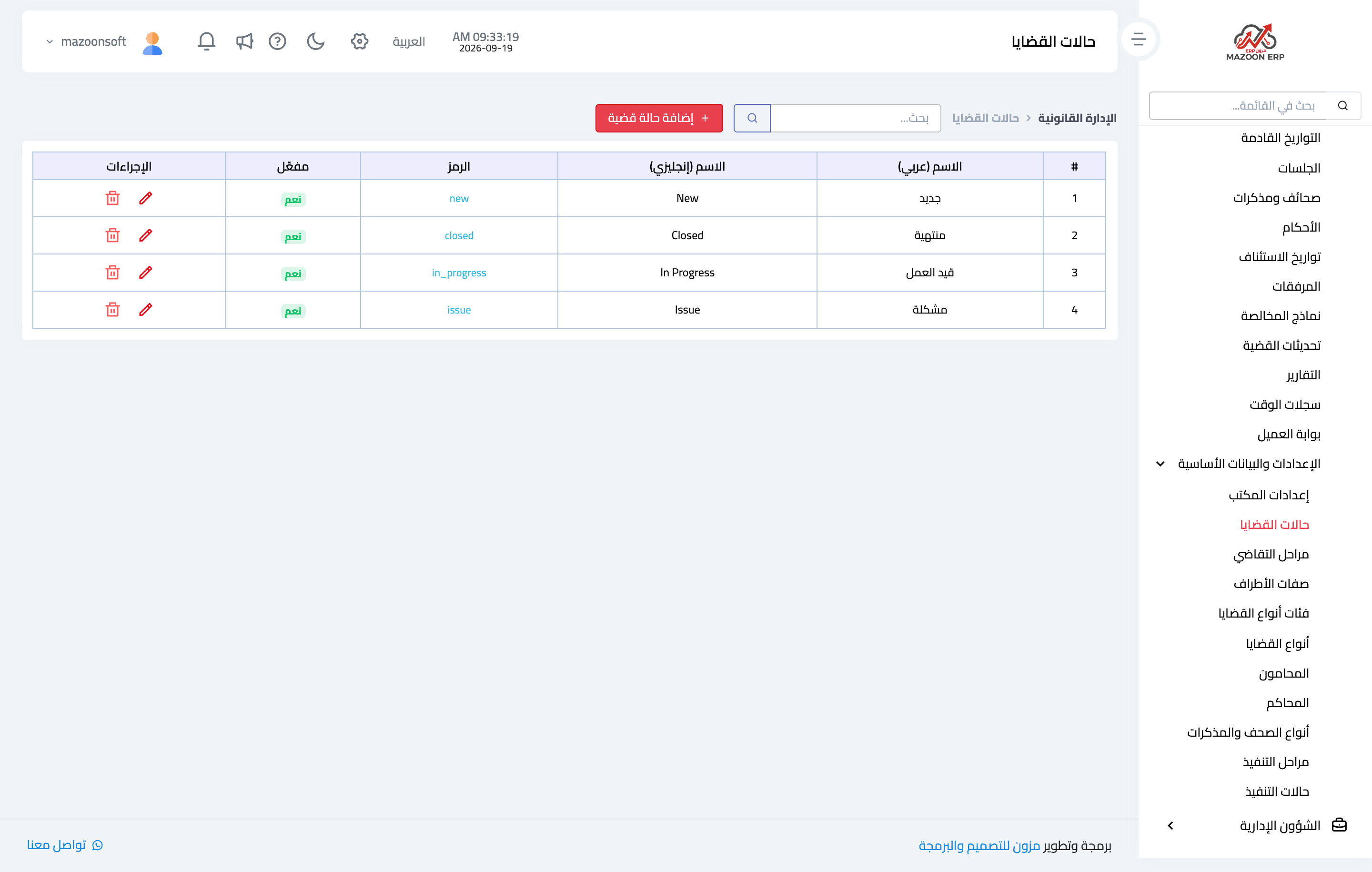
Figure 5
Try what you just read on your own data
Open a free 7-day trial — no credit card, with your own company link in minutes.