
How do I register client agencies and track their expiry dates?
An expired power of attorney means a lawyer standing before the court without standing. The agencies screen keeps each agency's number and expiry date and counts down the remaining days, so you do not discover the expiry on the morning of the hearing.
Steps
- Open Legal → Agencies — image 1 — and press New Agency — image 2.
- Pick the contact (the client) and the contact role, and enter the agency number as registered with the notary.
- Set the expiry date — the field the countdown and the warning are built on.
- Choose the status: active for a valid agency, renewed for one that expired and was replaced by a later agency, will not be renewed for a client who withdrew the mandate.
- Upload a copy of the agency in the attachment field, and write its limits in notes: a general litigation mandate or one specific to a single claim, and whether it covers settlement, waiver and receipt of money.
- In the list, use the quick filters above the table: All, Expiring within 30 days, Expired. Note the expiry date column with its … days remaining countdown underneath.
Notes
- On renewal, create a new line for the new agency and set the old one to renewed; do not edit the old one's date, or the chain of mandates is lost.
- Make reviewing the expiring within 30 days filter a weekly habit; renewing an agency needs the client to attend, which takes time you will not have on the day of the hearing.
- Write the limits of the mandate into the notes explicitly: many disputes start from an agency that does not authorise settlement or receipt of money.
- An agency is linked to a contact rather than to one case, so a single agency may cover several cases for the same client.
Screenshots
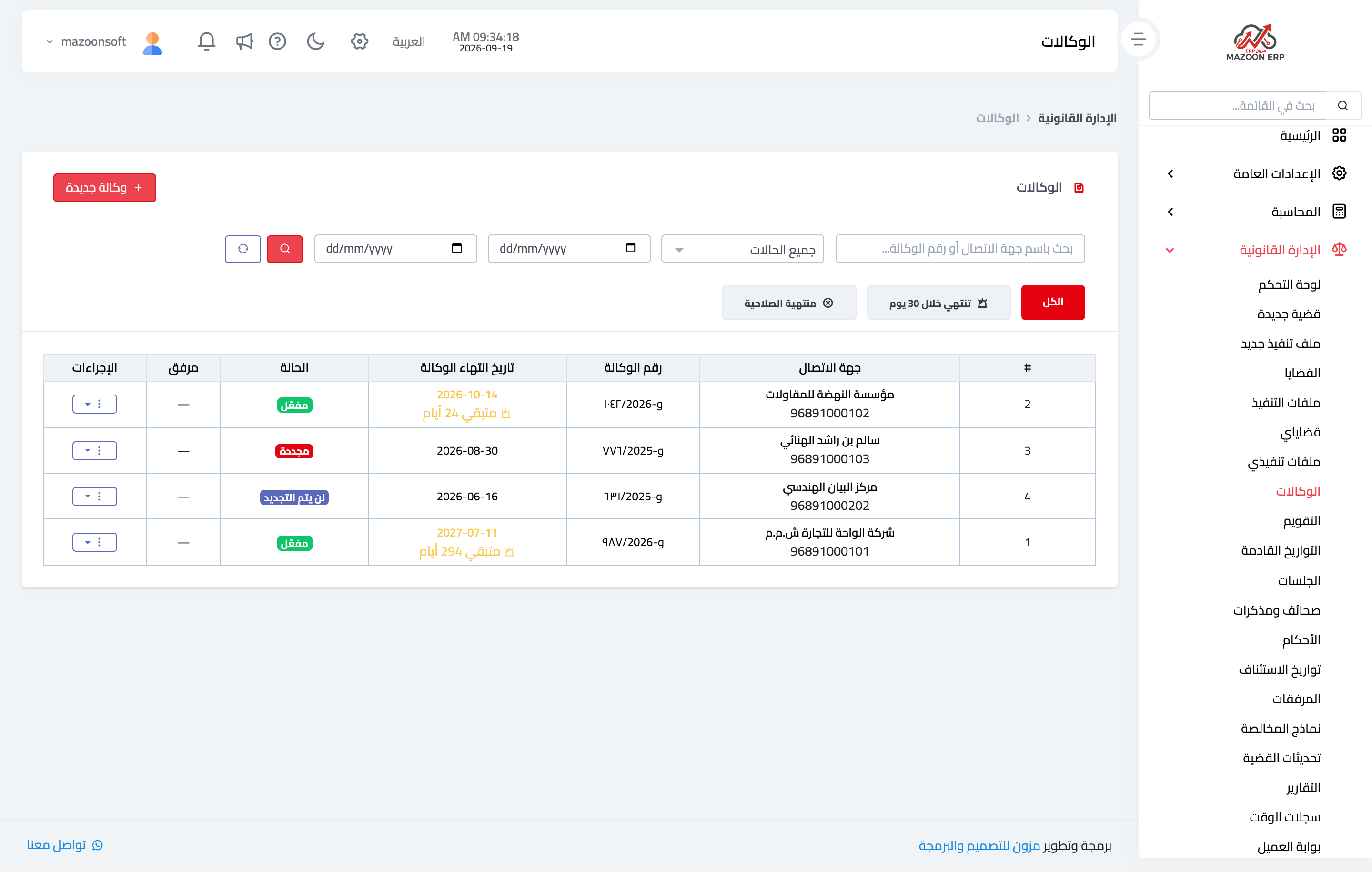
Figure 1
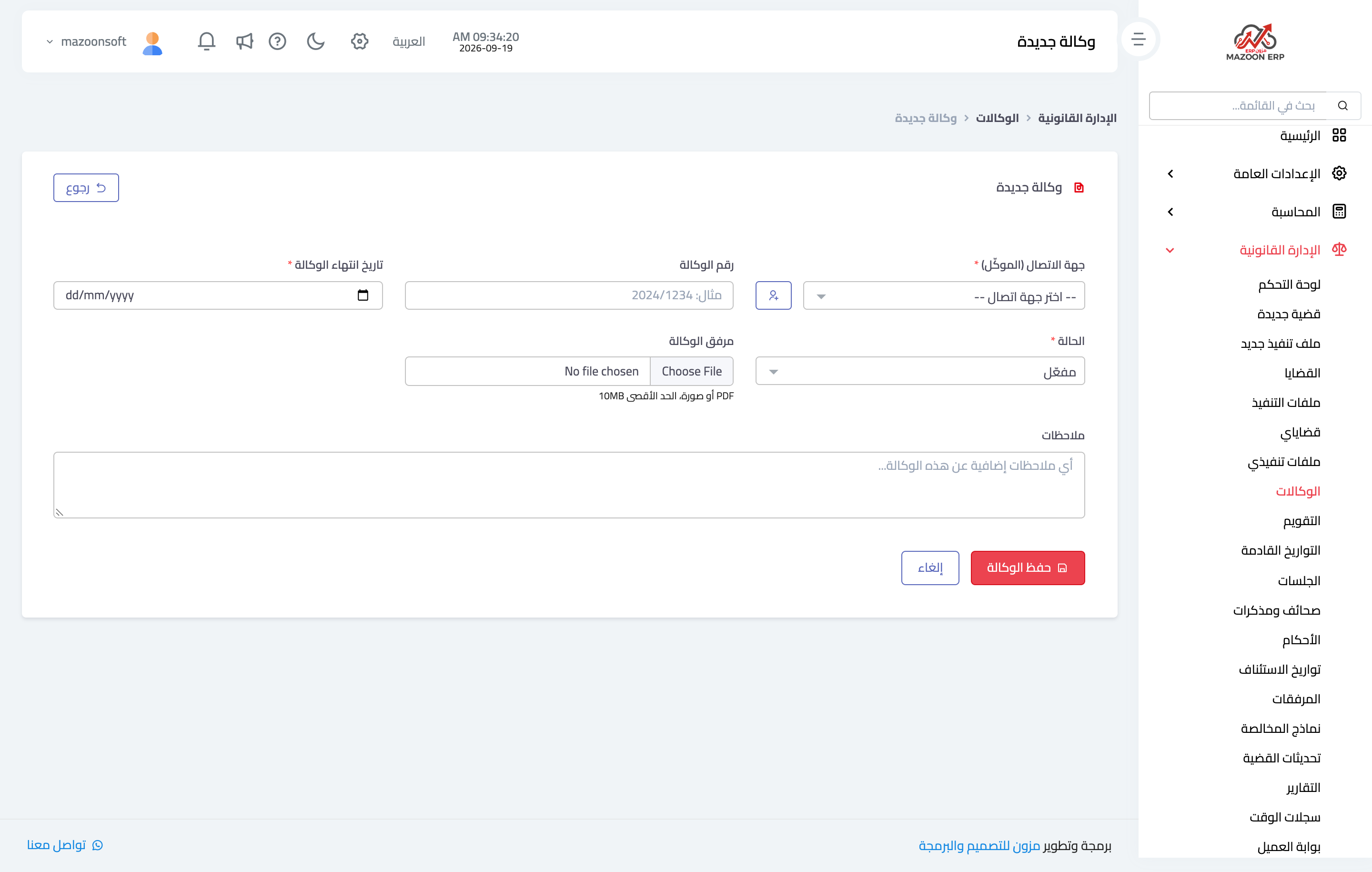
Figure 2
Try what you just read on your own data
Open a free 7-day trial — no credit card, with your own company link in minutes.