
How do I open an execution file and follow its stages and requests?
A ruling that is never enforced is a piece of paper. The execution file is the module's second track: it has its own parties, sessions, requests and stages, separate from the claim file, and is usually opened from the case itself with one click.
Steps
- First set up the execution stages and execution statuses under Settings & Master Data — image 1: proceedings under way, attachment, auction sale, collection, closure... each status with its colour.
- Open Legal → Execution Files — image 2 — and press New Execution File — image 3. Or, faster: from the page of the adjudicated case press Convert to Execution File, and the case data and parties are carried over automatically.
- Fill in the file number at the execution department, the office file number and the file location (archive shelf), the registration date and file open date, the court, and the execution stage and execution status.
- Under financial data record the claim amount, the judgment amount and the total judgment amount including costs, plus the appraiser and their fees if property is attached, then the judgment text.
- Open the file page — image 4 — and move between its tabs: Parties — image 5 — Sessions, Attachments and Tasks.
- Record every step you file with the execution department on the Execution Requests tab — image 6: an attachment request, a travel ban request, an assets enquiry, each with its date, attachment and details.
- The Print button at the top produces the file summary — image 7 — and Archive removes it from the active lists once it is closed.
Notes
- Update the execution stage as the procedure advances; it is what the dashboard and the execution reports are built on, and leaving it on the first stage makes every figure a lie.
- The execution file is tied to its source case through the related case field, so you move from one to the other with a click and no searching.
- A request is a line of its own even when refused; record the refused ones too, they are part of the file's history and may be needed to prove diligent follow-up.
- Execution file sessions appear with case sessions in the legal calendar and in the consolidated session list, where they can be filtered by type.
Screenshots
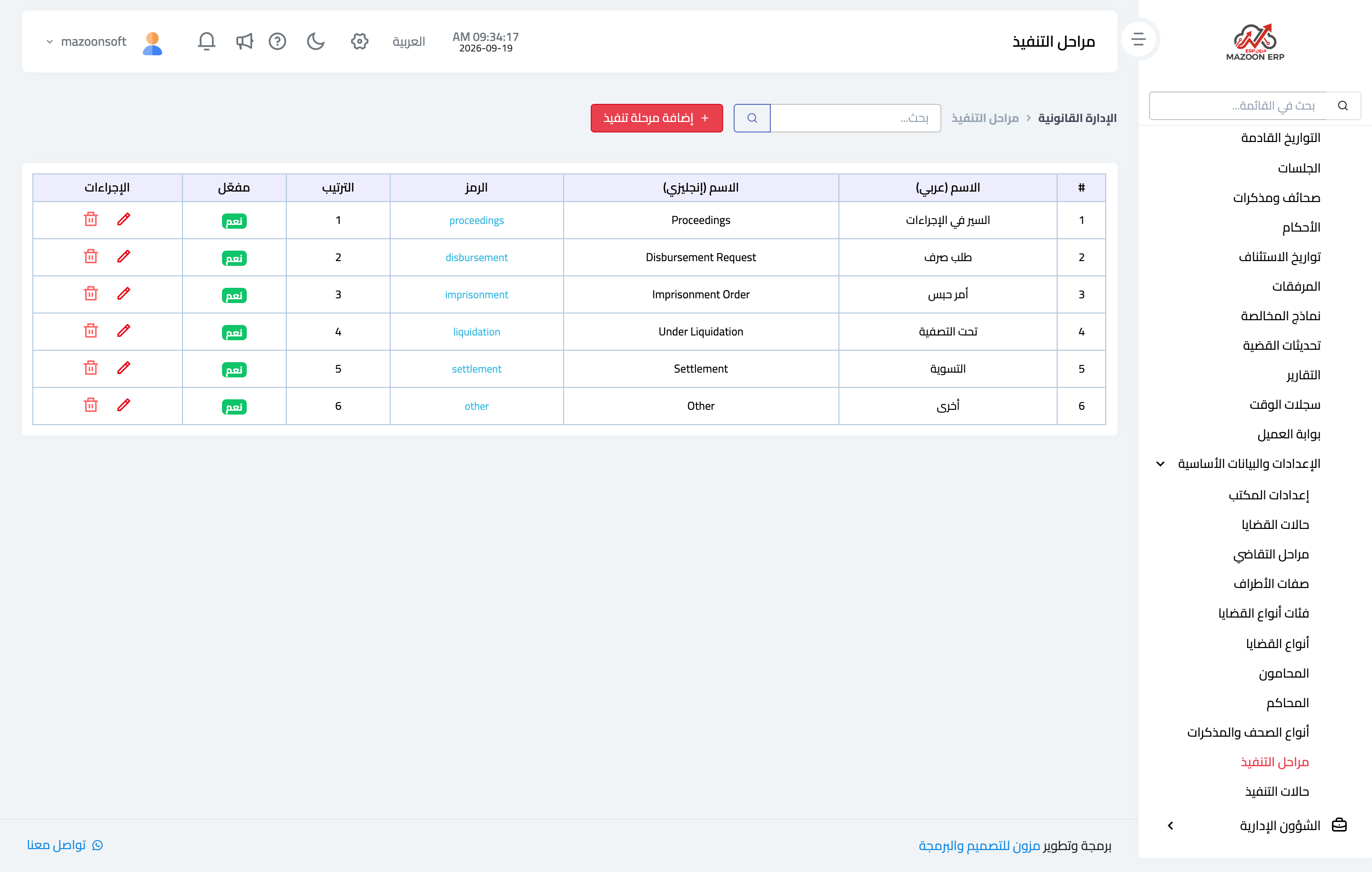
Figure 1
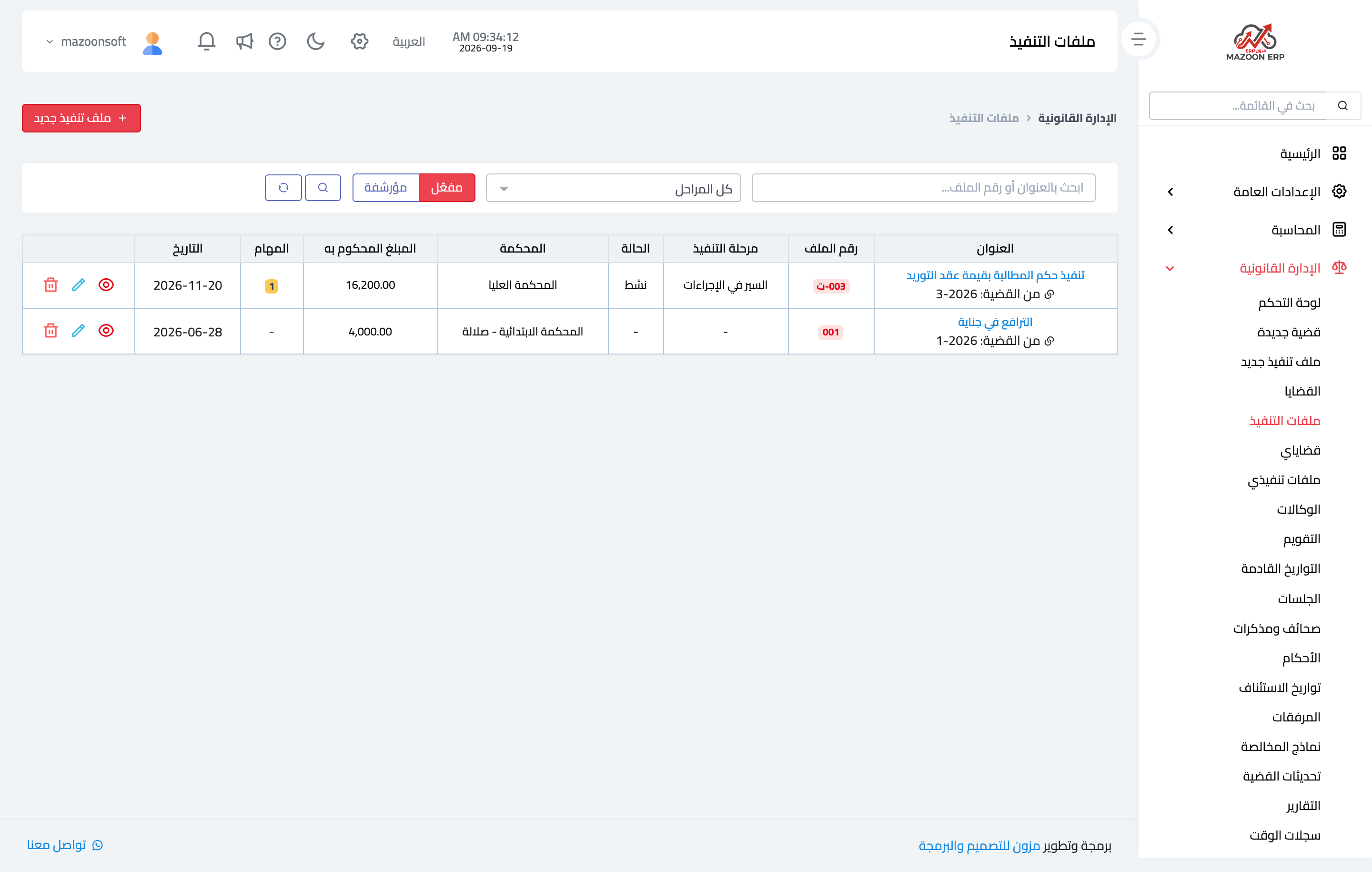
Figure 2
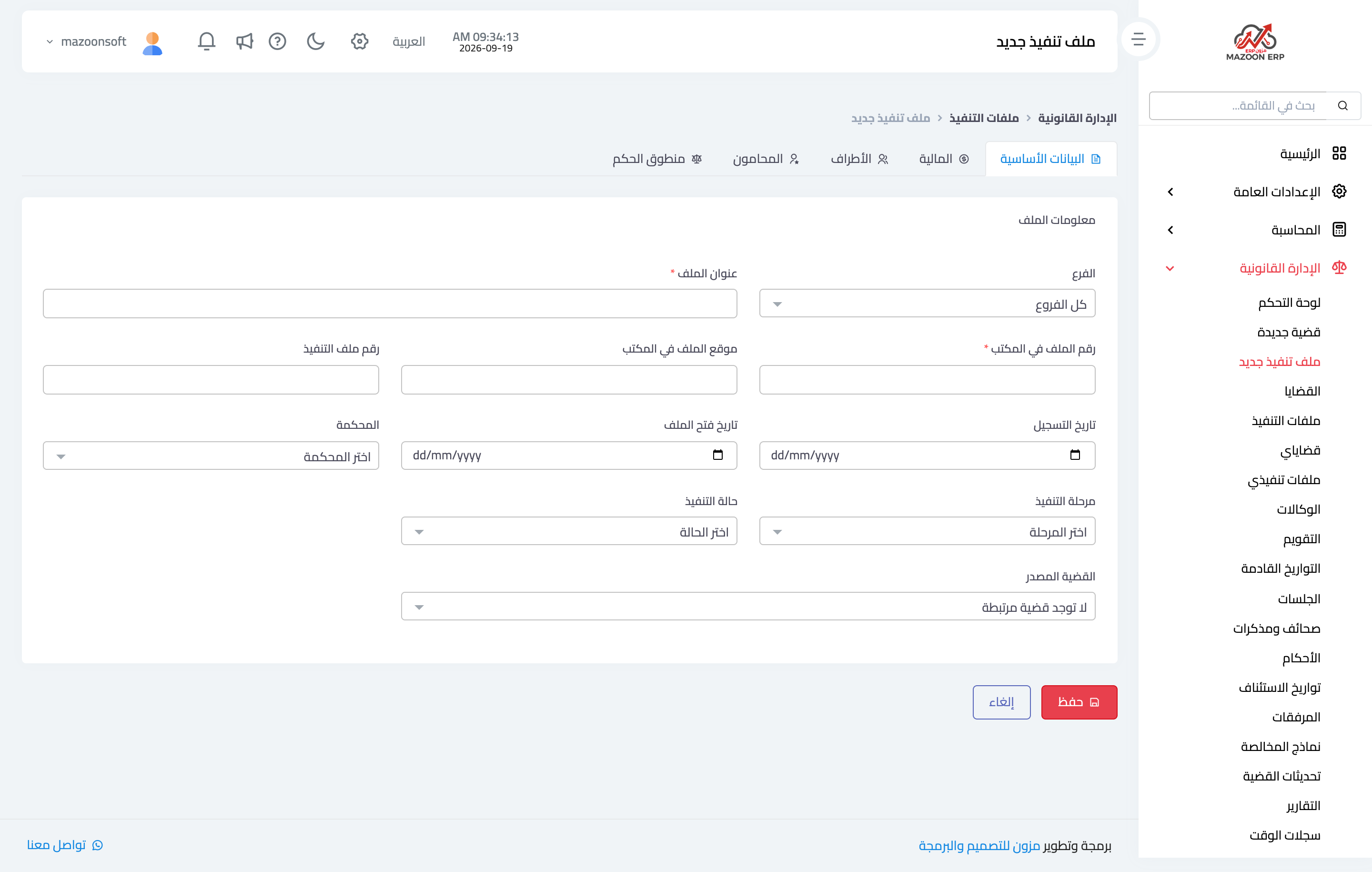
Figure 3
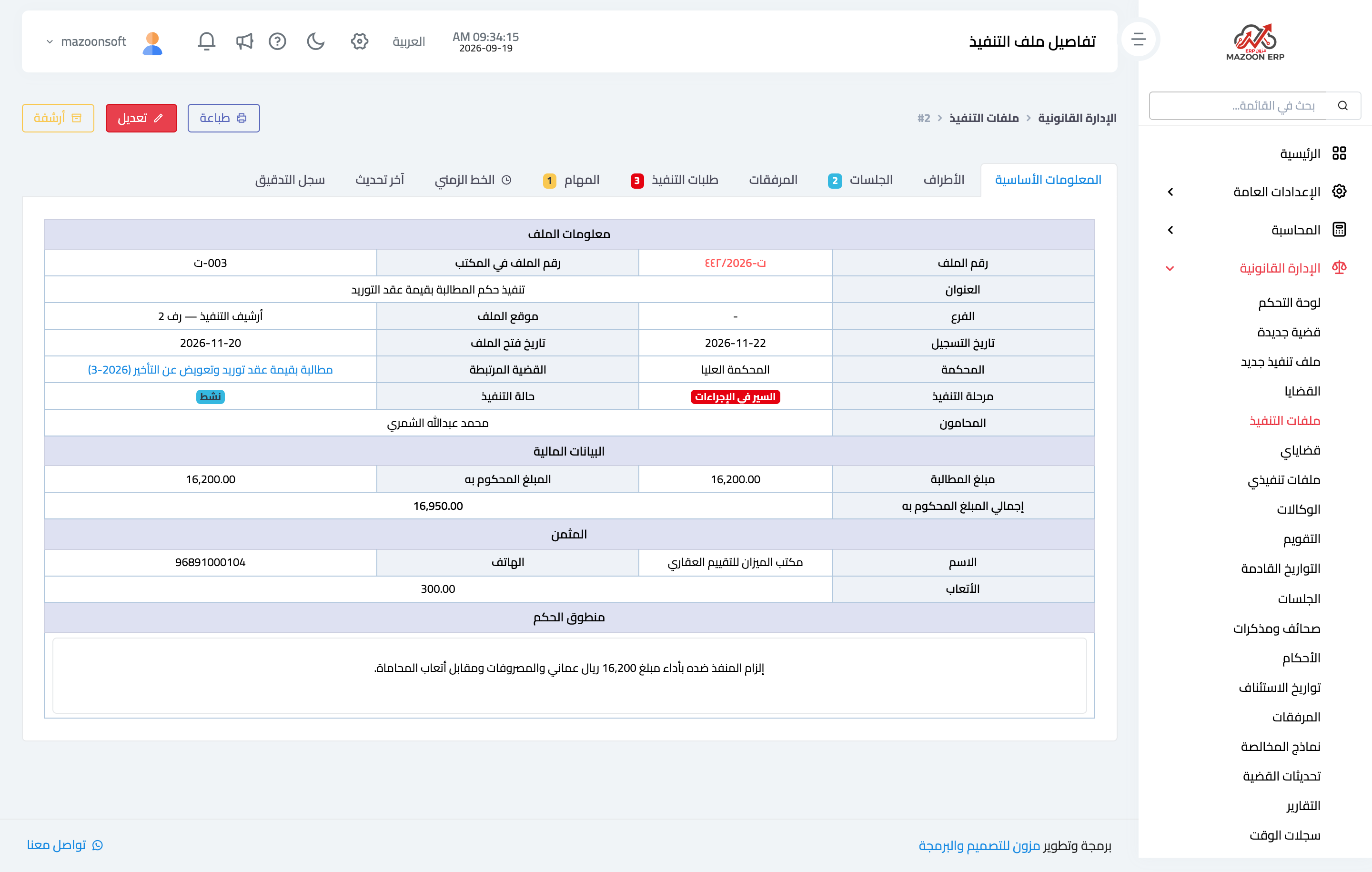
Figure 4
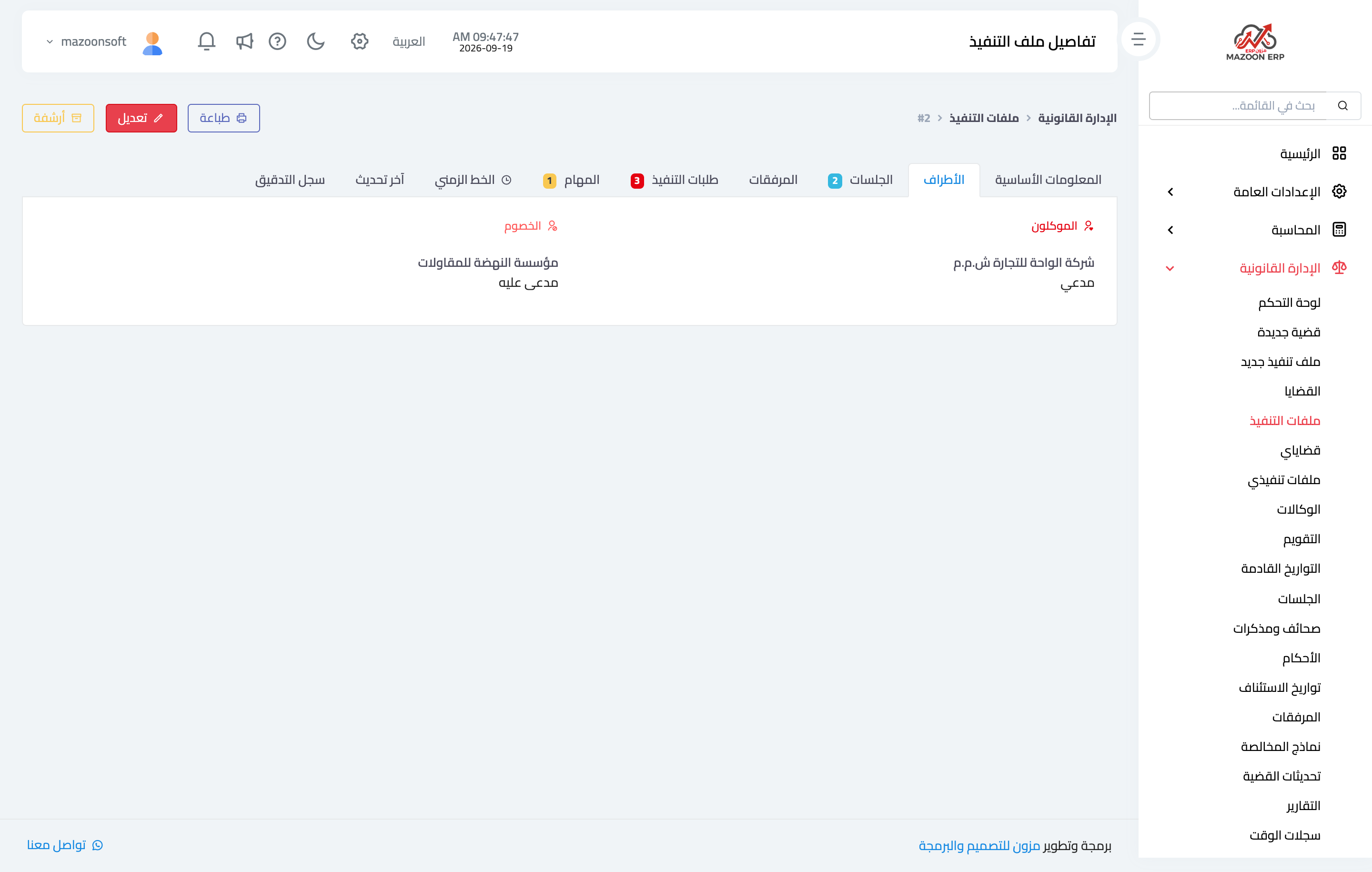
Figure 5
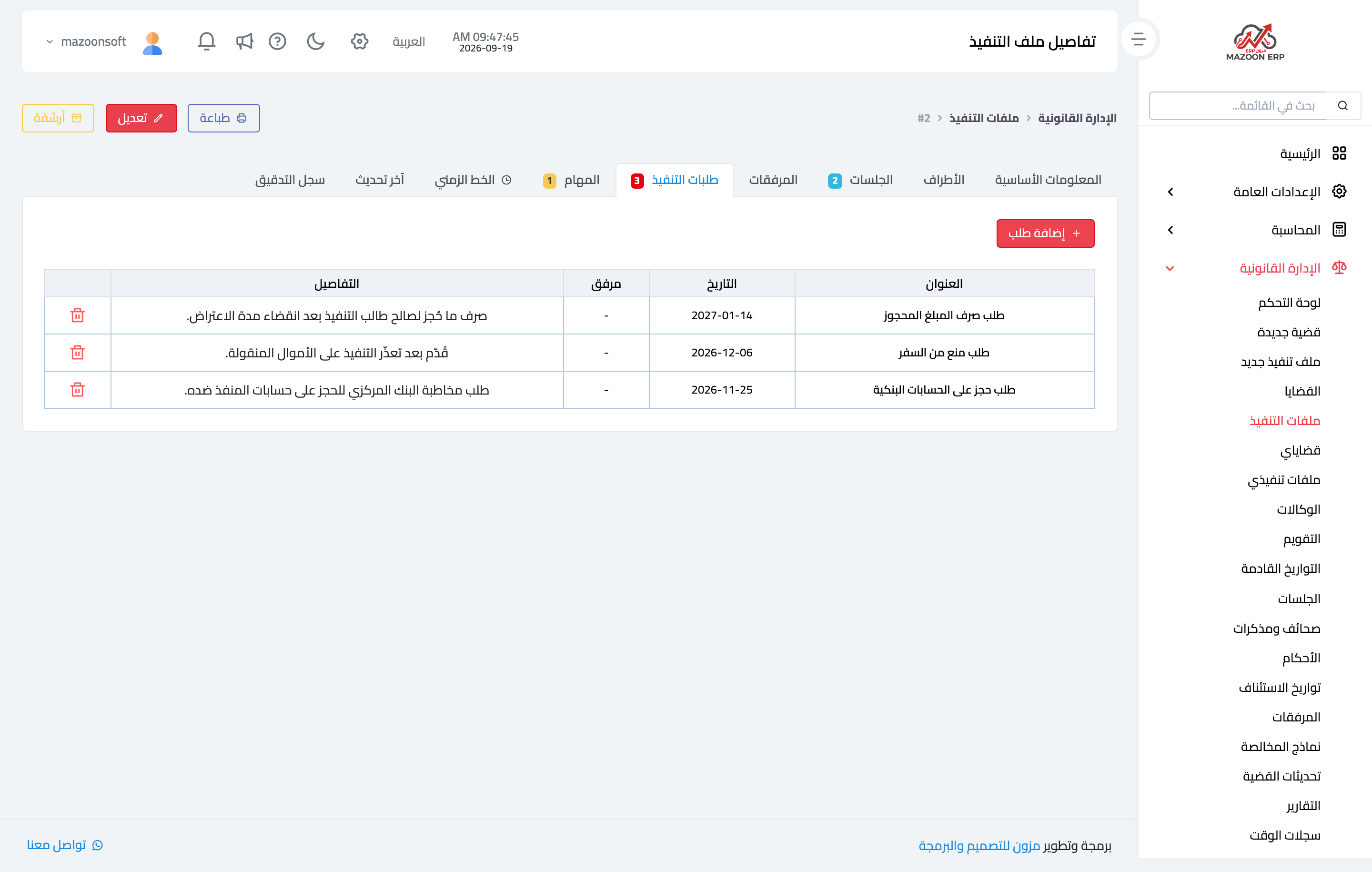
Figure 6
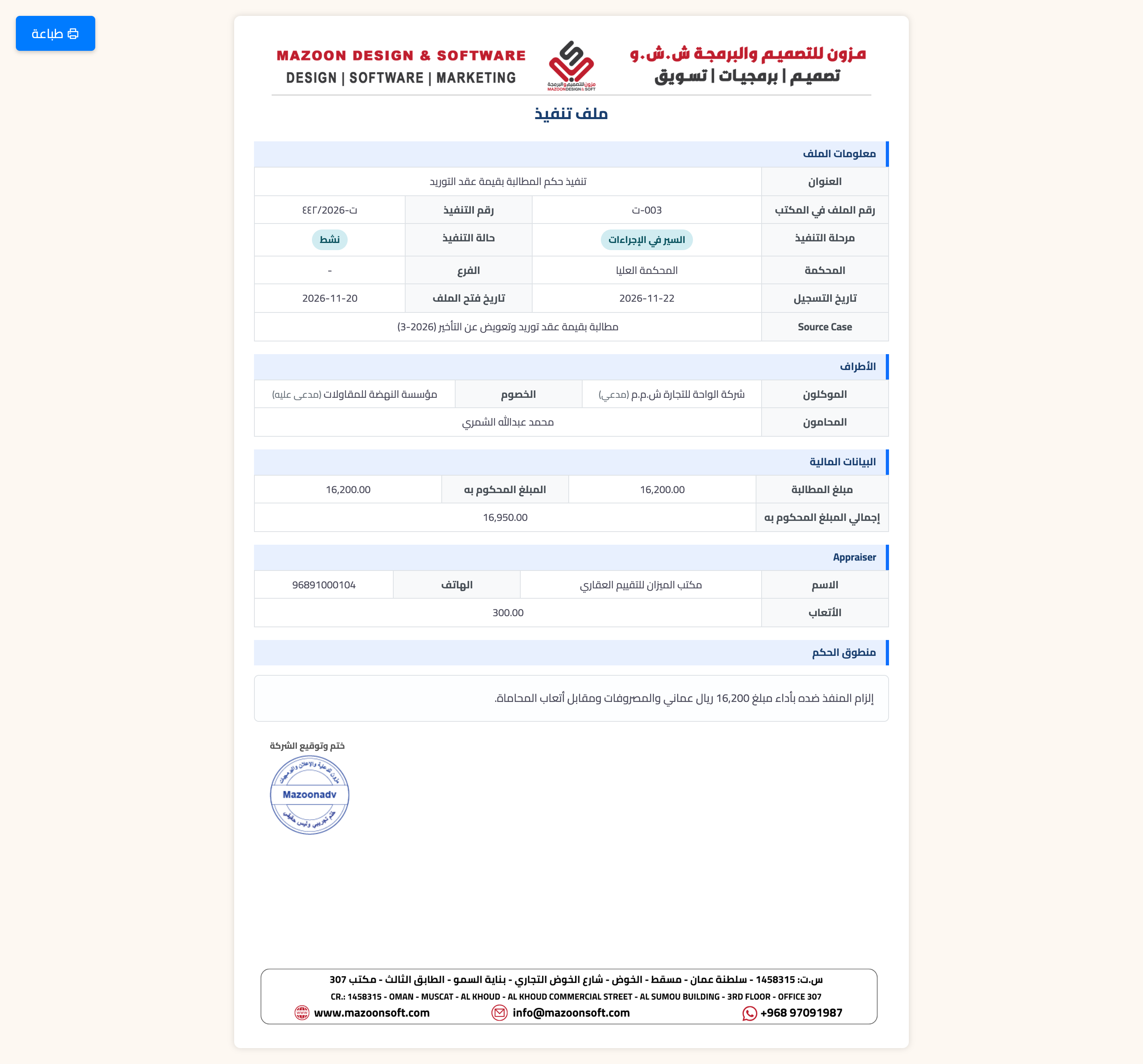
Figure 7
Try what you just read on your own data
Open a free 7-day trial — no credit card, with your own company link in minutes.