
How do I record a ruling and track its appeal deadline?
A ruling is not the end of the file but the start of a countdown: the appeal window runs from a known date, and missing it shuts the door however unjust the ruling. So the ruling is recorded together with the appeal deadline on one line, and all the deadlines are gathered on one screen you check every morning.
Steps
- Open the case, then the Rulings & Appeal Dates tab — image 1.
- Press Add Ruling — image 2.
- Write the ruling summary in one line that still makes sense months later ("First-instance ruling ordering the defendant to pay OMR 16,200").
- Set the appeal date, the last day on which an appeal may be filed. This is the date that shows up on the deadlines screen.
- Upload a copy of the ruling as an attachment, and write in Details the operative part, the reasoning and what follows from it.
- Open Legal → Appeal Dates — image 3 — to see the appeal deadlines of every case in order; filter by client or by date range, then export.
- For the rulings themselves gathered together, open Legal → Rulings — image 4.
Notes
- Record the ruling on the day it is pronounced, not the day you collect the copy; the period usually runs from the ruling or from service depending on the type of claim, so calculate it carefully and enter the result.
- If you do appeal, add the new case number on the Case Numbers tab and change the litigation stage on the case to appeal.
- A ruling does not erase what came before: the sessions and pleadings stay as they are, because they are the first-instance history you will need in the appeal memo.
- A final enforceable ruling is what an execution file is built on, and the Convert to Execution File button on the case page does exactly that.
Screenshots
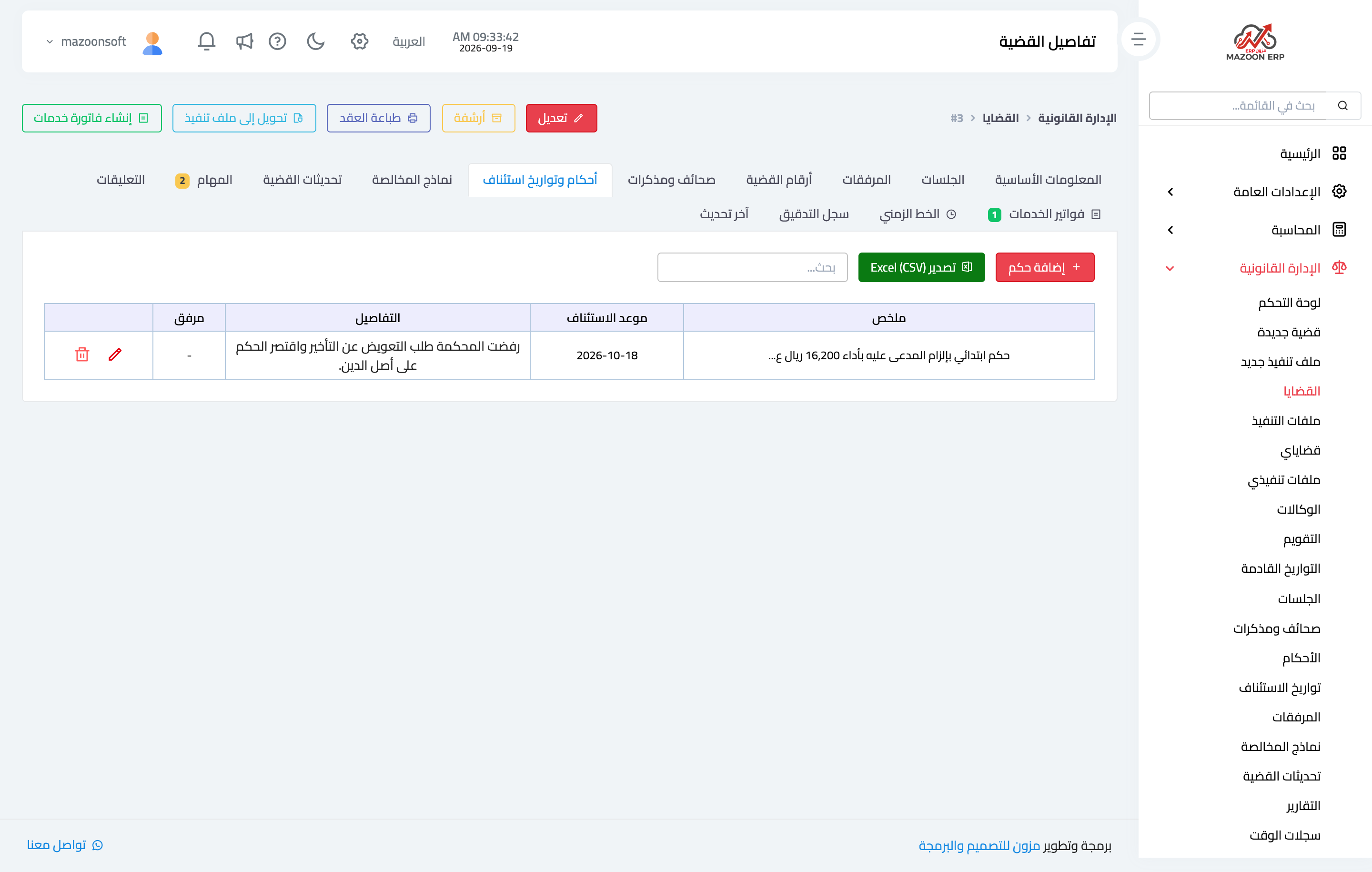
Figure 1
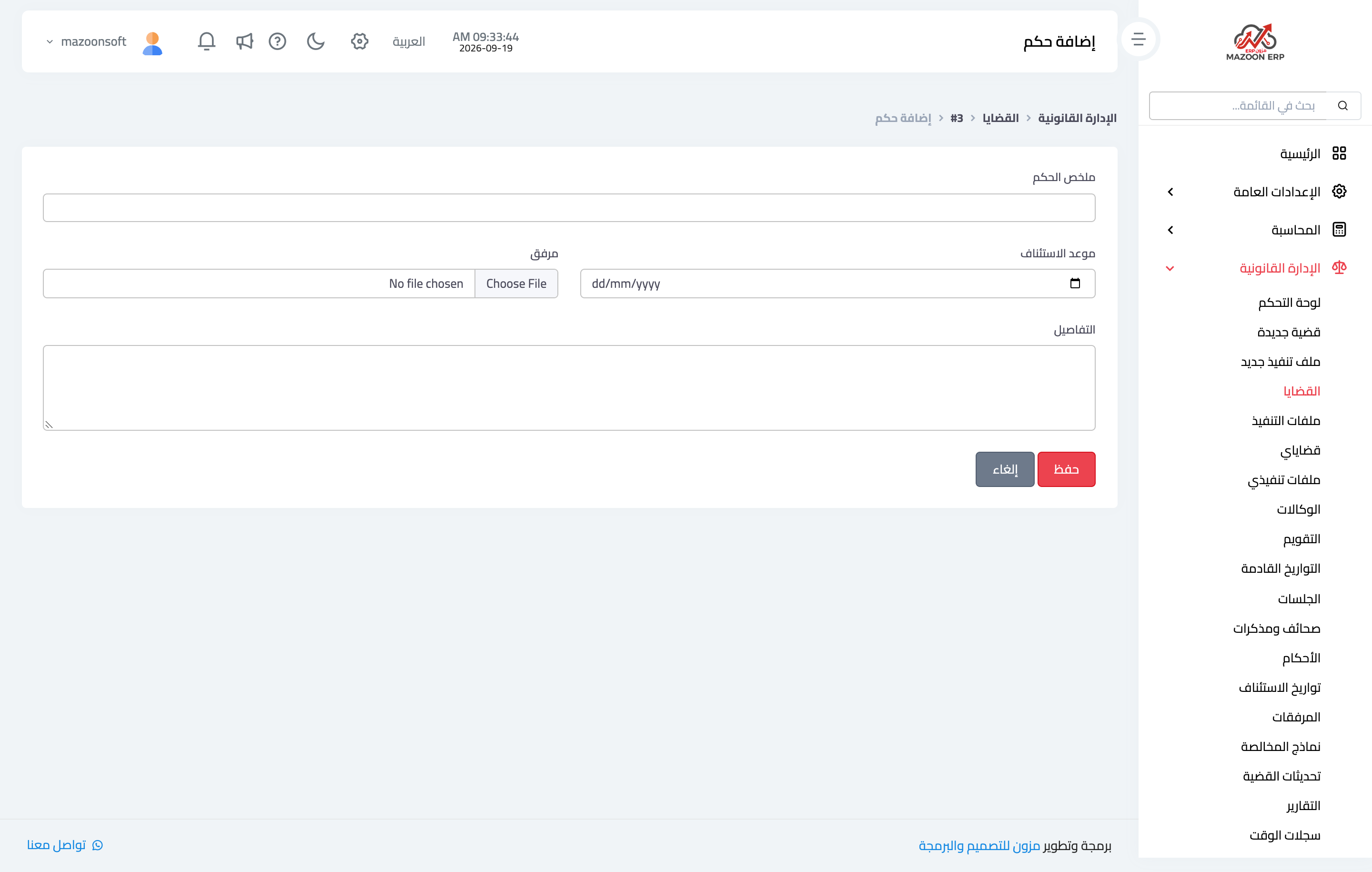
Figure 2
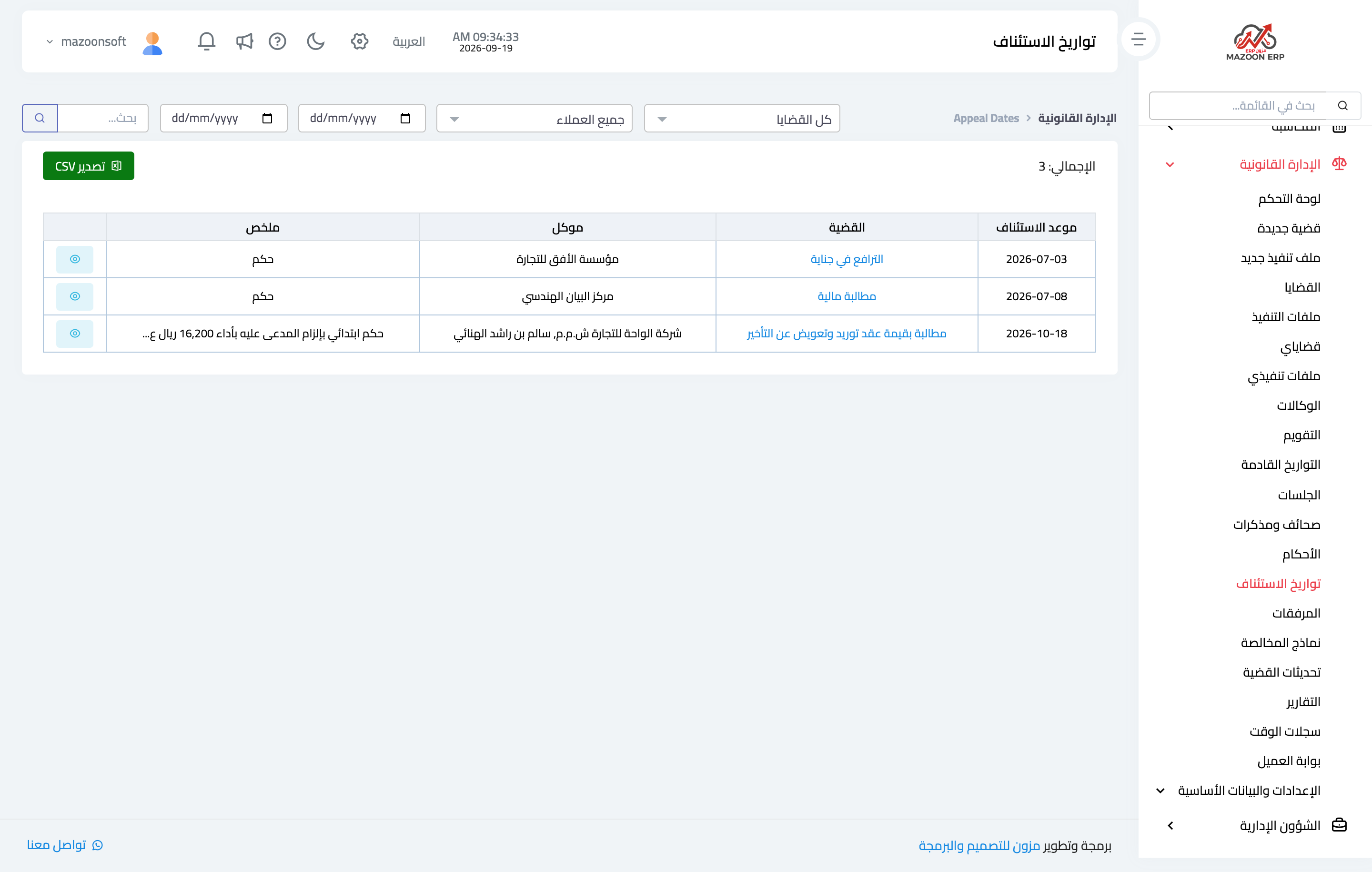
Figure 3
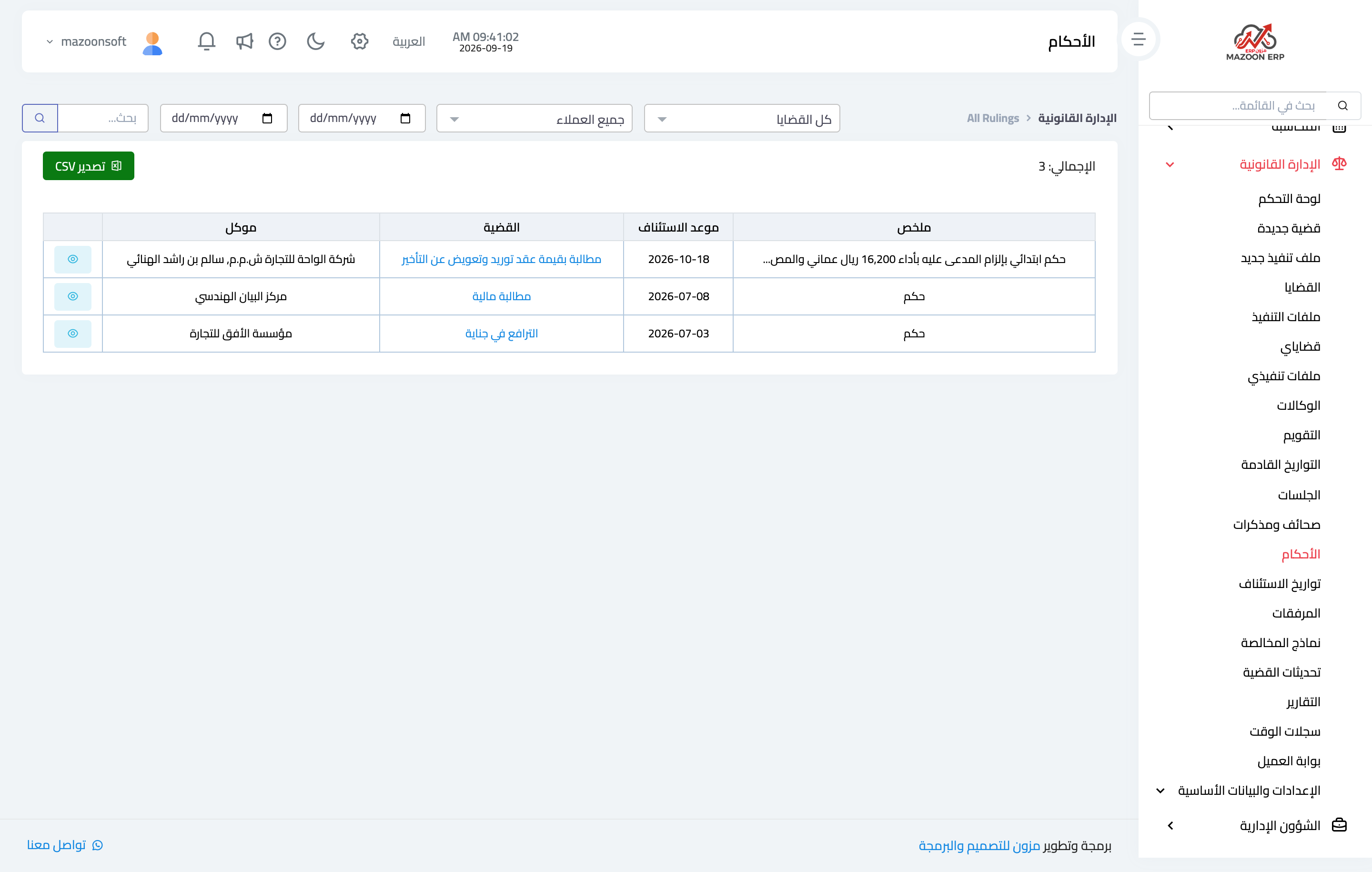
Figure 4
Try what you just read on your own data
Open a free 7-day trial — no credit card, with your own company link in minutes.