
How do I add courts, pleading types and party attributes?
Three short lists repeat in nearly every case: the court hearing the claim, the type of document you file, and the attribute of each party. Set them up once and they become a one-click choice instead of free text that reads differently from one clerk to the next.
Steps
- Open Legal → Settings & Master Data → Courts — image 1. Add the courts you actually appear before, under their official names; do not load the country's entire court list.
- Go to Pleading Types — image 2: statement of claim, reply memo, rejoinder, interlocutory application, closing memo. These are what appear in the "type" list when you record each pleading.
- Then Party Attributes — image 3: claimant, defendant, witness, expert, guarantor. The attribute is recorded for each party inside the case alongside whether they are a client or an opponent.
- Save. Additions appear in the case forms immediately, with nothing to reload.
Notes
- Keep side and attribute apart: the side says who the office works for (client or opponent), the attribute says what their legal position in the claim is (claimant, witness, expert...). A witness testifying for your client is recorded with the side "clients" and the attribute "witness".
- The court is chosen at case level, but a different court can be chosen for an individual session if it is heard before another circuit.
- Pleading types are what the consolidated "Pleadings & Memos" list is built on, so naming them precisely makes filtering useful later.
Screenshots
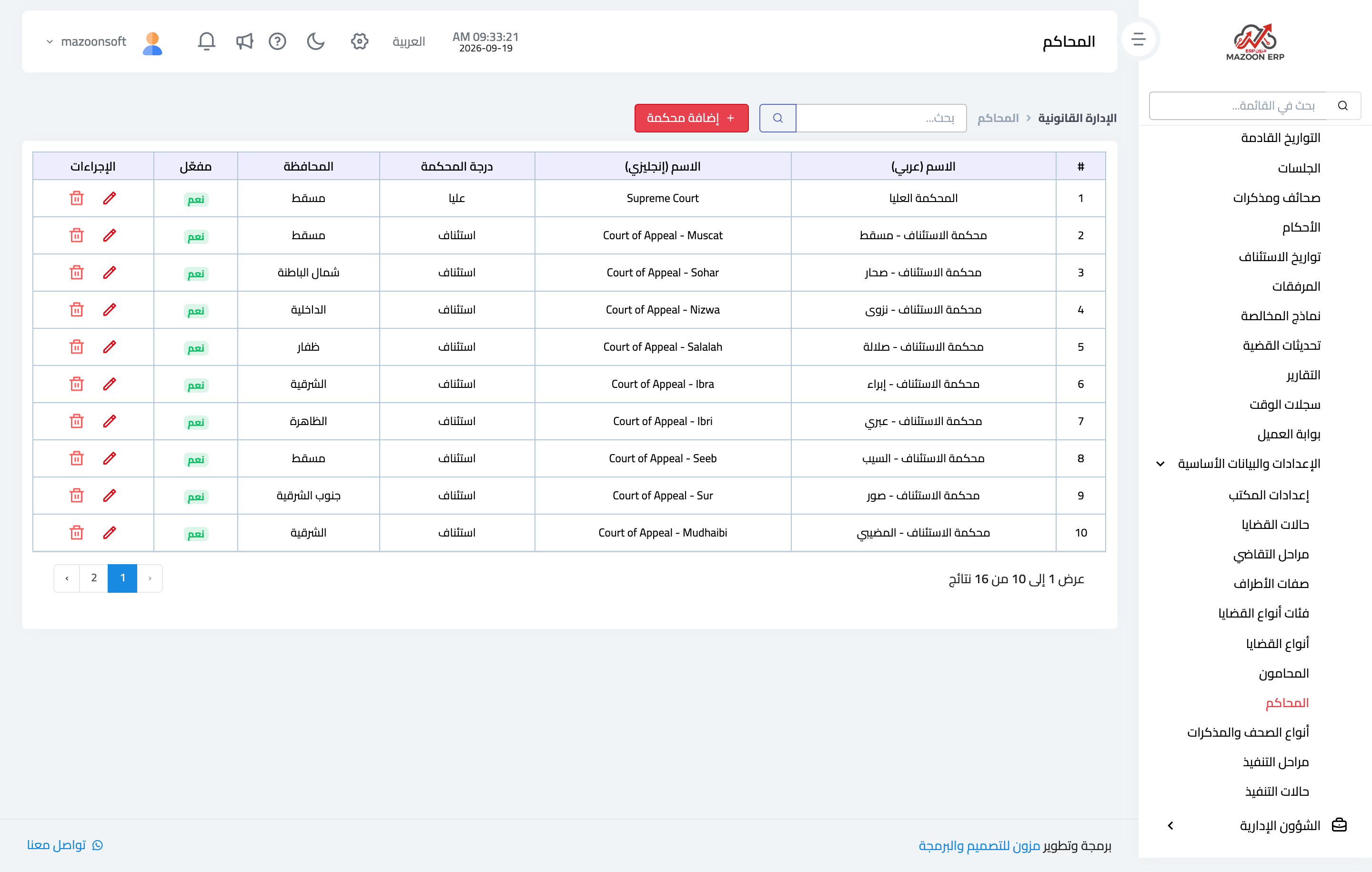
Figure 1
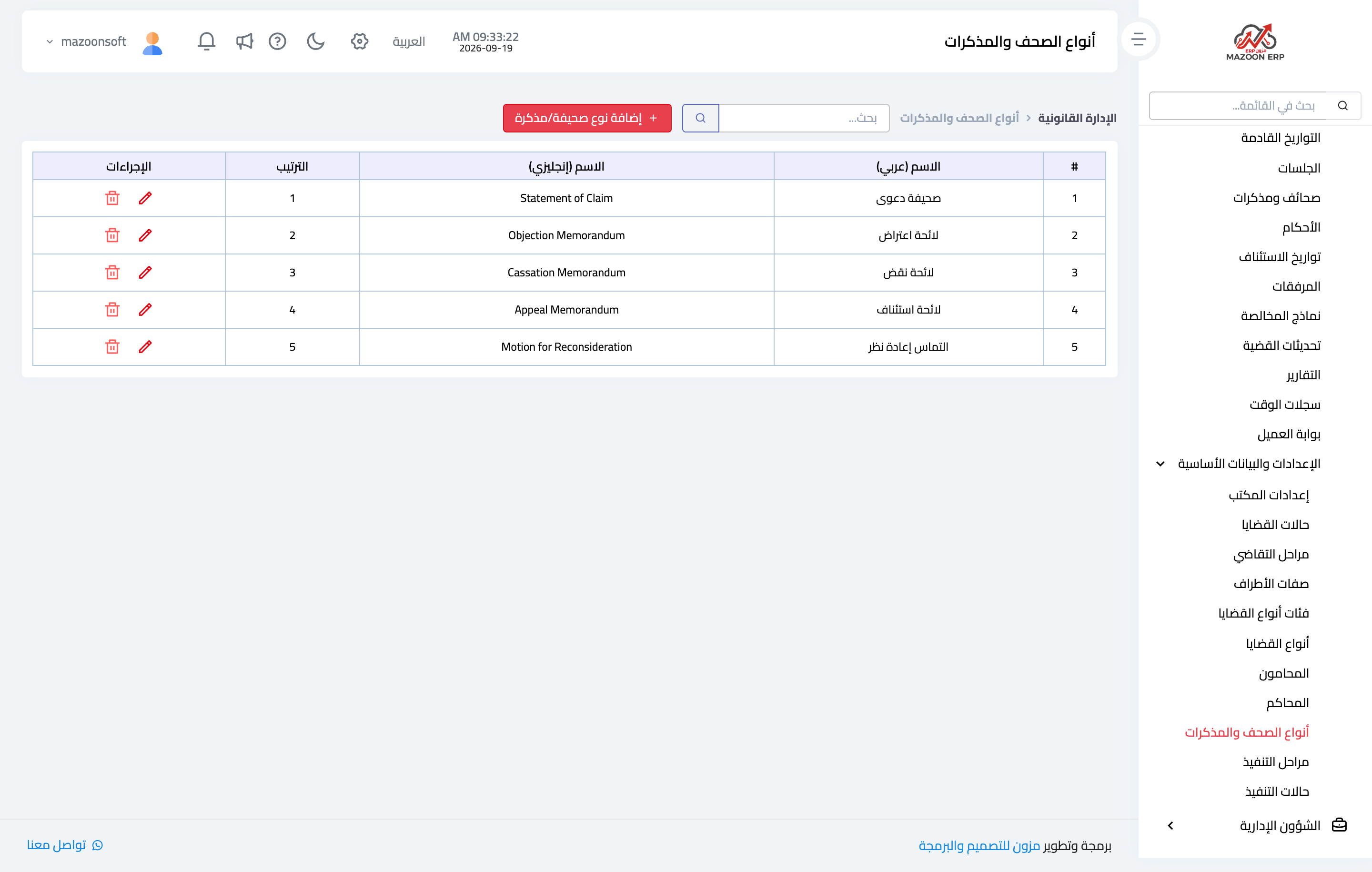
Figure 2
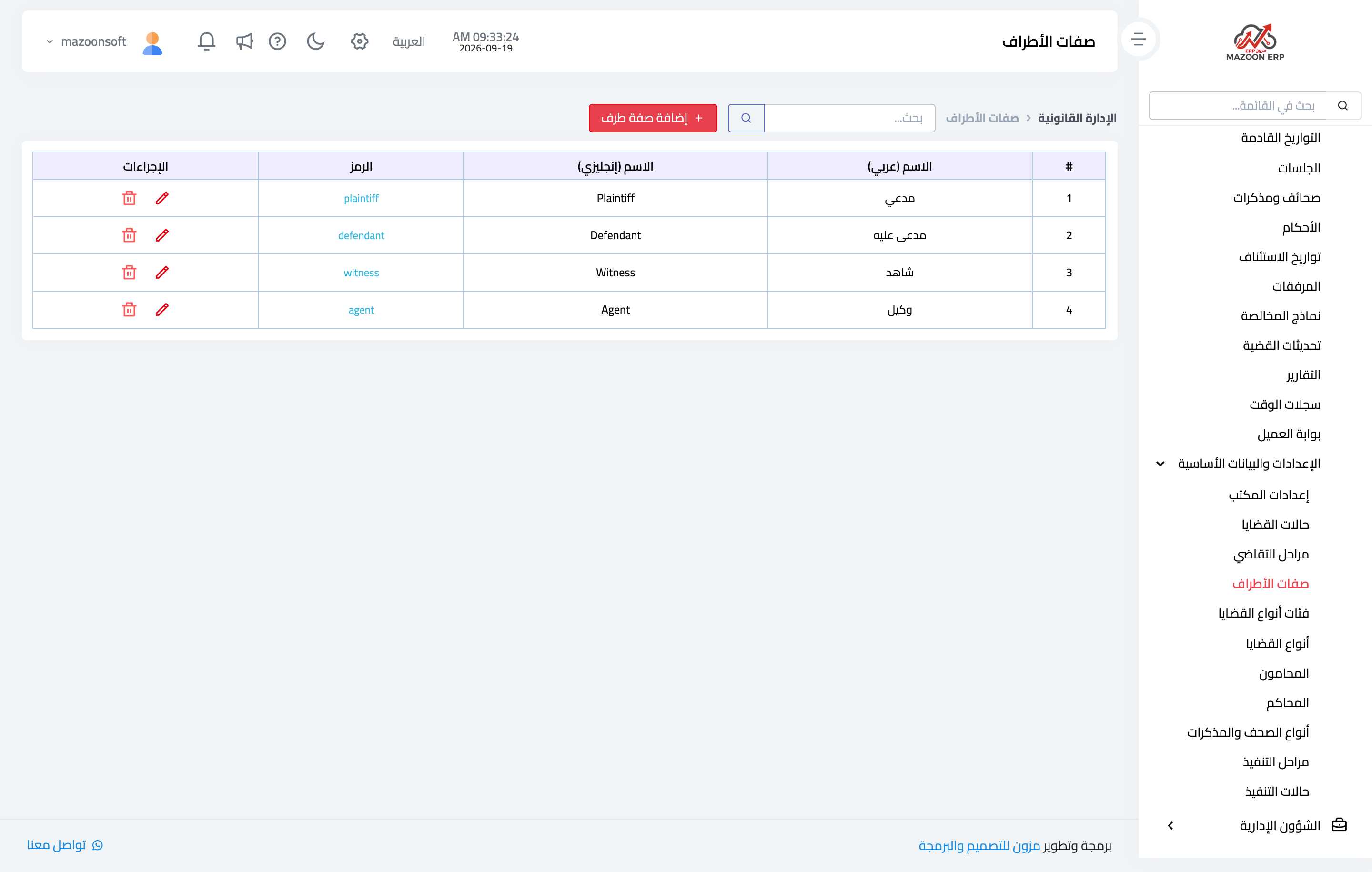
Figure 3
Try what you just read on your own data
Open a free 7-day trial — no credit card, with your own company link in minutes.