
How do I record statements of claim and memos and attach their copies?
Pleadings are the paperwork of the claim: the statement of claim, the reply memo, the rejoinder, the interlocutory application and the closing memo. Recording them inside the file with a copy attached means any colleague who opens the case knows what was said and what was answered, without having to ask you.
Steps
- Open the case, then the Pleadings & Memos tab — image 1.
- Press Add Pleading / Memo — image 2.
- Pick the pleading type from the list you set up in settings, then enter the title and the date it was filed.
- Upload the copy in the attachment field, and write in Details a summary of what it contained and what you asked the court for.
- Save. The line appears on the tab with an attachment icon that opens the copy directly.
- To see the pleadings of every case together, open Legal → Pleadings & Memos — image 3 — or export just this case's pleadings with the Export Excel (CSV) button inside the tab.
Notes
- Use the filing date, not the drafting date; the deadline is counted from the former.
- The details line is not a copy of the memo: put the request and its basis there in brief, because that is what you read before the hearing, not the whole memo.
- The attachment is kept in cloud storage and stays reachable from inside the file, so there is no need for a second copy on your own machine.
- Name the pleading types precisely in settings; they are what the consolidated list is filtered by later.
Screenshots
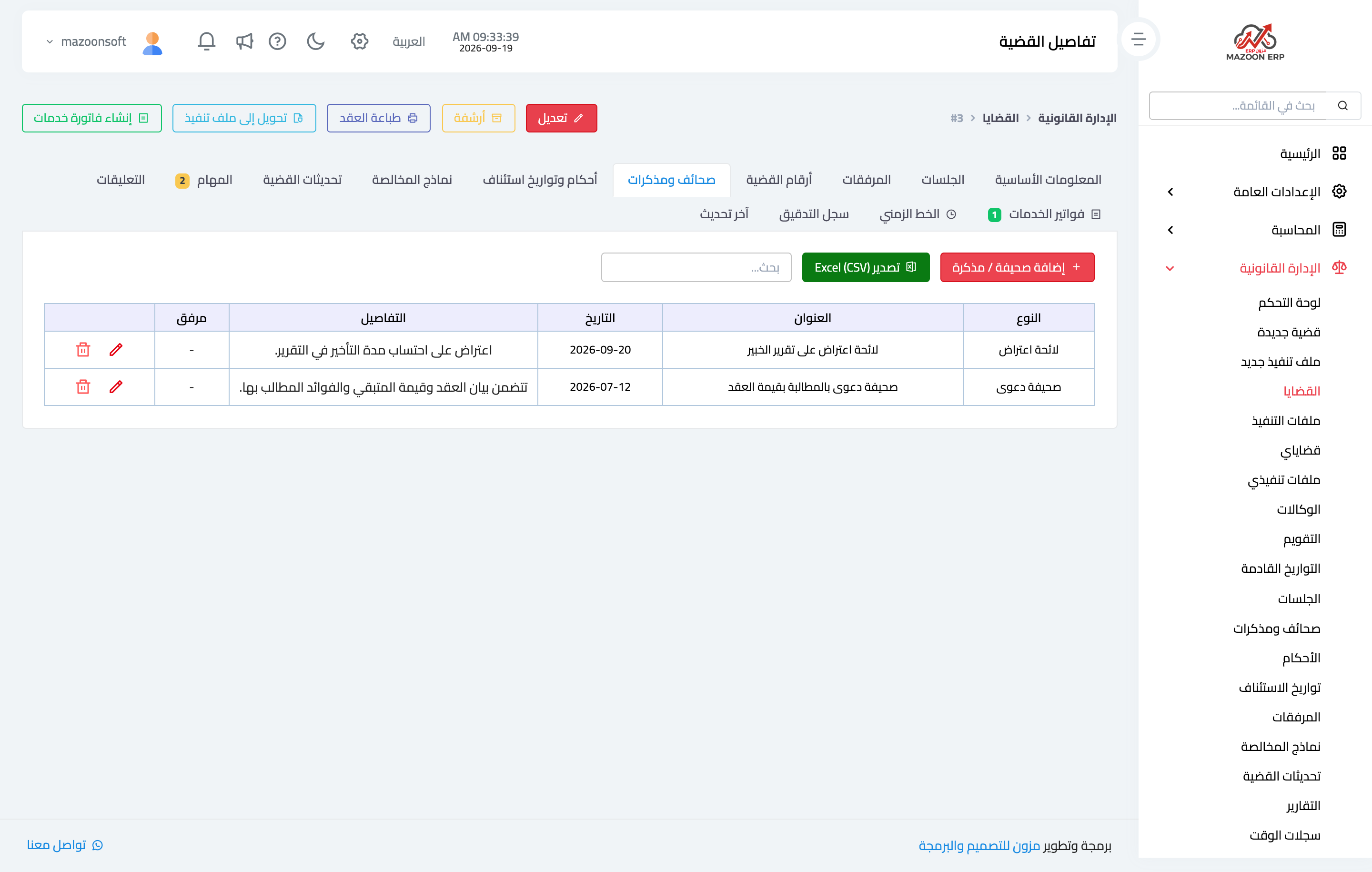
Figure 1
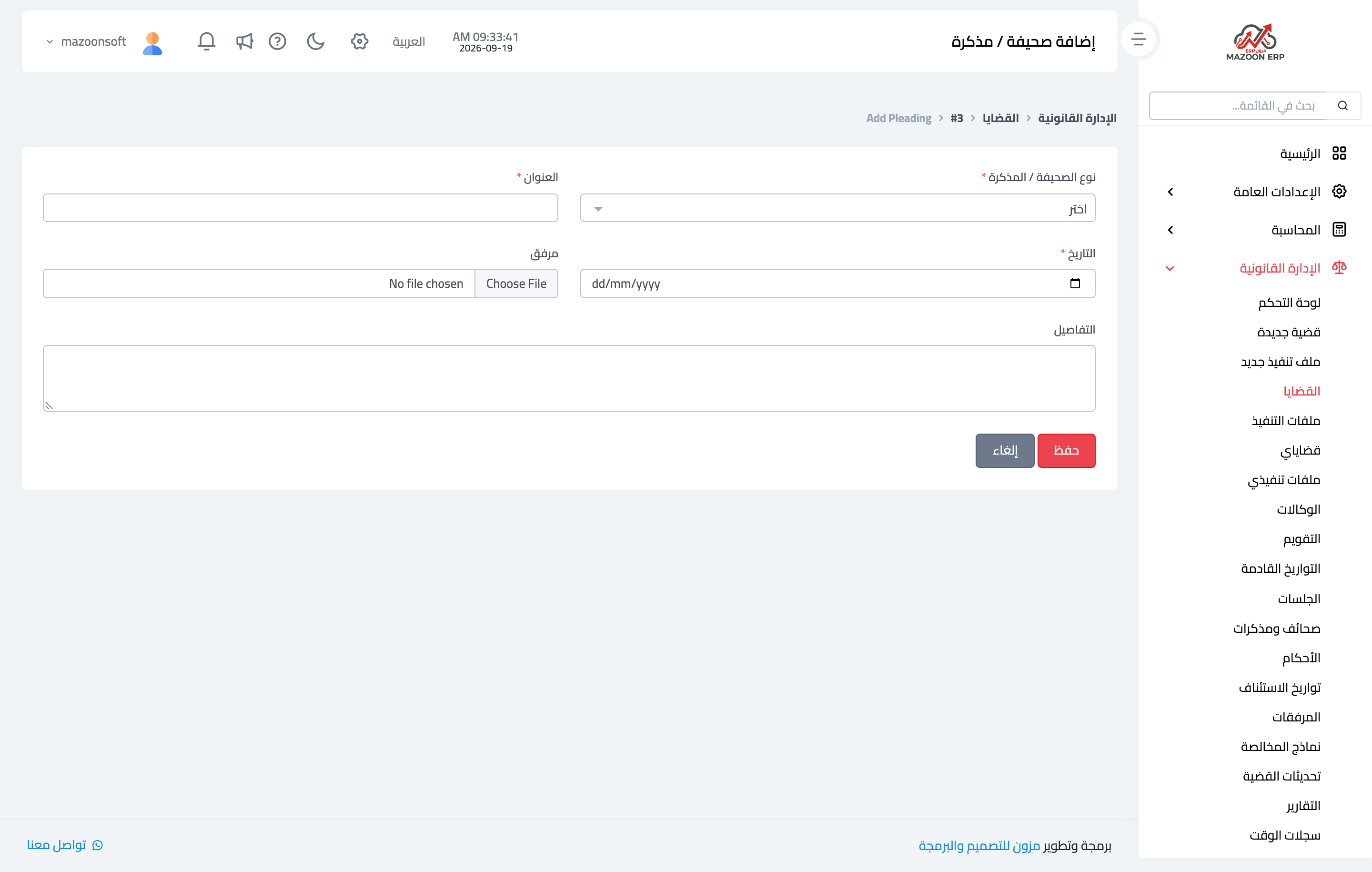
Figure 2
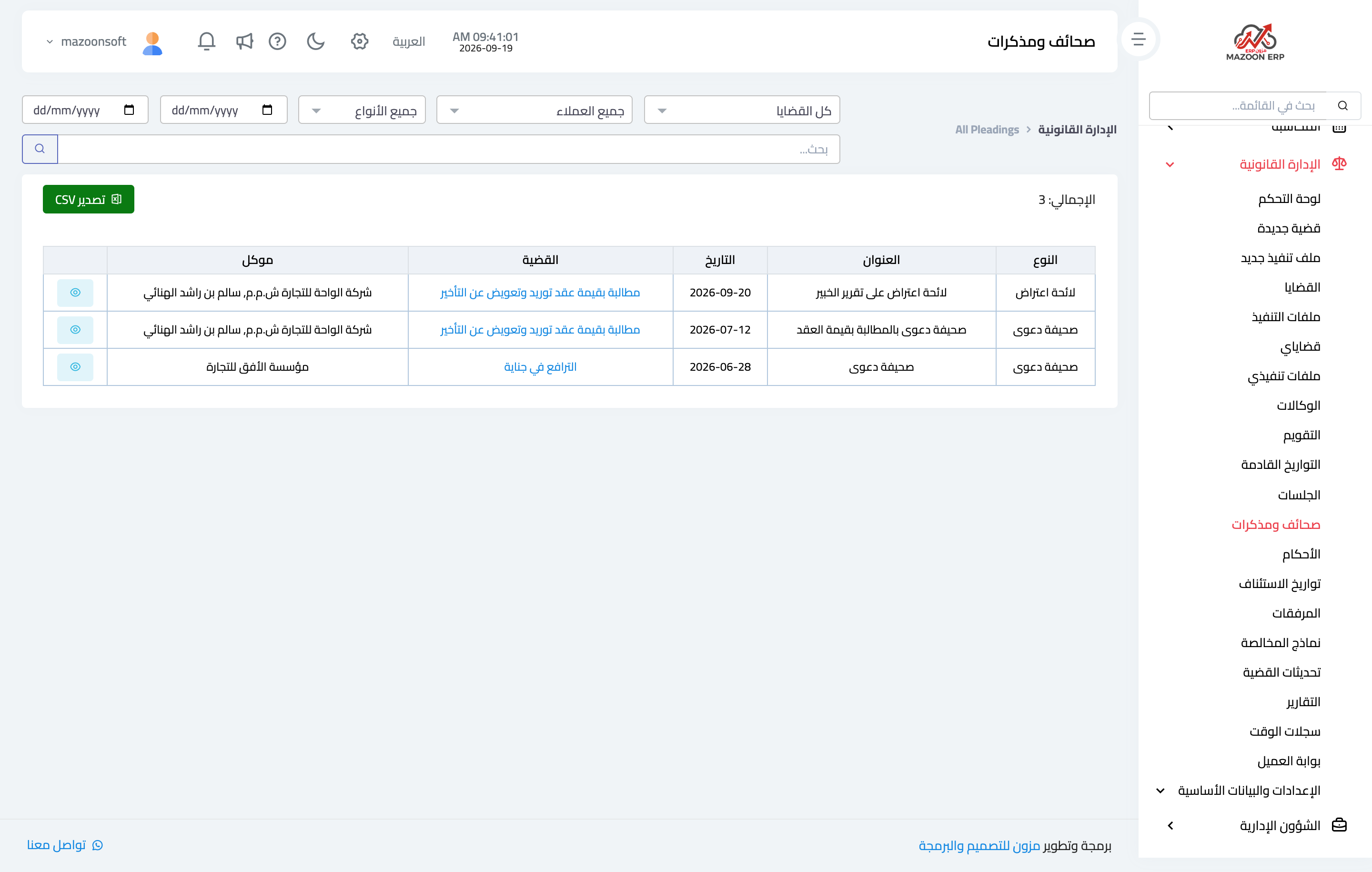
Figure 3
Try what you just read on your own data
Open a free 7-day trial — no credit card, with your own company link in minutes.