
How do I draft, sign and print the fee contract for the client?
The fee contract is not a separate document written in a word processor and then lost: it is part of the case file, reads the case data automatically and prints on the office letterhead with its stamp.
Steps
- Open the case, then Edit → Lawyers & Contract tab — image 1.
- Under Contract Terms write the agreement in the contract terms (Arabic) editor, and in contract terms (English) if the client needs an English copy.
- The fee amount itself is entered on the Dates & Amounts tab in the fee amount field, together with the fee as percentage option if it is a share of the award rather than a fixed sum.
- At the bottom of the tab there is a signature box: the client signs with the mouse or a finger on screen, and Clear Selection wipes it to start again. The signature is saved with its date.
- Save, then from the case page press Print Contract — image 2. The contract page appears on the office letterhead with the case information, parties, lawyers, amounts and fees, contract terms, signature date and company stamp, and a Print button at the top.
Notes
- Write into the terms whatever closes off a future dispute: the amount and how it is paid, who bears court fees and expert fees, and the limits of the mandate in terms of degrees of litigation.
- The fee agreed here is a reference figure; the actual demand for money is made with a service invoice linked to the case.
- You do not always need an English copy; leave it empty when it is not required and it will not be printed.
- The letterhead and stamp on the printed page come from the letterhead template in General Settings, so set them once and every document in the system benefits.
Screenshots
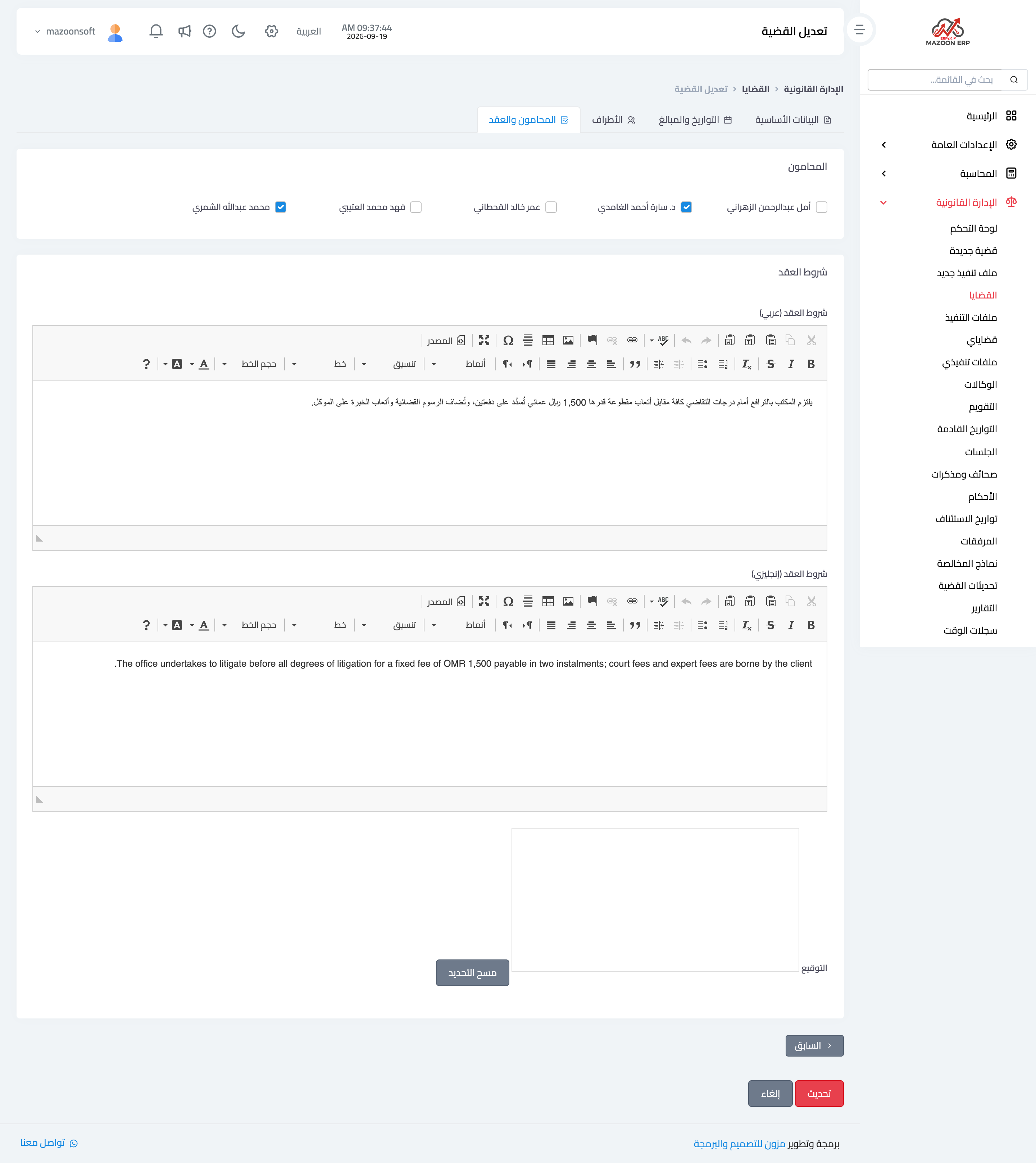
Figure 1
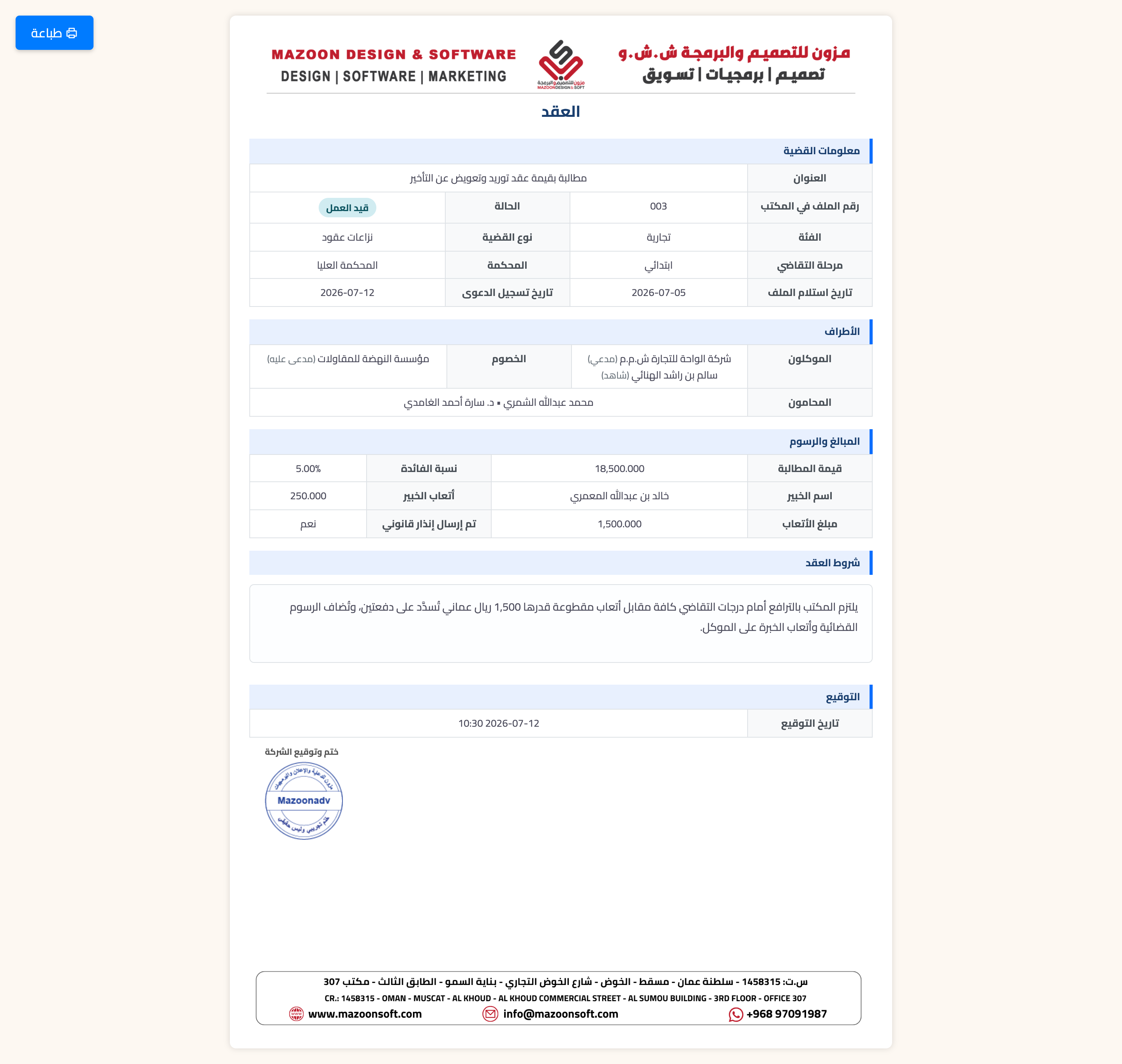
Figure 2
Try what you just read on your own data
Open a free 7-day trial — no credit card, with your own company link in minutes.