
How do I register lawyers, link them to user accounts and assign cases to them?
The lawyers register is not a decorative list of names: it is what the system builds the "My Cases" screen, the time-entry filters and session assignment on. Linking a lawyer to a user account is the step that lets each lawyer see their own files when they log in.
Steps
- Open Legal → Settings & Master Data → Lawyers — image 1, then press Add Lawyer.
- Enter the name, e-mail, phone and address, and leave Active set to yes.
- In the Linked User field pick this lawyer's user account if they log into the system themselves. Notice in the image that the first lawyer is linked to an account while the rest are not.
- To assign cases: open the case, then Edit → Lawyers & Contract tab — image 2 — and tick the lawyers handling it. More than one lawyer can be assigned to a single case.
- Save. The case appears immediately under "My Cases" for every ticked lawyer who is linked to an account.
Notes
- A lawyer with no linked user account can still be assigned and still shows up on cases and sessions, but cannot log in and see "My Cases".
- Do not delete a lawyer who has left the office; just set them to inactive, so their name stays on old cases and past time entries.
- A lawyer can also be set on an individual session, which is what you want when a colleague stands in for another at one particular hearing.
- Time entries are attributed to the lawyer, not to the user, so pick the right lawyer when logging hours.
Screenshots
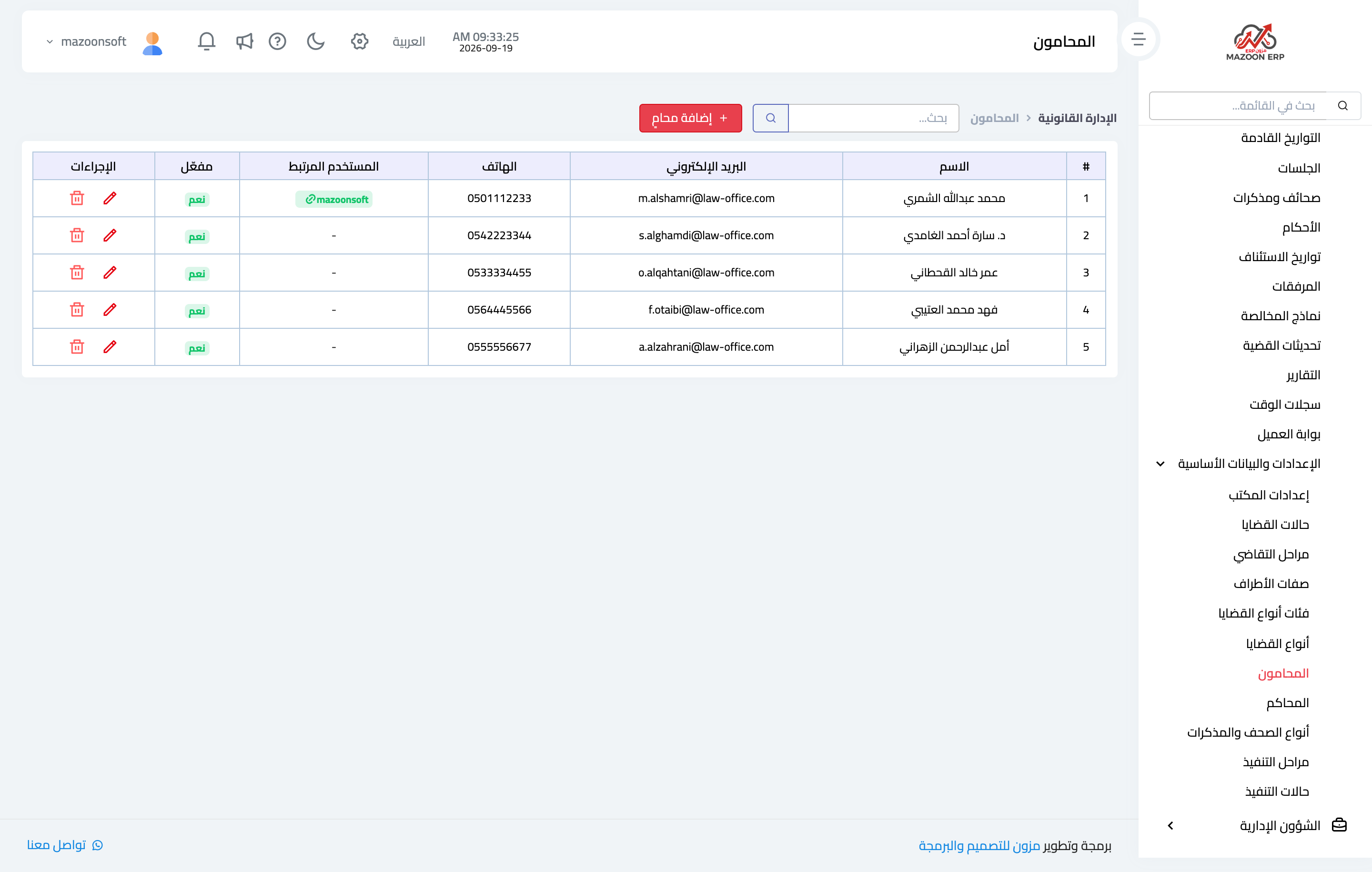
Figure 1
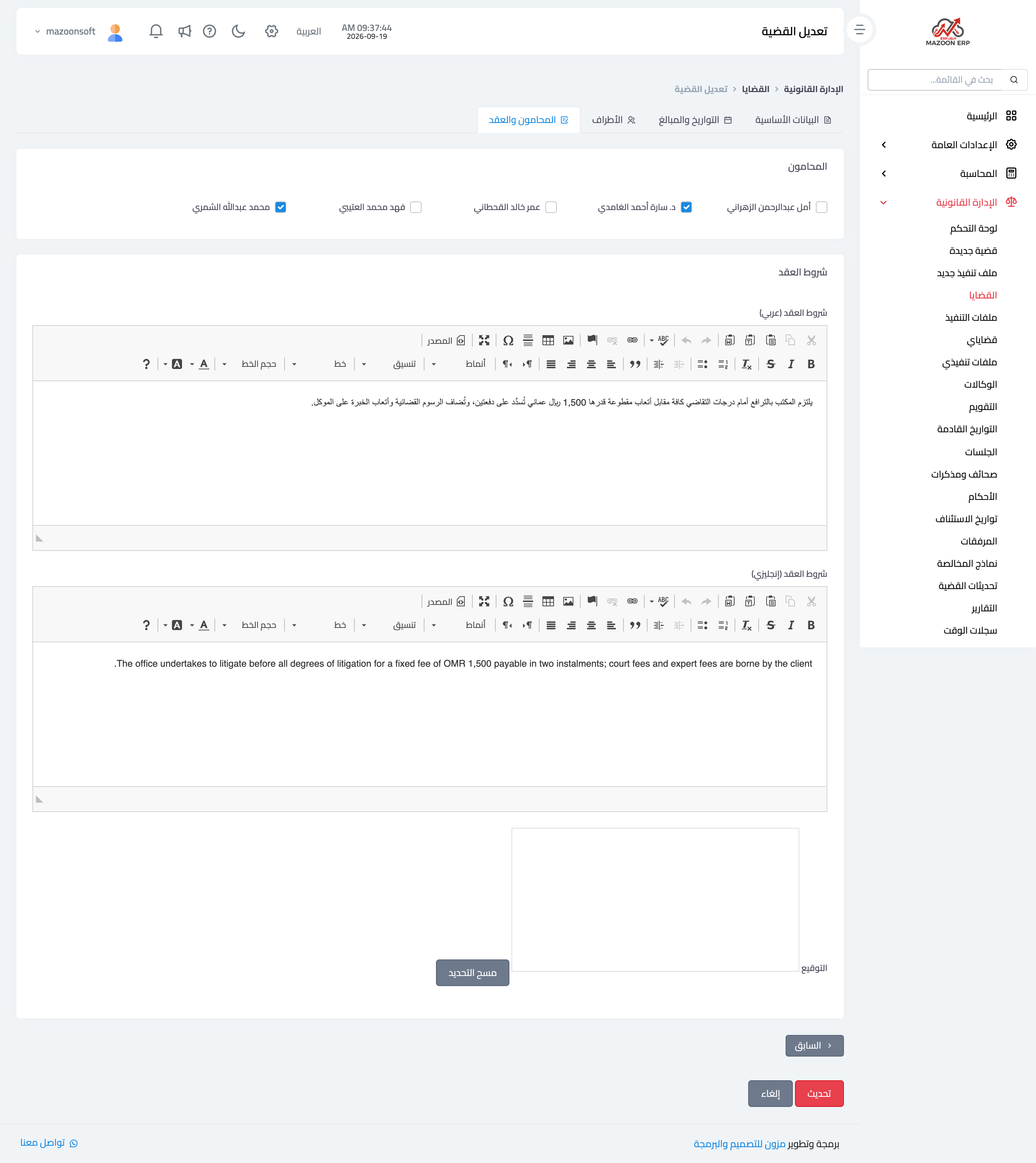
Figure 2
Try what you just read on your own data
Open a free 7-day trial — no credit card, with your own company link in minutes.