
How do I attach case documents, read the timeline and archive the file?
A case file in a drawer gets lost, and a file on one employee's laptop leaves with them. Case attachments are stored in the cloud and stay inside the file itself, opened by anyone with permission from any device.
Steps
- Open the case, then the Attachments tab — image 1.
- Press Add Attachment — image 2. Give it a clear descriptive name ("Signed supply contract") rather than whatever the scanner called it, then choose the file.
- Allowed: images (JPG, PNG, GIF, WEBP, BMP) and PDF, Word and Excel documents.
- To replace one copy with another, open the attachment for editing and choose a new file; leaving the field empty keeps the current file.
- Open the Timeline tab — image 3 — to see sessions, pleadings, rulings and updates ordered by date. It is the fastest way to get back into a case you have not opened for months.
- Once the case is finally closed, press Archive at the top of the case page. It leaves the active lists and is marked with an Archived badge and its date. Restore from Archive brings it back if you need it.
- To see the attachments of every case together, open Legal → Attachments — image 4.
Notes
- Archiving is not deleting: the whole file with its sessions and pleadings stays open and readable, it simply leaves the day-to-day working lists.
- An attachment that belongs to one particular session, pleading or ruling should be uploaded inside that line rather than in the general attachments tab, so it stays tied to its context.
- The attachment name is what you search on later; names like scan_0012 make a document simultaneously present and impossible to find.
- The case audit log already records who changed what and when, so there is no need to document that by hand in the updates.
Screenshots
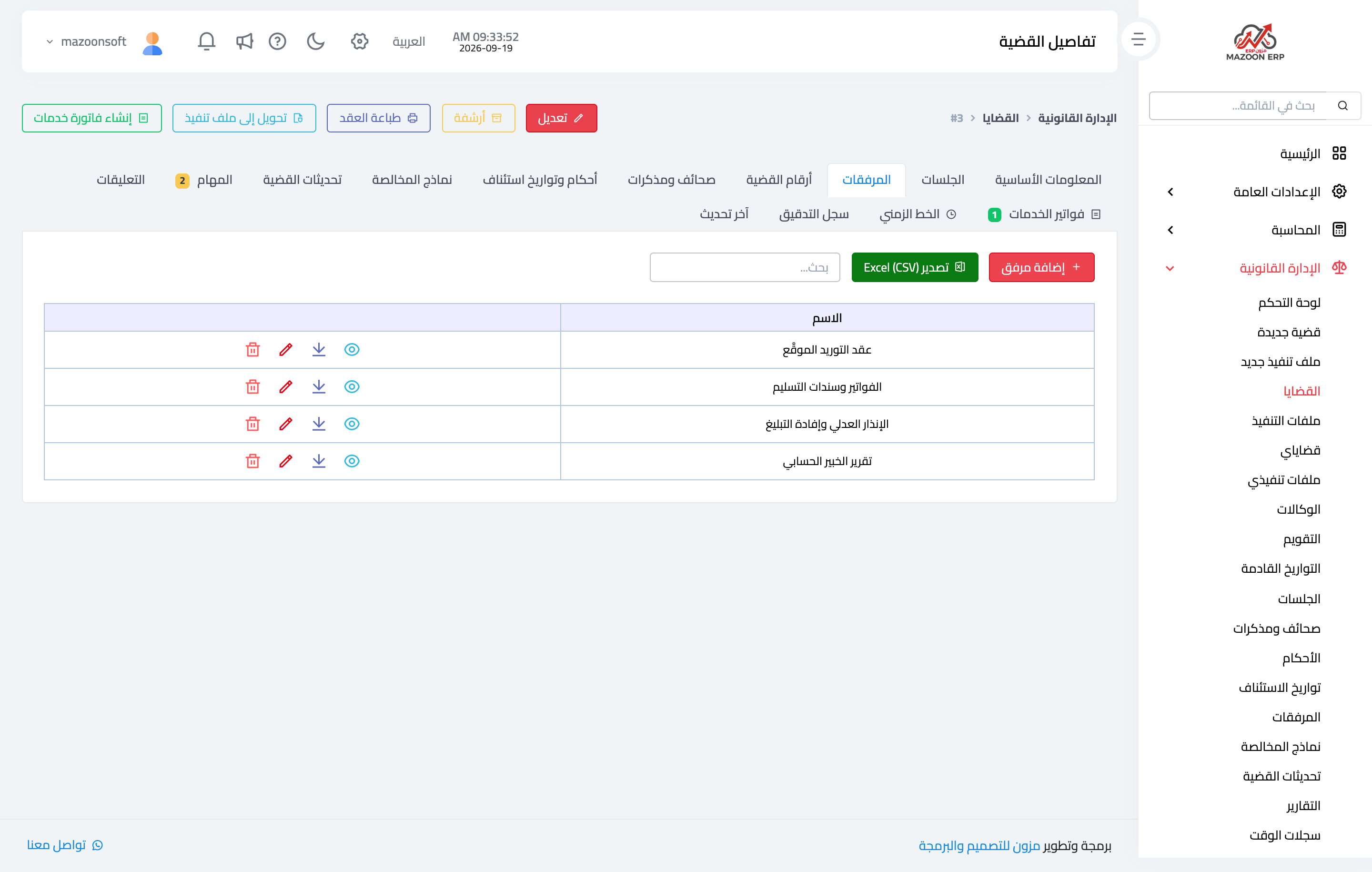
Figure 1
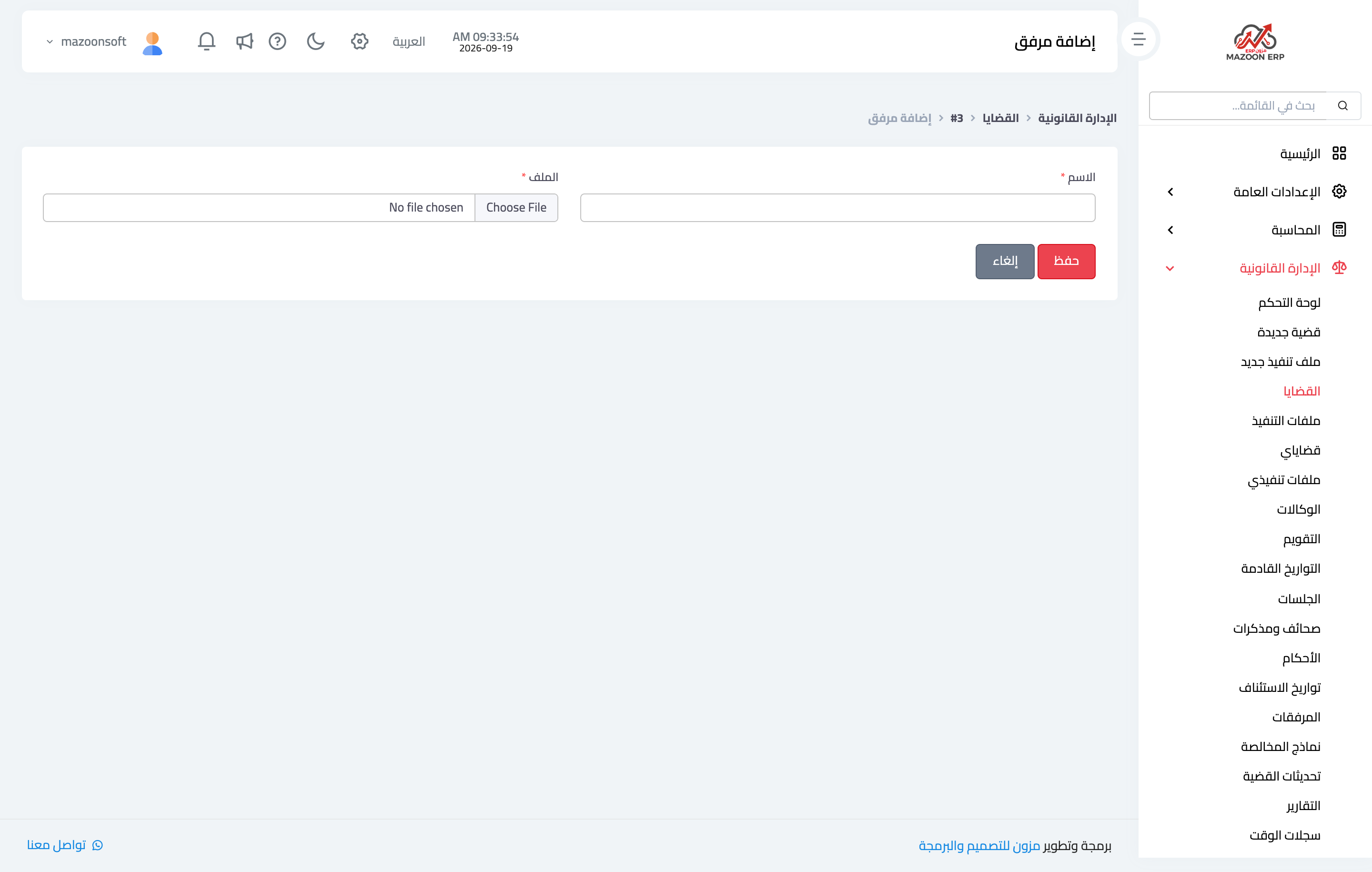
Figure 2
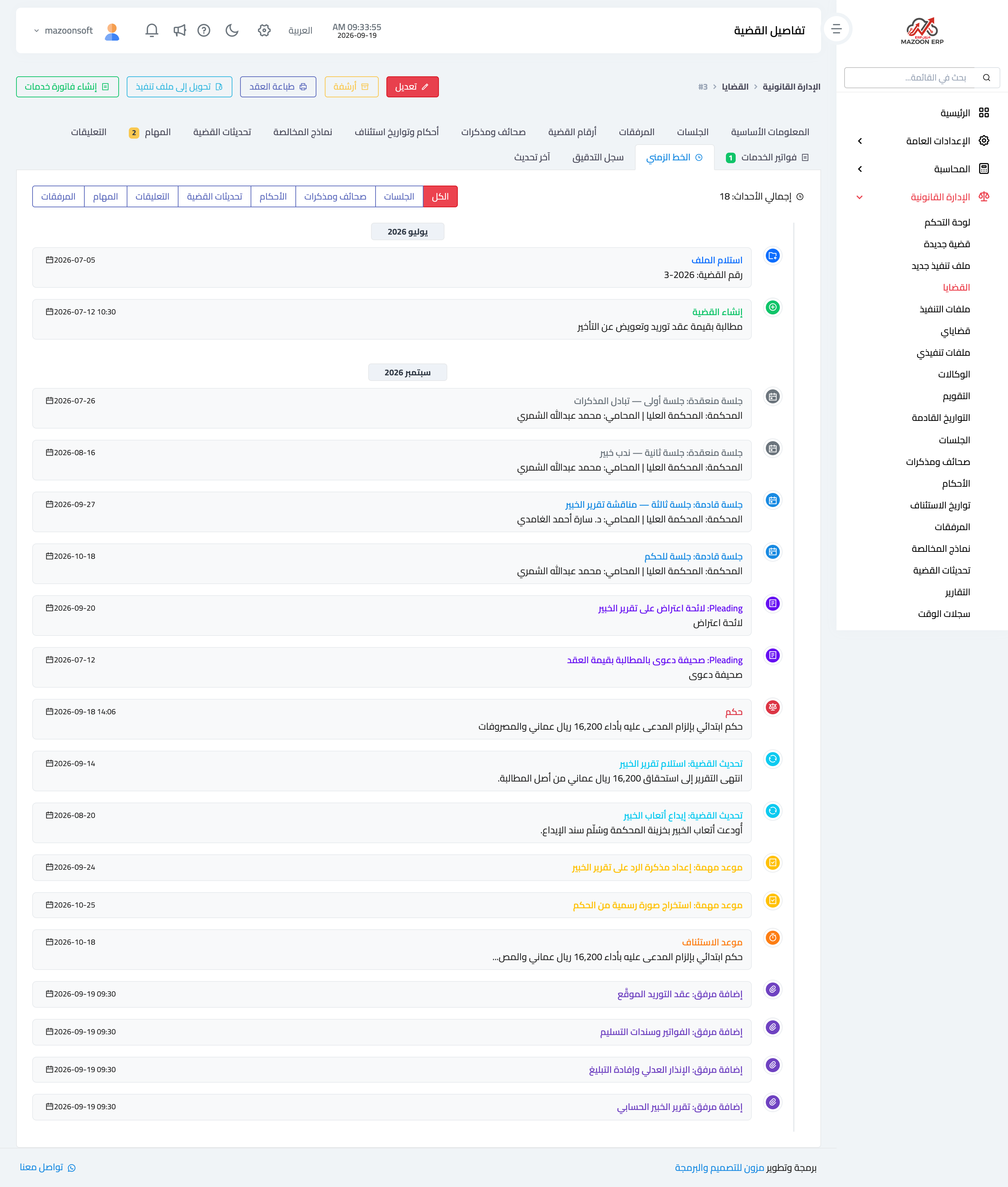
Figure 3
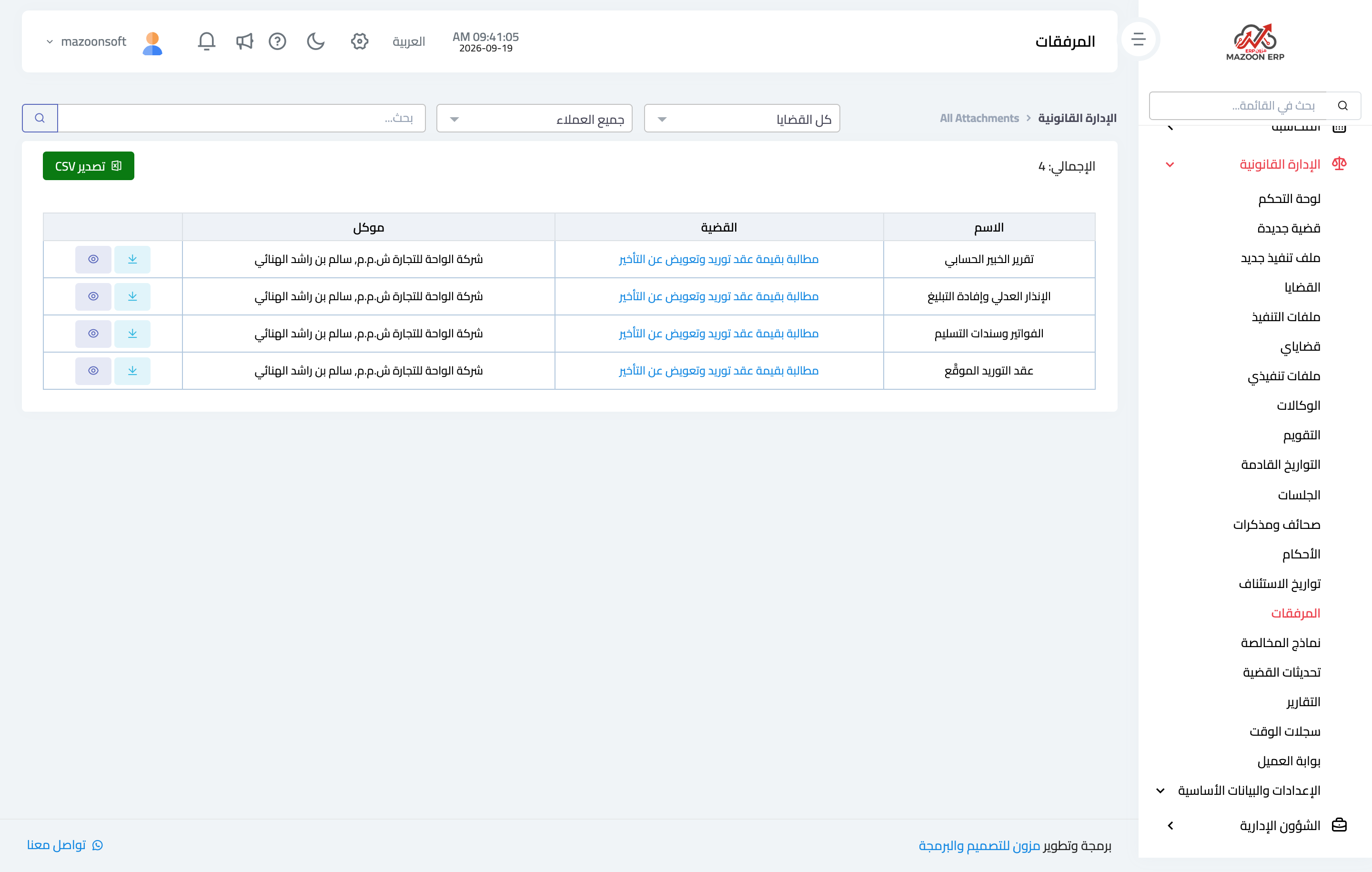
Figure 4
Try what you just read on your own data
Open a free 7-day trial — no credit card, with your own company link in minutes.