
How do I issue a fee invoice to the client from service invoices and follow up its collection?
The fee contract proves the agreement; demanding the money is done with an invoice. The fee invoice is issued from Accounting → Service Invoices and linked to the case, so it appears inside the case file and in the office accounts at once, with no double entry.
Steps
- Open the case, then the Service Invoices tab — image 1 — and press Create Service Invoice. (The same button also sits at the top of the case page.)
- The Add Service Invoice form opens — image 2 — with the customer already set to the client and the related case to the case number. Set the date and due date, and choose the payment type: full payment or instalments.
- Move to the Items tab — image 3 — and break the fee down line by line: litigation before the first-instance court, drafting memos and the statement of claim, following up enforcement. Enter the description, quantity and unit price; tax is set per line because some services carry none.
- If you chose instalments, open the Payment tab — image 4 — and press Add Instalment for each payment with its amount and due date, until the instalments total equals the invoice total.
- Save. The service invoice details page opens — image 5 — with the items, total, paid and remaining amounts, the related case, and an instalments table with a Pay button beside every unpaid instalment.
- When you collect, press Pay beside the instalment and record the payment; the paid amount and remaining update on the invoice and on the case tab at the same time.
- To follow up every invoice, open Accounting → Service Invoices — image 6. The Print button on the invoice page produces the printed copy for the client.
Notes
- Always link the invoice to the case through the related case field; otherwise it stays an ordinary accounting invoice and never shows in the case file.
- Do not put the whole fee on one vague line: the breakdown is what convinces the client and reduces argument, and it is also what lets you discount one specific line later.
- An invoice that already has a payment cannot have a new total below the amount paid, and the system warns you before saving.
- For a refund or a reduction after approval, use Issue Credit Note from the invoice page instead of editing the figures.
- Time entries in Legal carry an invoiced status, so they are your reference when the fee is built on hours worked rather than a fixed sum.
Screenshots
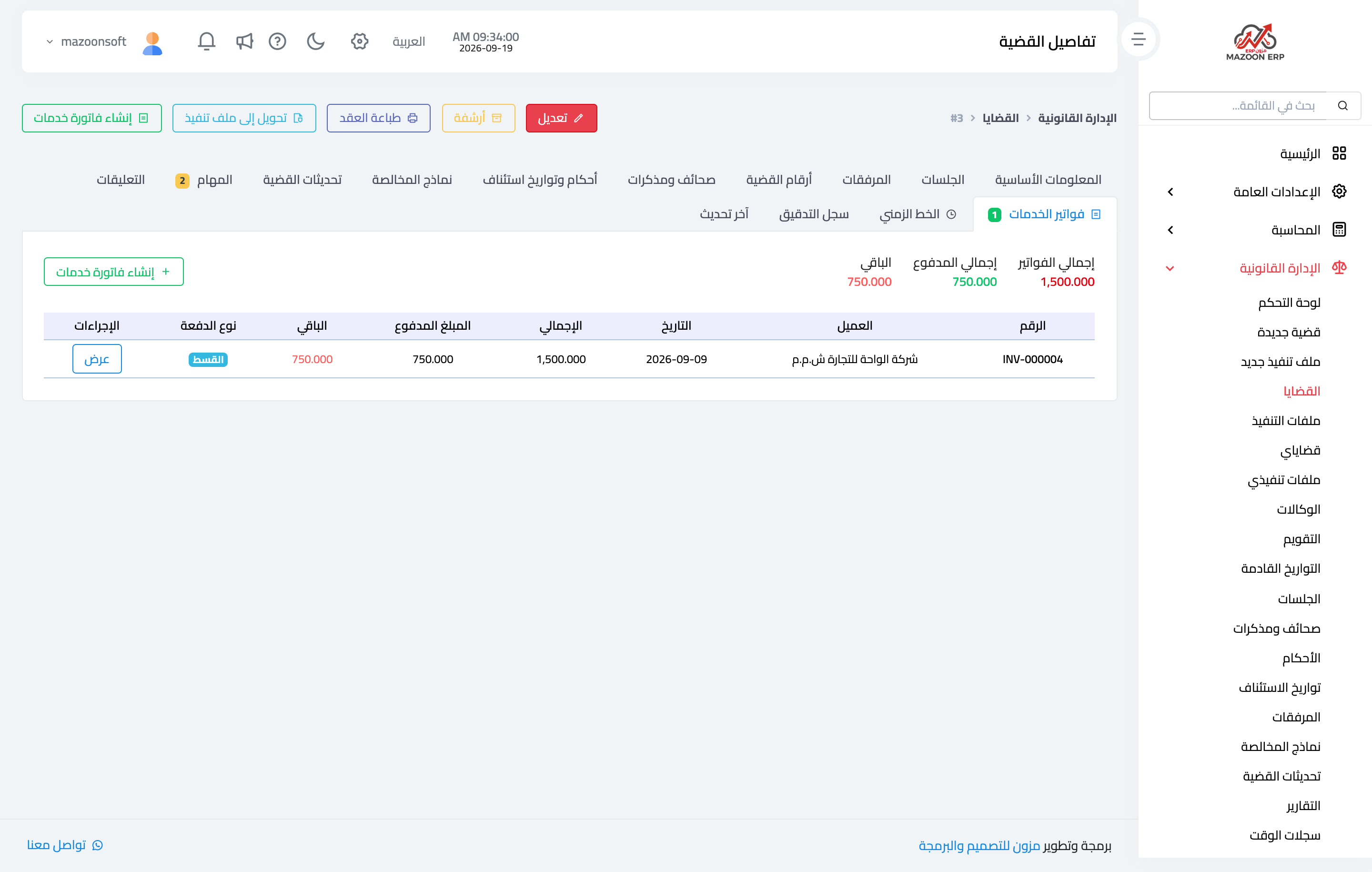
Figure 1
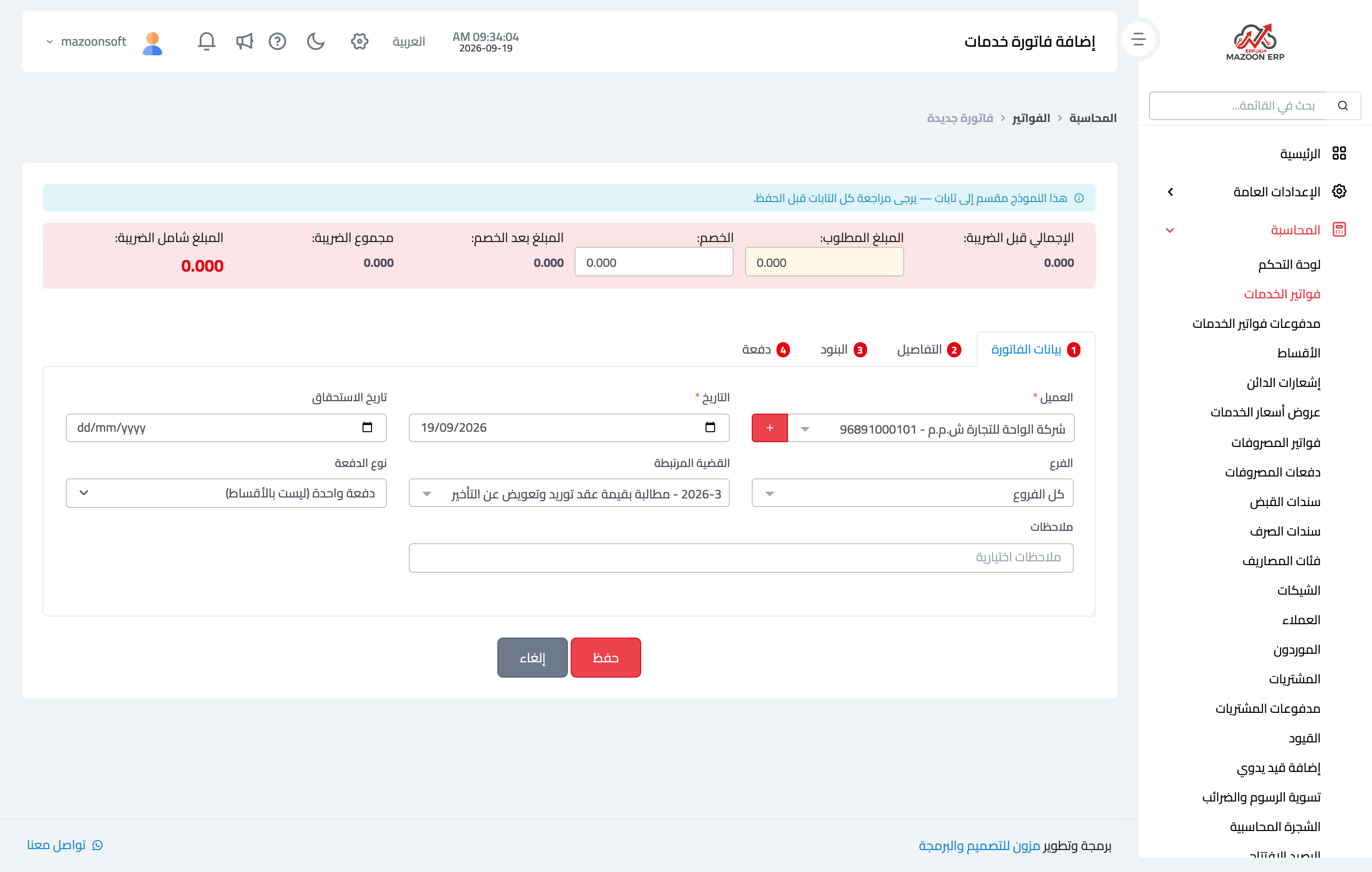
Figure 2
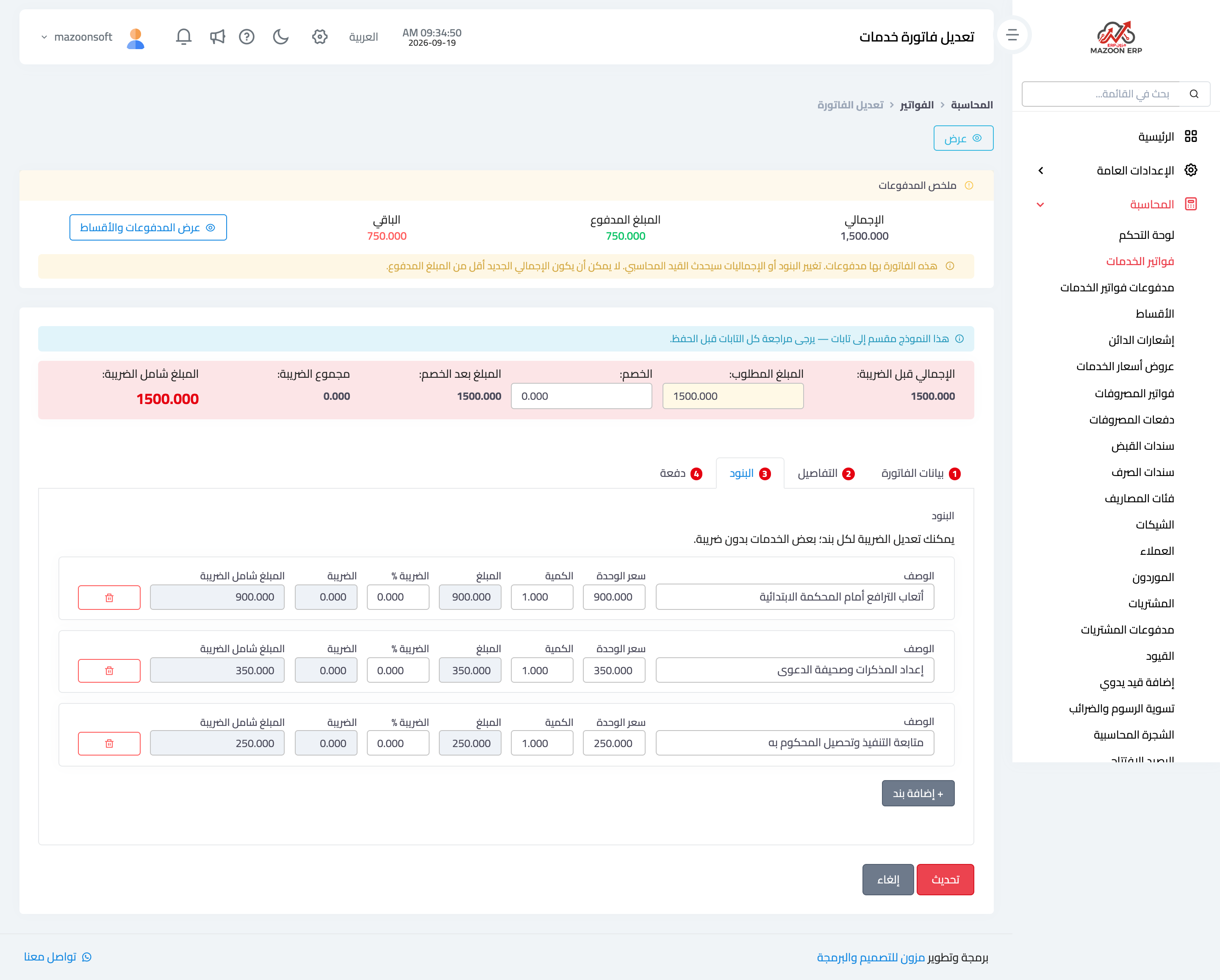
Figure 3
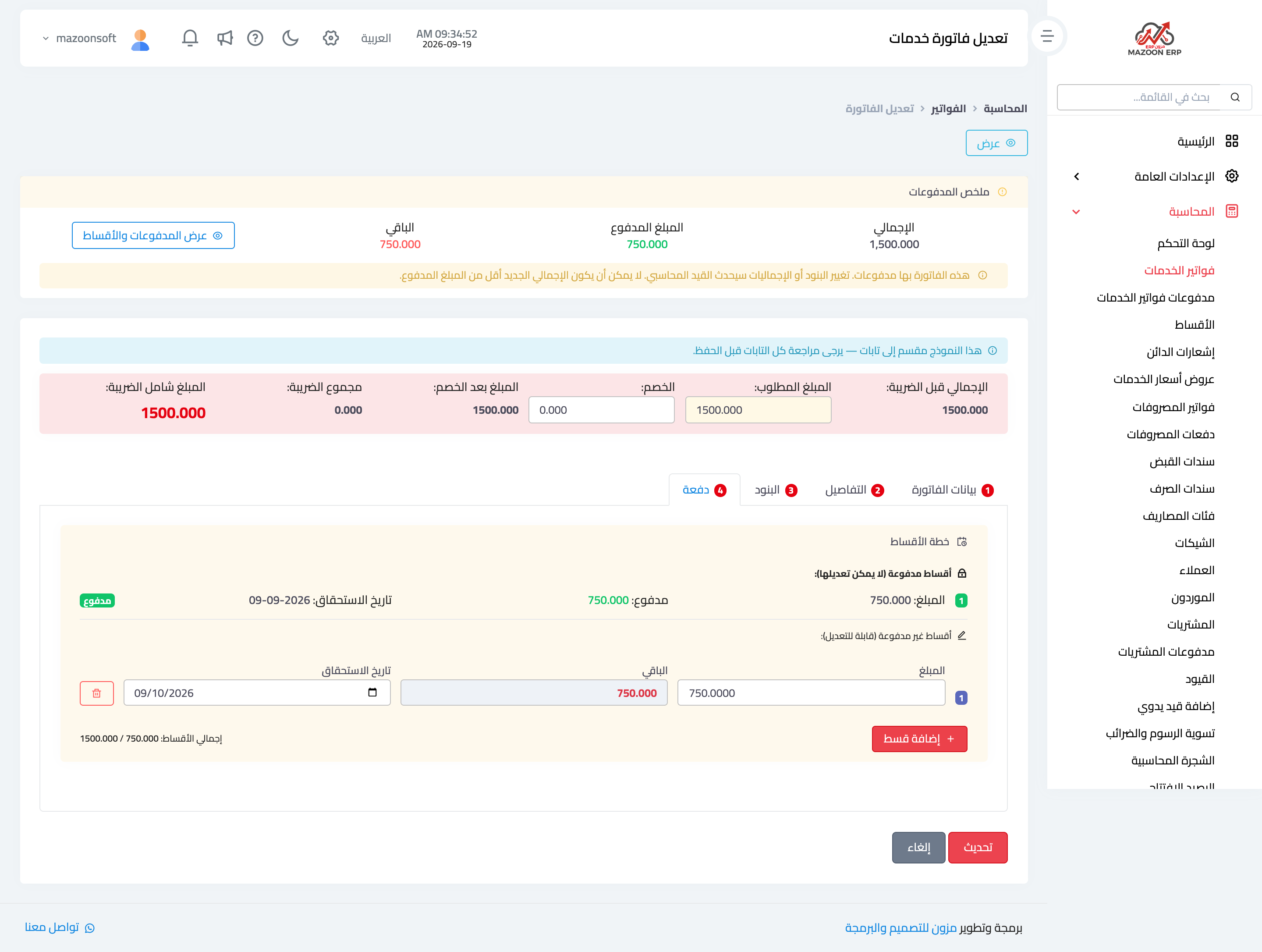
Figure 4
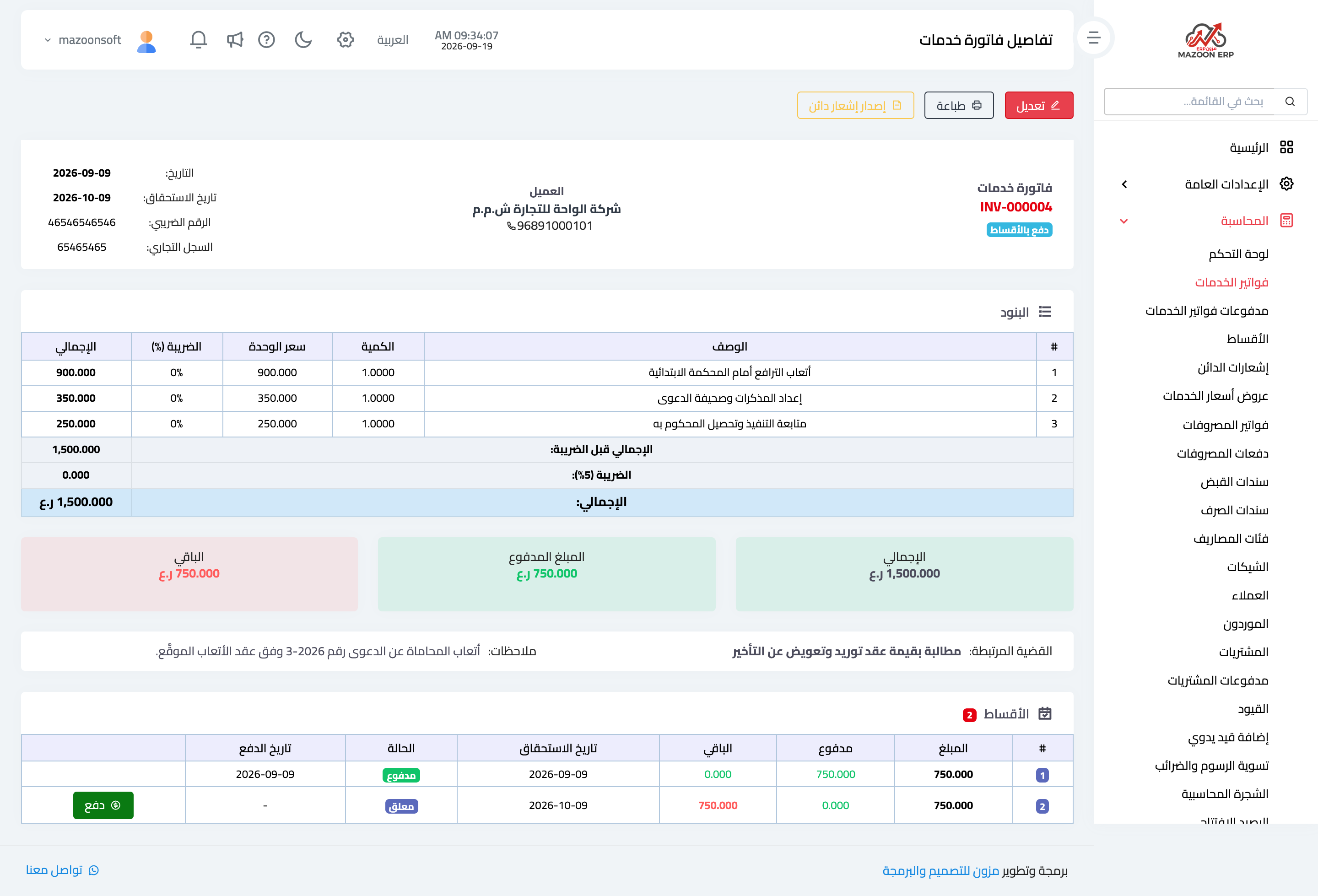
Figure 5
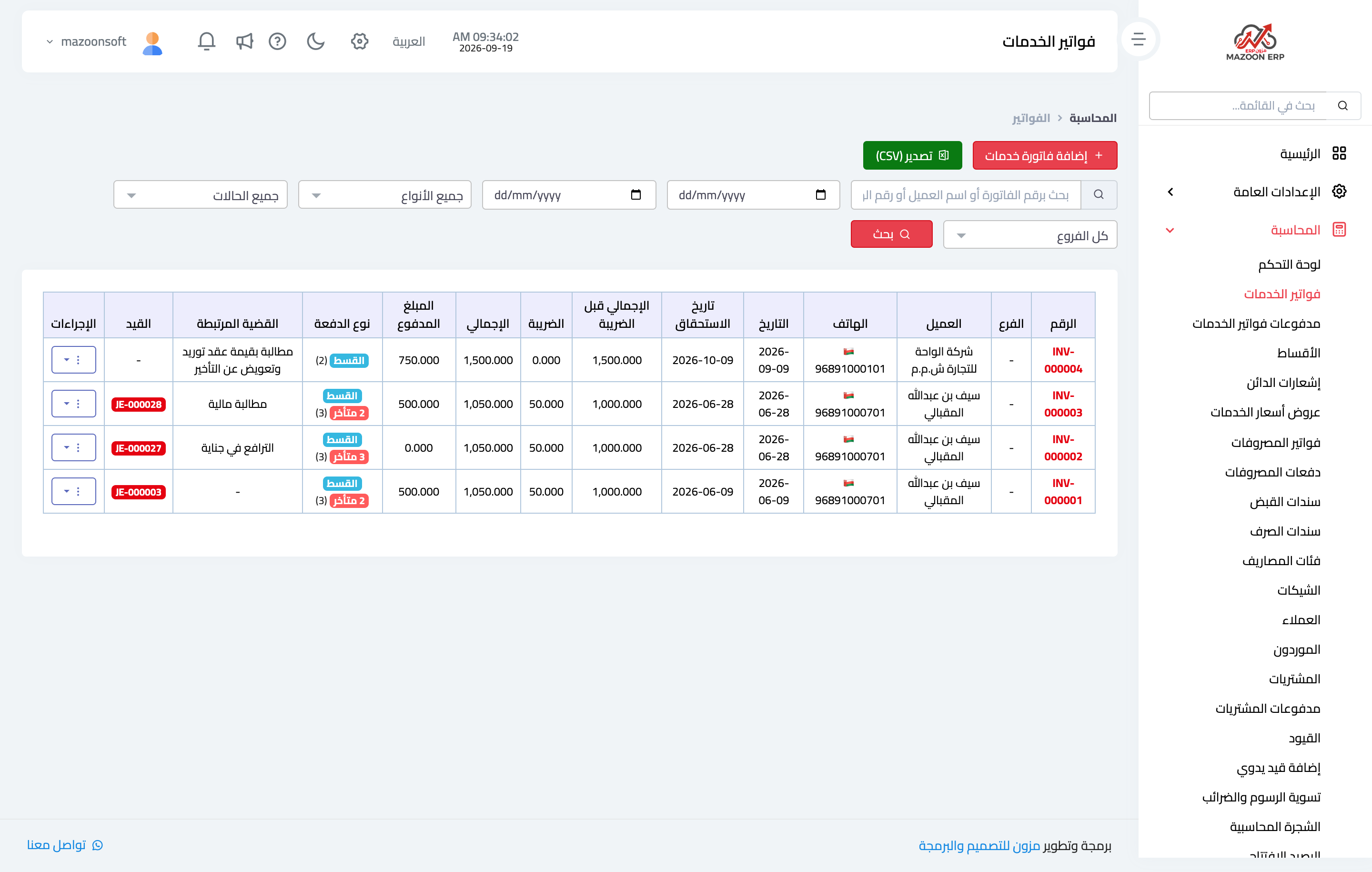
Figure 6
Try what you just read on your own data
Open a free 7-day trial — no credit card, with your own company link in minutes.