
How do I follow the legal calendar and upcoming dates so no deadline slips?
Every session and appeal deadline you record flows automatically into two screens: the calendar for the monthly view, and upcoming dates for the daily one. You never enter an appointment twice, and you need no diary beside the system.
Steps
- Open Legal → Calendar — image 1. It shows the current month; move between months with the arrows, return with Today, and switch the view between Month and List.
- Filter what is shown with the three lists at the top: all cases, all lawyers, all types.
- Use the two colour switches: sessions in red and appeal dates in green, to show one kind without the other.
- Click any entry to jump straight to its case. The Print button at the top prints the calendar as you see it.
- For the daily view open Legal → Upcoming Dates — image 2. They come in two groups: sessions with their date, name, case, court and lawyer, and appeal dates with their date and the ruling summary.
- The module dashboard — image 3 — gathers the overall figures and a summary of upcoming dates, and is where the morning starts.
Notes
- Both screens only read what you recorded; a session never entered will not appear in either. Discipline in recording is half the benefit.
- The calendar gathers case sessions and execution-file sessions together, so there is no second screen to open.
- Filtering the calendar by one lawyer is the fastest way to hand a colleague a week's schedule before you travel.
- The appeal deadline appears here because you entered it on the ruling; a ruling recorded without an appeal date stays outside every warning.
Screenshots
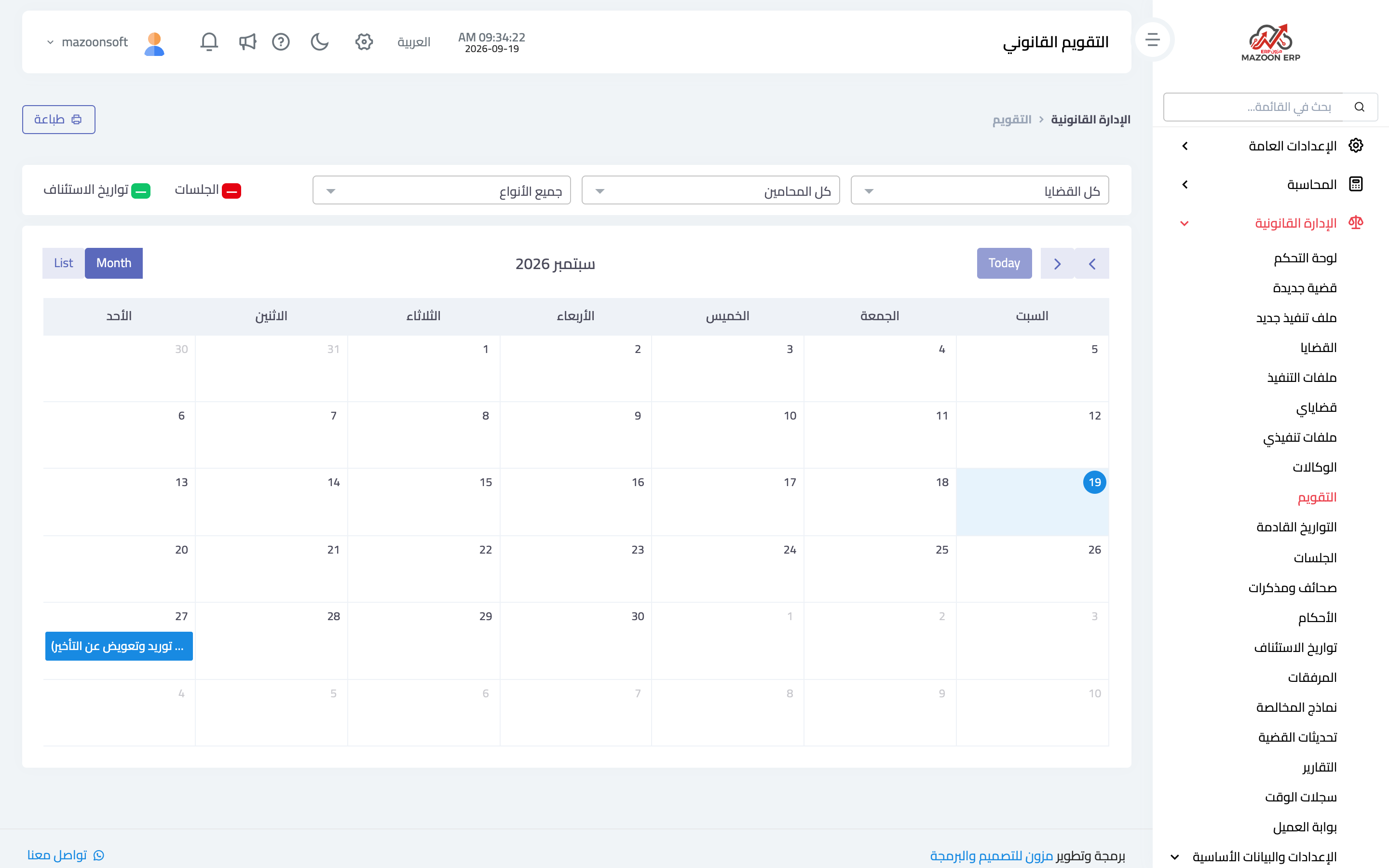
Figure 1
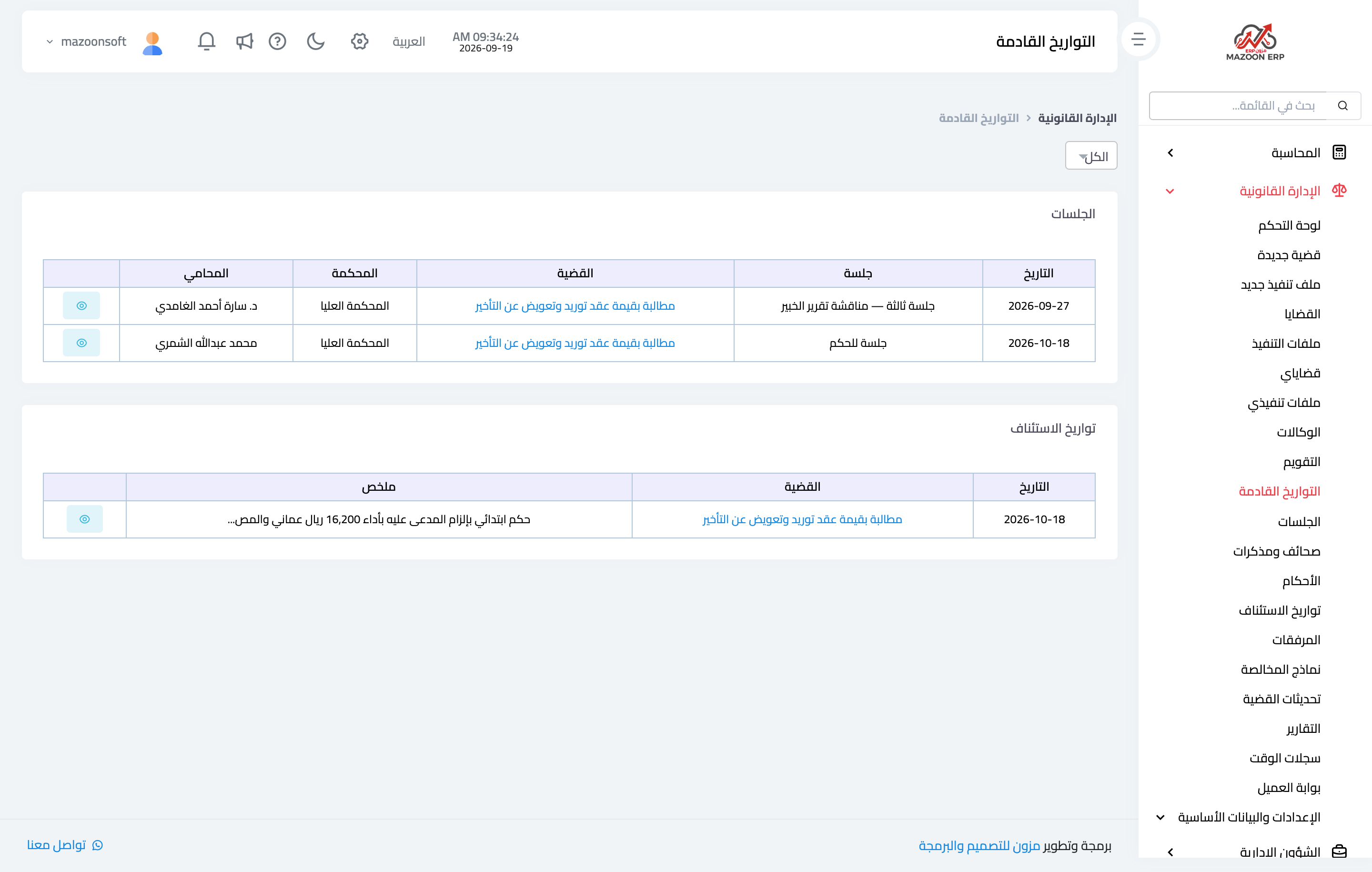
Figure 2
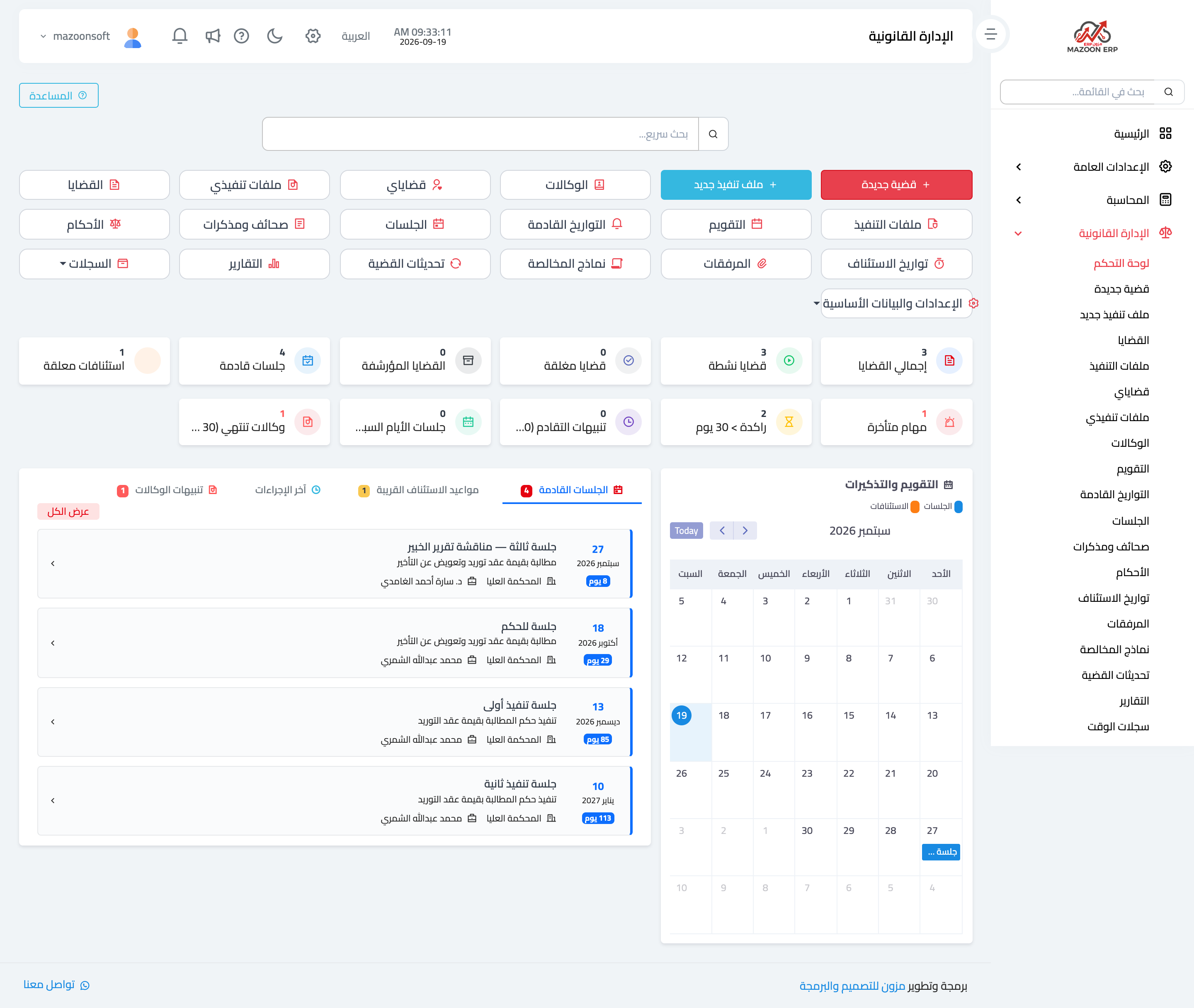
Figure 3
Try what you just read on your own data
Open a free 7-day trial — no credit card, with your own company link in minutes.