
How do I record case sessions, log what happened and track adjournments?
The session is the pulse of the case: its date is an appointment you cannot miss, and what happened in it is what the next memo is built on. Record it as soon as the date is set, then come back after it is heard and write down what took place.
Steps
- Open the case, then the Sessions tab — image 1. Notice that each session carries a status derived from its date: upcoming or completed.
- Press Add Session — image 2.
- Write a precise session name/reason ("Second hearing — appointment of expert") rather than just "hearing", then the session date.
- Pick the lawyer attending and the court/venue, and upload an attachment if you have minutes or a notice.
- After the hearing, open it with the edit icon and write in Details what the court decided and what is expected of you before the next hearing.
- To adjourn: edit the session date to the new one. The system keeps the original date and the time of the adjournment automatically, so do not create a new session and do not delete the old one.
- To see the sessions of every case on one screen, open Legal → Sessions — image 3 — filter by court, lawyer, client or status, then print or export.
Notes
- Write the details the same day; memory of "what the court said" fades fast, and the next memo is built on that line.
- The lawyer on a session may differ from the lawyer on the case, which is exactly what you want when a colleague stands in for one particular hearing.
- Upcoming sessions appear automatically in the Legal Calendar and under Upcoming Dates on the dashboard, so there is no need to note them anywhere else.
- Execution files have sessions too, and the consolidated session list lets you filter the type between cases and execution files.
Screenshots
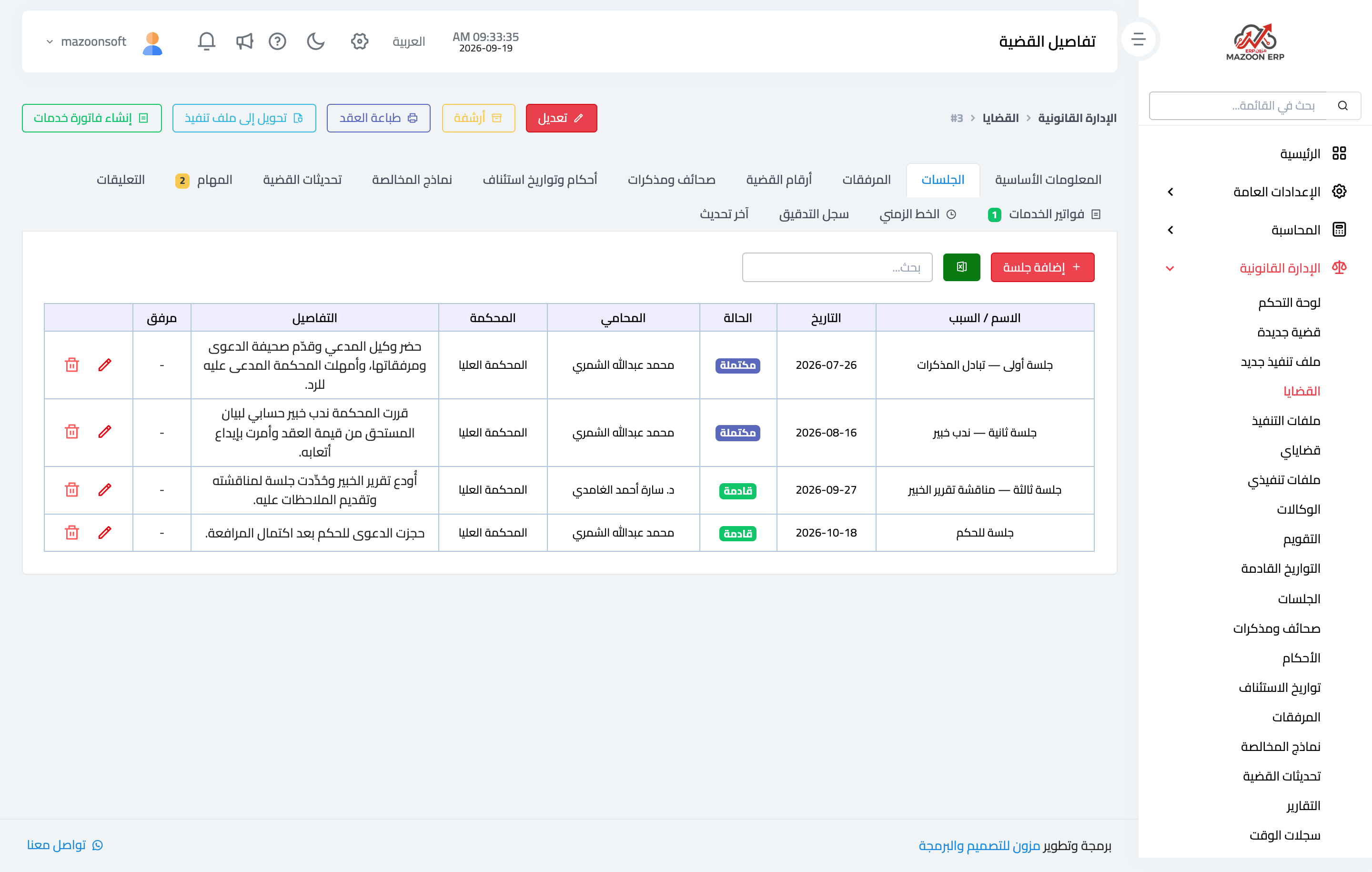
Figure 1
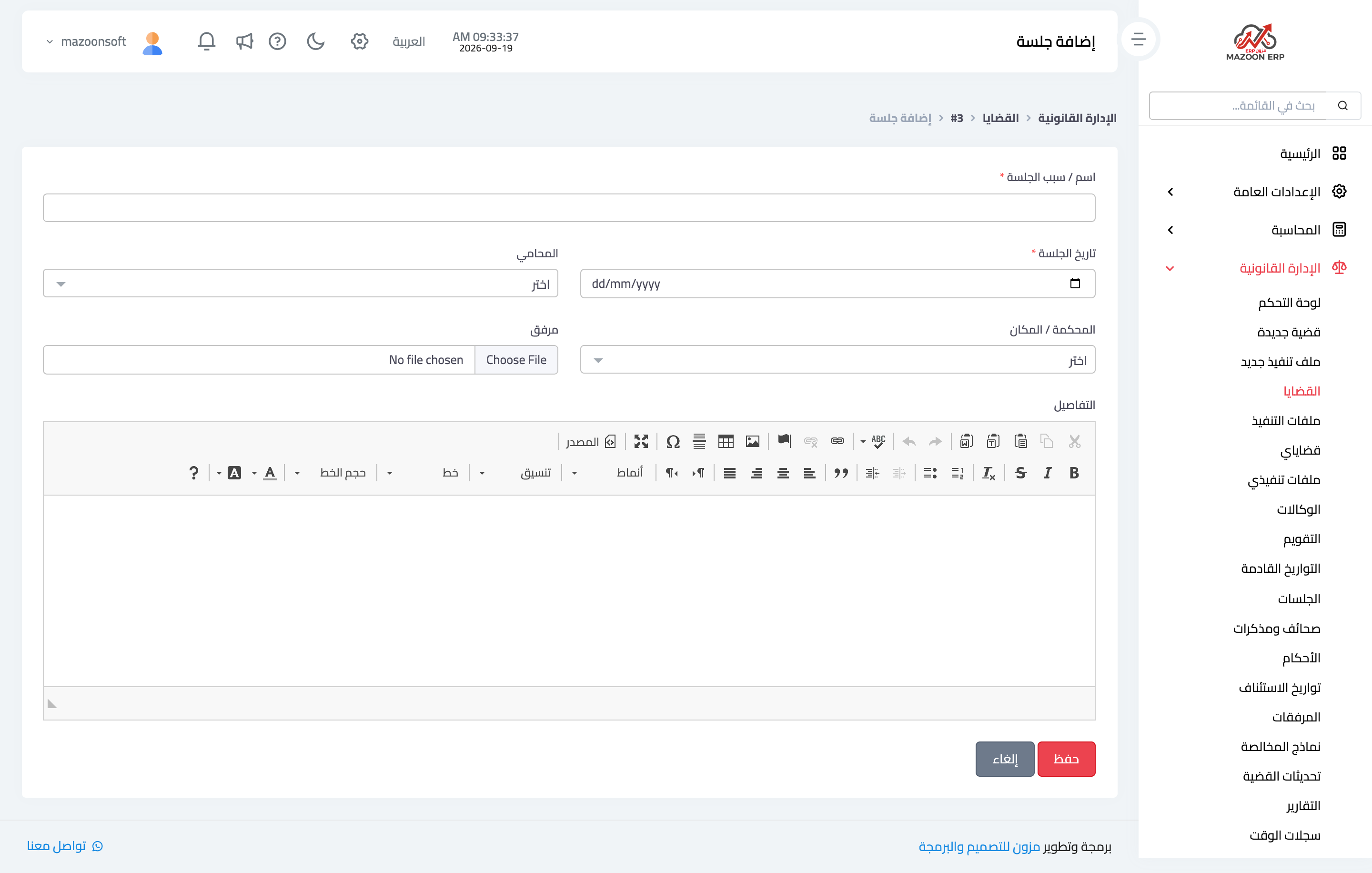
Figure 2
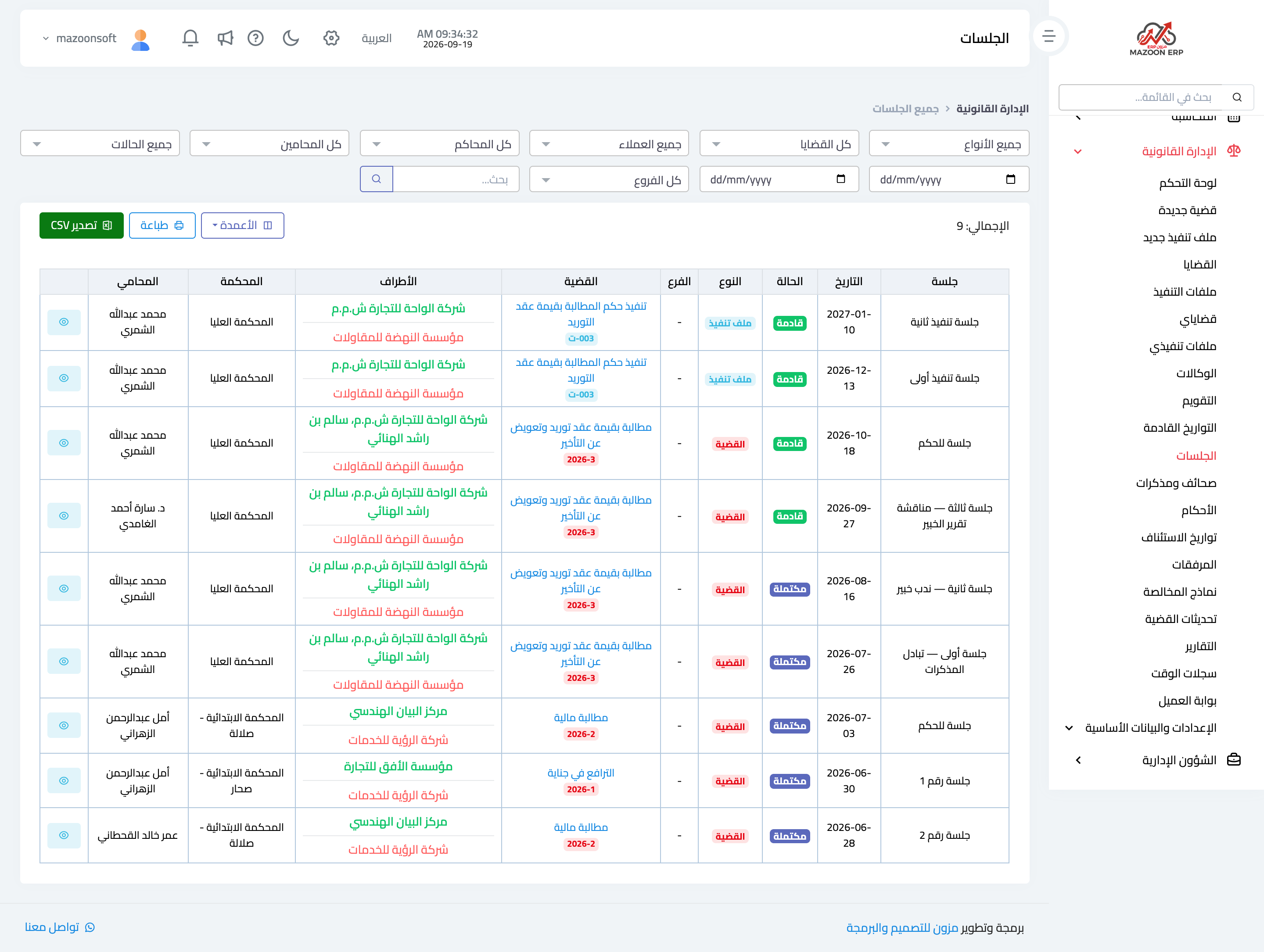
Figure 3
Try what you just read on your own data
Open a free 7-day trial — no credit card, with your own company link in minutes.