
Date palm farms: how do I register varieties, trees and open a season?
On a date palm farm the unit is the individual tree, and every tree has its own history of treatments and yield.
Varieties
From Palm Farms → Varieties — Figure 1 — register your varieties: Khalas, Khunaizi, Fardh, Naghal and so on, with the expected average yield per tree.
Trees
- Open Trees — Figure 2 — and add a tree with a code that goes on a metal tag hung on it.
- Set the farm, the block, the variety, the planting year and the condition.
- On a large farm enter the trees block by block; do not try to enter a thousand trees in a day.
Seasons
From Seasons — Figure 3 — open a season with its name and start and end dates. Every treatment and harvest belongs to a season, and that is how you compare one season with another.
Notes
- Number the trees on the ground with the same codes; a record you cannot match to the field is no use.
- Do not open two overlapping seasons; the season is the unit of comparison and overlap ruins it.
- Record a dead tree under mortality rather than deleting it; its history is part of the block’s history.
Screenshots
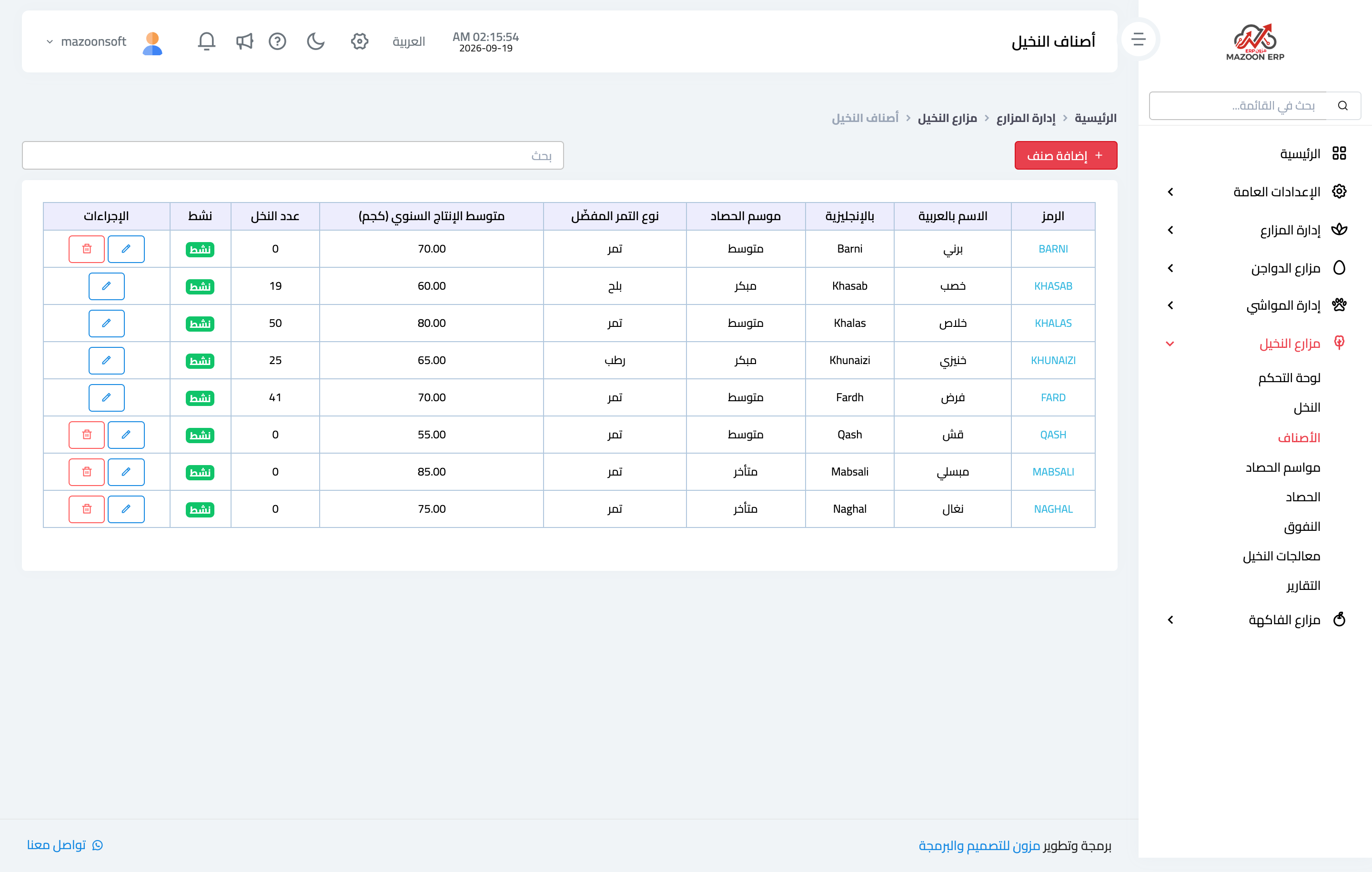
Figure 1
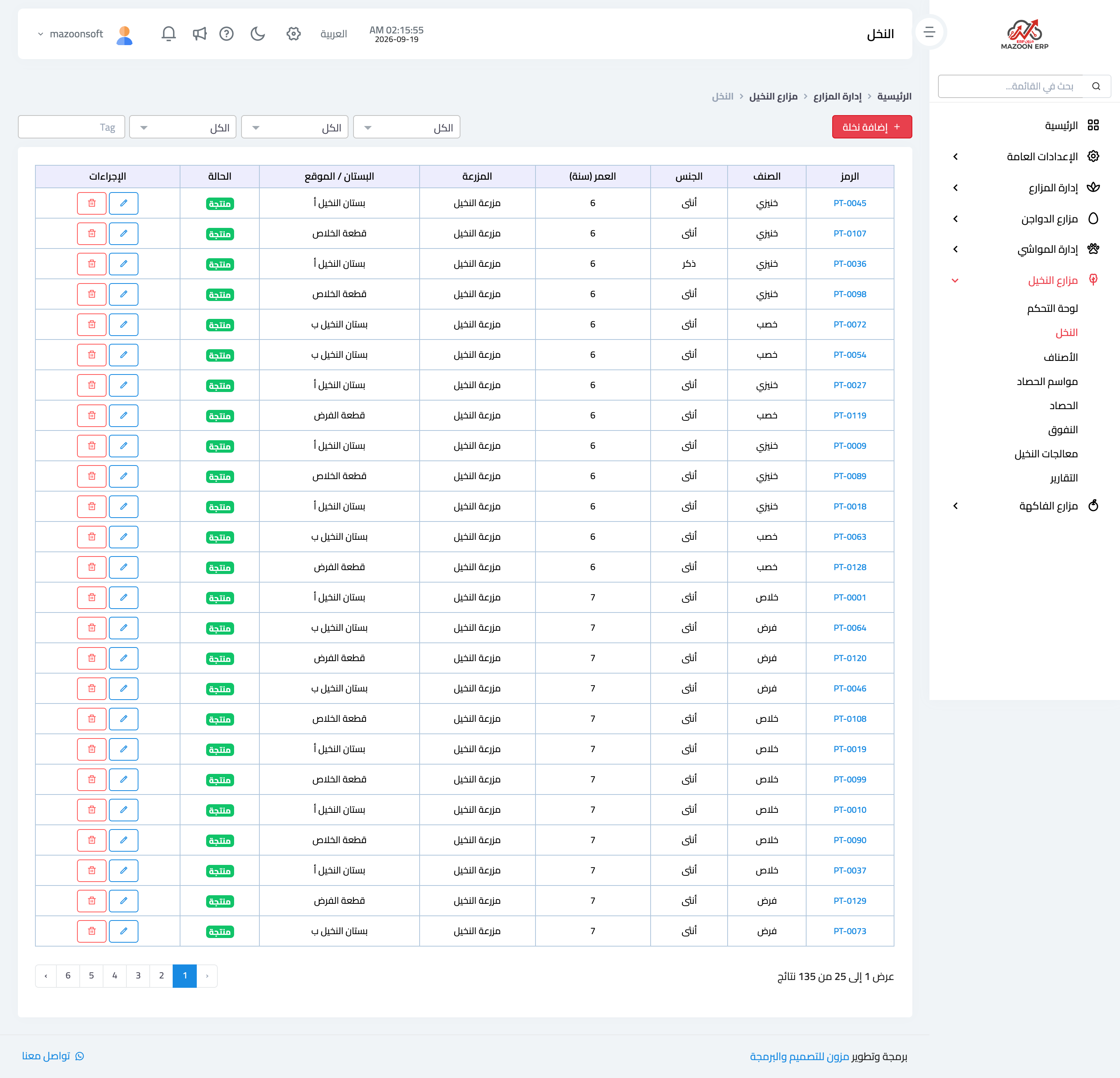
Figure 2
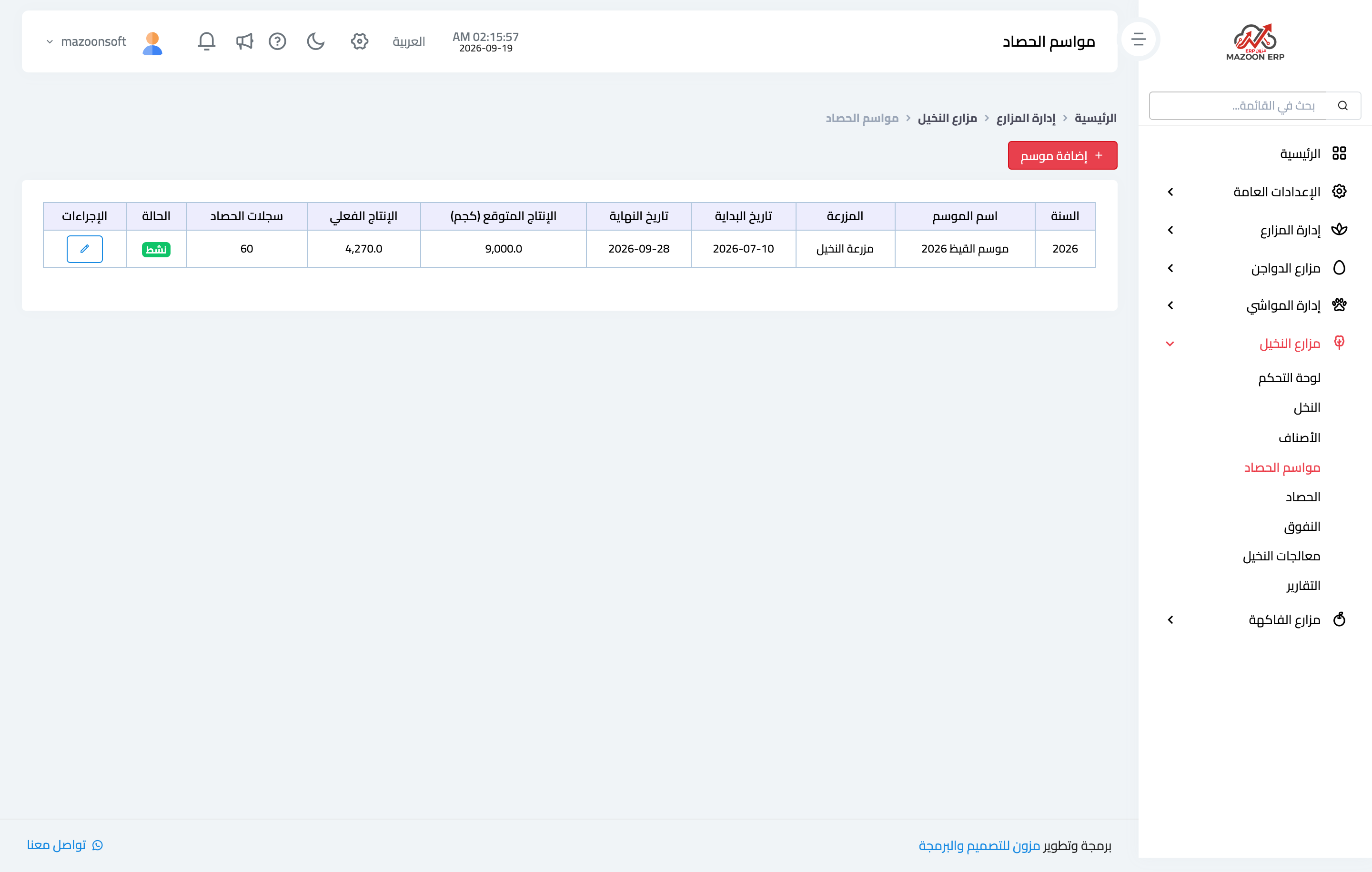
Figure 3
Try what you just read on your own data
Open a free 7-day trial — no credit card, with your own company link in minutes.