
How do I record farm input consumption (feed, fertiliser, medicine)?
Every sack of feed that leaves the store for a house is a cost on that house, not merely a reduction in stock.
Steps
- Open Farm Management → Farm Input Consumption — Figure 1 — and press the add button — Figure 2.
- Choose the farm, the section and the item from inventory.
- Enter the quantity and the date; the unit price is pulled from inventory automatically.
- Save, and the item is issued from the warehouse and its value charged to the farm and section.
Notes
- This screen works with Inventory, so bring feed and fertiliser purchases into the warehouse first.
- Feed is the largest farm cost after labour; recording it per section is what shows you which house eats more than it produces.
- Do not record consumption by estimate; weigh what actually goes out, even if only once a week.
Screenshots
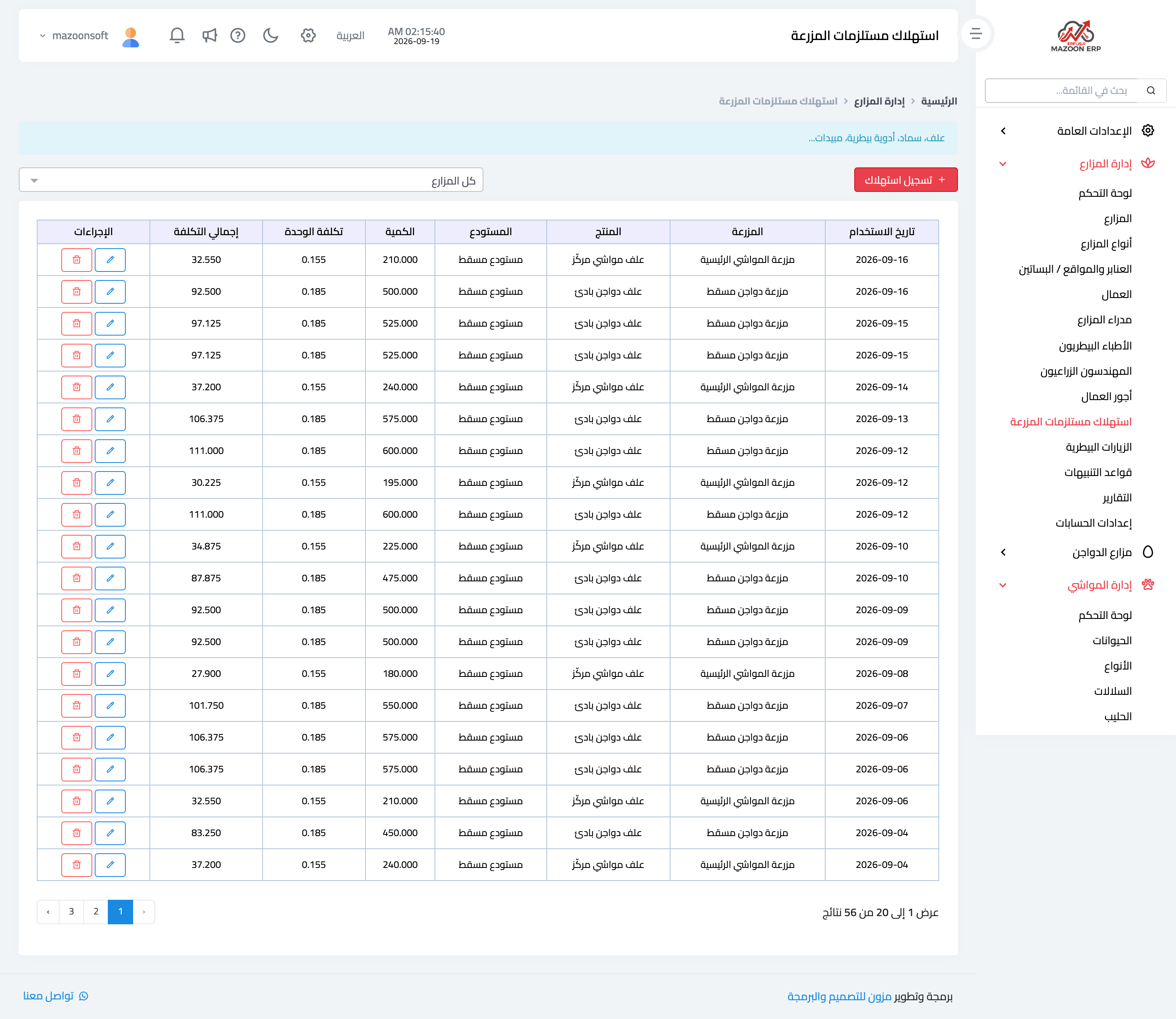
Figure 1
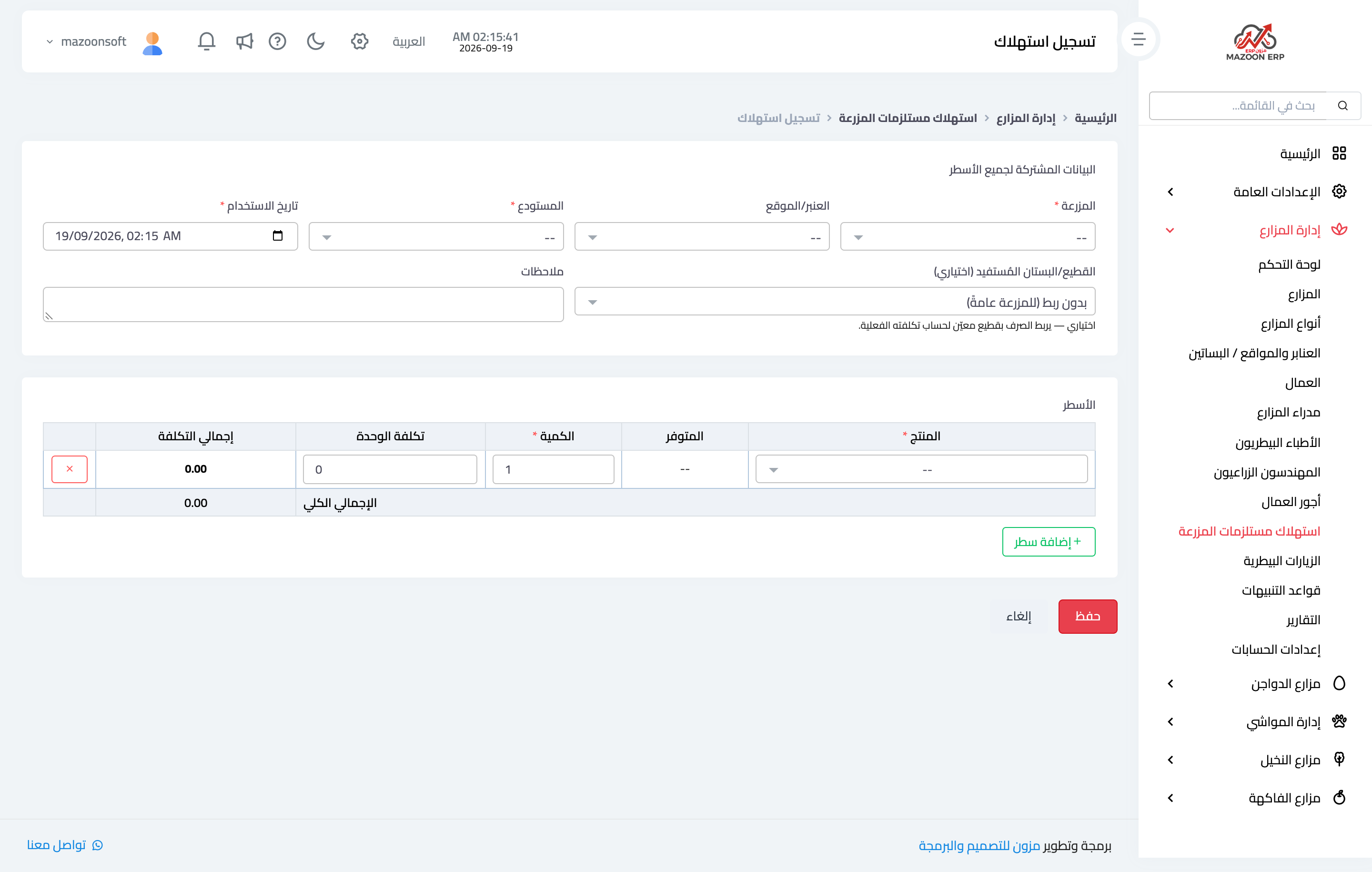
Figure 2
Try what you just read on your own data
Open a free 7-day trial — no credit card, with your own company link in minutes.