
Livestock: how do I register breeds and animals?
In livestock the unit is the individual animal, and each one has an ear tag and a history of its own.
Species and breeds
From Livestock → Breeds — Figure 1 — you find the species (cattle, sheep, goats, camels) and register the breeds under each one.
Animals
- Open Animals — Figure 2 — and add an animal.
- Enter the ear tag number and choose the farm, the shed, the species and the breed.
- Set the sex, the date of birth, the origin (born on the farm or purchased) and the status.
- Open the animal’s page to see its whole record: health, breeding, milk and weights.
Notes
- The ear tag is the key to everything, so never register an animal without a number that is legible in the field.
- Record newborns on the day they are born; delaying it muddles the parentage.
- When you sell an animal, record it under animal sales rather than deleting it; its history stays part of the herd record.
Screenshots
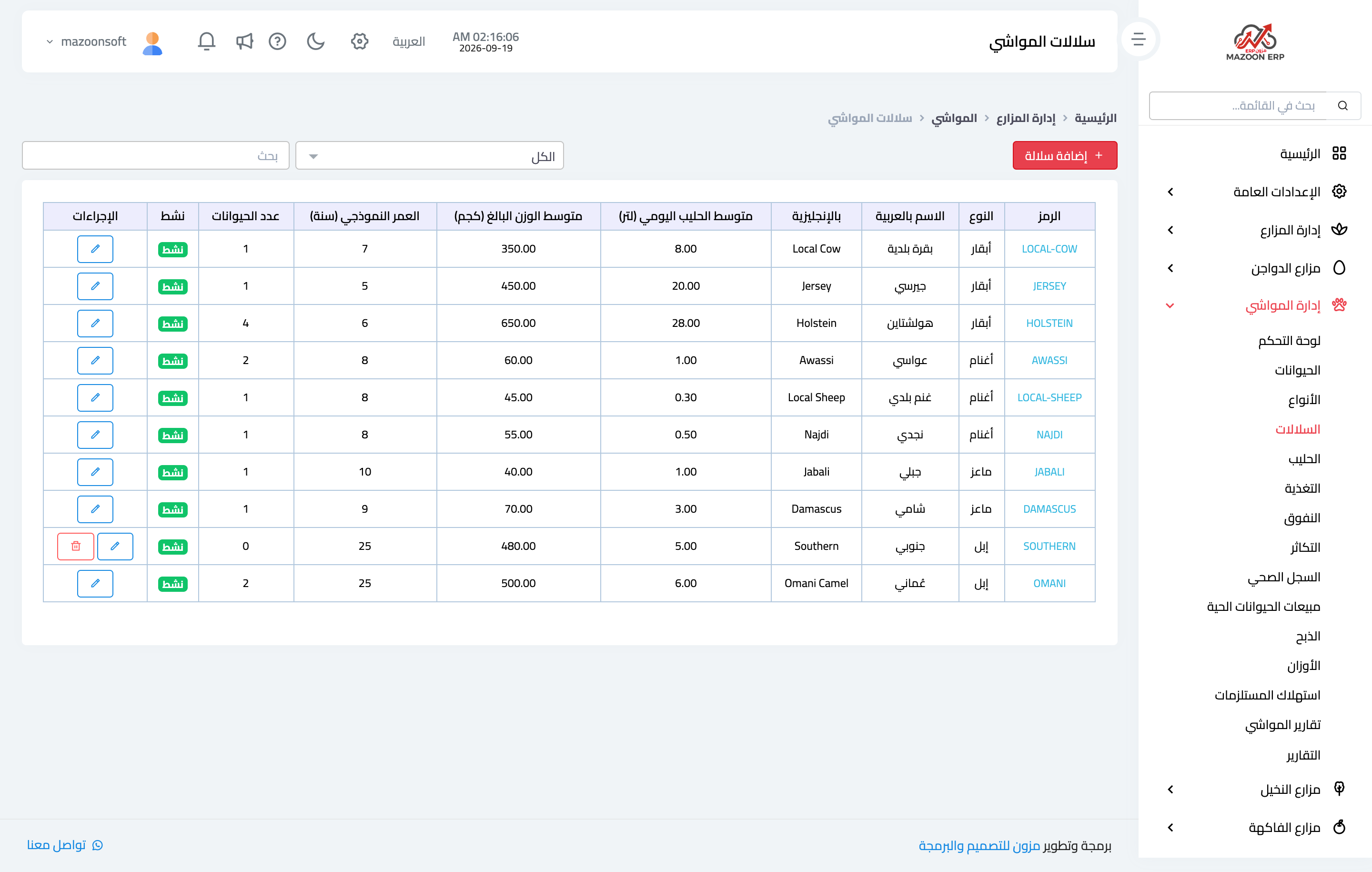
Figure 1
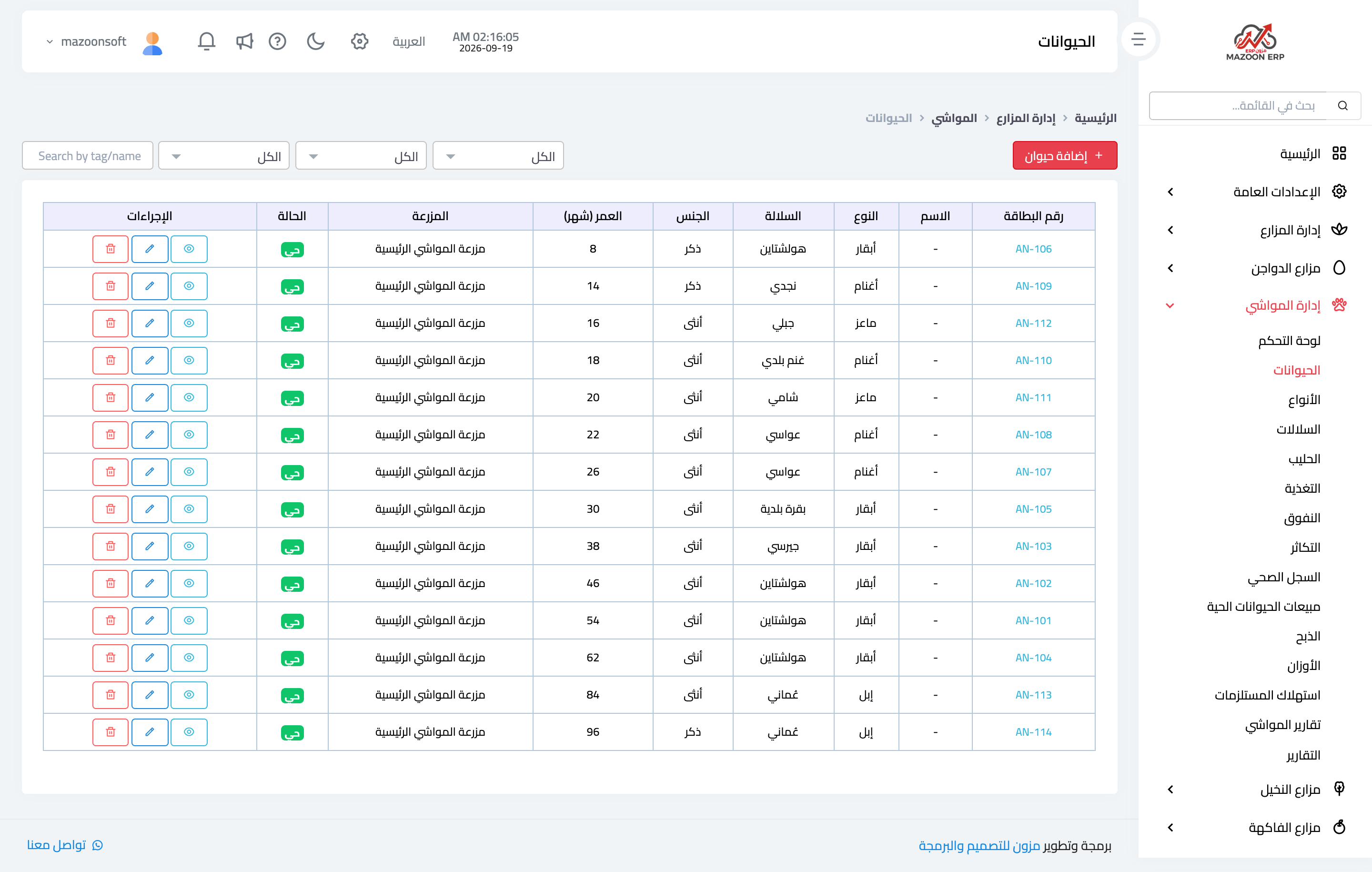
Figure 2
Try what you just read on your own data
Open a free 7-day trial — no credit card, with your own company link in minutes.