
How do I set up farm types and the accounting settings?
Before you enter your first farm, set up two screens you open once and rely on ever after.
Farm types
From Farm Management → Farm Types — Figure 1 — you get the ready-made types: poultry, livestock, date palm, fruit. The type is what decides which screens appear inside a farm.
Accounting settings
- Open Account Settings — Figure 2.
- Map each operation to its account: worker wages, farm inputs, veterinary visits, production revenue and so on.
- These accounts are created automatically when the module is enabled, and you can change them if you have your own chart of accounts.
- Press Save.
Notes
- Do not change an account after entries have been posted to it; you will end up with balances split across two accounts.
- A farm’s type is set when it is created; changing it later leaves data with nowhere to live.
- If you run more than one activity on one site, create a farm per activity rather than merging them.
Screenshots
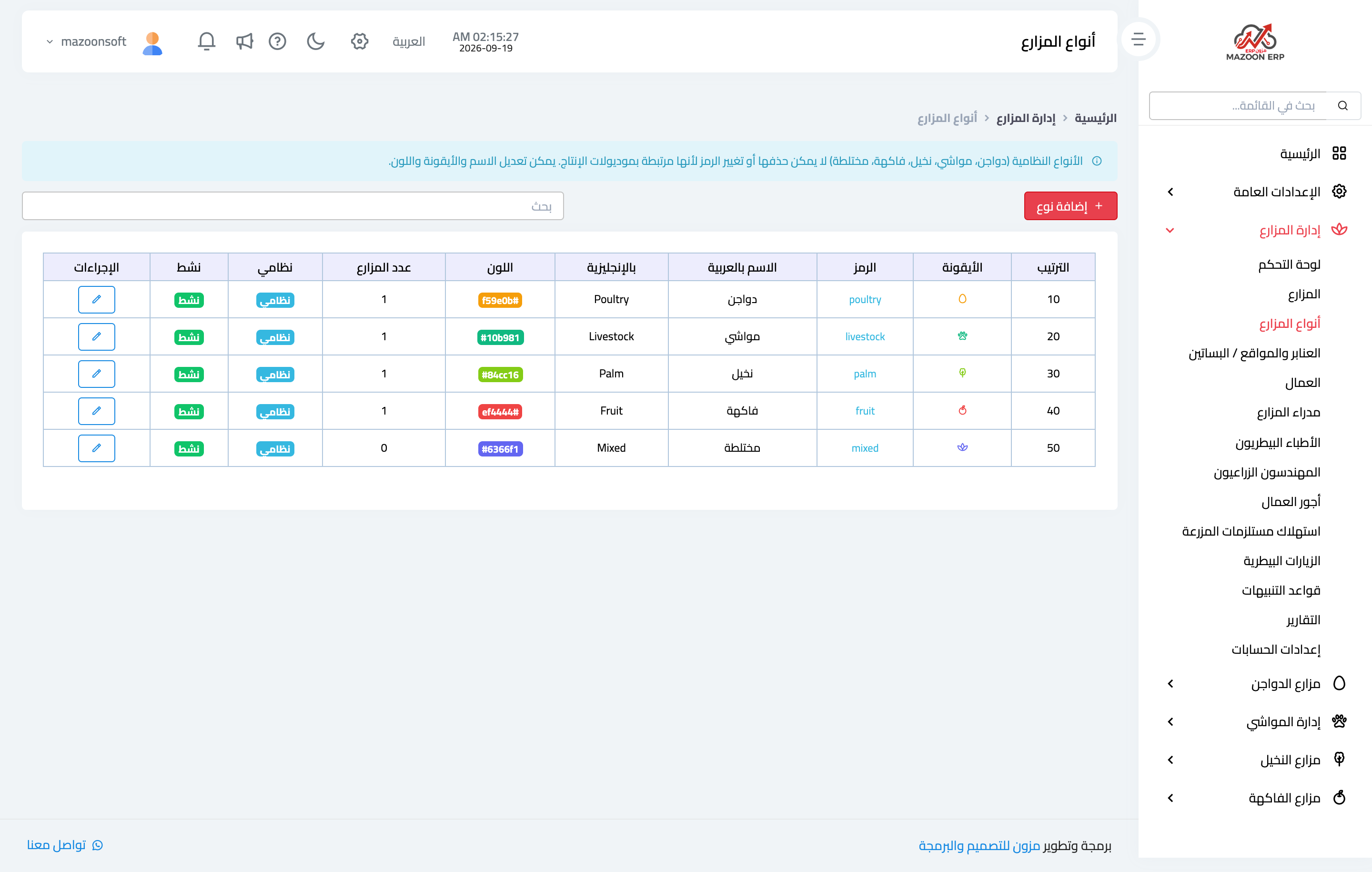
Figure 1
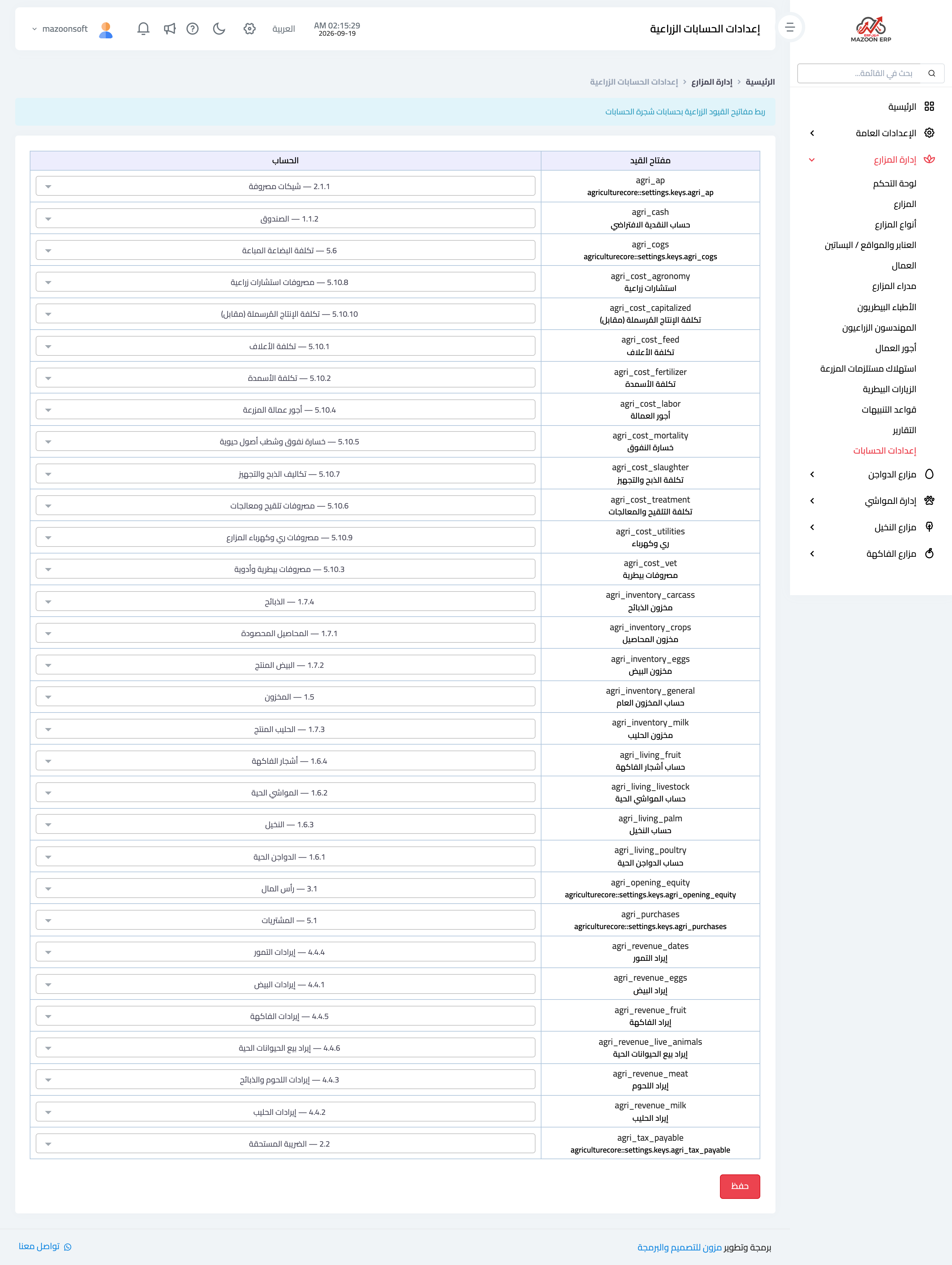
Figure 2
Try what you just read on your own data
Open a free 7-day trial — no credit card, with your own company link in minutes.