
How do I register farm workers and account for their wages?
Labour is the largest cost line on most farms, and it is also the least recorded.
Workers
- Open Farm Management → Workers — Figure 1.
- Add a worker with their name and phone, and set the daily or hourly wage.
- From the same menu you also register farm managers, veterinarians and agricultural engineers.
Worker wages
- Open Worker Wages — Figure 2 — and add a record for each working day.
- Choose the farm, the section and the worker, and enter the date, the hours and the work done.
- The amount is computed from the worker’s rate and stays pending until you pay it.
- On payment the wages are posted to accounting and charged to the farm the work was done on.
Notes
- Record a working day on the day itself; reconstructing a whole month from memory gives you numbers that are no use.
- Charge the wage to the right section; that is what gives the farm profitability report its meaning.
- A worker with no recorded wage is a wage paid out of your pocket that you never see in the cost.
Screenshots
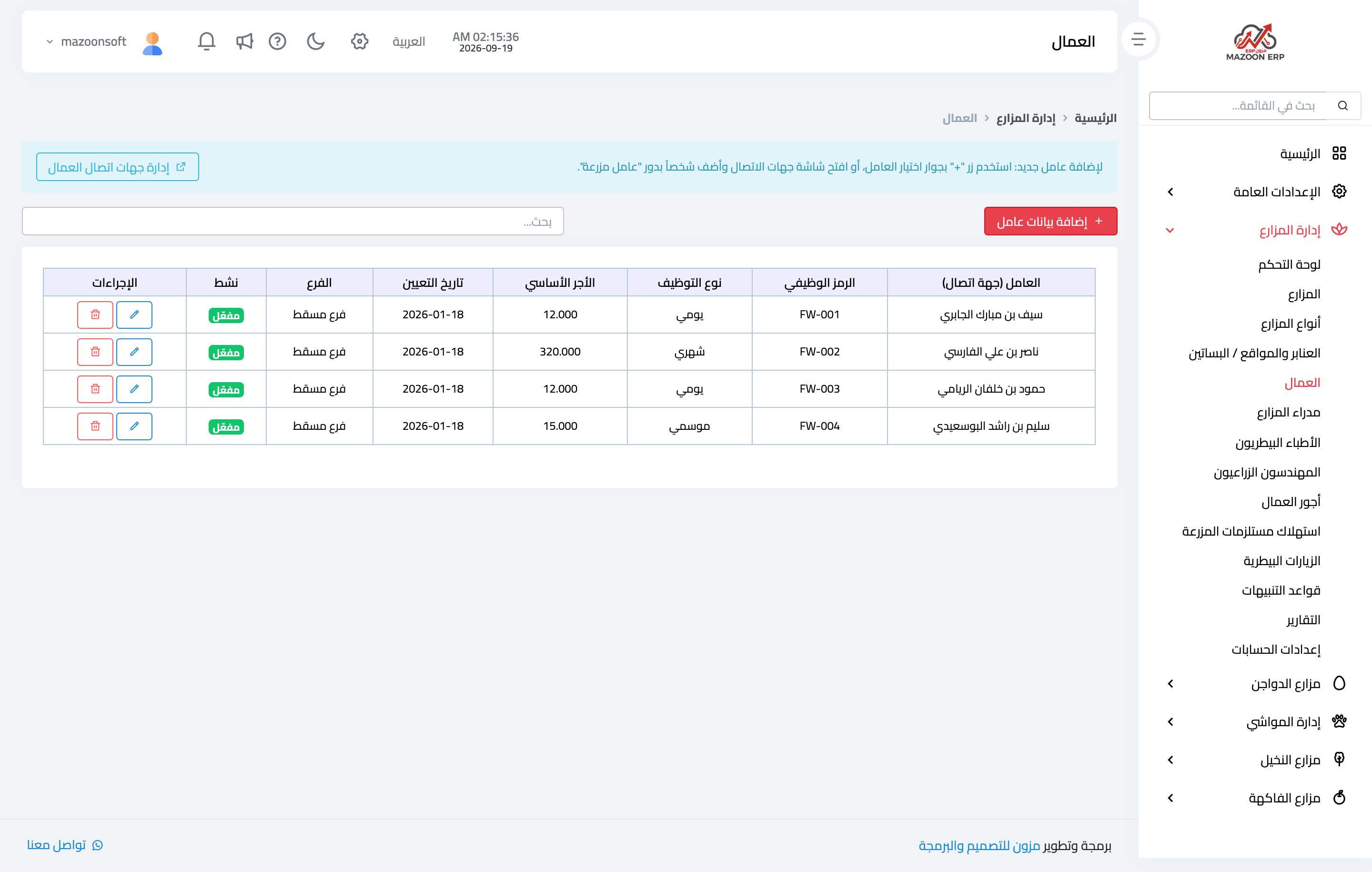
Figure 1
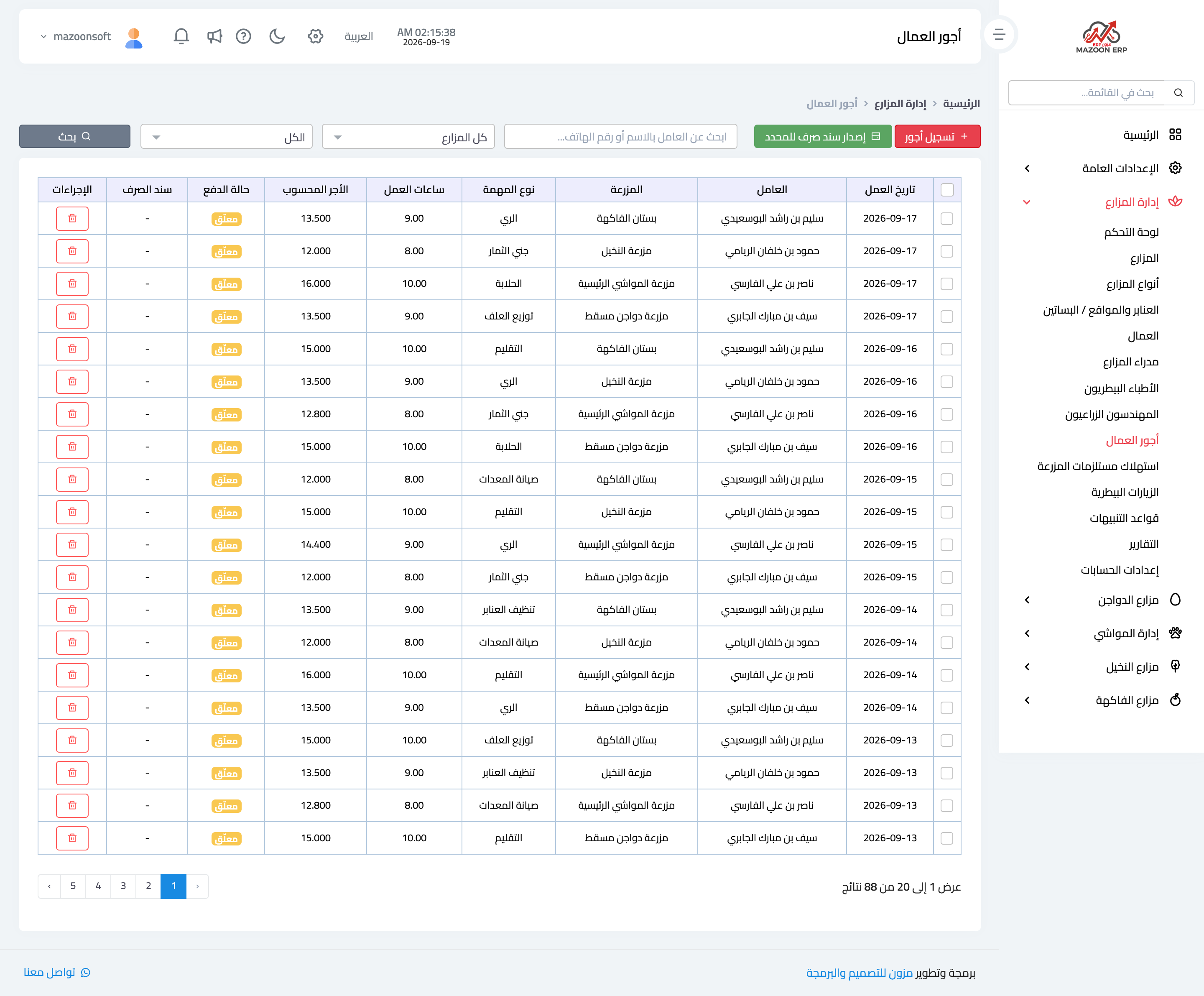
Figure 2
Try what you just read on your own data
Open a free 7-day trial — no credit card, with your own company link in minutes.