
The sidebar and the modules
The sidebar is the map of the system: every module enabled for your organisation appears there with its icon and its screens beneath it. What you do not see is either not enabled for your organisation or outside your permissions.
Steps
- Look at the menu on the side of the screen — image 1. The first row, Home, takes you back to the dashboard, then comes General Settings, then the modules each with its icon.
- Click a module name to expand it and show its screens, and click again to collapse it. The module you are working inside stays open and highlighted so you know where you are.
- At the top of the menu is a Search menu… box that filters the screens as you type.
- To see what is actually enabled, open General Settings → Module Management — image 2. The screen lists every installed module with a short description and its status: active, inactive or core.
- The Activate or Deactivate button on each row changes its state, and several modules can be selected at once and then activated or deactivated together. The counter at the top shows how many are active out of the total installed.
- The hamburger button at the top of the menu collapses it to icons only, widening your working area.
Notes
- Deactivating a module does not delete its data: it merely disappears from the menu, and everything returns as it was when you reactivate it at any time.
- The Core module cannot be deactivated because all of the system's functionality rests on it.
- Module management is available only to a super-admin; if you cannot find the screen, ask whoever holds that role in your organisation.
- If a module is enabled but you still cannot see it in the menu, the issue is permissions rather than activation — check your role under Roles & Permissions.
Screenshots
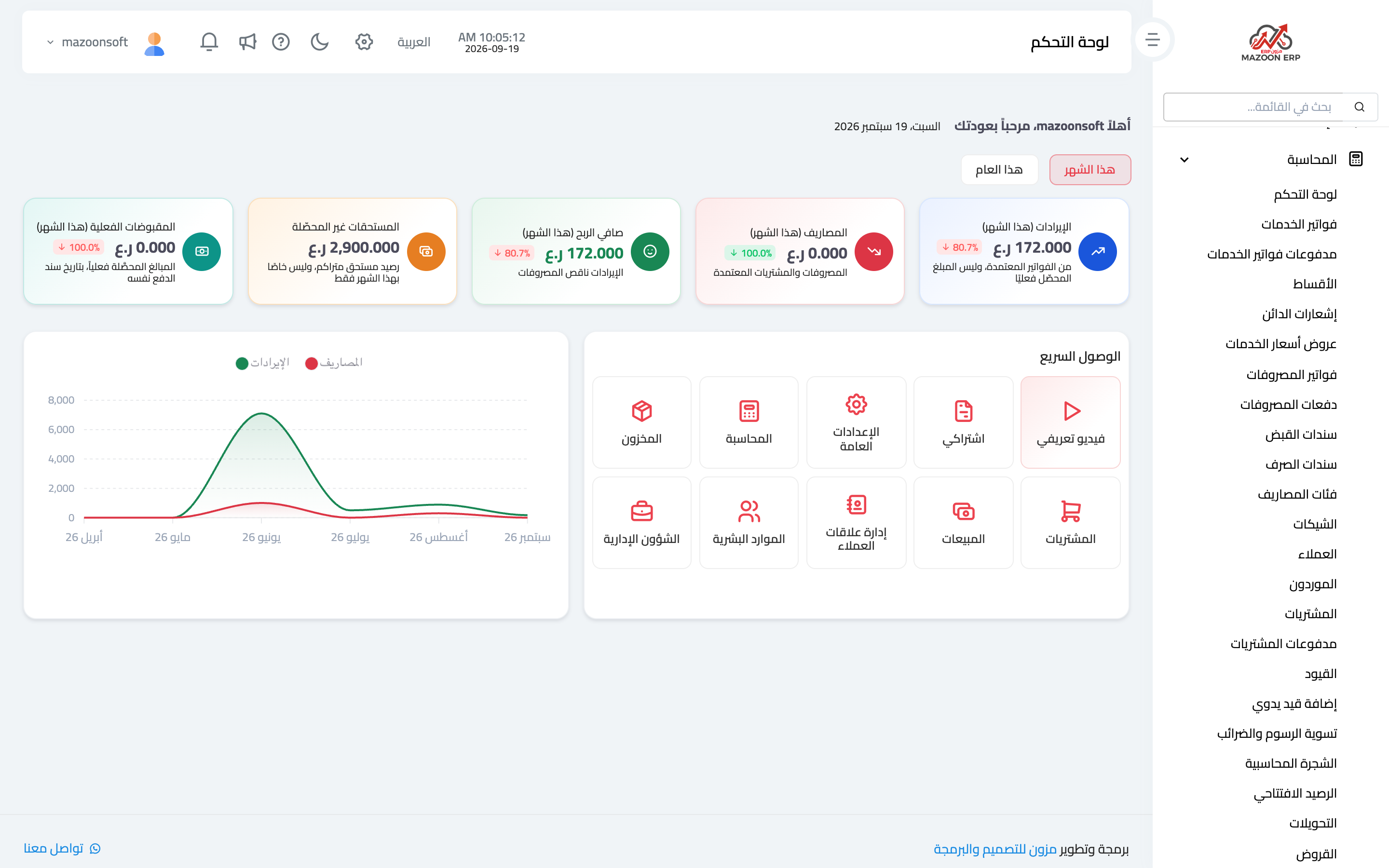
Figure 1
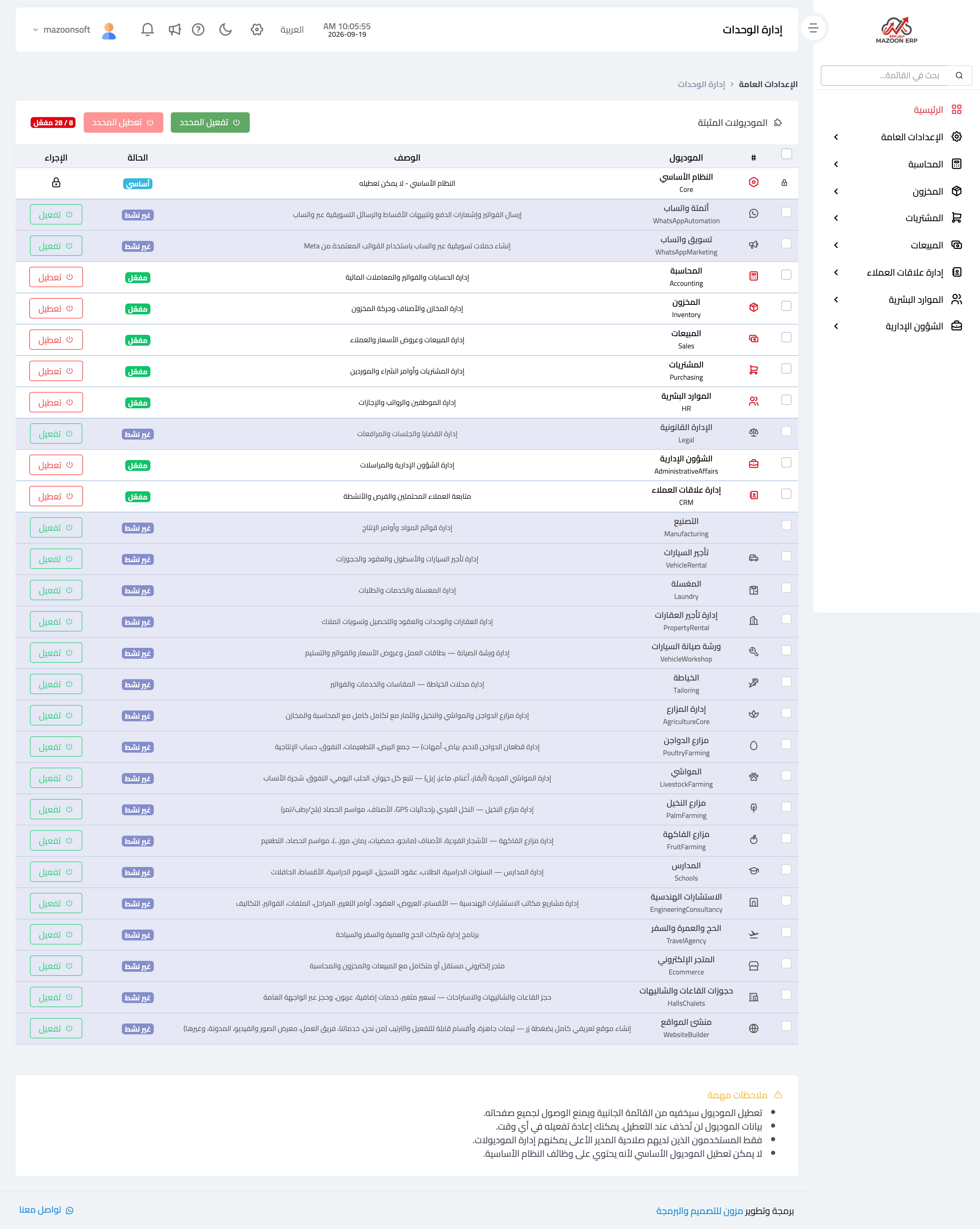
Figure 2
Try what you just read on your own data
Open a free 7-day trial — no credit card, with your own company link in minutes.