
Where do I find the guide and help inside the system?
You do not need to leave the system to look for an explanation: the whole guide is inside your panel. Open it from the home page or search it from the top bar, and every module has a Guide button that opens its articles directly.
Steps
- On the home page, click Help & Documentation to open the whole guide — image 1.
- A card appears for each guide category belonging to the modules enabled for you, showing the number of articles and the first few titles.
- Click an article title to read it with its images inside the system, or view all to browse the whole category.
- To look for a specific topic, type it in the Search the guide box in the top bar and the matching articles appear. On a phone, the box opens from the search icon.
- To go straight to one module's articles, open the module's dashboard and press the Guide button at the top — for example Sales → Guide — image 2. All of that module's articles appear on one page, and the All guide topics button takes you back to the whole guide.
Notes
- The cards shown follow the modules enabled for you, so the screen is not crowded with guides that do not concern you.
- The guide itself is also public on our website, so you can send a colleague a link to a specific article before they even log in.
- The megaphone icon in the top bar is not the guide but what's new in the system, and the notifications bell is a third, different thing.
- If you cannot find an answer, the Contact us button at the bottom of every screen opens a WhatsApp conversation straight with support.
Screenshots
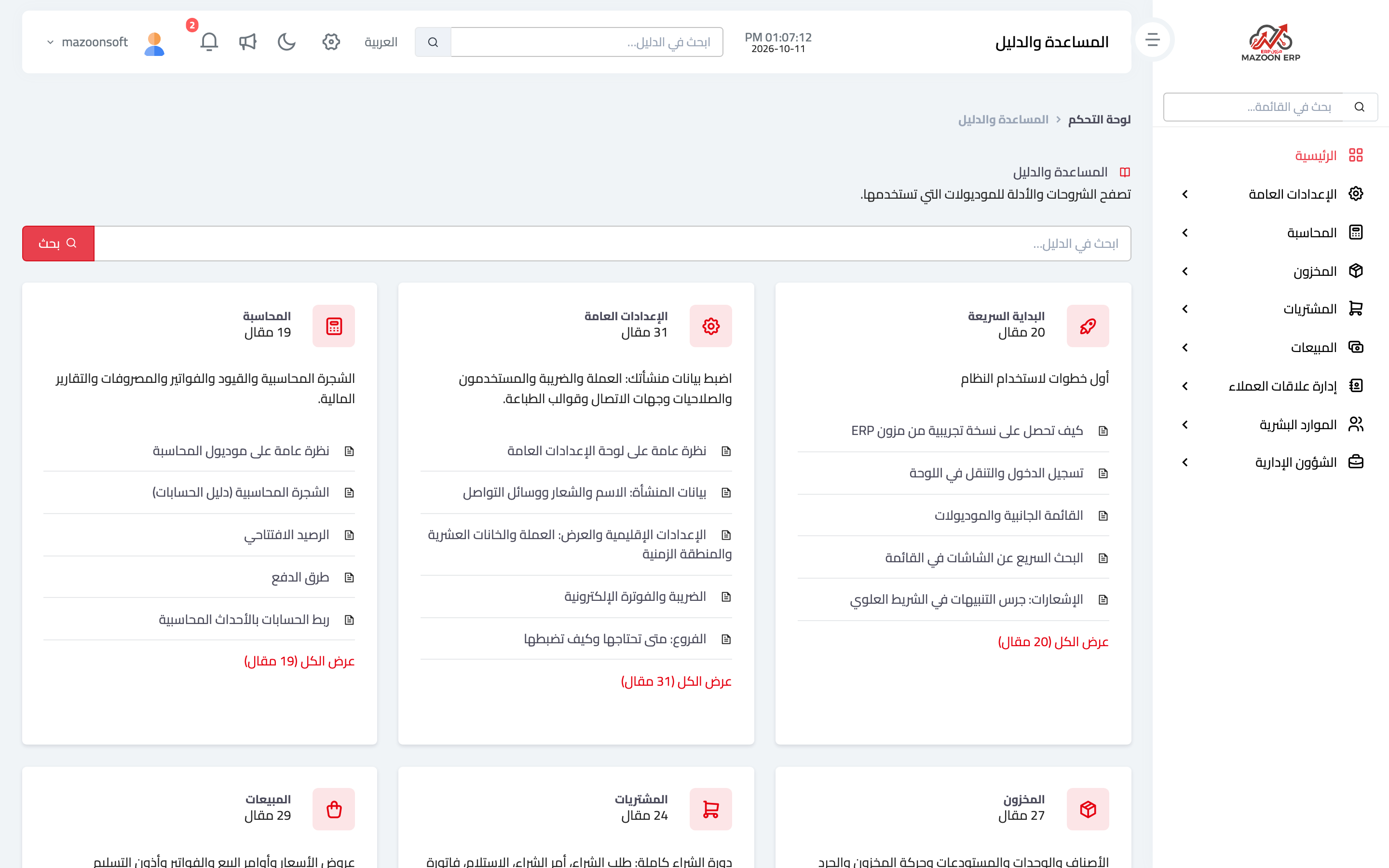
Figure 1
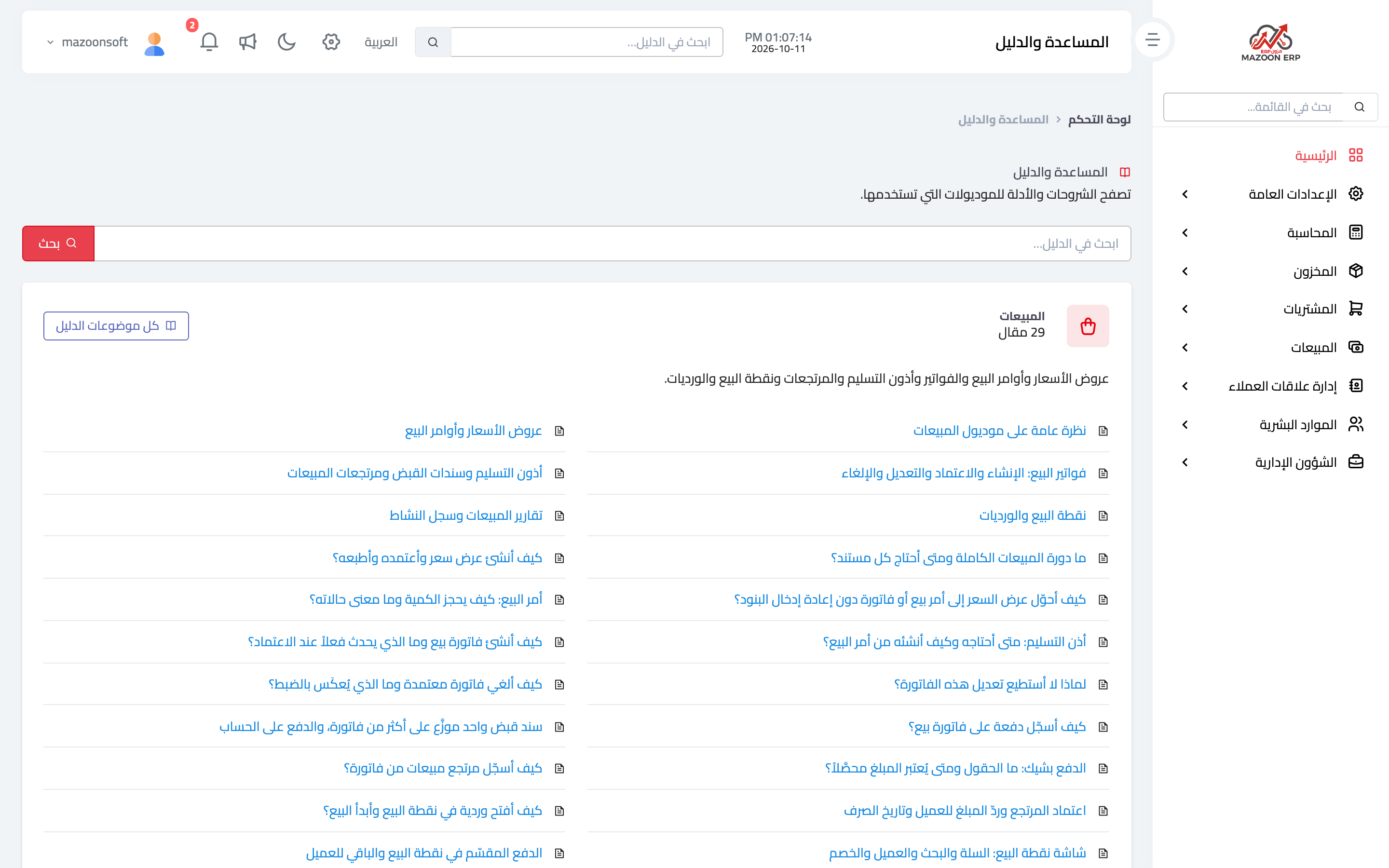
Figure 2
Try what you just read on your own data
Open a free 7-day trial — no credit card, with your own company link in minutes.