
What is the General Settings screen and what is in it?
General Settings is your organisation's control room: from here you set your details, your currency and your tax, open accounts for your staff and decide what each of them sees. Go through it once at the start, then come back only when something changes.
Steps
- Open General Settings → Dashboard — image 1. Cards appear summarising every settings section.
- Settings: organisation details and logo, currency, decimal places and timezone, tax number and rate, and e-invoicing.
- Branches: your organisation's branches if you work with more than one.
- Users and Roles & Permissions: who logs in, and what each of them sees and can do.
- Contacts and Contact Roles: customers, suppliers and every external party you deal with, and how they are classified.
- Custom Fields: fields you add to the system's screens when the built-in ones are not enough.
- Print Templates and Countries: the look of your printed documents, and country codes for phone numbers.
- System Activity Log, Database Backup and My Account: review, protection and your own details.
- At the top of the screen sit the My Subscription and Guide buttons; the second opens the General Settings articles in the in-system guide.
Notes
- The cards you see follow your permissions; someone without the users permission does not get that card at all.
- The Branches card appears only if the multi-branch feature is enabled for your organisation's subscription.
- These settings apply to the whole organisation, unlike language and dark mode which are yours alone on your own browser.
- Any change here is reflected immediately for every user; changing the currency or the decimal places after a lot of data has been entered is a decision worth pausing over.
Screenshots
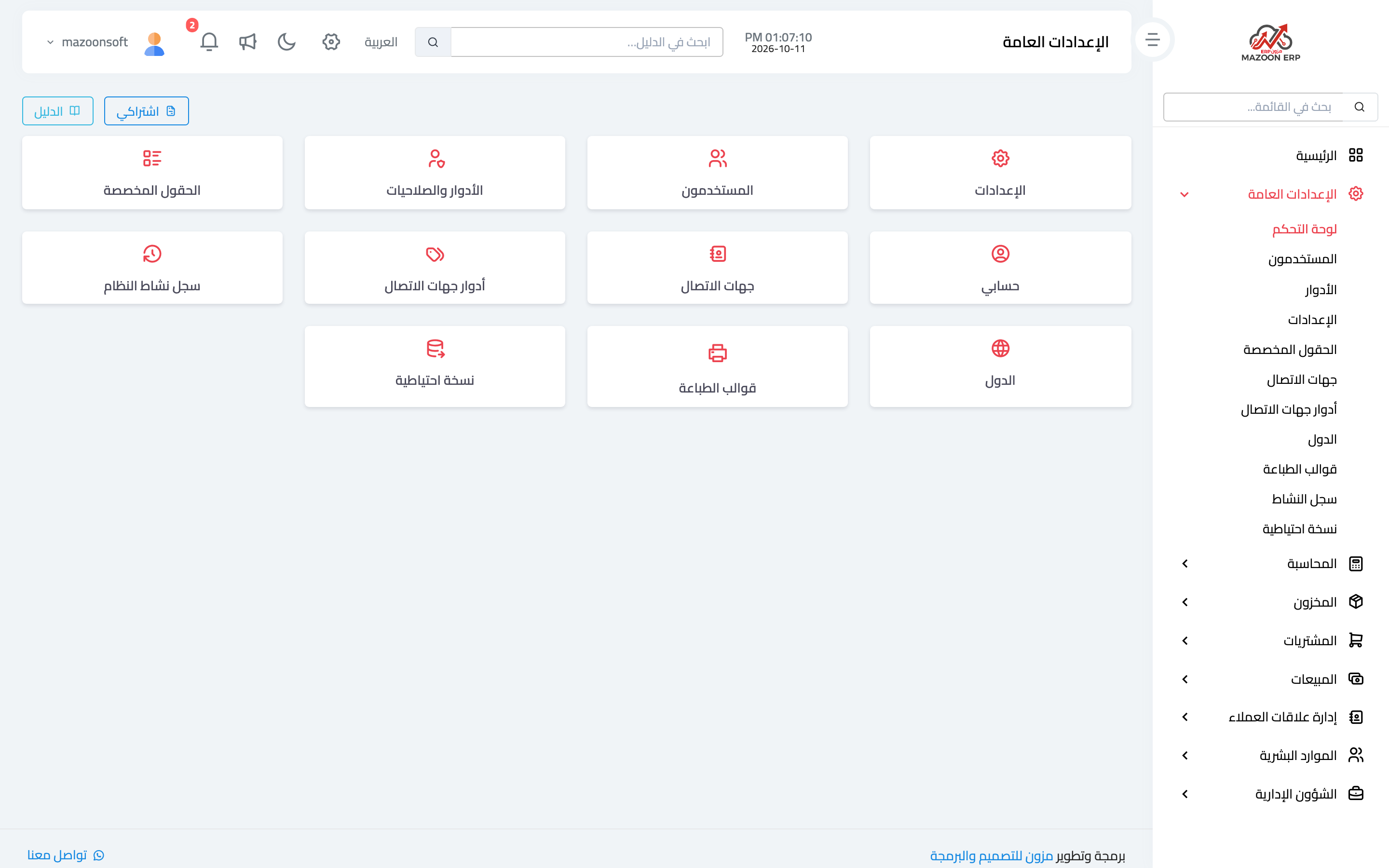
Figure 1
Try what you just read on your own data
Open a free 7-day trial — no credit card, with your own company link in minutes.