
Switching language, dark mode and appearance settings
The system runs fully in Arabic and English, with a light or a dark interface. These are display choices that belong to you alone; they change nothing in the data and nothing in what your colleagues see.
Steps
- To switch language: click العربية in the top bar — image 1 — then choose English. The whole interface flips to English and the page direction changes, with no logging out and no losing your place.
- To switch dark mode: click the moon icon in the top bar and the interface turns dark — image 2 — and click the sun icon to go back to light.
- For finer control over the look: click the gear icon in the top bar to open the theme settings panel — image 3.
- In the panel: colour scheme between light and dark, sidebar state between open and collapsed, and top bar colour and menu colour between the brand colour, dark and light.
- The Reset button at the bottom of the panel returns all of these to their defaults.
Notes
- Your language and appearance choices are saved for you in this browser; from another device or browser you start at the defaults.
- The language changes the system's interface, while data you entered in Arabic stays exactly as you wrote it. That is why many screens have two name fields, Arabic and English.
- Printed documents follow the language the page is printed in, so check before sending one to a client who prefers a particular language.
- These settings have nothing to do with the regional settings in the organisation's settings (currency, decimal places, timezone); those apply to the whole organisation, not just to you.
Screenshots

Figure 1
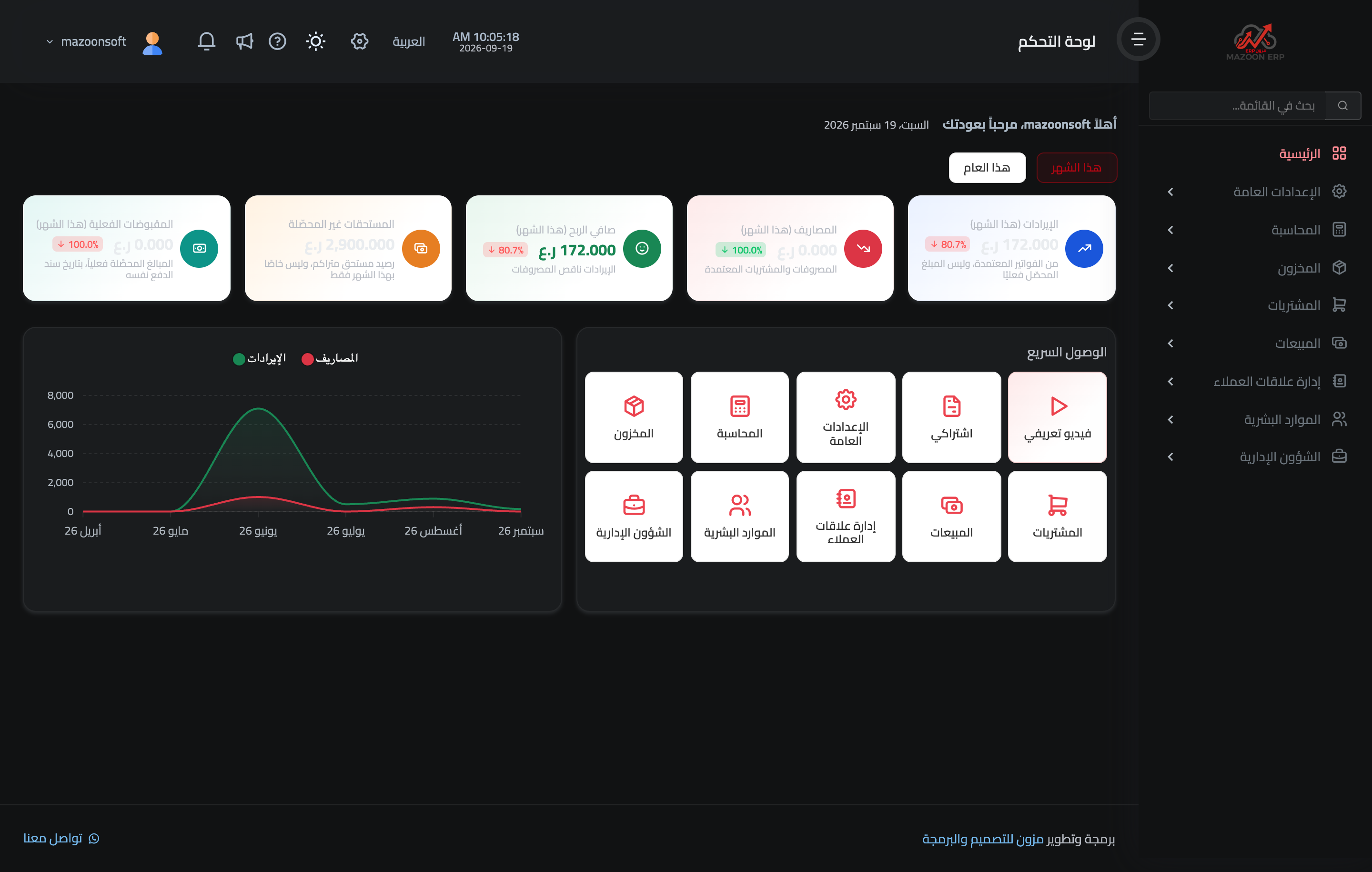
Figure 2
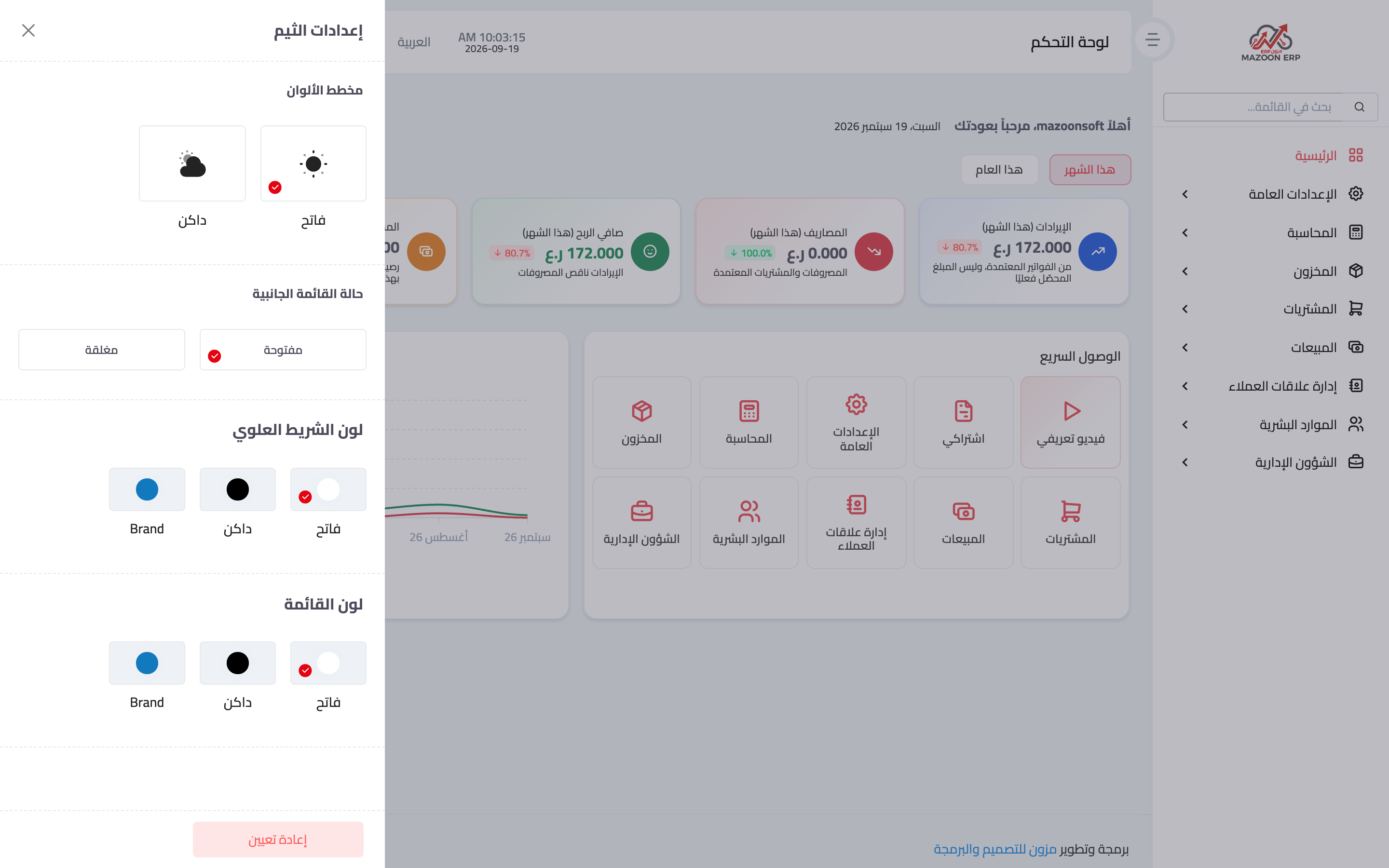
Figure 3
Try what you just read on your own data
Open a free 7-day trial — no credit card, with your own company link in minutes.