
How do I use the system from a phone?
The system runs from a phone browser with no app to install. The screens adapt to the narrow width: the sidebar folds away and the cards stack on top of one another.
Steps
- Open your organisation's link in the phone browser and log in with the same e-mail and password.
- The dashboard appears with its cards stacked vertically — image 1 — so you read the day's figures at a glance.
- Press the hamburger icon at the top to slide the sidebar out — image 2 — with the same search and modules as on a computer.
- Press the × or outside the menu to close it and return to the screen.
- For faster access, add the link to your phone's home screen from the browser menu and it opens like an app.
Notes
- A phone is excellent for following up, checking and recording a quick transaction; screens with wide tables and reports are easier on a larger display.
- Long tables scroll sideways by dragging; if a column looks missing, move the table across.
- Printing from a phone works through the browser's print option, though saving the file and sending it on is usually better.
- Do not save the password on a shared device, and log out when you finish if the phone is not your own.
Screenshots
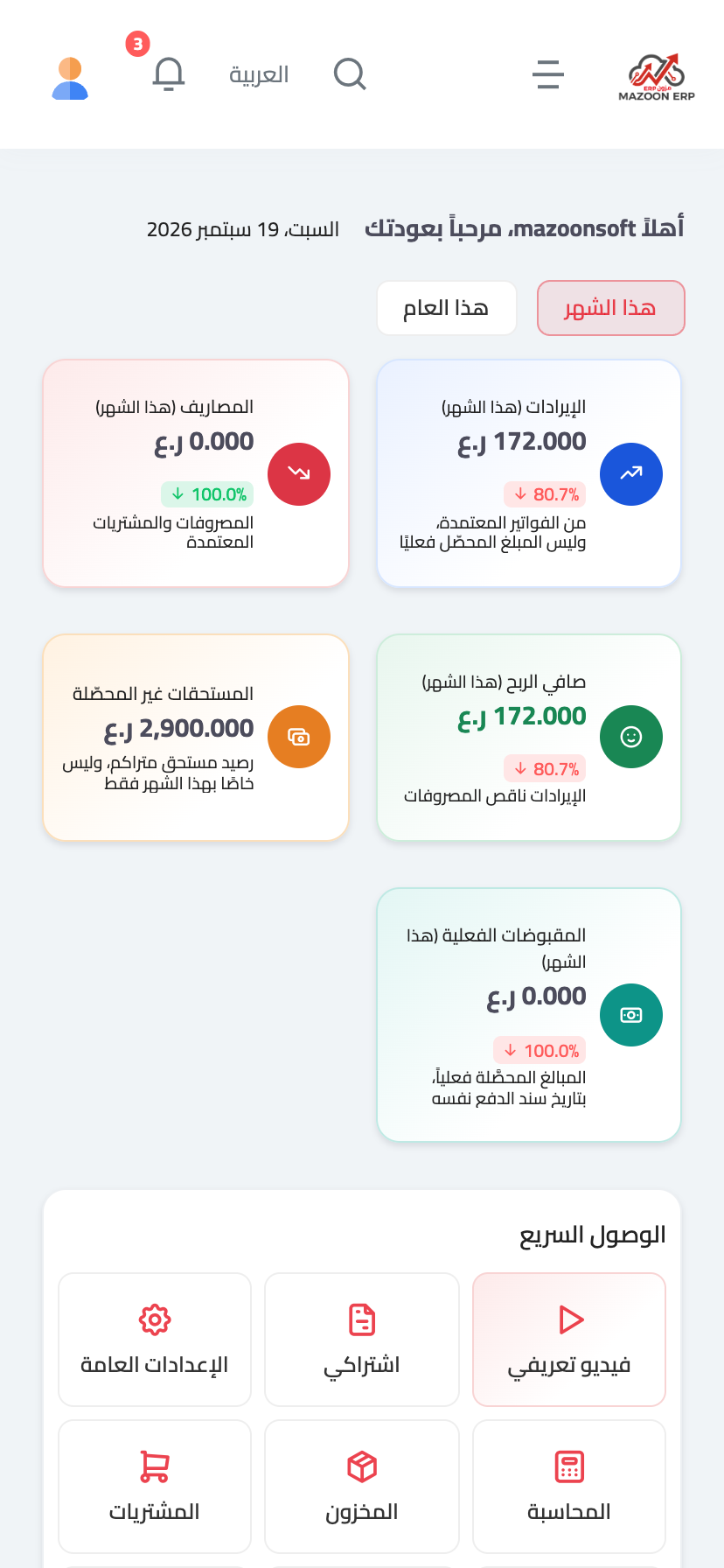
Figure 1
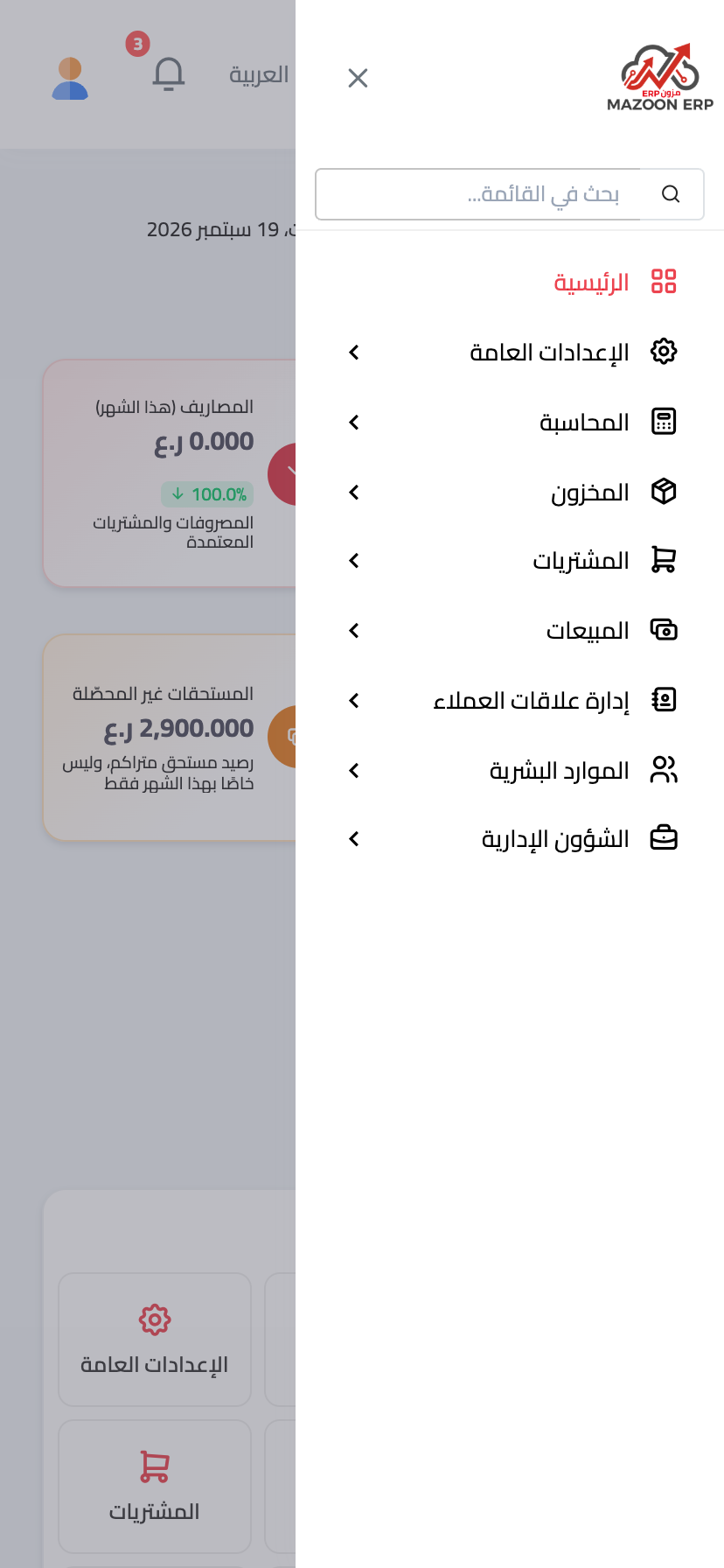
Figure 2
Try what you just read on your own data
Open a free 7-day trial — no credit card, with your own company link in minutes.