
Logging in and navigating the panel
The first thing you see of the system is the login page, and the first thing that opens after it is the dashboard. These two screens are your daily entry point, and knowing their parts saves you hunting for every button again.
Steps
- Open your organisation's link and the login page appears — image 1. Enter the e-mail and password your system administrator created for you.
- If you have forgotten the password, use the Forgot your password? link and a reset link is sent to your e-mail.
- After logging in the dashboard opens — image 2 — with the number cards (revenue, expenses, net profit, outstanding receivables and money actually collected), a revenue-versus-expenses chart, and a quick access panel for the main screens.
- Switch between this month and this year above the cards to change the period the figures are calculated over.
- The top bar — image 3 — holds, from the right: the current screen title, the date and time in the timezone configured in settings, then the language, the appearance settings, the dark/light switch, the help & documentation icon, the what's new icon, the notifications bell, and at the end your name and picture.
- Click your name at the far end to open a menu with My Account, Settings and Log out.
Notes
- Do not share one account between employees: the activity log attributes every change to the account that made it, and a shared account throws that benefit away entirely.
- The time in the top bar is the system's time, not your device's; if it looks wrong, check the timezone in settings.
- What you see on the dashboard and in the sidebar follows your permissions, so it is normal for your screens to differ from a colleague's.
Screenshots
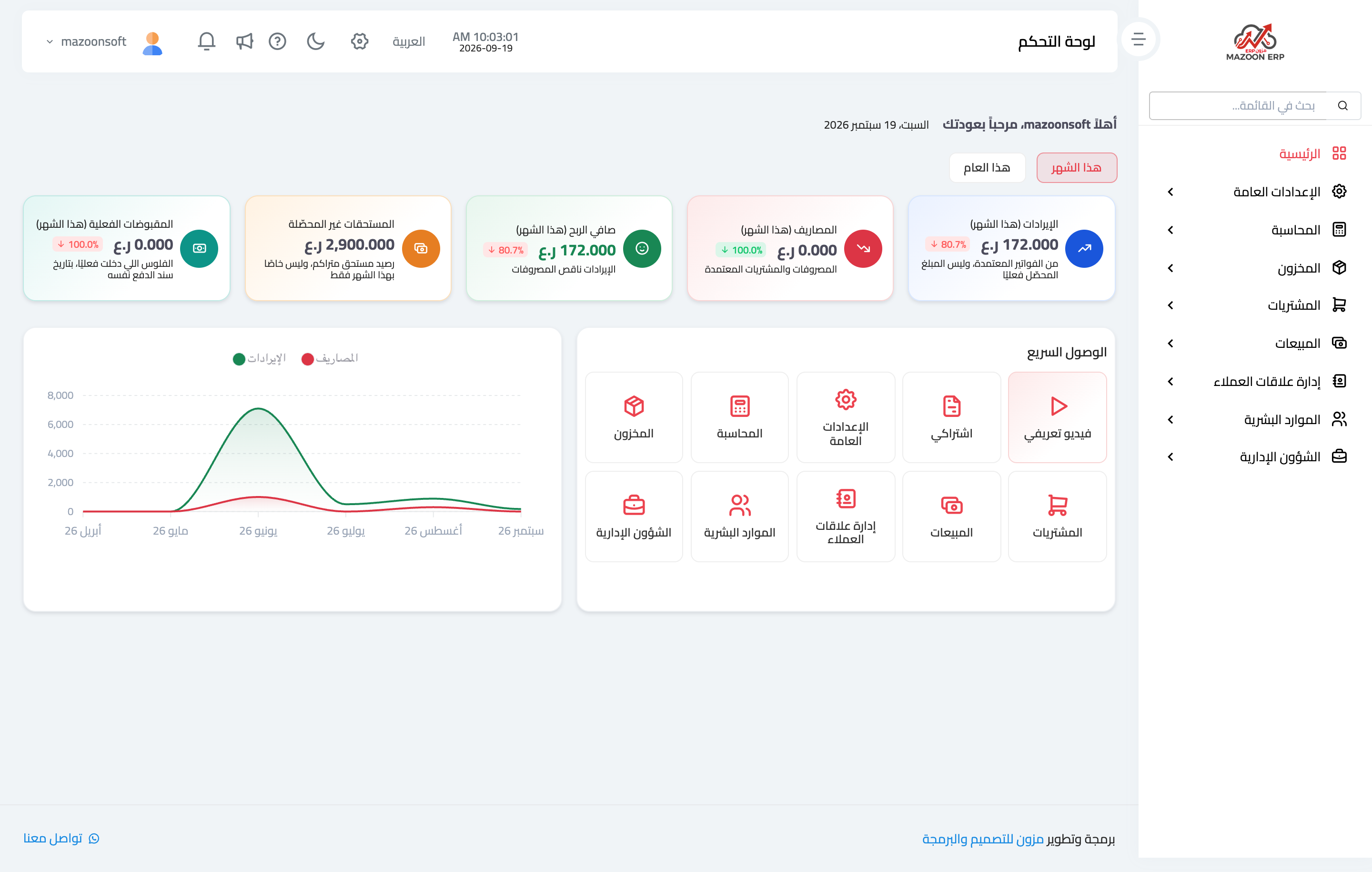
Figure 1
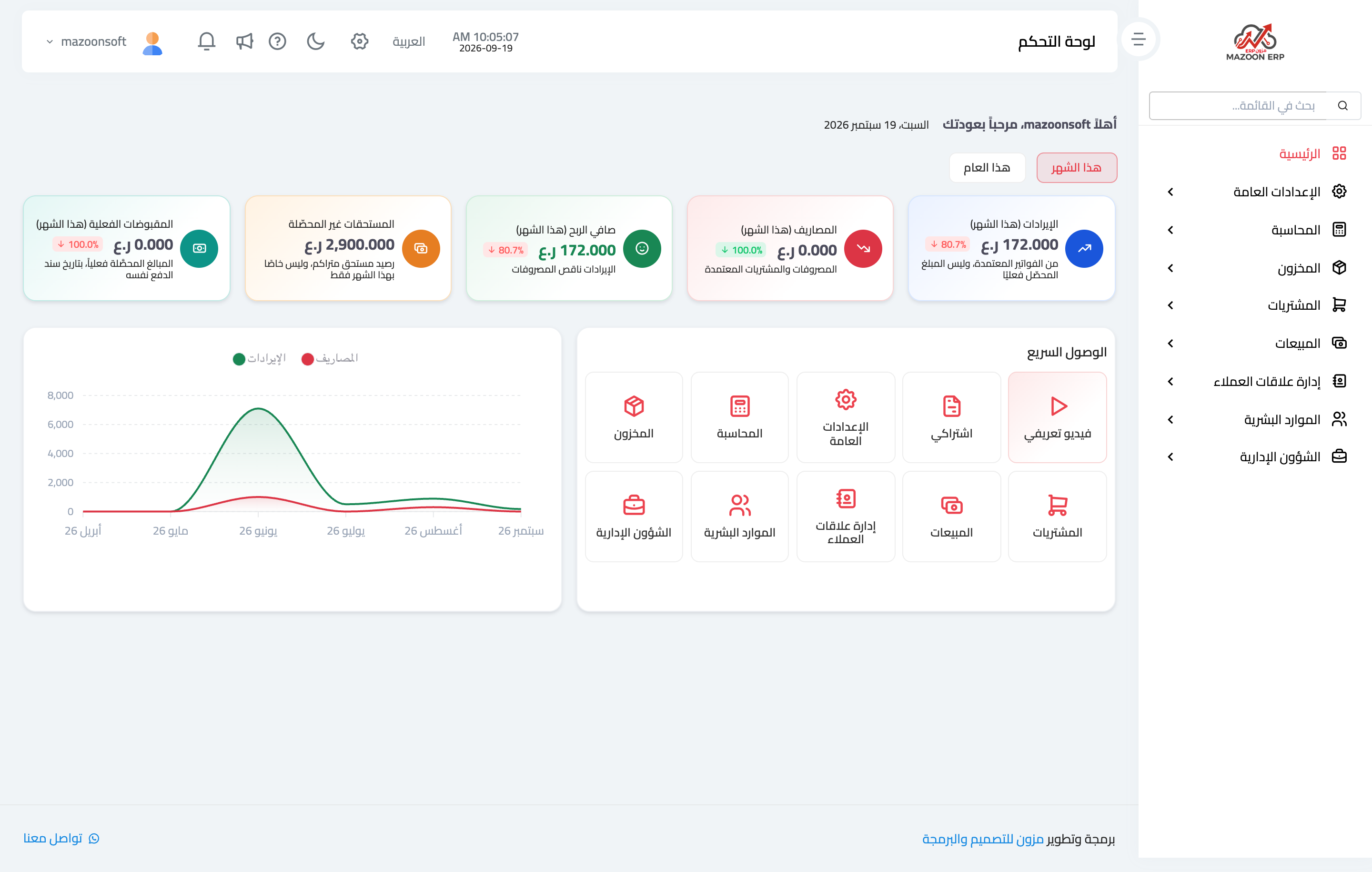
Figure 2

Figure 3
Try what you just read on your own data
Open a free 7-day trial — no credit card, with your own company link in minutes.