
How do I follow my subscription, its invoices and the renewal date?
You do not need to call support to know when your subscription ends or whether its invoice was paid. The My Subscription screen shows all of it, read-only.
Steps
- Open General Settings → My Subscription, or press the My Subscription tile in Quick Access on the dashboard — image 1.
- Under subscription details you find: the plan, the sector, the billing cycle (monthly or yearly), the status, the start date, the paid period end and the days remaining.
- Under invoice history sits every subscription invoice with its number, period, amount, due date, status and payment date, each with a print button.
- Under payments are the receipts recorded against those invoices, each with its own print button.
- For any question about renewal or changing the plan, use the Contact us button on the side card.
Notes
- The screen is read-only: no payment is made and no plan is changed from here; you review and print.
- Watch the days remaining; renewing before the period ends spares your team an interruption at an awkward moment.
- If your organisation is still in a trial, no subscription appears here, because a trial is not an invoiced subscription.
- The number of users and some usage limits are tied to the plan, so if the system stops you adding a new user, check your plan first.
- If your subscription is in your country's currency, such as Egyptian pounds, your invoices and receipts show that currency. Paid extra branches appear on the invoice on their own «Branches» line.
Screenshots
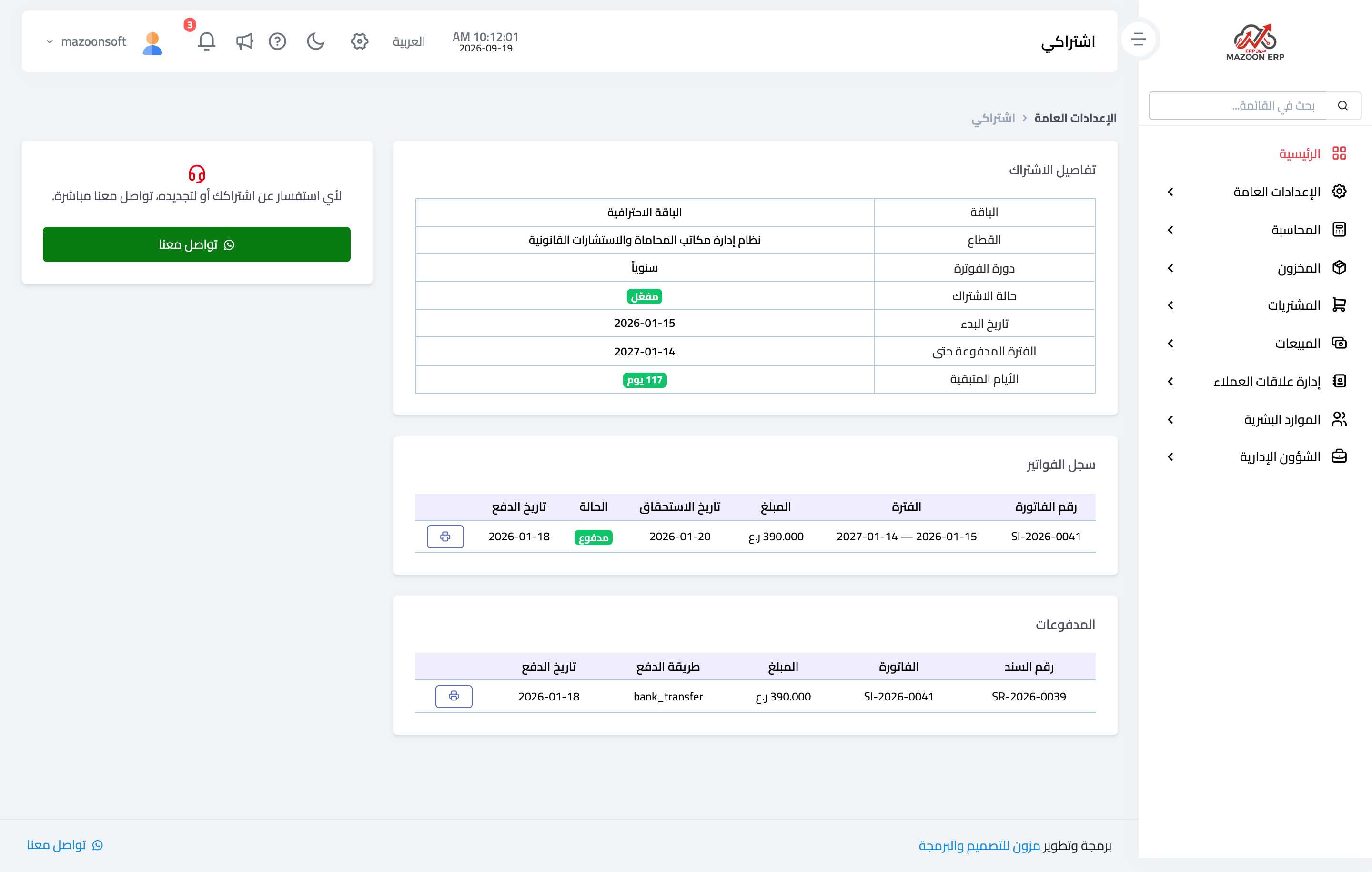
Figure 1
Try what you just read on your own data
Open a free 7-day trial — no credit card, with your own company link in minutes.