
How do I keep my account secure and log out?
Your account opens your organisation's data: its customers, its prices, its figures. A few simple habits are enough to protect it.
Steps
- Change the temporary password the moment you first log in, from My Account → Update Password — image 1.
- Choose a long password you do not use anywhere else, and share it with nobody, colleagues included.
- To log out: click your name at the far end of the top bar — image 2 — then Log out.
- On a shared or public device: always log out when you finish, and do not let the browser save the password.
Notes
- Do not share one account between employees: the activity log attributes every change to the account that made it, and a shared account throws that away entirely — precisely when you need it, after a mistake.
- Your organisation's administrator cannot see your password once you have changed it, but they can set a new one if you lose it.
- An employee left? Ask for their account to be suspended straight away from Users — not deleted, so their name stays on what they entered.
- Review the system activity log from time to time if you hold its permission; it records who changed what and when.
Screenshots
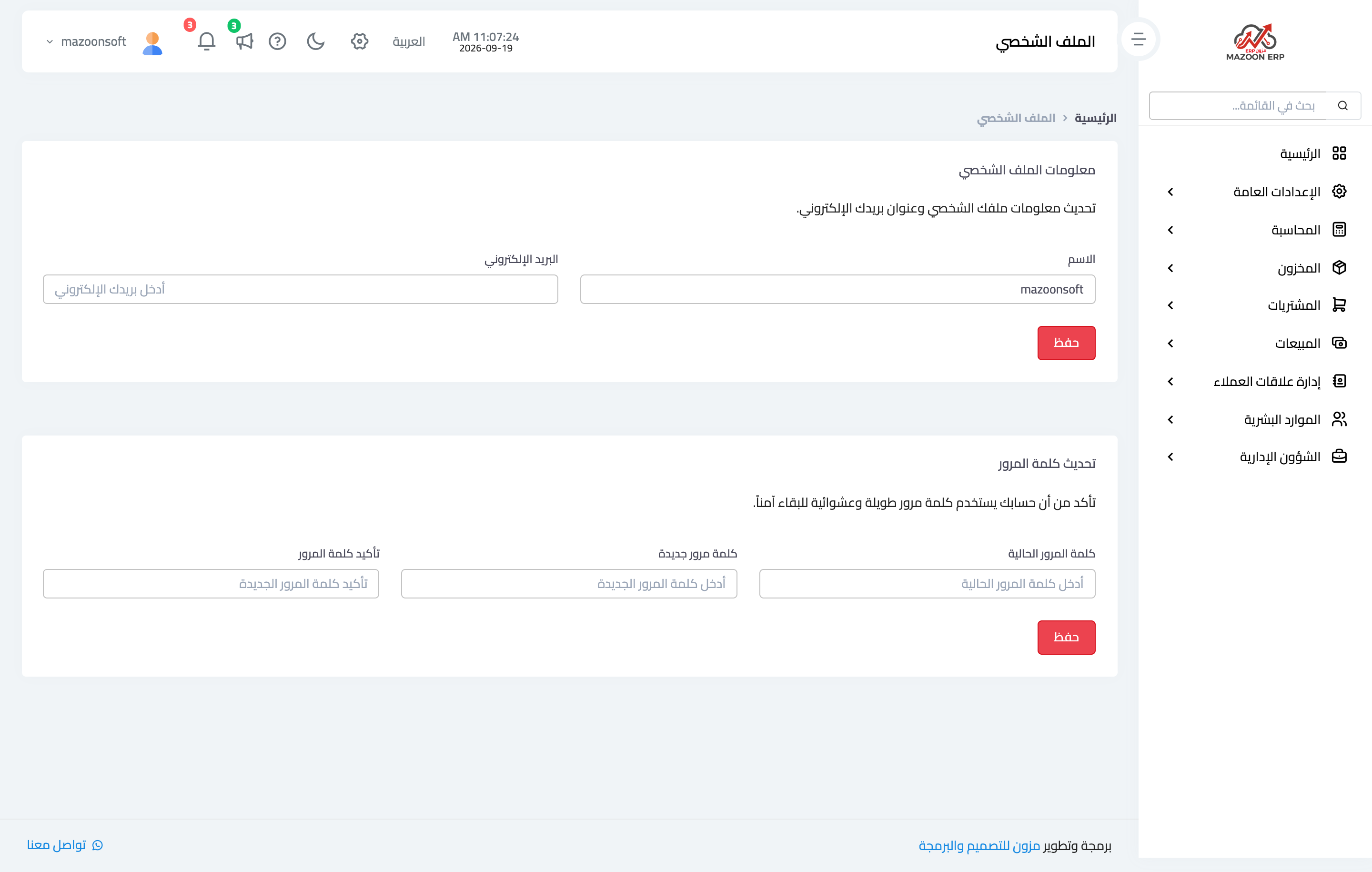
Figure 1

Figure 2
Try what you just read on your own data
Open a free 7-day trial — no credit card, with your own company link in minutes.