
How do I set up the store payment methods?
The payment step is where a customer hesitates; the clearer the options, the less the hesitation.
Steps
- Open Store → Payment Methods — Figure 1.
- Enable what you want to offer, and disable anything you cannot actually honour.
- Enter the customer-facing name in both languages and the instructions they read when they pick it.
- For bank transfer: put the bank name, account number and IBAN in the instructions so the customer sees them during checkout.
- Set the sort order, putting the most used method first, then Save.
Notes
- A cash-on-delivery order arrives unpaid; you confirm the payment yourself from the order page after handover.
- Do not enable a method you cannot fulfil; disappointment at the payment step costs you the customer, not just the order.
- Write the transfer instructions precisely; most stuck orders come from a customer who transferred and did not know how to prove it.
Screenshots
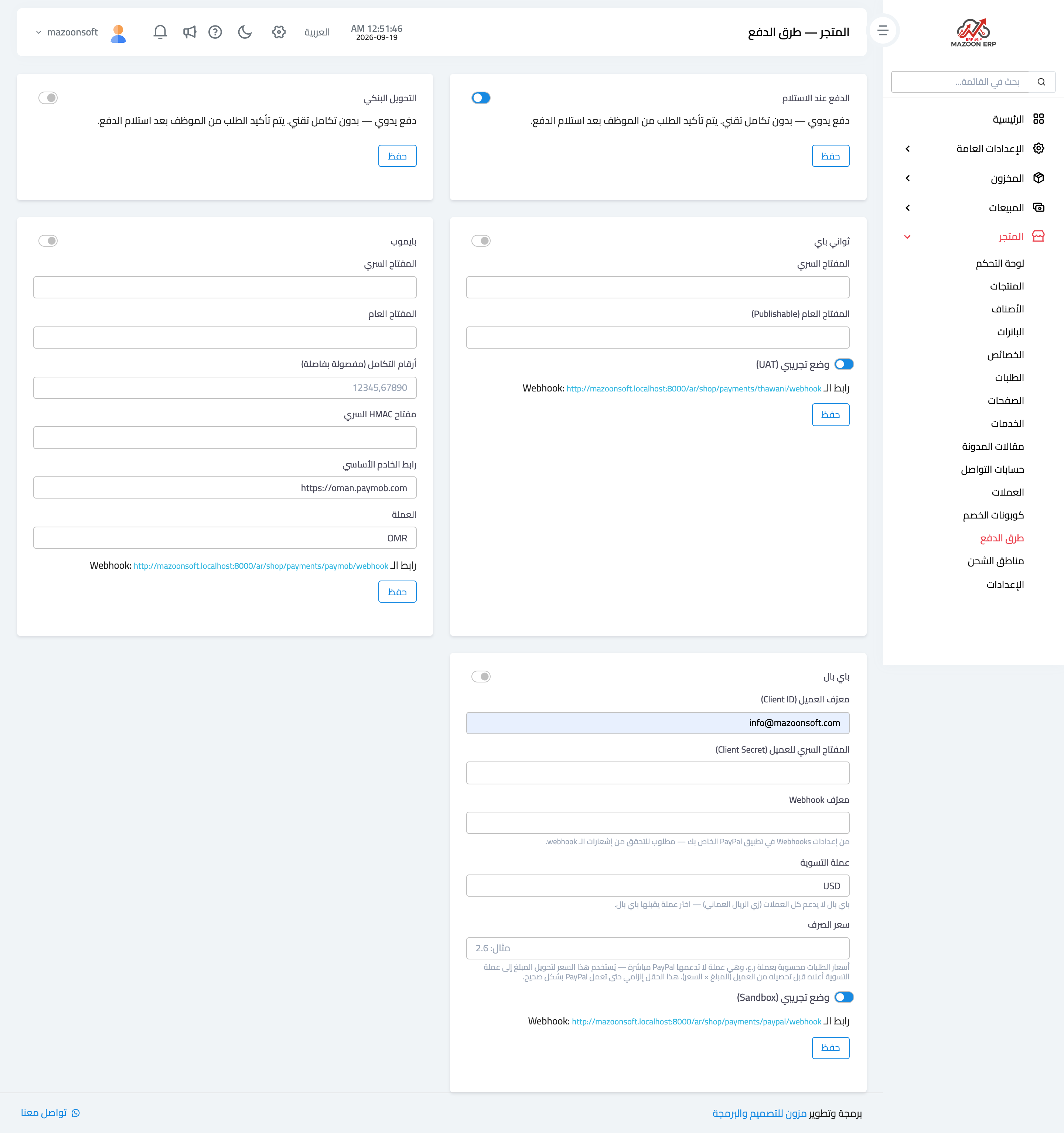
Figure 1
Try what you just read on your own data
Open a free 7-day trial — no credit card, with your own company link in minutes.