
How do I follow store orders, confirm payment and advance the status?
A store order moves through five statuses: pending, processing, shipped, completed, cancelled.
Following orders
- Open Store → Orders — Figure 1 — and filter by status, payment status or date.
- Open the order — Figure 2 — which shows the customer details, shipping address, line items and total.
Actions
- Confirm Payment Received: press it when the money has actually reached you — by transfer or cash on delivery — and the status becomes Paid.
- Advance status: moves the order to the next stage, one step at a time.
- Cancel Order: cancels it and returns the stock in integrated mode.
- Print Invoice — Figure 3 — to send with the shipment, and the WhatsApp button to message the customer directly.
Notes
- In integrated mode the order shows as linked to a real sales invoice, so do not record it a second time by hand.
- Do not confirm a payment before you see the money in your account; a screenshot of a transfer is not a transfer.
- The fastest way to lose a customer is to leave their order sitting in pending for two days with no word.
Screenshots
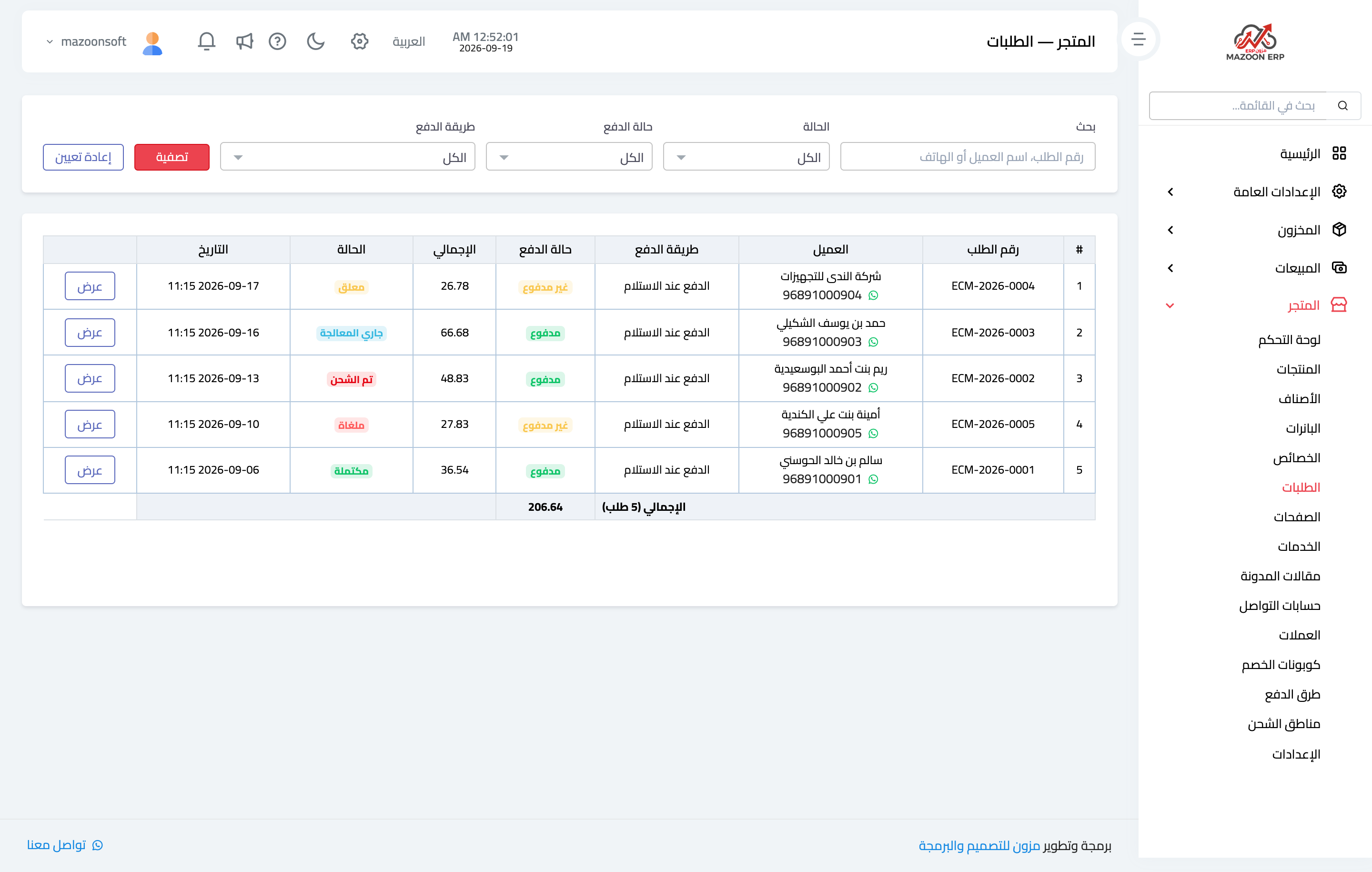
Figure 1
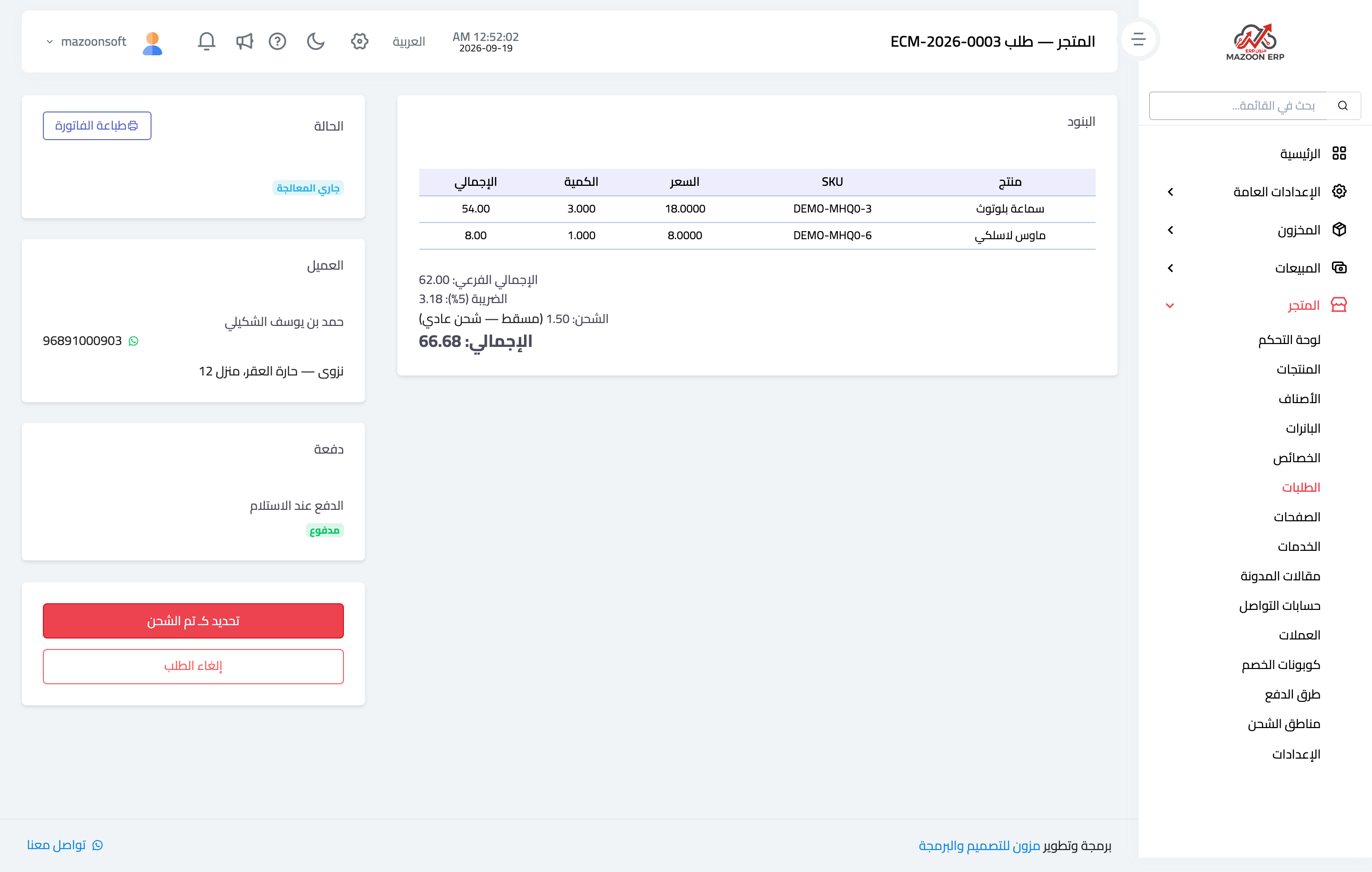
Figure 2
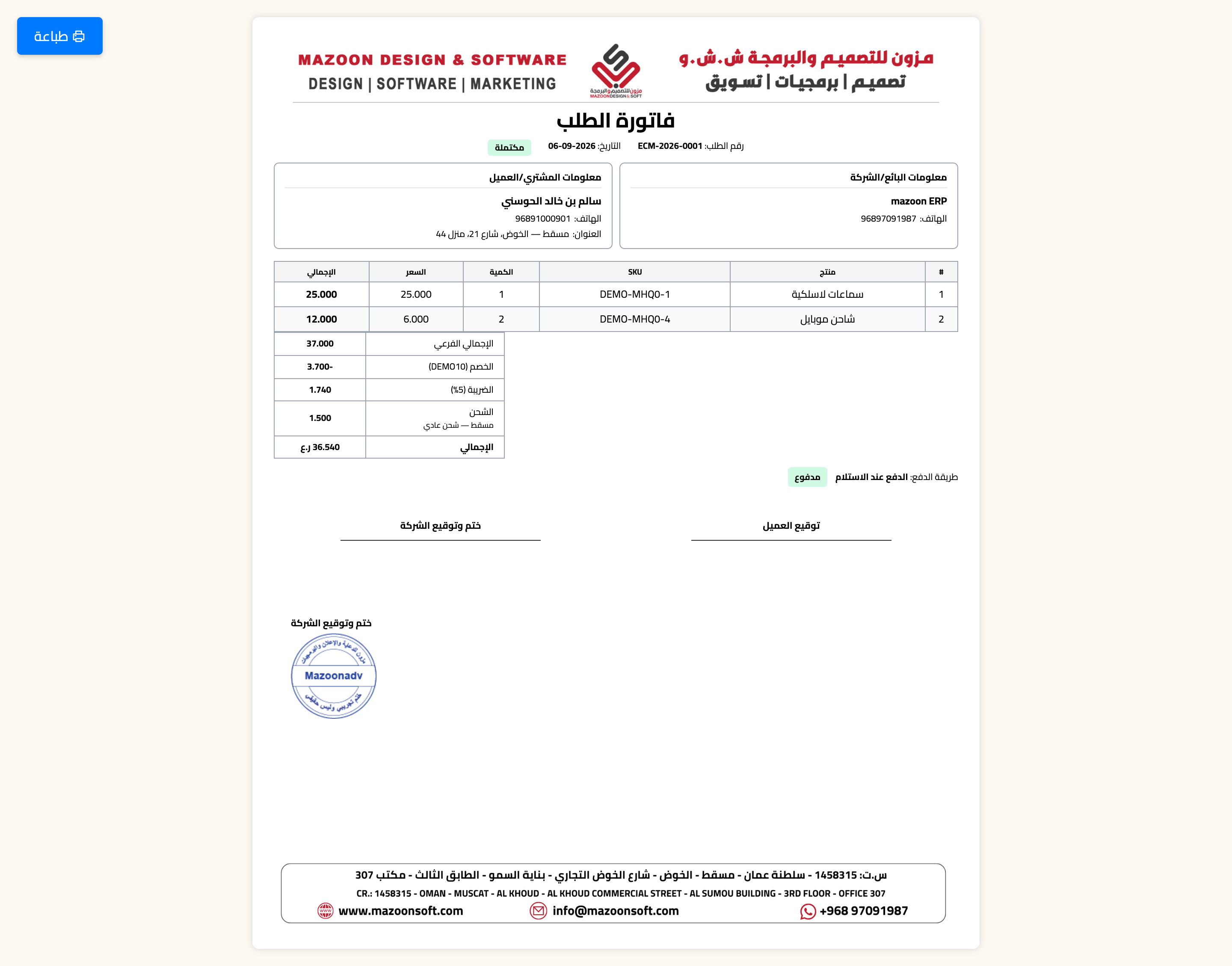
Figure 3
Try what you just read on your own data
Open a free 7-day trial — no credit card, with your own company link in minutes.