
How do I create a discount coupon?
A coupon is a marketing tool, not a price cut; tie it to an occasion, a period and a ceiling.
Steps
- Open Store → Coupons — Figure 1.
- Enter the code in Latin letters and digits only, and keep it easy to say and type.
- Choose the type: percentage or fixed amount, then enter the value.
- Set the minimum order, the start and end dates and the usage limit.
- Activate the coupon and Save; the customer enters it on the cart page.
Notes
- Give every campaign its own code; that is how you learn which campaign actually brought the orders.
- Do not delete a coupon used on past orders; disable it and the record stays intact.
- The minimum order protects your margin: 20% off a small order can swallow the whole shipping cost.
Screenshots
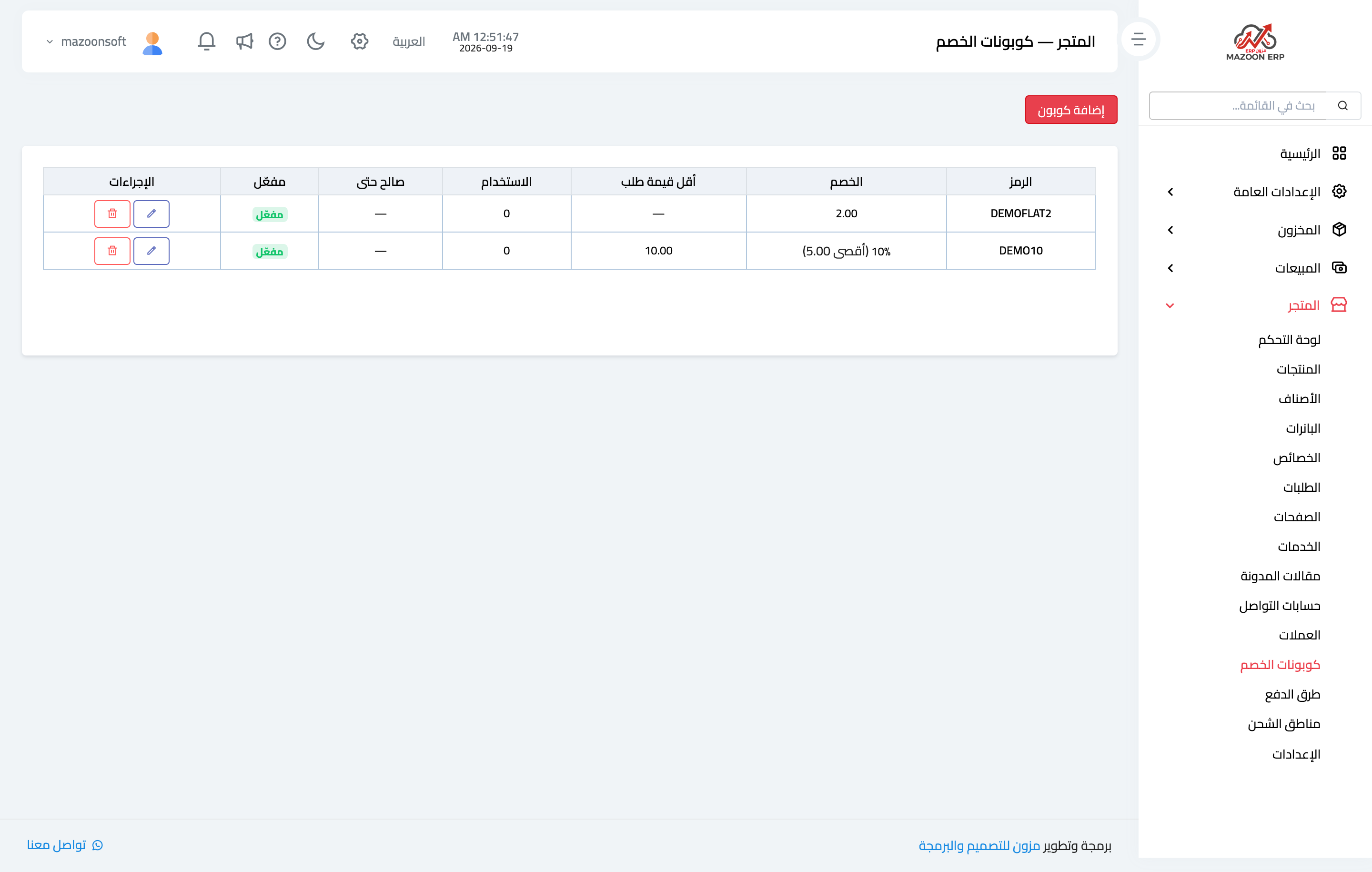
Figure 1
Try what you just read on your own data
Open a free 7-day trial — no credit card, with your own company link in minutes.