
How do I add store categories?
Categories are the path a visitor walks to reach a product; a store without clear categories is a store that is hard to buy from.
Steps
- Open Store → Categories — Figure 1.
- Press the add button — Figure 2.
- Enter the Arabic and English names; the slug is generated automatically and you can edit it.
- Upload a category image and set the sort order so it appears where you want it on the homepage.
- Fill the SEO fields if you care about how it shows in Google, then Save.
Notes
- A single product can belong to more than one category, which helps for items that fit several occasions.
- Do not create too many categories; six clear ones serve you better than twenty overlapping ones.
- Changing the slug after publishing breaks old links, so settle it once at the start.
Screenshots
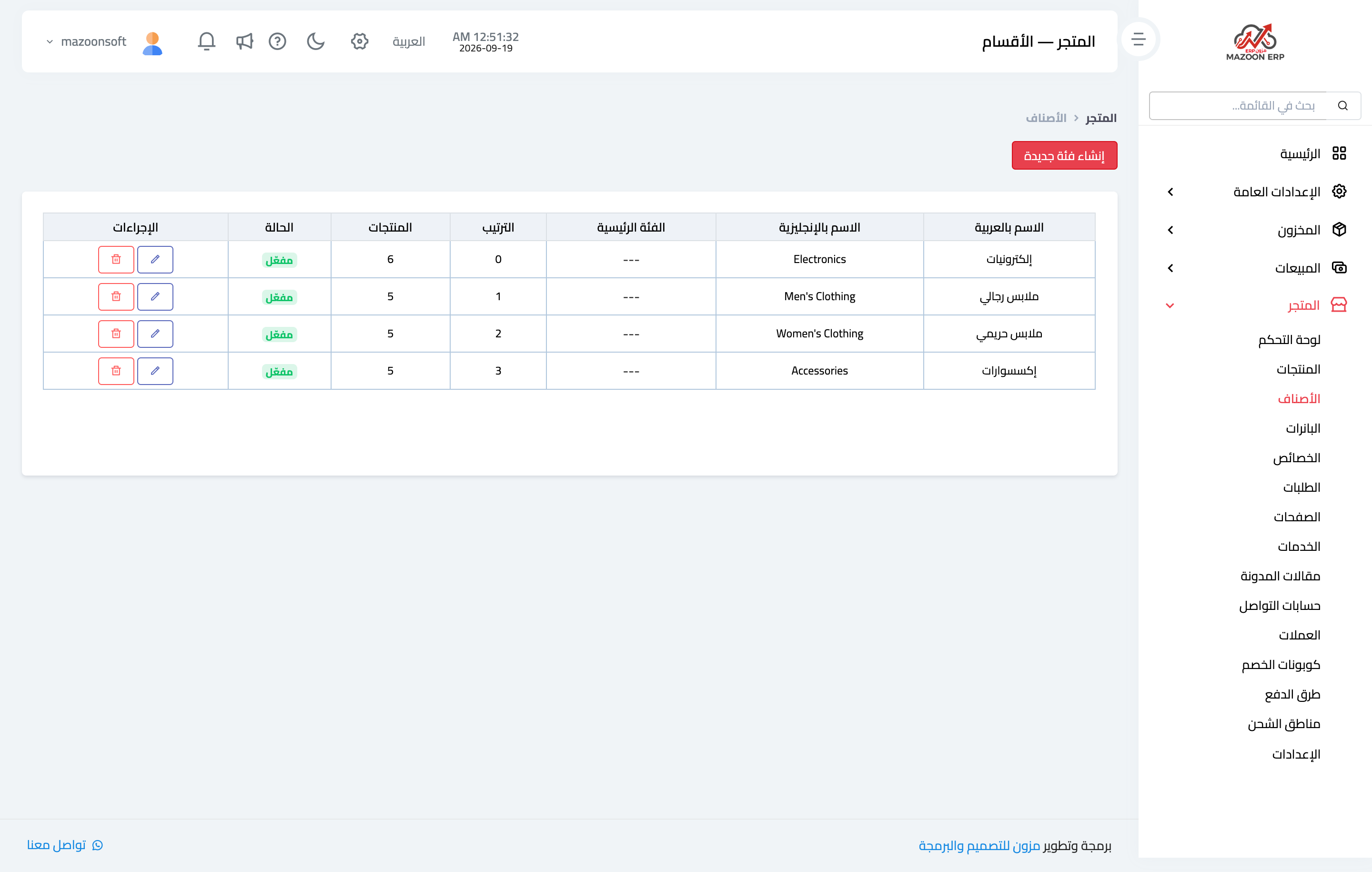
Figure 1
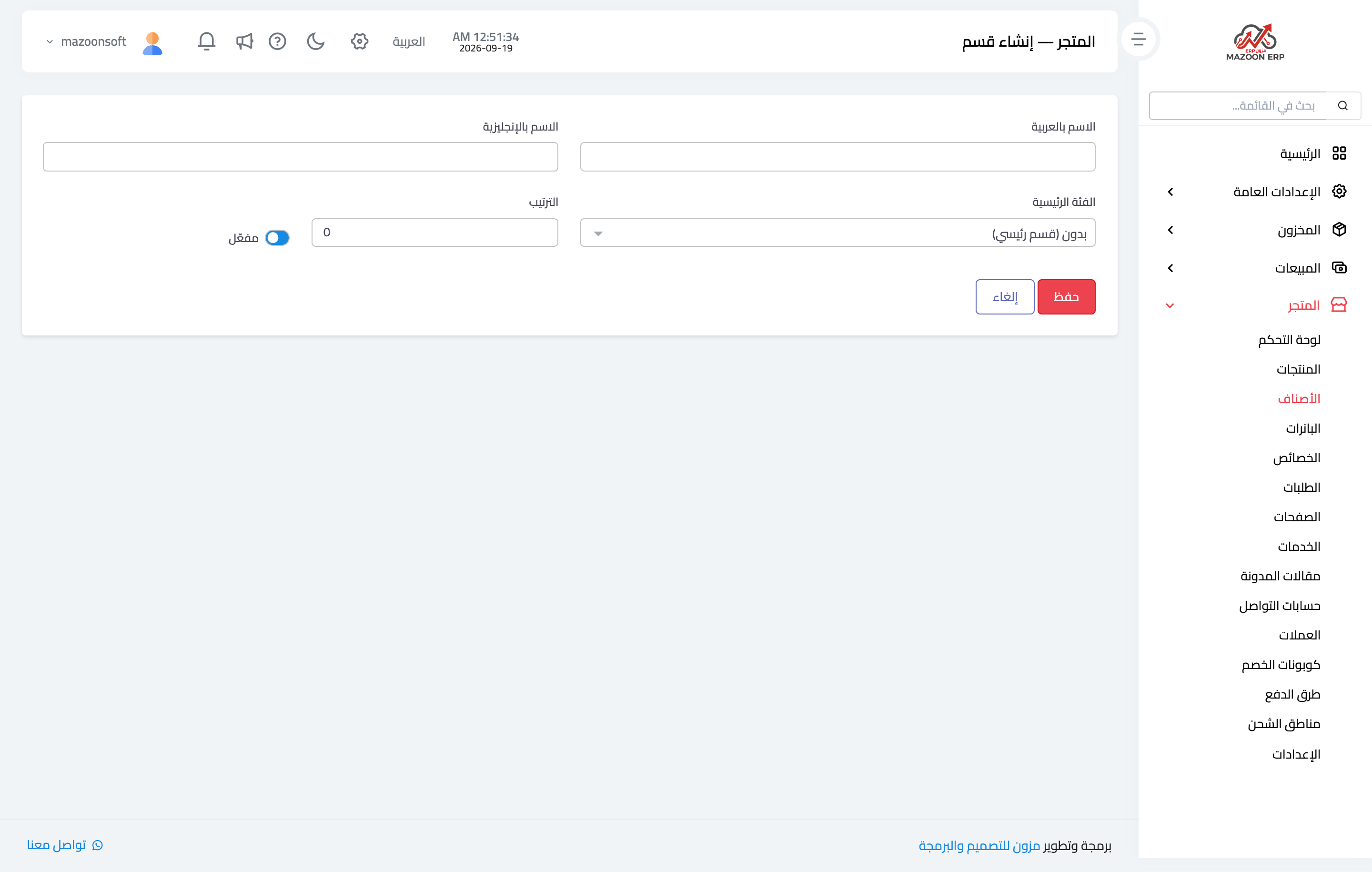
Figure 2
Try what you just read on your own data
Open a free 7-day trial — no credit card, with your own company link in minutes.