
How do I add currencies and let visitors switch between them?
If customers visit from outside the country, showing the price in their currency saves them the mental arithmetic.
Steps
- Open Store → Currencies — Figure 1.
- Add a currency with its code (such as OMR or AED), its name and its exchange rate against the base currency.
- Enable the currencies you want shown, and mark the default one.
- The visitor finds the currency switcher in the storefront top bar.
Notes
- Showing another currency is for display only; the order is recorded and settled in the store’s base currency.
- Review the exchange rates regularly; a stale rate gives a false impression of your pricing.
- Do not enable many currencies; two or three is enough for most stores.
Screenshots
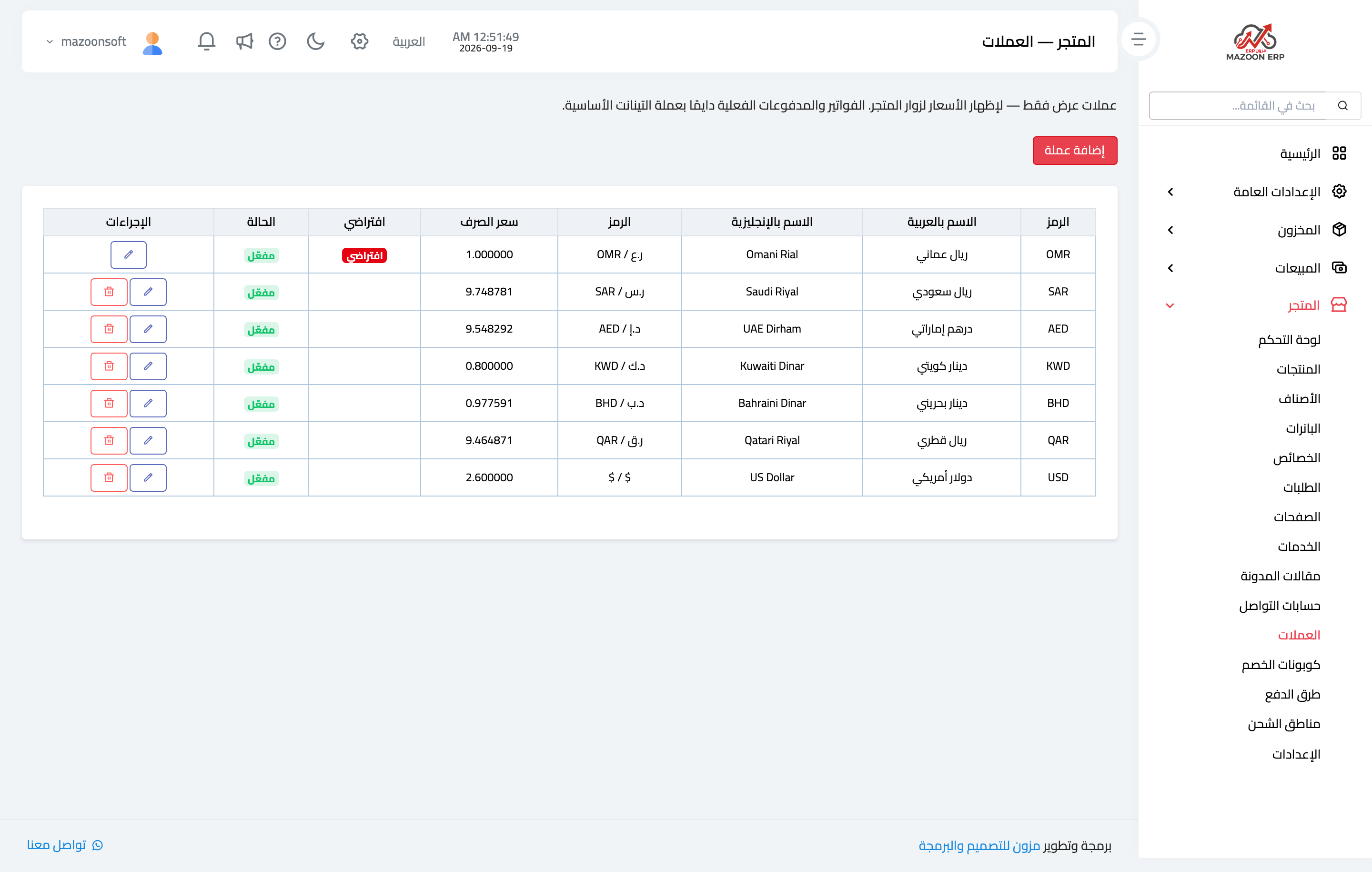
Figure 1
Try what you just read on your own data
Open a free 7-day trial — no credit card, with your own company link in minutes.