
Blog, menus, pages, and contact messages
Once the home page content is in place, what remains is what keeps the site alive: a blog that gets updated, menus that carry the visitor around, static pages, and a place where client messages land.
Blog / News
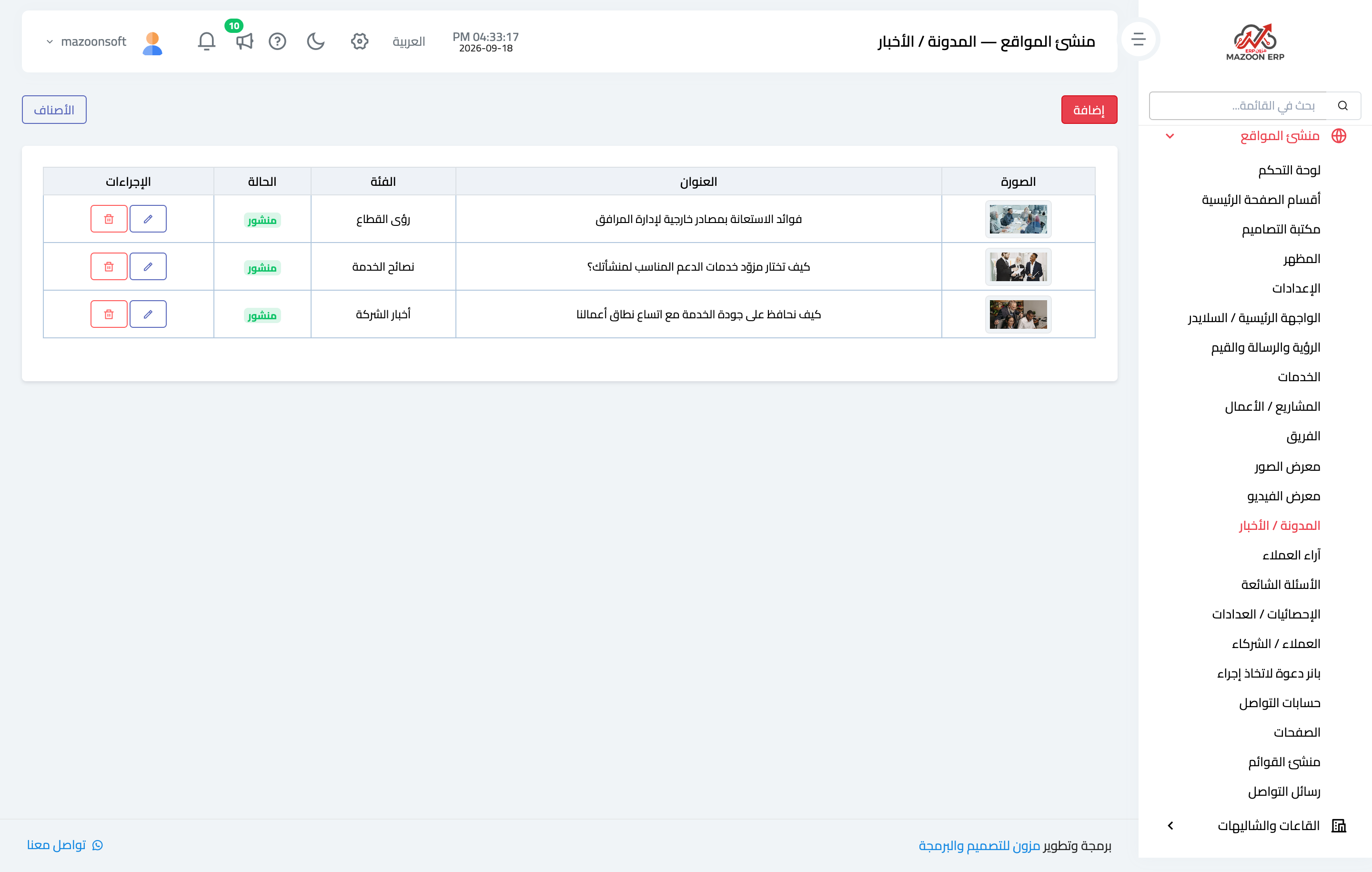
Each post — Figure 1 — has a title, a category, a featured image, a body, and a publish state, plus extra media inside its own page.
The Categories button at the top opens the blog categories (company news, tips, industry insight, and whatever you add); the category is how a visitor filters the posts on the site.
The blog is the strongest lever you have on search visibility: one post a fortnight beats ten posts followed by a year of silence.
Menu builder
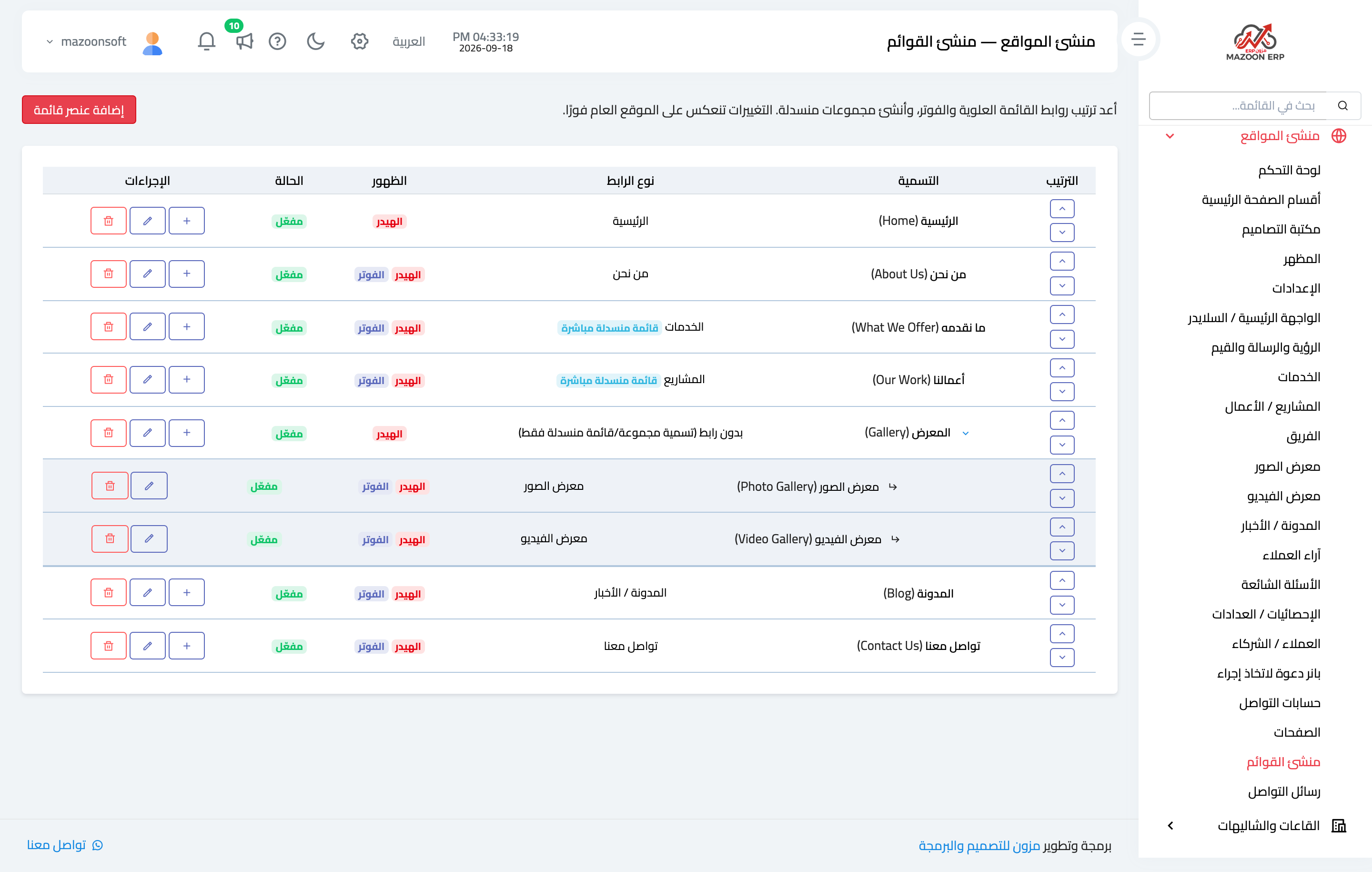
From here you build the top navigation and the footer menu — Figure 2. Each item has a label in both languages, a link type, a placement (header, footer, or both), and an order.
An item can also be a dropdown group with no link of its own, holding sub-items underneath — as “Gallery” does for the photo and video galleries.
There is another useful link type: a live dropdown, which lists that section’s own items automatically — add a new service and it appears in the menu without you touching it.
Pages
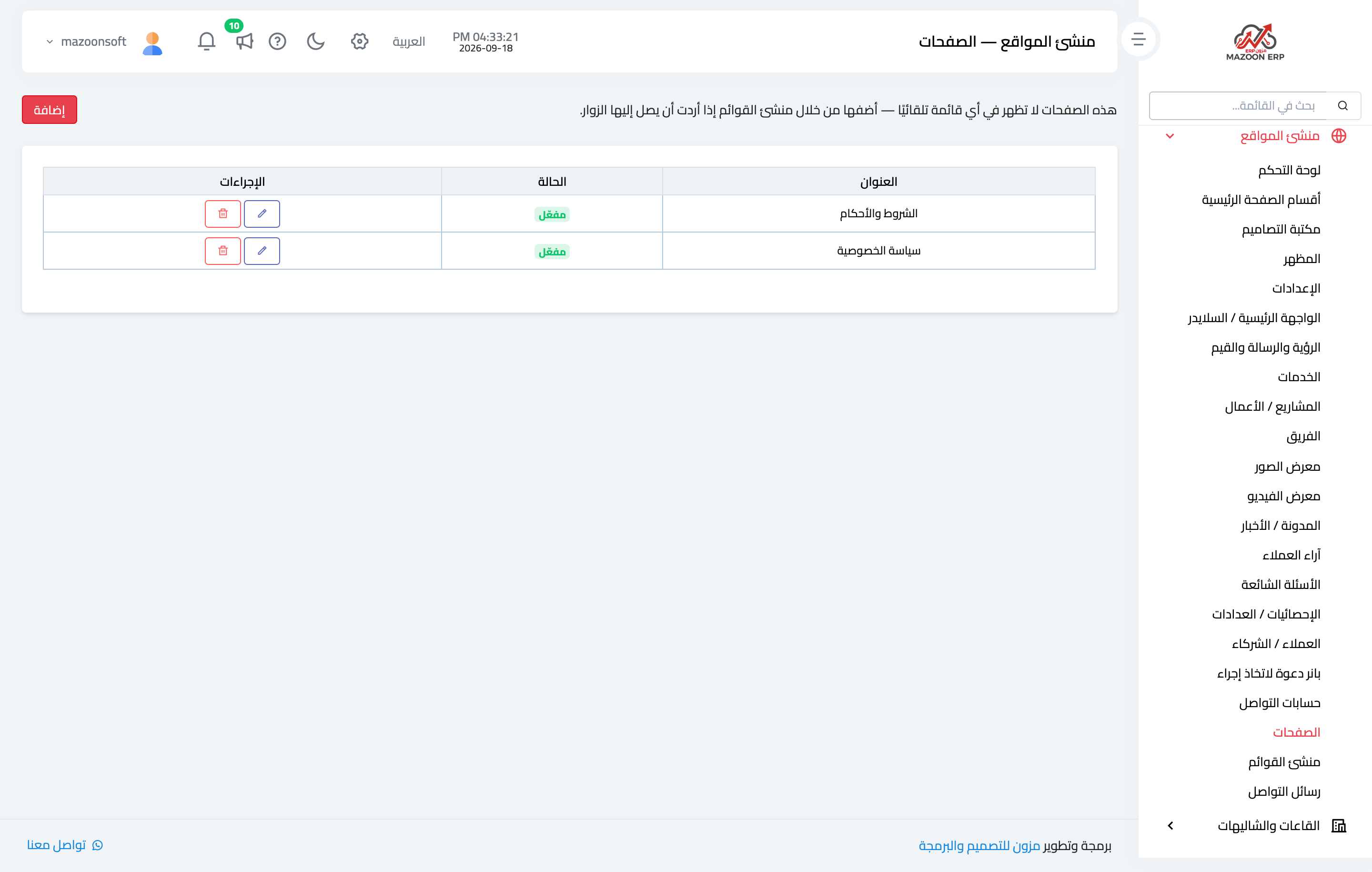
For static content that no ready-made section fits — Figure 3 — such as a privacy policy, terms and conditions, or a careers page.
Each page has a slug and an SEO description, and you then link it in the footer from the menu builder.
Contact messages
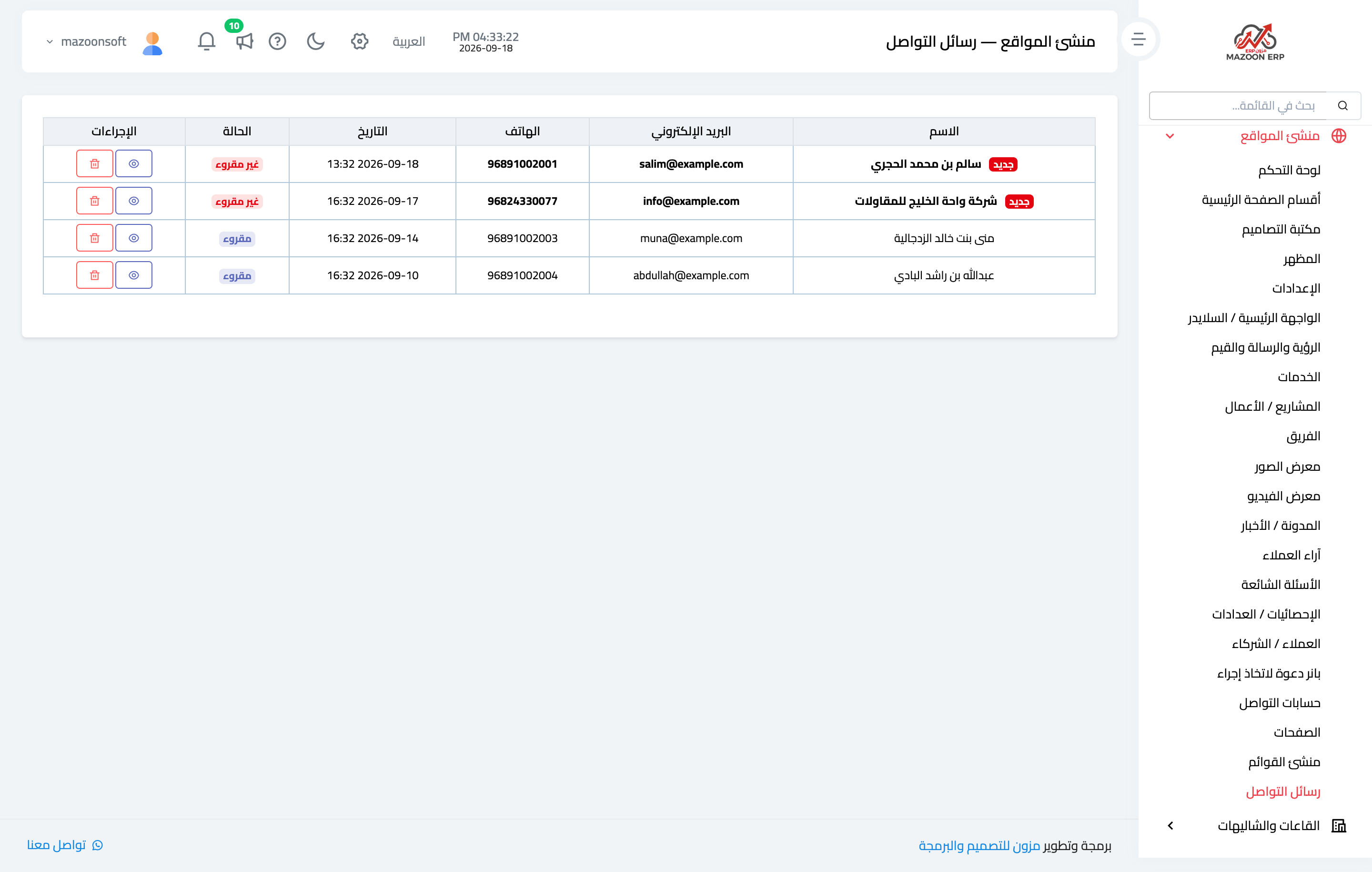
Everything submitted through the “contact us” form lands on this screen — Figure 4 — with the sender’s name, phone, email, the message text, and whether it has been read.
The unread count shows on the dashboard and in the sidebar, so no message slips past unnoticed.
Social accounts
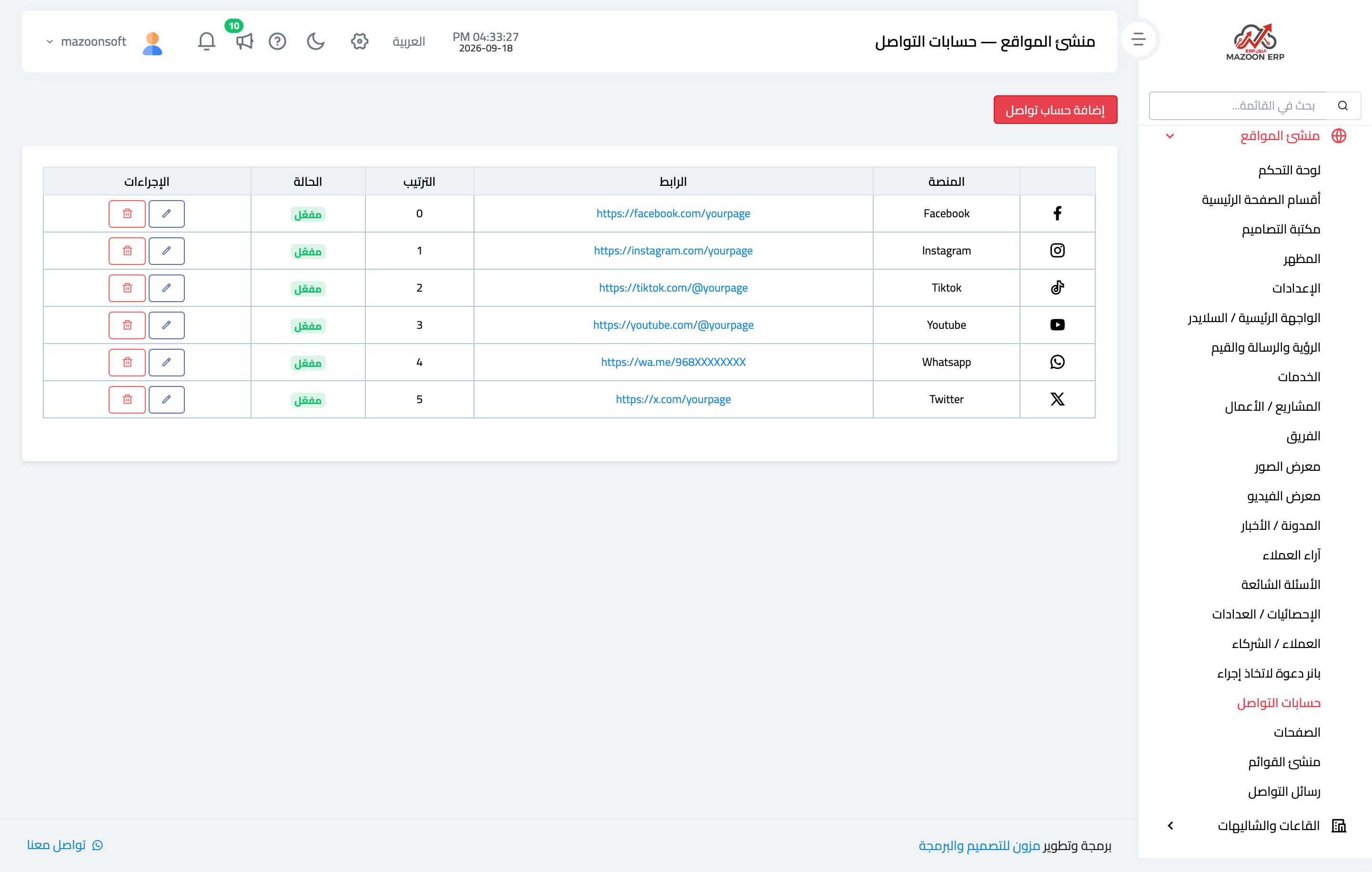
Your platform links — Figure 5 — whose icons appear in the header and footer. Remove any account you do not keep up; an abandoned account is worse than none.
Notes
- Use a “live dropdown” for services and projects instead of adding each item by hand.
- Keep the top menu to seven items or fewer; beyond that it confuses the visitor and breaks on mobile.
- Write an SEO description for every post and page; that is the line people read in search results.
- Check the contact messages daily; they are prospective clients, not marketing mail.
Screenshots
Try what you just read on your own data
Open a free 7-day trial — no credit card, with your own company link in minutes.