
How do I add the photo gallery and the video gallery?
The gallery is one screen in the admin and appears on the site as two sections: photos and video.
Steps
- Open Website Builder → Photo Gallery — Figure 1.
- Press the add button and choose the type: image or video.
- For an image: upload the file and write a short caption in both languages.
- For a video: paste a YouTube or Vimeo link and it plays inside the site.
- Set the sort order and active state, then Save.
Notes
- The Photo Gallery and Video Gallery sections are enabled separately on the Website Sections screen.
- Compress images before uploading; twenty camera-sized photos make the page heavy on a phone.
- Photos of your real work beat stock images; visitors can tell the difference.
Screenshots
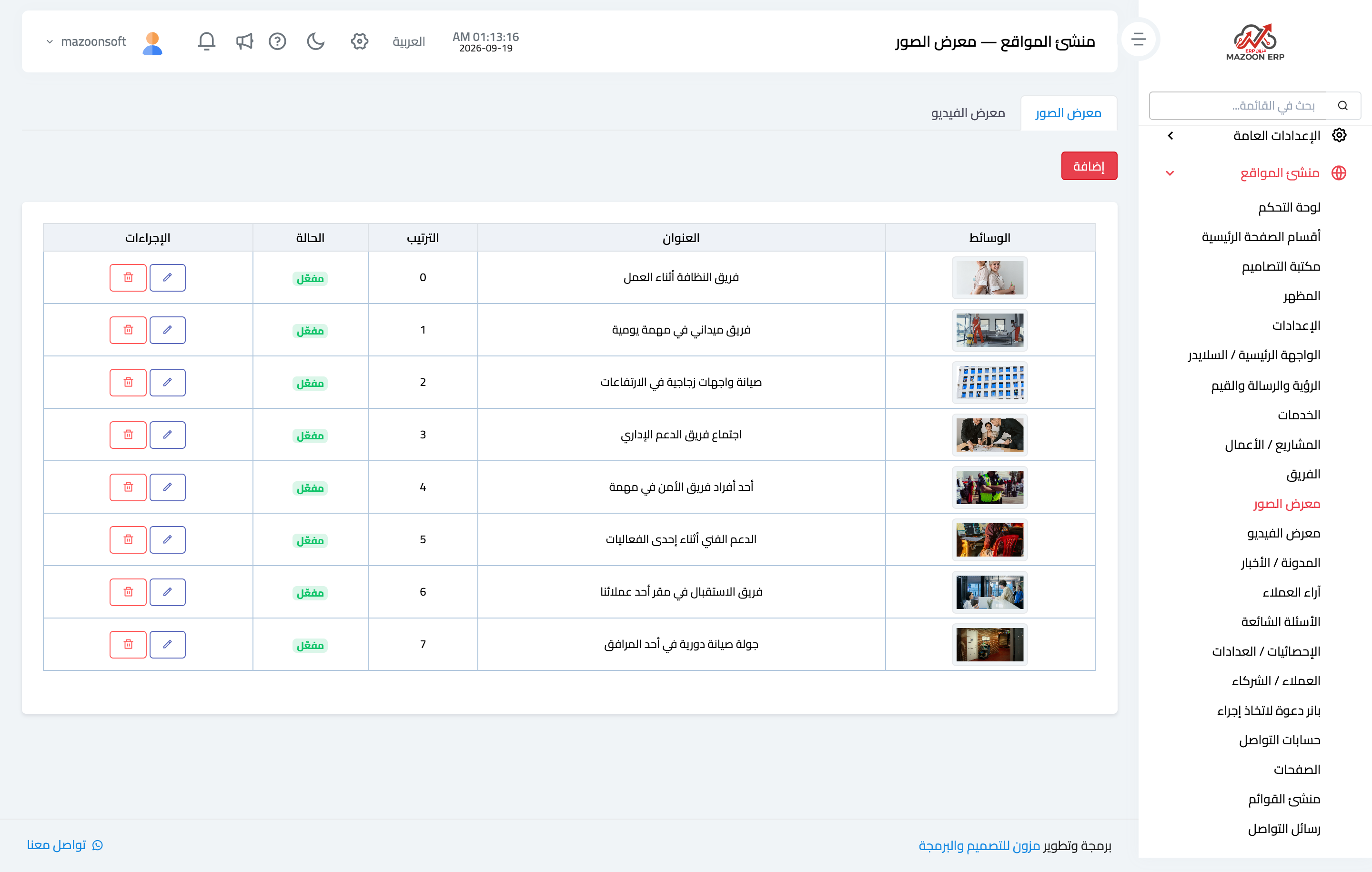
Figure 1
Try what you just read on your own data
Open a free 7-day trial — no credit card, with your own company link in minutes.