
How do I add services with their images and videos?
The services section is the heart of a company website; it is how a visitor learns whether you offer what they came for.
Steps
- Open Website Builder → Services — Figure 1 — and press the add button.
- Write the service title, a short description and the full description in both languages — Figure 2.
- Pick an icon from the icon picker; it is what shows on the service card on the homepage.
- Upload media from the media gallery: images and video links, reordered by dragging.
- Set the sort order and active state, then Save.
Notes
- The short description appears on the card and the full one on the service page, so do not repeat yourself.
- Write what you actually do, not what you aspire to; the customer will ask about it on the first call.
- A few well-explained services beat twenty listed in one line each.
Screenshots
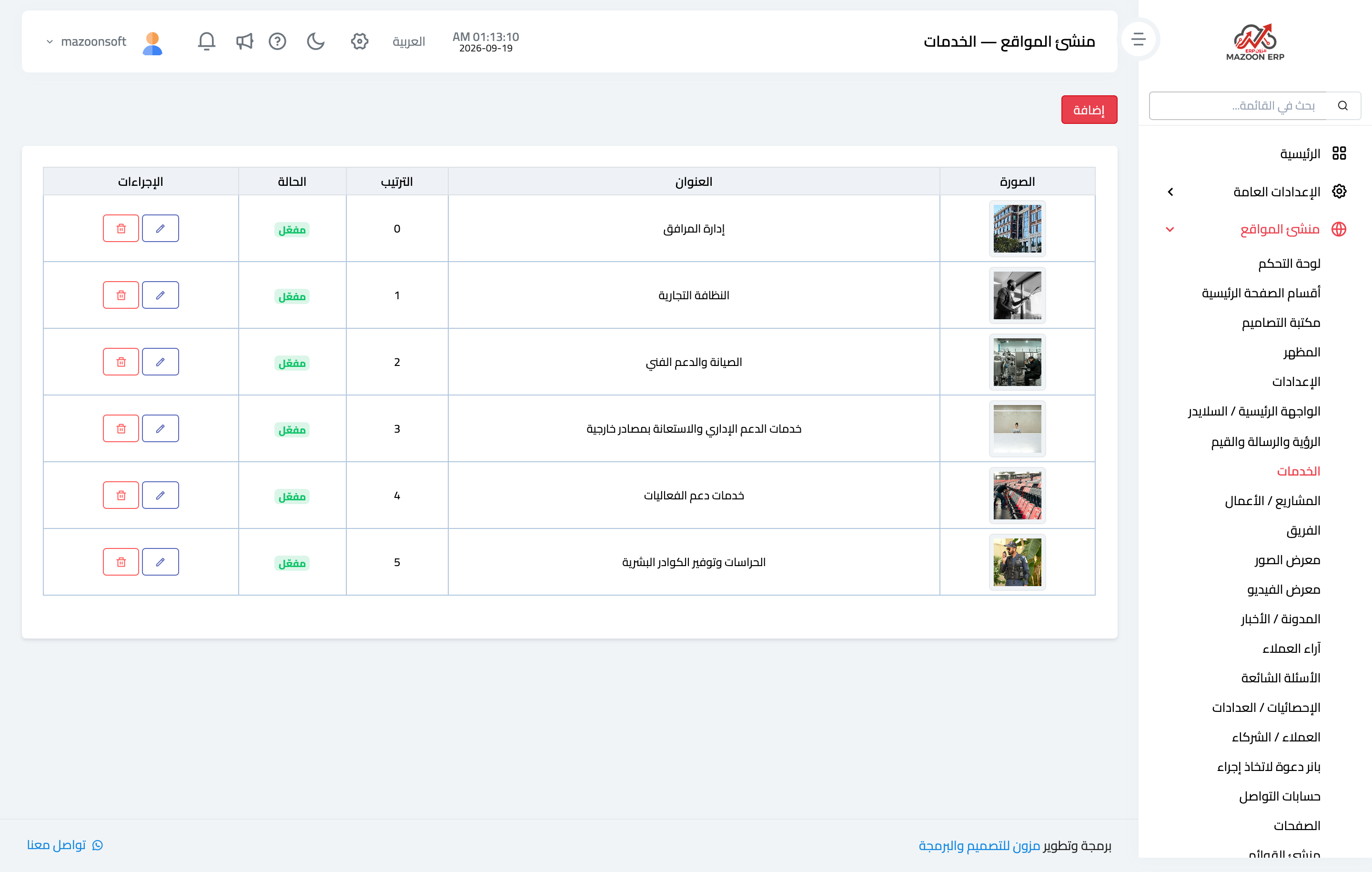
Figure 1
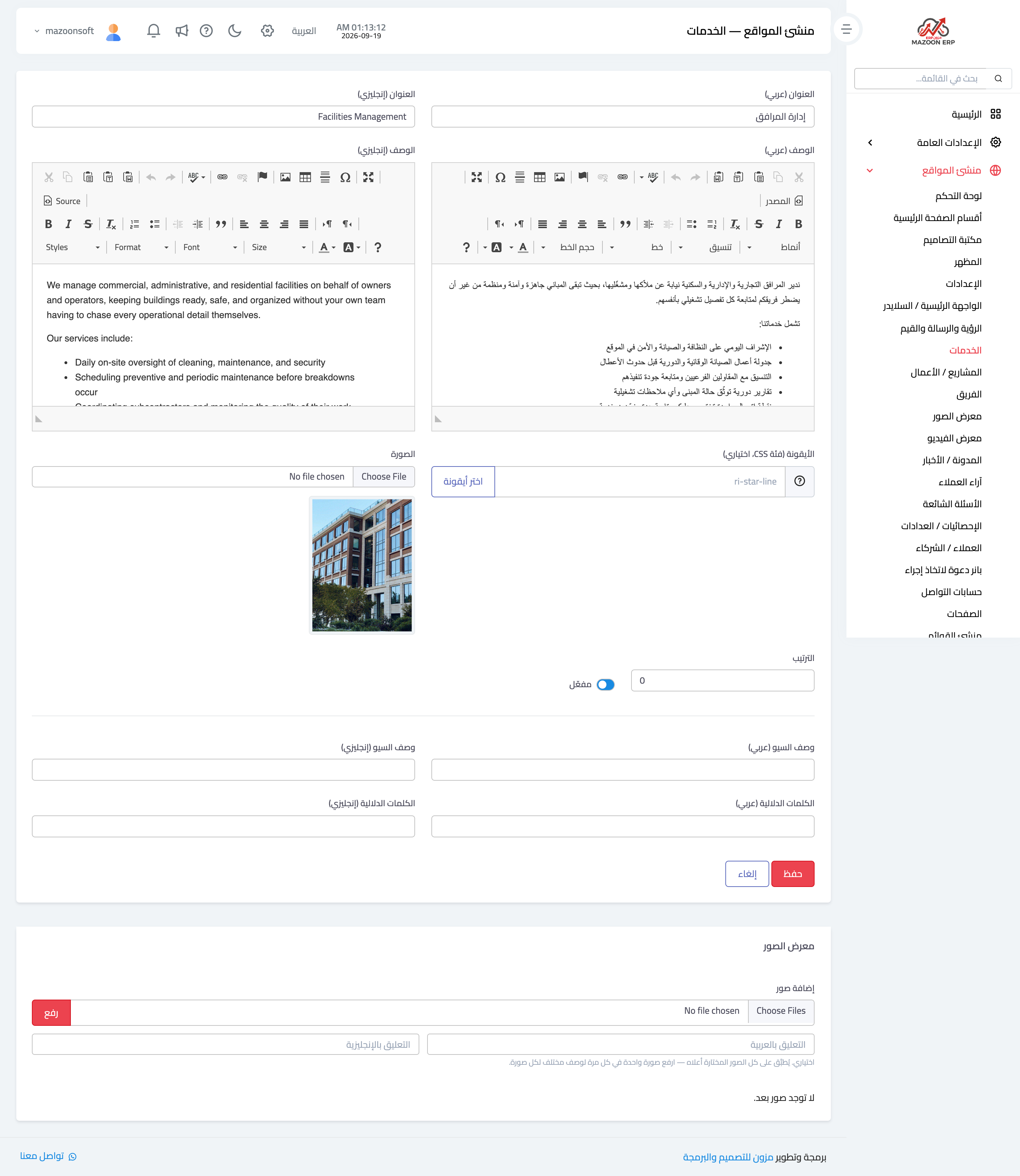
Figure 2
Try what you just read on your own data
Open a free 7-day trial — no credit card, with your own company link in minutes.