
How do I enable, reorder and re-style the homepage sections?
Your site is built from independent sections, and you decide which appear, in what order and in what shape.
Steps
- Open Website Builder → Website Sections — Figure 1.
- Turn any section on or off with its switch; the change shows on the public site immediately.
- Drag a section to reorder it, or use the move up and move down arrows.
- Under section layout pick a different look for the same content; each section has several layouts.
- Under section heading write your own heading and subheading in both languages, or leave them empty to use the default.
- Under max items on homepage set how many items show, with the rest visible on the inner page.
Notes
- Disable every section you have no content for; a “Team” section with one person weakens the impression rather than strengthening it.
- The order tells a story: who you are, then what you offer, then what backs up your claims (work, testimonials, numbers), then how to reach you.
- Do not stretch the homepage to sixteen sections; seven strong ones serve you better.
Screenshots
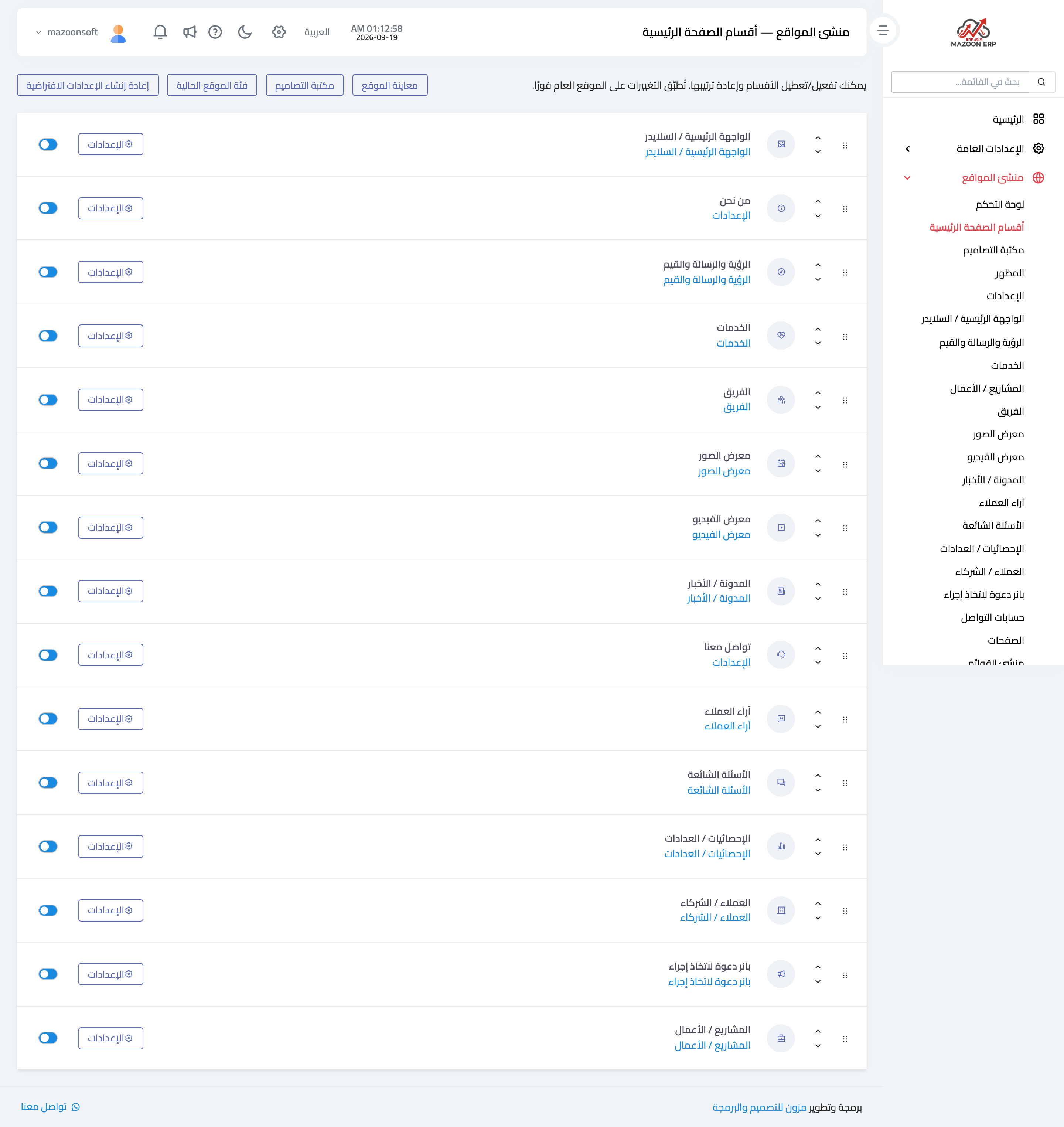
Figure 1
Try what you just read on your own data
Open a free 7-day trial — no credit card, with your own company link in minutes.