
How do I preview the site before launch and keep it closed with a “Coming Soon” page?
The site is either published or closed — there is nothing in between. But you can preview it while it is closed, from inside the dashboard.
Previewing
- From Website Builder → Dashboard press Preview Storefront.
- It opens exactly the page a visitor sees — Figure 1 — whatever the publish state.
- Scroll to the bottom and read every section; what looks fine in the entry form can look broken on the front end.
Publishing and closing
- Open Settings — Figure 2.
- The Storefront Enabled switch makes the site available to the public.
- If you turn it off, enable show a “Coming Soon” page so visitors see a respectable page rather than a 404.
- The storefront status shows on the dashboard as Live or Offline.
Notes
- Open the preview on your phone too; most visitors will open your site on a phone.
- Do not publish while default text or placeholder images remain; a visitor has no way of knowing you are not finished.
- Review the site in both languages before publishing; the Arabic often gets filled in and the English forgotten.
Screenshots

Figure 1
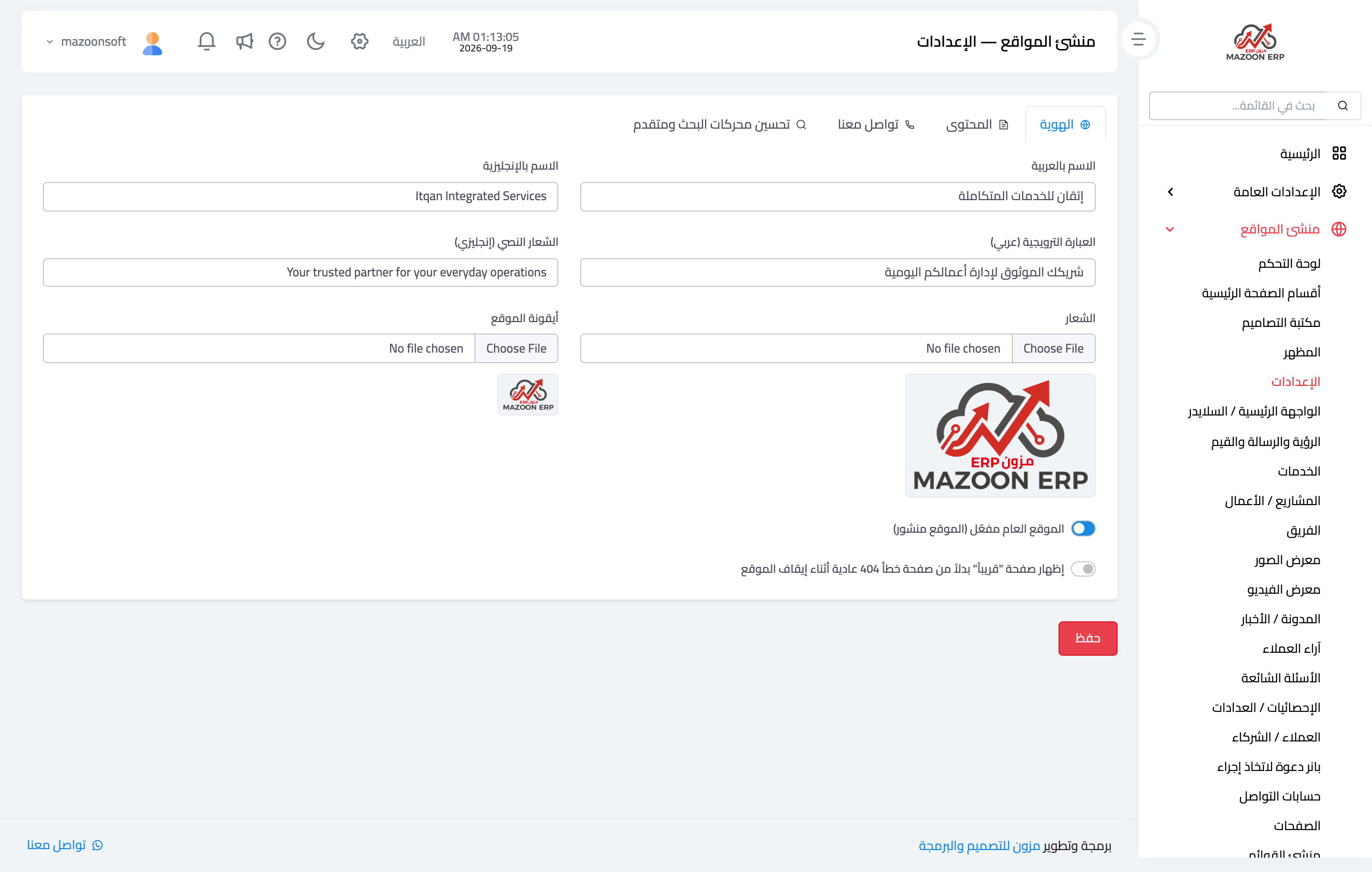
Figure 2
Try what you just read on your own data
Open a free 7-day trial — no credit card, with your own company link in minutes.