
Where do contact form messages arrive, and how do I add social accounts?
A beautiful site that does not answer its messages is worse than no site at all.
Contact messages
- Everyone who submits the Contact Us form lands in Website Builder → Contact Messages — Figure 1.
- The unread messages count shows on the Website Builder dashboard.
- Open a message — Figure 2 — and you get the sender’s name, phone, email and their text.
- Delete spam as it arrives so the list stays clean.
Social accounts
From Website Builder → Social Links — Figure 3 — add the platform and its full URL; the icons appear in the header and footer.
Notes
- Make opening this page a daily habit; a message read a week later is an opportunity gone.
- A link to an abandoned account does more harm than good, so list only what you actually maintain.
- Check the links after saving; an incomplete URL opens an error page in front of your visitor.
Screenshots
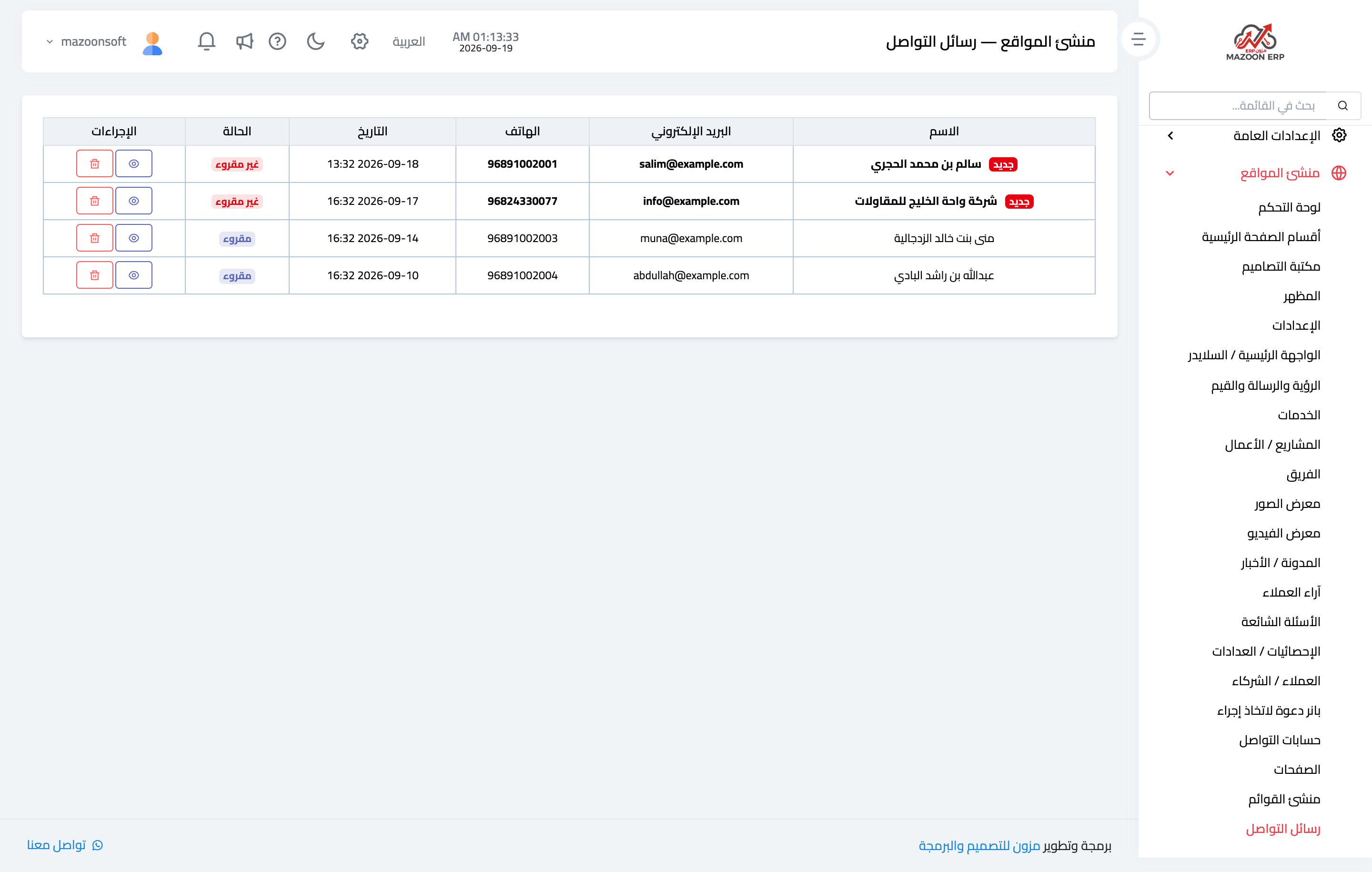
Figure 1
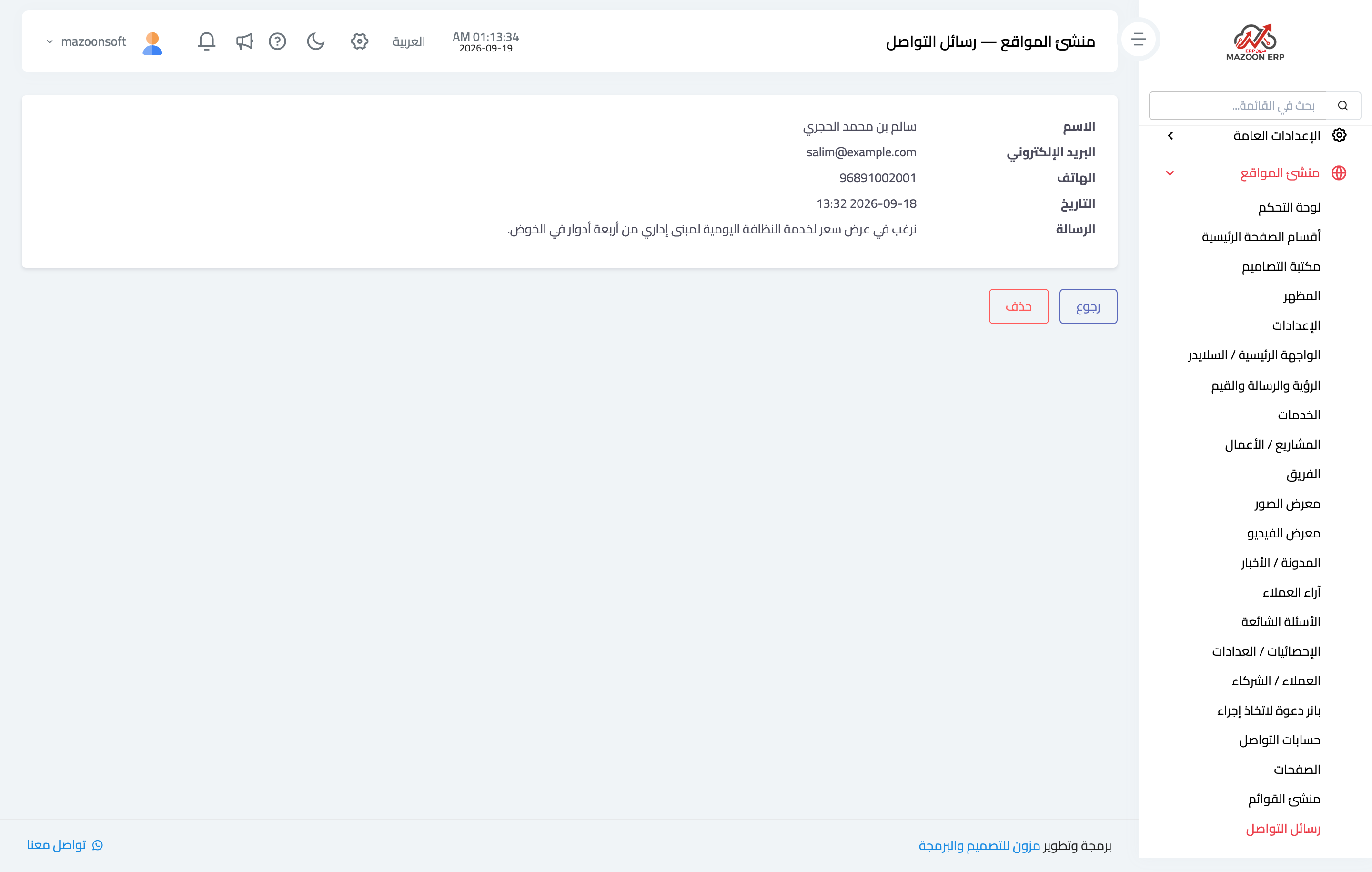
Figure 2
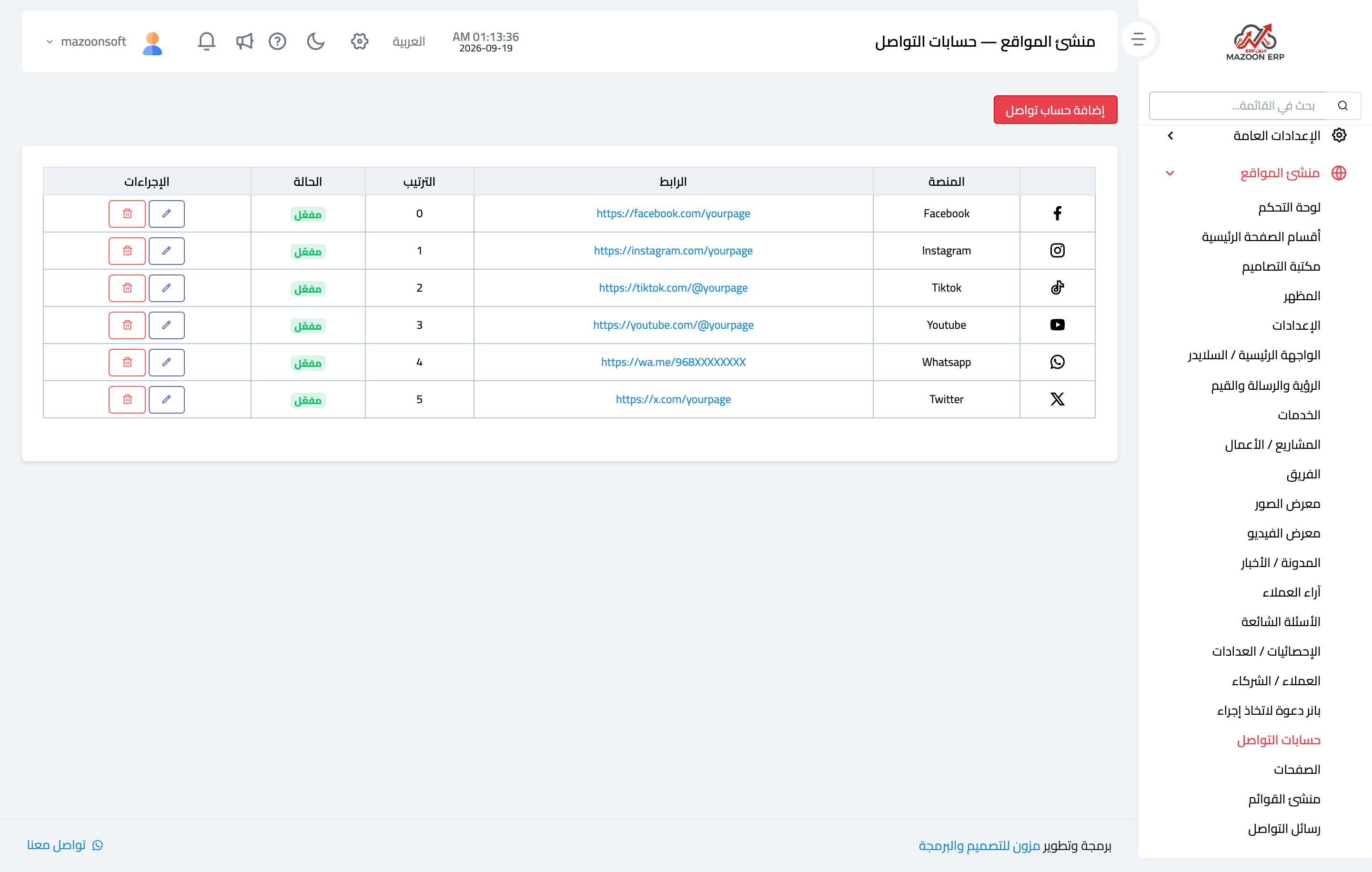
Figure 3
Try what you just read on your own data
Open a free 7-day trial — no credit card, with your own company link in minutes.