
How do I add optional services to a venue?
Optional services are what lift a booking above the venue price: catering, photography, floral styling, sound.
Steps
- Open Halls & Chalets → Services — Figure 1 — and add a service.
- Enter the Arabic and English name and the price.
- Choose the venue the service belongs to, or leave it general so it appears for every venue.
- Set the status to active so it shows to staff and to customers on the booking site.
- When creating a booking, pick the services and set the quantity; they are added to the services total in the financial summary — Figure 2.
Notes
- Price the service to cover its cost and your margin; most halls lose money on catering while believing they make it.
- Do not delete a service used by past bookings; set it inactive instead.
- Services are the easiest lift to your average booking value, so make sure staff offer them on every call.
- Review service prices each season; catering costs move faster than venue rates.
Screenshots
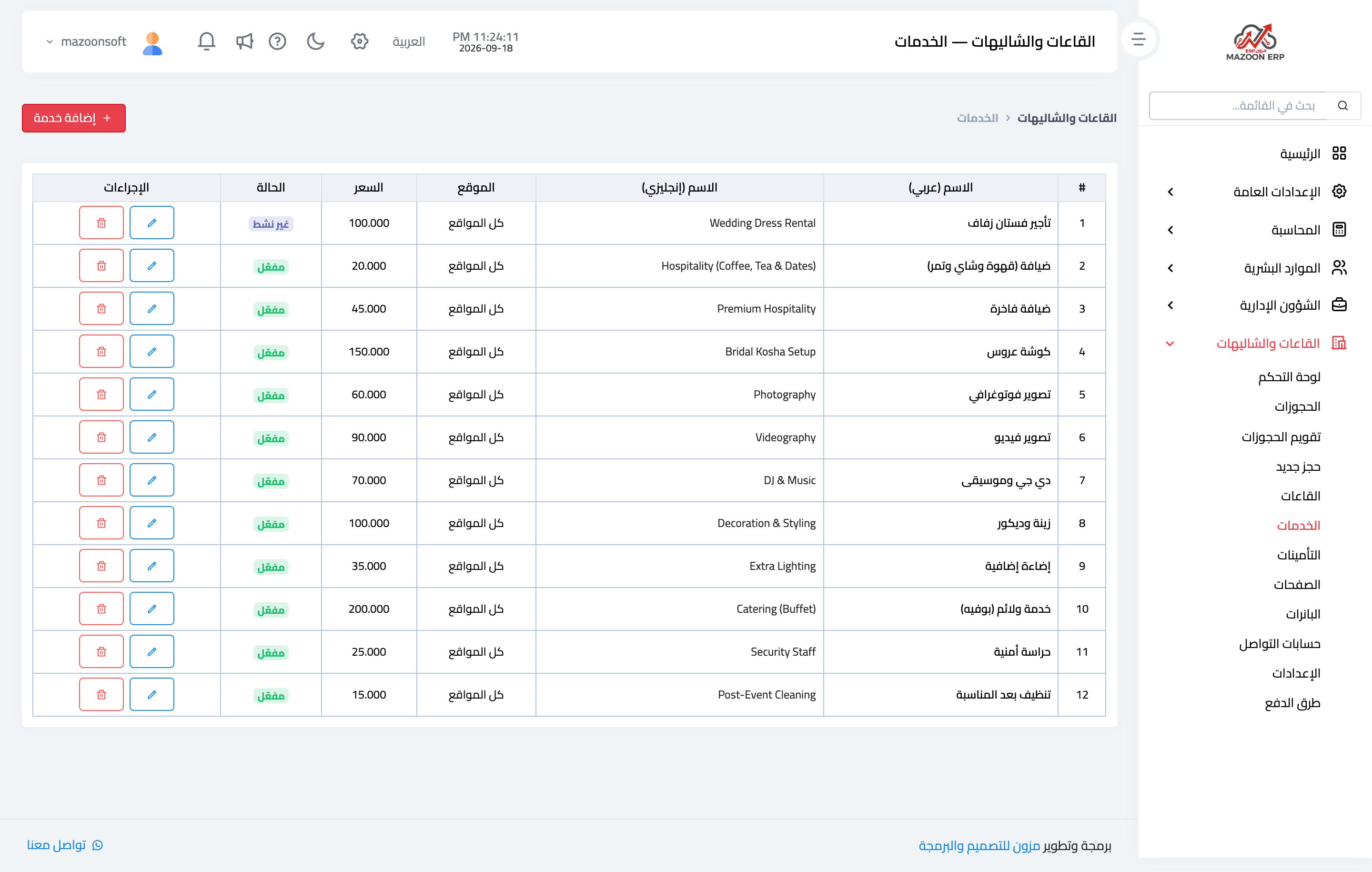
Figure 1
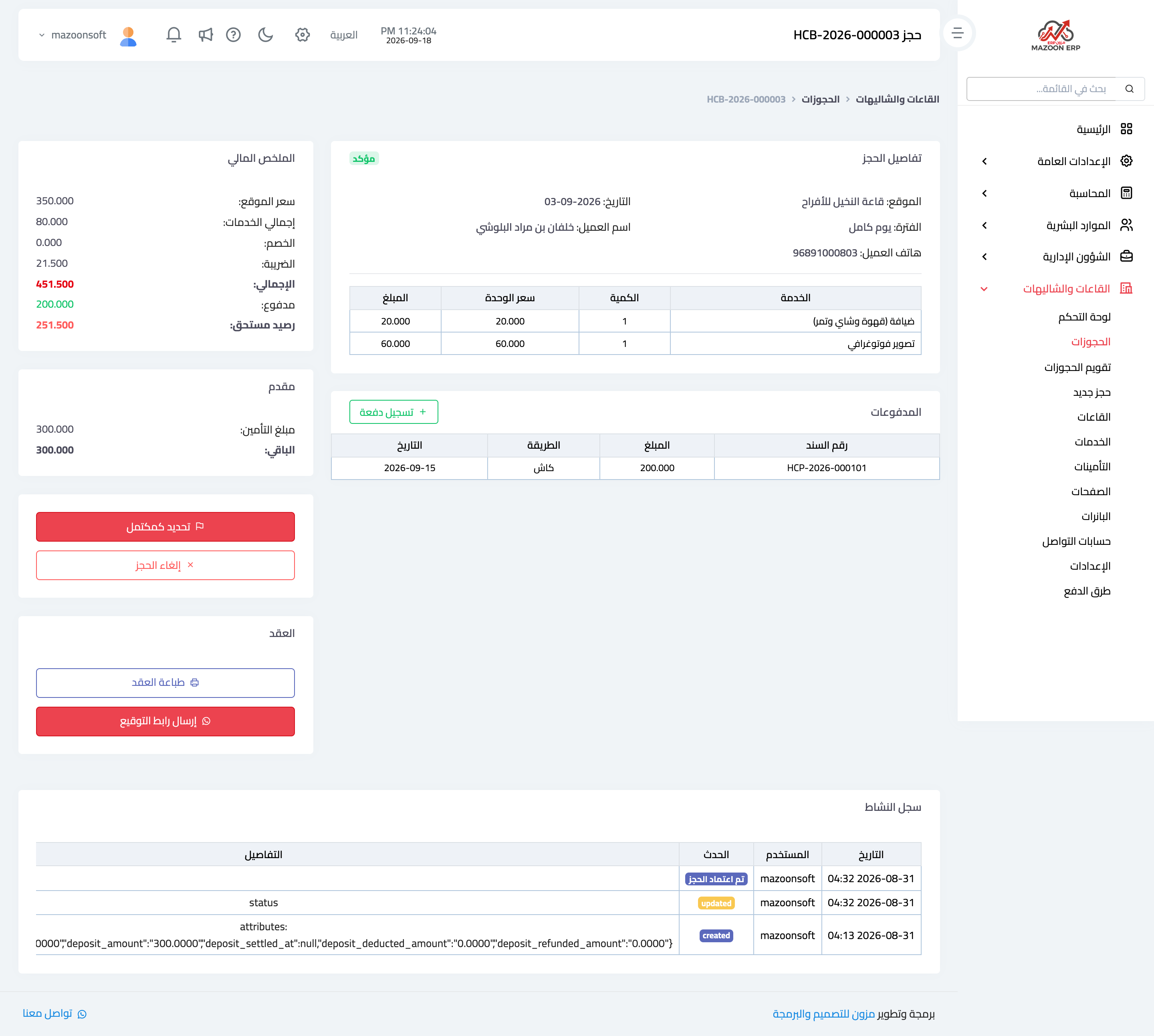
Figure 2
Try what you just read on your own data
Open a free 7-day trial — no credit card, with your own company link in minutes.